

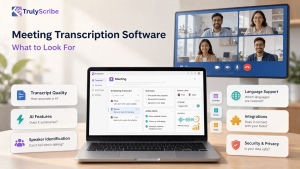
Meetings are where decisions get made and, just as often, where they get forgotten. Someone takes notes, someone else remembers it differently, and a week later nobody is sure what was agreed. Meeting transcription software promises to fix that by turning every conversation into searchable text. But the market is crowded, the feature lists all look alike and the wrong choice can mean poor accuracy, awkward workflows or a bill that grows faster than your team.
This guide explains what to look for in meeting transcription software: the types of tools available, the features that matter most, the red flags to avoid and a simple scorecard for comparing options. We also show where TrulyScribe fits, so you can decide whether it suits your workflow.
Key Takeaways
- Start with how you capture meetings. Some tools send a bot into the call, some use the meeting platform’s own transcript and some transcribe recordings you upload. Each suits a different workflow.
- Accuracy comes first. Everything else, from summaries to action items, depends on the transcript being right, so test candidates with your own meetings, accents and jargon.
- Look for speaker labels, timestamps, search and an editor. They turn a wall of text into something your team can actually use.
- Check security, consent and data handling early. Meetings contain sensitive information, so encryption, retention controls and clear policies are essential.
- Compare pricing models, not just prices. Per-seat plans, minute allowances and unlimited usage can produce very different costs as your team grows.
- TrulyScribe is a strong fit for recorded meetings: upload the recording, get an accurate, speaker-labeled, timestamped transcript in 100+ languages, fix it in the editor and export to DOCX or PDF.
What Is Meeting Transcription Software?
Meeting transcription software uses speech recognition to convert spoken conversations, whether in video calls, in-person meetings or phone calls, into written text. Good tools add speaker labels and timestamps, make the transcript searchable and often generate summaries and action items. If you are new to the technology, our beginner’s guide explains what AI transcription is and how it works.
The category is broader than it looks. Before comparing features, it helps to know which type of tool you are actually shopping for:
| Type of tool | How it works | Best for |
|---|---|---|
| Meeting bot / AI notetaker | A bot or app joins the meeting, records it and produces a transcript and summary automatically | Teams that want hands-off capture across many meetings |
| Built-in platform transcription | The meeting platform generates a transcript for calls held on that platform | Teams that stay within one platform and want simplicity |
| Upload-based transcription platform | You upload a recording and get an accurate, editable transcript | Teams that already record meetings and want accuracy, editing and flexible exports |
| Conversation intelligence | Analyzes many calls for trends, coaching and deal insights | Sales and customer-facing teams needing analytics |
None of these is better in every situation. A bot-based notetaker is convenient but can feel intrusive in sensitive calls. Platform transcripts are simple but limited. Upload-based tools give you control and accuracy but need you to record first. Knowing your preferred way of capturing meetings narrows the field quickly.
Why Teams Transcribe Meetings
- A reliable record. Decisions, owners and deadlines are written down exactly as discussed.
- Fewer note-taking distractions. People participate instead of typing.
- Faster follow-up. Action items and recaps can go out while the meeting is still fresh.
- Searchable history. You can find what was said months ago in seconds. See how to build a knowledge base from transcripts.
- Better inclusion. Colleagues who missed the meeting, work in other time zones or speak another language can catch up from text.
- Accountability. A transcript settles disagreements about what was promised.
The Features That Matter Most
1. Transcription accuracy
Accuracy is the foundation. A transcript full of errors makes summaries unreliable and forces you to correct everything by hand. Real meetings are harder than demos: people interrupt each other, use acronyms, speak with different accents and sit at different distances from the microphone. Always test with your own recordings rather than trusting a headline percentage. Our tips on handling technical jargon and transcribing audio with background noise explain what affects results.
2. Speaker identification
A transcript without speaker labels is hard to follow. Look for tools that separate voices clearly and let you rename speakers once and apply the change throughout. Overlapping speech is the toughest test, so check it. See our guide to transcribing multiple speakers accurately.
3. Timestamps and search
Timestamps let you jump to the exact moment in the recording, and search lets you find topics, names and decisions across many meetings. Together they turn transcripts into a usable archive rather than a pile of files.
4. An editor that makes corrections easy
No AI is perfect, so you will want to fix names, product terms and numbers. The best editors let you play the audio alongside the text, which makes checking fast. TrulyScribe’s built-in editor is designed around exactly this workflow.
5. Language and accent support
If your team is global, check that the tool handles every language and accent you use, not just the total number advertised. Our article on multilingual AI transcription explains what to test. TrulyScribe supports 100+ languages.
6. How meetings are captured
Decide whether you want a bot that joins calls, a transcript generated by your meeting platform or the ability to upload recordings. Bots add convenience and sometimes raise comfort or consent concerns with guests. Upload-based tools work with recordings from any platform, including Zoom, Google Meet and Teams. See our guide to transcribing Zoom and Google Meet recordings for free.
7. Live vs post-meeting transcription
Live transcription is useful for real-time captions and accessibility during the meeting. Post-meeting transcription of a recording is typically better for accuracy and editing. Many teams use post-meeting transcripts for the official record.
8. Summaries and action items
AI summaries save time, but they are only as good as the transcript underneath. Treat them as a convenient layer, and check that you can always get back to the full text to verify.
9. Integrations and workflow fit
Calendar, chat, CRM and project-management integrations can remove manual steps, but only if they match the tools you already use. Do not pay for a long integration list you will never touch. If you do not need them, a simple upload-and-export workflow may be enough.
10. Export options
Make sure you can get transcripts out in formats your team uses, such as DOCX, PDF or text. Avoid tools that lock your content inside their own app.
11. Security, privacy and compliance
Meetings contain strategy, financials, personnel matters and customer data. Look for encryption, clear data-retention and deletion controls, transparent policies on how your data is used and, for larger organizations, admin controls and access permissions. TrulyScribe uses encryption and secure servers to help protect your recordings.
12. Pricing model
Pricing can matter as much as features. Per-seat plans grow with headcount, minute allowances run out in busy months and unlimited plans offer predictability but may have fair-use or per-file terms. Calculate your real monthly cost at your own volume before you compare.
Feature Priorities at a Glance
| Feature | Priority | Why it matters |
|---|---|---|
| Transcript accuracy | Must-have | Everything else depends on it |
| Speaker labels and timestamps | Must-have | Show who said what, and let you jump to the moment |
| Security and privacy controls | Must-have | Meetings contain sensitive business information |
| Searchable transcripts | Must-have | Turns past meetings into a usable archive |
| Editing and export | Must-have | Lets you correct errors and share the result |
| Language and accent support | Depends | Critical for global or multilingual teams |
| AI summaries and action items | Nice-to-have | Saves time, but only as good as the transcript |
| Integrations (calendar, CRM, chat) | Depends | Valuable if they match your existing tools |
| Live transcription | Depends | Useful for real-time captions, not always needed |
| Admin and team controls | Depends | Important for larger organizations |
“Depends” features are not optional for everyone. A global company might treat language coverage as a must-have, while a small startup might not.
Red Flags to Watch For
- Accuracy claims with no way to test. If you cannot try the tool on your own meetings, be cautious.
- Unclear data policies. You should know where recordings are stored, how long and who can access them.
- Hidden limits. Per-file length, monthly minutes and “unlimited” plans with fine print can surprise you later.
- Weak speaker identification. If you cannot tell who said what, the transcript loses much of its value.
- No export or hard to leave. Tools that trap your transcripts make switching painful.
- Bot behaviour that surprises guests. If a bot joins uninvited or is hard to remove, it can damage trust with clients.
How to Evaluate Tools: A Simple 5-Step Process
- Define your needs. List how you capture meetings, how many you hold, which languages you use and who needs access.
- Shortlist three tools. Include at least one from different categories, such as a notetaker bot, a platform feature and an upload-based tool like TrulyScribe.
- Test with real meetings. Use one clean recording, one noisy one and one with several speakers. Run the same files through every tool.
- Score each tool. Use the scorecard below, weighting criteria by what matters to your team.
- Check the fine print and cost. Read the data policy, review limits and calculate your real monthly cost.
Here is a simple scorecard you can copy. Weight each criterion from 1 to 5, score each tool from 1 to 5 and multiply:
| Criteria | Weight (1-5) | Tool A | Tool B | Tool C |
|---|---|---|---|---|
| Accuracy on your meetings | 5 | |||
| Speaker labels and timestamps | 4 | |||
| Security and privacy | 5 | |||
| Language coverage | 3 | |||
| Editing and export | 3 | |||
| Integrations and workflow fit | 3 | |||
| Pricing at your volume | 4 | |||
| Ease of use | 3 |
Questions to Ask Before You Buy
- How does the tool capture meetings, and can guests see or block it?
- Where is data stored, how is it encrypted and how can I delete it?
- Is my data used to train AI models?
- What are the limits on file length, minutes and number of users?
- How does it handle accents, overlapping speech and technical terms?
- Can I edit transcripts and export them in the formats I need?
- What happens to my transcripts if I cancel?
Which Type of Tool Fits Which Team?
- Small teams and startups: a simple, affordable tool with a strong free tier. See our guide to free meeting transcription.
- Sales teams: a notetaker or conversation intelligence suite for automatic capture, plus a transcription platform for recordings. Read AI transcription for sales teams and AI transcription for sales calls.
- Research and customer teams: accuracy, speaker labels and editing matter most. See AI transcription for customer interviews.
- HR and recruiting: careful consent, security and accurate records. See AI transcription for HR and recruitment.
- Global or multilingual teams: broad language support and good accent handling.
- Larger organizations: admin controls, access permissions and procurement-friendly security documentation.
Where TrulyScribe Fits
TrulyScribe is built to turn recordings into accurate, usable text. For teams that already record meetings in Zoom, Google Meet, Microsoft Teams or a phone system, that focus keeps the workflow simple: upload the recording and get a transcript with speaker labels, timestamps and smart punctuation.
- Accuracy you can verify. TrulyScribe cites accuracy of up to 99.8% on clear audio, and its built-in editor lets you check the text against the recording.
- Unlimited approach with free monthly hours. Costs do not need to climb with every extra meeting, and new users can test real recordings first. See the pricing page.
- 100+ languages. Helpful for distributed teams and international clients.
- Easy exports. Download as DOCX or PDF to share with colleagues or file with project records.
- Secure handling. Encryption and secure servers help protect sensitive meetings.
Keep in mind: TrulyScribe focuses on transcribing recordings rather than joining live meetings as a bot. If you need automatic capture of every meeting, or live captions during the call, pair it with a notetaker or choose one of those tools as your primary system. For longer sessions, see our guide on transcribing long audio files without splitting them, and for recorded video calls, our guide to transcribing an MP4 to text.
Consent, Privacy and Compliance
Recording and transcribing meetings has legal and ethical implications. Tell participants when a meeting is recorded and transcribed, especially external guests, candidates and clients. Recording laws vary by region, some requiring consent from everyone on the call, and data-protection rules such as GDPR add requirements for storage and processing. Document who can access transcripts, set retention limits and consult legal counsel for your situation. This article is general information and not legal advice.
Common Mistakes to Avoid
- Choosing on features alone. A long list means little if the transcript is inaccurate.
- Skipping the real-world test. Demos use clean audio. Your meetings do not.
- Ignoring consent. Surprising participants with a bot or recording erodes trust.
- Underestimating cost growth. Per-seat and per-minute pricing can balloon as usage grows.
- Never reviewing the output. Even good AI needs a check on names, numbers and decisions.
Conclusion
The best meeting transcription software is the one that gives you accurate transcripts, fits the way your team captures meetings, protects your data and stays affordable as you grow. Start by deciding how you want to capture meetings, test candidates on real recordings and use a scorecard to keep the comparison honest.
If your team records meetings and wants accurate, editable, multilingual transcripts at a predictable cost, you can sign up for TrulyScribe and try it on a real meeting using your free monthly hours. To compare more options, read our roundup of the best AI transcription tools in 2026.
Frequently Asked Questions (FAQs)
What should I look for in meeting transcription software?
Prioritize accuracy, speaker identification, timestamps and search, an editor, security and privacy controls, language support, export options and a pricing model that fits your volume. Then check whether the tool uses a bot, platform transcripts or uploaded recordings to capture meetings.
How accurate is meeting transcription software?
Accuracy depends on audio quality, accents, background noise, overlapping speech and technical vocabulary. With clear audio, leading tools perform very well, and TrulyScribe cites accuracy of up to 99.8%. Test with your own meetings and review key details.
Do I need a bot to join my meetings?
Not necessarily. Bots provide automatic capture but can feel intrusive for guests. If you already record meetings, an upload-based tool like TrulyScribe can transcribe the recording without a bot joining the call.
Can meeting transcription software handle multiple speakers?
Yes. Good tools label speakers and add timestamps. Accuracy is best with clear audio and distinct voices, so check labels in moments of overlapping speech.
Is it legal to record and transcribe meetings?
It depends on your location and the locations of participants. Some regions require consent from everyone, and data-protection laws may also apply. Always notify participants and consult legal counsel.
Is there free meeting transcription software?
Yes. Several tools offer free tiers, including TrulyScribe, which gives new users free monthly hours. Free plans differ in file length, minutes and features, so check limits before relying on them.
What is the difference between a meeting notetaker and a transcription platform?
A notetaker typically joins meetings, records them and generates summaries automatically. A transcription platform converts recordings you provide into accurate, editable text. Some tools combine both, and many teams use one of each.
How do I compare meeting transcription tools?
Shortlist three tools, test them with the same real recordings, score them against weighted criteria such as accuracy, security, language support and cost, and read the fine print on limits and data policies before deciding.
Relevant Articles
Keep exploring with these related guides from the TrulyScribe blog:
- Free Meeting Transcription: get started without paying.
- How to Transcribe Google Meet or Zoom Recordings for Free: a step-by-step upload guide.
- AI Transcription for Sales Teams: Complete Guide: rollout, roles and KPIs.
- Notta Alternatives for Audio and Video Transcription: options beyond meeting-first tools.
- TrulyScribe vs Otter AI vs Descript: a side-by-side look at features and value.
- 25 Ways Businesses Are Using AI Transcription: practical ideas beyond meetings.
- Best AI Transcription Tools in 2026: an up-to-date comparison of leading platforms.