Trulyscribe

Content Creation Tools

Real-Time AI Transcription for Webinars & Virtual Events (2026 Guide)
AI Transcription, Content Creation Tools, How-To Guides, Webinars & Events

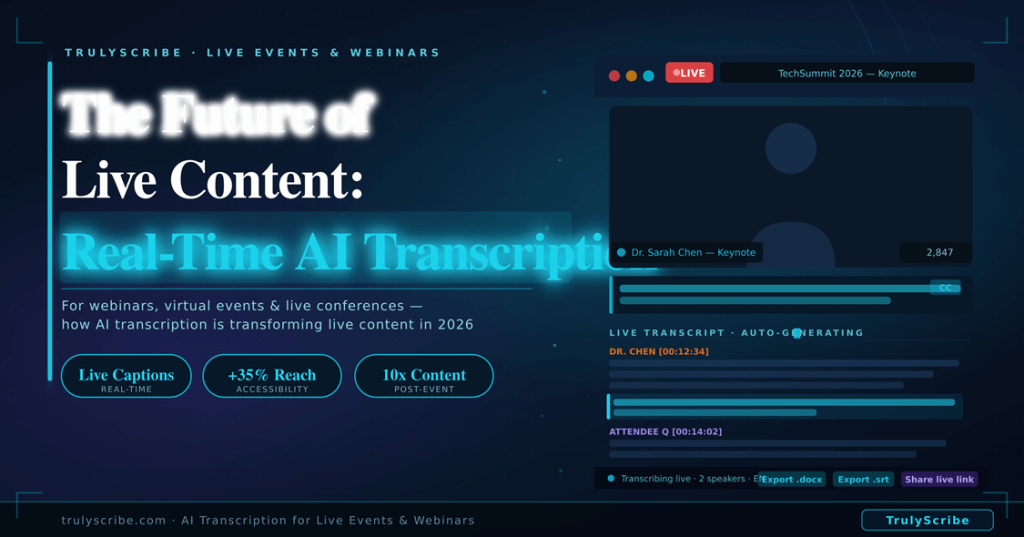
The Future of Live Content: Real-Time AI Transcription for Webinars & Virtual Events (2026)

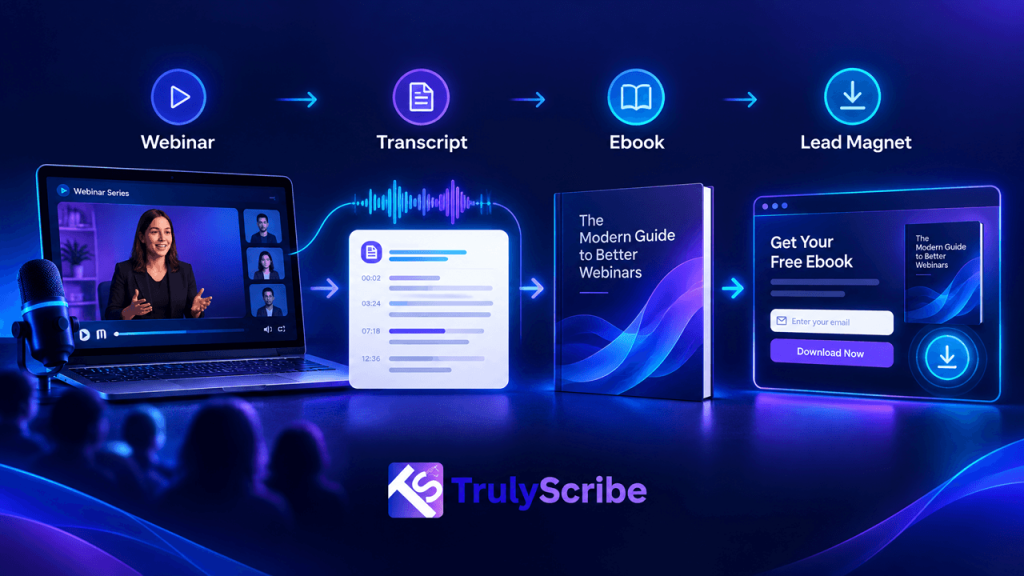
The virtual event industry exploded during 2020 and 2021, and it never fully retreated. In 2026, webinars, online conferences, virtual summits, and hybrid events are a permanent feature of how organisations communicate, educate, and generate leads. The production quality has improved dramatically. The audiences have grown. The expectations have risen. But one gap has persisted: the moment a webinar or virtual event ends, the spoken content inside it largely disappears. Replays are watched by a fraction of the live audience. Q&A sessions are answered once and forgotten. Expert insights that took months to organise and hours to deliver are accessible only to people who attended at exactly the right time, in the right time zone, with enough attention to catch everything. AI transcription is closing that gap in 2026. Real-time transcription during live events creates captions and accessible records as speakers talk. Post-event AI transcription turns the full recording into a searchable, repurposable content asset within minutes of the session ending. The result is that a single one-hour webinar can now generate a week’s worth of content, reach audiences who couldn’t attend live, and continue driving traffic and leads for months after the event date. This guide covers how event organisers, marketers, and content teams are using AI transcription for live and virtual events in 2026 — the technology, the workflows, the accessibility benefits, and the step-by-step implementation for your next event. The Hidden Content Loss Problem in Virtual Events Every webinar and virtual event represents a significant investment. Speaker coordination, platform costs, promotional effort, slide design, pre-event emails, live facilitation — a professionally produced webinar typically represents 20 to 40 hours of work to deliver 60 minutes of content. And then most of that content effectively disappears. 75%  of webinar registrants who don’t attend live never watch the replay — they never access the content at all 6–10 pieces  of high-value content that can be generated from a single webinar transcript 3x  longer average time-on-page for event pages that include a full published transcript vs those with video only The core problem is format. A video replay requires a significant time commitment from someone who already knows roughly what they’re going to find. A searchable, skimmable transcript changes that equation completely. Someone who missed the live event can read the full transcript in 15 minutes, find the specific section relevant to their question, and share a quote with their team — all without watching 60 minutes of video. AI transcription transforms a video recording from a passive archive into an active, accessible, searchable content asset. That transformation starts with understanding the two distinct modes in which it works: real-time during the event, and post-event from the recording. Real-Time vs Post-Event Transcription: Understanding the Two Modes Transcription Approach Live / Real-Time Transcription Post-Event AI Transcription When available Appears on screen as speakers talk Ready 10–30 min after event ends Accessibility Live captions for deaf/HoH attendees Transcript published for replay viewers Attendee experience Follow along in real time Search and reference after the event Accuracy 90%+ with good audio; improves with adaptation 92–96% on clear recorded audio Content repurposing Limited during live session Full transcript available immediately post-event Speaker correction Real-time correction not always possible Full review and edit before publishing Best use case Conferences, live product launches, live classes Webinar replays, on-demand content, SEO Most event organisers in 2026 use both approaches together: real-time transcription for live accessibility and attendee experience during the session, and post-event AI transcription from the recording for content repurposing, SEO, and replay accessibility. They serve complementary purposes and should be thought of as two stages of a single transcription strategy rather than alternatives. AI Transcription by Event Type: What Works for Each Format Event Type Primary Transcription Use Top Benefit Marketing webinars Post-event recap + SEO blog post Drive organic traffic to replay page Product launches Live captions + full event transcript Accessible to all + instant press content Online conferences Per-session transcripts + searchable archive Attendees reference any session anytime Virtual training / L&D Training transcripts for participant reference Searchable learning material after the session Thought leadership panels Transcript → blog post → newsletter → social One event generates weeks of content Internal all-hands meetings Transcript for employees who couldn’t attend live Inclusive, accessible company communication Customer success webinars Transcript for follow-up documentation Detailed record of commitments and Q&A Real-Time Transcription During Live Events Real-time AI transcription — sometimes called live captioning or live speech-to-text — converts spoken audio into text that appears on screen as the speaker talks, with a latency of typically 1 to 3 seconds. In 2026, it has become standard practice at professionally produced webinars and virtual events, driven by both audience expectations and accessibility legislation. Why Live Captions Have Become Non-Negotiable The case for live captions extends well beyond accessibility compliance, though that alone would be sufficient justification in many jurisdictions: How Real-Time AI Transcription Works in Practice The most practical approach to real-time transcription for most webinar and virtual event organisers in 2026 combines the recording capabilities of existing conferencing platforms with post-recording AI transcription for the primary content asset. Here’s why: 💡  Practical approach:  For most webinar organisers, the highest-ROI strategy in 2026 is to enable the platform’s native live captions during the event for baseline accessibility, record the full session at the highest quality available, and then use TrulyScribe post-event to generate a comprehensive, accurate, and exportable transcript for all downstream uses. Setting Up Live Captions on Major Platforms Zoom Webinars:  Microsoft Teams Live Events:  Google Meet:  YouTube Live / LinkedIn Live:  Post-Event AI Transcription: Turning Your Recording into a Content Engine This is where the majority of the long-term value of webinar transcription is realised. Once your event has been recorded, AI transcription with TrulyScribe transforms that recording from a video file into a versatile, searchable content asset in under 30 minutes. The Step-by-Step Post-Event Transcription Workflow Step 1: Download your recording Step 2: Upload to TrulyScribe Step 3: Review and structure the transcript

How to Transcribe a YouTube Video to Text Free
Content Creation Tools, AI Transcription Tools, Transcription

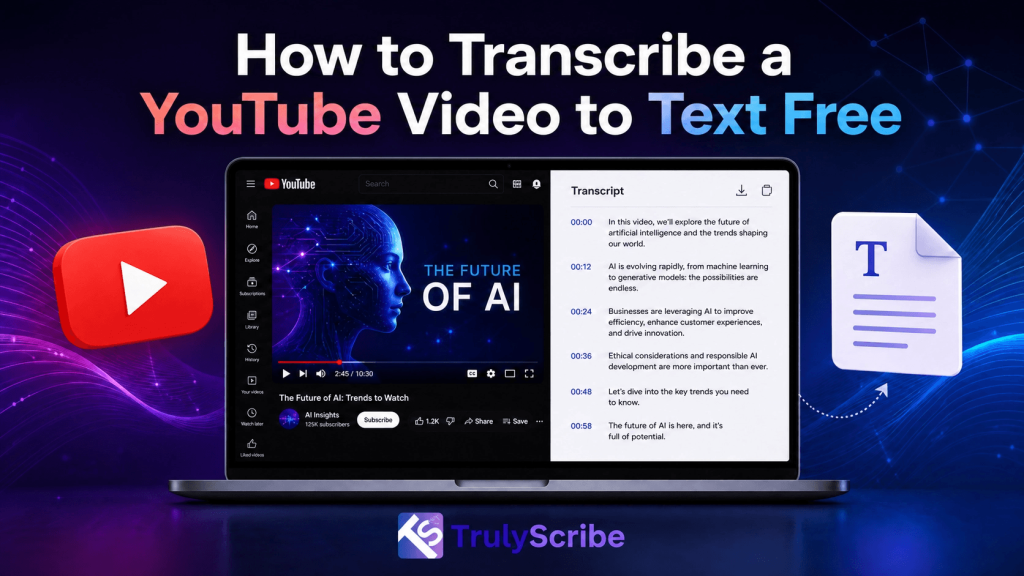
How to Transcribe a YouTube Video to Text Free

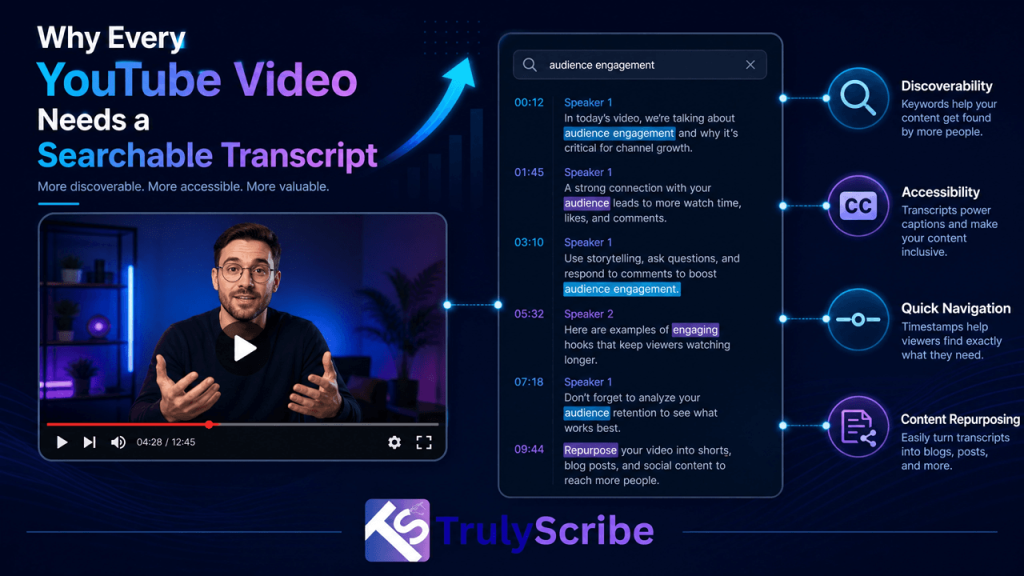
Whether you are a content creator looking to repurpose your videos into blog posts, a student taking notes from a lecture, or a researcher analyzing interviews, knowing how to transcribe a YouTube video to text for free is an invaluable skill. In 2026, the demand for accurate and fast transcription has never been higher, and thankfully, there are multiple ways to achieve this without spending a dime. In this comprehensive guide, we will explore the best methods to convert YouTube videos into text, ranging from YouTube’s built-in features to advanced AI-powered tools like TrulyScribe. Why Transcribe YouTube Videos? Before diving into the “how,” it is essential to understand the “why.” Transcribing video content offers numerous benefits across different fields: Method 1: Using YouTube’s Built-In Transcript Feature The easiest and most direct way to get a transcript from a YouTube video is by using the platform’s native feature. YouTube automatically generates captions for most videos using speech recognition technology. Step-by-Step Guide: Pros: Completely free, requires no third-party tools, and is instantly available for most videos. Cons: The accuracy of auto-generated captions can vary significantly depending on audio quality, accents, and background noise. It also lacks speaker identification and punctuation. Method 2: Using Free Online Transcription Tools If YouTube’s built-in transcript is unavailable or inaccurate, several free online tools can extract or generate transcripts from YouTube URLs. Popular Free Tools in 2026: Pros: Easy to use, often provides cleaner formatting than copying directly from YouTube, and some offer summarization features. Cons: These tools often rely on YouTube’s existing auto-captions. If the video does not have captions, these tools may not work or may require you to download the audio first. Method 3: The Ultimate Solution – TrulyScribe While built-in features and basic extractors are helpful, they often fall short when you need high accuracy, speaker identification, and professional formatting. This is where AI-powered transcription platforms like TrulyScribe shine. TrulyScribe offers unlimited audio and video transcription powered by advanced AI, making it the perfect solution for creators, businesses, and professionals. How to Use TrulyScribe for YouTube Videos: Why Choose TrulyScribe? Unmatched Accuracy: With an accuracy rate of up to 98%, TrulyScribe significantly reduces the time spent editing transcripts. Speaker Labels & Timestamps: Automatically identifies different speakers and adds precise timestamps, which is crucial for interviews and podcasts. Multilingual Support: Perfect for global content, supporting dozens of languages and dialects. Secure and Private: Your data is protected with robust encryption, ensuring your content remains confidential. Generous Free Tier: The 15 hours of free transcription per month makes it an unbeatable choice for regular users. Conclusion Transcribing a YouTube video to text for free is easier than ever in 2026. For quick, basic needs, YouTube’s built-in transcript feature is a great starting point. However, if you require high accuracy, speaker identification, and professional formatting, leveraging an AI tool like TrulyScribe is the smartest choice. By turning your videos into text, you unlock new possibilities for content creation, improve your SEO, and make your information accessible to a wider audience. Start transcribing today and maximize the value of your video content! Ready to experience highly accurate, AI-powered transcription? Sign up for TrulyScribe today and get your first 15 hours absolutely free!

ai-transcription-freelance-writers-10x-output
AI Transcription, Content Creation Tools, Freelancers & Individuals, How-To Guides

How Freelance Writers Are Using AI Transcription to 10x Their Output (2026)

The best-paid freelance writers aren’t necessarily the fastest typists or the most prolific ideators. In 2026, they’re the ones who’ve figured out that the bottleneck in their workflow isn’t writing — it’s everything that has to happen before the writing starts. Interview transcription is one of the biggest hidden time costs in a freelance writing career. A single 45-minute interview can mean 5 to 7 hours of manual transcription before you can write a single word of the article. Multiply that across a full client workload and you quickly understand why many freelance writers cap out at two or three pieces per week. AI transcription has changed the economics of freelance writing in a fundamental way. Writers who’ve integrated tools like TrulyScribe into their workflow report producing two to three times more content — some significantly more — without increasing their working hours. The maths is simple: when transcription takes 10 minutes instead of 6 hours, you get the rest of the day back for actual writing. This guide breaks down exactly how freelance writers are using AI transcription in 2026, the specific workflows that are delivering the biggest output gains, and how to implement the same approach in your own practice. The Hidden Time Cost That’s Capping Your Output Most freelance writers underestimate how much of their working week is consumed by tasks that aren’t writing. A typical interview-based article workflow looks like this without AI assistance: That’s a 10 to 15 hour process for a single article. Of that, roughly half — or more — is transcription. A writer producing two articles per week is spending 10 to 16 hours every week just on transcription. 10–16 hrs  per week spent on manual transcription for a writer producing 2 interview-based articles 5–8 hrs  to manually transcribe a single 45–60 minute interview 10 min  to transcribe the same interview with TrulyScribe AI When transcription drops from hours to minutes, everything changes. Writers report being able to conduct more interviews, take on more clients, produce more content, and still finish work earlier in the day. That’s the compounding effect of removing the bottleneck. Before vs After: The AI Transcription Writing Workflow Writing Task Without AI Transcription With AI Transcription + TrulyScribe Interview-based article (1,500 words) Record interview → 6-8 hrs transcription → write Record → 10 min transcription → write same day Expert roundup (5 quotes) Email outreach + wait OR 5 separate calls to note Record 5 quick calls → batch transcribe → pull quotes Research report (3,000 words) Manual notes from 3+ interviews over days Transcribe all sessions → search by topic → write Weekly newsletter Start from blank page each week Transcribe voice memo ideas → structured draft SEO blog from podcast Re-listen multiple times to find quotes Full transcript → Ctrl+F key phrases → write Client deliverables per week 2–3 pieces (transcription is the bottleneck) 6–10 pieces (transcription takes minutes) Time estimates are approximate and based on typical freelance writer workflows. Individual results vary depending on interview length, audio quality, and writing speed. Which Types of Freelance Writers Benefit Most? AI transcription delivers meaningful time savings across almost every writing specialism. Here’s how different types of writers are using it and the weekly time savings they typically see: Writer Type Primary Transcription Use Time Saved Per Week Journalist In-depth interview transcription 8–12 hours Content marketer Expert interviews for blogs & case studies 4–8 hours Ghostwriter Client voice notes and briefing calls 3–6 hours Copywriter Client discovery calls, customer interviews 2–4 hours Technical writer SME interviews, user research sessions 4–8 hours Newsletter writer Voice memos, research call notes 2–5 hours Book ghostwriter Long-form client interviews (60–120 min) 10–16 hours The writers who benefit most are those whose work is anchored in interviews, source calls, briefing conversations, or any form of recorded spoken content. The more interview-heavy your practice, the more dramatic the output gains. The Core AI Transcription Workflow for Freelance Writers Here’s the exact workflow that high-output freelance writers are using in 2026. It’s simpler than most people expect. Step 1: Record Every Interview and Conversation The first shift is a mindset one: stop taking notes during interviews and start recording everything. Notes captured while someone is speaking are inevitably incomplete and distorted by your own interpretive framing. A recording captures everything — exact wording, hesitations, emphasis, context — and lets you be fully present in the conversation rather than scribbling frantically. 💡  Pro tip:  Always inform your interview subject that you’re recording for transcription purposes. In most contexts, a brief mention at the start of the call is sufficient and expected. Step 2: Transcribe with TrulyScribe 🎉  Free tier:  TrulyScribe gives you 30 minutes free every day and 15 free hours when you sign up — no credit card required. Most freelance writers find the free tier covers their daily short-form transcription needs entirely. Step 3: Mine the Transcript, Don’t Read It Linearly Here’s where experienced writers get significantly faster than those who are new to transcript-based writing. The key is to treat the transcript as a database to query, not a document to read from start to finish. Step 4: Structure Your Article from the Transcript Up A transcript-first writing process produces structurally stronger articles than a blank-page approach. Instead of deciding what your article will say and then looking for quotes to support it, you let what your source actually said determine the structure. Step 5: Repurpose the Transcript Beyond the Primary Article This is the multiplier effect that separates writers who use AI transcription strategically from those who use it just as a time-saver. One interview transcript can generate significantly more than one article. 1 interview  can generate 5–8 distinct pieces of content when the transcript is used strategically Specific Use Cases: How Different Writers Are Using AI Transcription 📰 Journalists and Investigative Writers Journalists who conduct multiple source interviews per article have traditionally faced the worst transcription burden. A 2,000-word investigative piece might require 4 to 6 separate source interviews, each

Best AI Transcription Tools for Content Creators in 2026
AI Transcription Tools, Accessibility & Localization, AI for Video, Content Creation Tools, Media Localization, Subtitling & Captioning

Best Tools for Content Creators in 2026 — Including AI for Transcripts & Captions

Content creation in 2026 looks very different from just a few years ago. Creators are producing more video, across more platforms, for more regions—and with far less time to spare. Whether you’re a YouTuber, TikTok creator, video editor, or media localization manager, one thing is clear: AI transcription tools and captioning software are no longer optional. From short-form video captions to multilingual subtitling and accessibility compliance, transcription and captioning tools now sit at the core of modern content workflows. In this guide, we explore the best AI tools for content creators in 2026, with a strong focus on video transcription software, AI captioning tools, and subtitling solutions—including how TrulyScribe compares with other popular platforms. Why AI Transcription Tools Are Essential for Creators in 2026 Video continues to dominate digital platforms. YouTube, TikTok, Instagram Reels, OTT platforms, and corporate video channels are all competing for attention—often in sound-off environments. This shift has made AI transcription tools critical for creators and organizations across industries such as: What creators need today: Creators and teams that rely solely on manual workflows are falling behind in speed, reach, and accessibility. What to Look for in AI Captioning & Transcription Tools Before comparing platforms, it’s important to understand what actually matters when choosing a tool in 2026. Key evaluation criteria: For professional users—such as subtitling specialists, dubbing producers, and media localization managers—these factors determine whether a tool fits into real production workflows. Best AI Transcription Tools for Content Creators in 2026 Below is a practical overview of how today’s leading tools are used, followed by where TrulyScribe fits within the ecosystem. 1. TrulyScribe – Built for Professional Transcription & Subtitling Workflows TrulyScribe is designed for creators, agencies, and enterprises that need reliable video transcription and captioning at scale, without sacrificing quality. Strengths: Best suited for: TrulyScribe stands out where transcription needs to move beyond “auto-captions” and into production-ready subtitling. 2. Generic Creator-Focused Captioning Tools Many popular tools focus on speed and ease for individual creators. Strengths: Limitations: These tools work well for solo creators but often fall short for agencies, broadcasters, or global brands. 3. Enterprise Transcription & Subtitle Platforms Enterprise solutions focus on scale and compliance. Strengths: Limitations: This is where hybrid platforms—like TrulyScribe—bridge the gap between creator agility and enterprise reliability. Best Use Cases: Matching Tools to Creator Needs Different creators and teams use AI transcription tools differently. Content Creators & Influencers Video Editors & Motion Designers Localization & Media Teams Marketing & Agency Teams AI Transcription for TikTok, Reels & Shorts: Best Practices Short-form platforms demand a different transcription approach. Best transcription format for short-form social videos: Subtitle timing tips for vertical short-form videos: AI transcription tools that support these practices deliver better engagement and viewer retention. How Captions Improve Engagement on Short Videos Captions aren’t just about accessibility—they’re about performance. Studies consistently show that captioned videos: For performance marketing agencies and social media managers, captions directly impact ROI. Multilingual Subtitles & Localization: The Next Growth Lever In 2026, content goes global instantly. Creators and brands targeting: …are increasingly relying on multilingual subtitles for short-form video content. AI transcription becomes the foundation for: Tools that support professional localization workflows—rather than just auto-translate—deliver long-term value. Transcription Workflow for Repurposing Long Videos A scalable workflow used by top creators and media teams: This workflow saves time, reduces costs, and improves content consistency. Choosing the Right Tool in 2026 When comparing AI transcription tools for content creators, the best choice depends on where you’re headed: TrulyScribe is positioned for creators and teams who want to grow beyond basic captions and build professional, accessible, and globally ready content pipelines. Final Thoughts: AI Tools Are the New Creative Infrastructure In 2026, the most successful creators aren’t just great storytellers—they’re efficient operators. AI transcription, captioning, and subtitling tools are no longer add-ons; they’re core infrastructure. If your content strategy includes: …then choosing the right transcription platform matters. Ready to elevate your content workflow? We provide professional transcription, subtitling, dubbing, voice-over, video localization, and audio description services tailored for creators, agencies, and global media teams. 👉 Contact us today to build a scalable, future-ready content pipeline. Frequently Asked Questions (FAQs)

Scroll to Top