Trulyscribe

AI Transcription

ai-transcription-for-students-study-smarter
AI Transcription, How-To Guides, Productivity, Students & Education

How Students Are Using AI Transcription to Study Smarter (2026)

There are only so many hours in a student’s day. Between lectures, seminars, tutorials, assignments, revision, and everything else that comes with student life, time is the one resource that never seems to stretch far enough. And yet, a huge portion of that time gets swallowed by one of the most tedious tasks in academic life: note-taking. Sitting in a two-hour lecture trying to type fast enough to capture everything the professor says. Re-watching a recorded seminar to find the one point you missed. Spending a week manually transcribing 10 hours of dissertation interviews before you can even begin analysis. AI transcription is quietly changing all of that. Students at universities, colleges, and schools around the world are using tools like TrulyScribe to transcribe lectures, seminars, research interviews, and study group discussions — saving hours every week, capturing everything, and studying more effectively than ever before. This guide explains exactly how students are using AI transcription in 2026, the workflows that deliver the biggest study gains, and how to get started for free today. Why Traditional Note-Taking Is Holding Students Back The standard approach to lecture note-taking has a fundamental problem: the human brain cannot listen, process, and type simultaneously at full capacity. When you’re focused on typing, you’re not fully absorbing what’s being said. When you’re absorbing what’s being said, your typing falls behind. Something always gets sacrificed. Research consistently shows that students who take handwritten or typed notes during lectures miss between 40% and 60% of the content spoken by the lecturer. The faster the lecturer speaks, the more that gets lost. And the content that gets lost is rarely the repetitive filler — it’s usually the nuanced explanation, the key distinction, or the example that makes a concept click. 40-60%  of spoken lecture content is missed during traditional note-taking 6-8 hrs  to manually transcribe a 1-hour research interview for a dissertation 10 min  to transcribe the same recording with TrulyScribe AI AI transcription solves this by separating the capture phase from the processing phase. Instead of trying to listen, understand, and record at the same time, students can be fully present in the lecture or seminar — asking questions, thinking critically, engaging with the content — while the recording handles the capture. The transcription happens after, automatically and completely. How Different Students Are Using AI Transcription Student Type Primary AI Transcription Use Time Saved/Week Top Benefit University / College Lecture transcription + revision notes 4-8 hrs Never miss a detail PhD / Postgrad Researcher Research interview transcription 8-14 hrs Faster data analysis Medical / Law Student Case study & seminar transcription 5-9 hrs Verbatim accuracy Online / Distance Learner Webinar & video course transcription 3-6 hrs Searchable content Language Learner Transcribe audio to follow along in text 2-5 hrs Reading + listening School / High School Teacher explanation transcription 2-4 hrs Better revision * Time savings are approximate and vary by course load, recording length, and individual workflow. Before vs After: The AI-Assisted Study Workflow Study Task Old Way With AI Transcription 1-hour lecture notes Frantic typing, miss key points Full transcript in 10 min, 100% coverage Reviewing a seminar Re-watch full 2-hour recording Ctrl+F the topic in the transcript Interview-based dissertation 6-8 hrs manual transcription 10-15 min AI transcription + review Group discussion notes One person types while others talk Record, transcribe, share with everyone Exam revision Re-listen to audio, re-read slides Search transcript for key terms Studying with a disability Relies on inconsistent support services Independent, instant transcription anytime The 6 Most Powerful Ways Students Use AI Transcription 1. Transcribing Lectures and Seminars for Complete Notes This is the most common use case and the one with the most immediate impact. Instead of typing notes while the lecture happens, students record the session and transcribe it afterwards with TrulyScribe. The result is a complete, searchable, word-for-word record of everything the lecturer said — including the offhand remarks, the elaborations on key points, and the exam hints that are so easy to miss when you’re busy typing. 💡  Study tip:  Don’t just read the transcript linearly. Highlight key definitions, important examples, and anything the lecturer emphasised or repeated. These highlighted sections become your revision notes. 2. Accelerating Dissertation and Research Interview Transcription For postgraduate students, PhD researchers, and any undergraduate doing primary research, interview transcription is one of the most time-consuming stages of a research project. A dissertation requiring 10 qualitative interviews of 45 minutes each represents 75 to 100 hours of manual transcription work — weeks of effort before analysis can even begin. With AI transcription, those same 10 interviews can be transcribed in a single afternoon. The researcher uploads the recordings, enables speaker diarization to label interviewer and participant speech separately, and downloads clean, timestamped transcripts ready for NVivo, Atlas.ti, or manual coding. ⚠️  Ethics note:  Before uploading research interview recordings to any external tool, check your dissertation ethics approval and your institution’s data governance policy. Ensure your consent forms cover third-party processing. TrulyScribe does not use uploaded content to train AI models. 3. Creating Searchable Study Resources from Recorded Content One of the most underrated benefits of AI transcription is what happens after you have the transcript. A text document can be searched, highlighted, annotated, and reorganised in ways that audio never can. 4. Supporting Students with Disabilities and Learning Differences AI transcription has significant accessibility benefits that are often overlooked in general discussions about the technology. For students with conditions that affect note-taking — dyslexia, ADHD, processing disorders, hearing impairments, motor disabilities, or anxiety — the ability to access a complete written record of spoken content independently and instantly is genuinely transformative. Many students with disabilities have historically relied on Disabled Students’ Allowance (DSA) or equivalent support services to access note-taking assistance. These services, while valuable, can be inconsistent, limited in availability, and create a dependency on external support that isn’t always available for every lecture or seminar. AI transcription gives these students agency and independence. They can capture every session

ai-transcription-freelance-writers-10x-output
AI Transcription, Content Creation Tools, Freelancers & Individuals, How-To Guides

How Freelance Writers Are Using AI Transcription to 10x Their Output (2026)

The best-paid freelance writers aren’t necessarily the fastest typists or the most prolific ideators. In 2026, they’re the ones who’ve figured out that the bottleneck in their workflow isn’t writing — it’s everything that has to happen before the writing starts. Interview transcription is one of the biggest hidden time costs in a freelance writing career. A single 45-minute interview can mean 5 to 7 hours of manual transcription before you can write a single word of the article. Multiply that across a full client workload and you quickly understand why many freelance writers cap out at two or three pieces per week. AI transcription has changed the economics of freelance writing in a fundamental way. Writers who’ve integrated tools like TrulyScribe into their workflow report producing two to three times more content — some significantly more — without increasing their working hours. The maths is simple: when transcription takes 10 minutes instead of 6 hours, you get the rest of the day back for actual writing. This guide breaks down exactly how freelance writers are using AI transcription in 2026, the specific workflows that are delivering the biggest output gains, and how to implement the same approach in your own practice. The Hidden Time Cost That’s Capping Your Output Most freelance writers underestimate how much of their working week is consumed by tasks that aren’t writing. A typical interview-based article workflow looks like this without AI assistance: That’s a 10 to 15 hour process for a single article. Of that, roughly half — or more — is transcription. A writer producing two articles per week is spending 10 to 16 hours every week just on transcription. 10–16 hrs  per week spent on manual transcription for a writer producing 2 interview-based articles 5–8 hrs  to manually transcribe a single 45–60 minute interview 10 min  to transcribe the same interview with TrulyScribe AI When transcription drops from hours to minutes, everything changes. Writers report being able to conduct more interviews, take on more clients, produce more content, and still finish work earlier in the day. That’s the compounding effect of removing the bottleneck. Before vs After: The AI Transcription Writing Workflow Writing Task Without AI Transcription With AI Transcription + TrulyScribe Interview-based article (1,500 words) Record interview → 6-8 hrs transcription → write Record → 10 min transcription → write same day Expert roundup (5 quotes) Email outreach + wait OR 5 separate calls to note Record 5 quick calls → batch transcribe → pull quotes Research report (3,000 words) Manual notes from 3+ interviews over days Transcribe all sessions → search by topic → write Weekly newsletter Start from blank page each week Transcribe voice memo ideas → structured draft SEO blog from podcast Re-listen multiple times to find quotes Full transcript → Ctrl+F key phrases → write Client deliverables per week 2–3 pieces (transcription is the bottleneck) 6–10 pieces (transcription takes minutes) Time estimates are approximate and based on typical freelance writer workflows. Individual results vary depending on interview length, audio quality, and writing speed. Which Types of Freelance Writers Benefit Most? AI transcription delivers meaningful time savings across almost every writing specialism. Here’s how different types of writers are using it and the weekly time savings they typically see: Writer Type Primary Transcription Use Time Saved Per Week Journalist In-depth interview transcription 8–12 hours Content marketer Expert interviews for blogs & case studies 4–8 hours Ghostwriter Client voice notes and briefing calls 3–6 hours Copywriter Client discovery calls, customer interviews 2–4 hours Technical writer SME interviews, user research sessions 4–8 hours Newsletter writer Voice memos, research call notes 2–5 hours Book ghostwriter Long-form client interviews (60–120 min) 10–16 hours The writers who benefit most are those whose work is anchored in interviews, source calls, briefing conversations, or any form of recorded spoken content. The more interview-heavy your practice, the more dramatic the output gains. The Core AI Transcription Workflow for Freelance Writers Here’s the exact workflow that high-output freelance writers are using in 2026. It’s simpler than most people expect. Step 1: Record Every Interview and Conversation The first shift is a mindset one: stop taking notes during interviews and start recording everything. Notes captured while someone is speaking are inevitably incomplete and distorted by your own interpretive framing. A recording captures everything — exact wording, hesitations, emphasis, context — and lets you be fully present in the conversation rather than scribbling frantically. 💡  Pro tip:  Always inform your interview subject that you’re recording for transcription purposes. In most contexts, a brief mention at the start of the call is sufficient and expected. Step 2: Transcribe with TrulyScribe 🎉  Free tier:  TrulyScribe gives you 30 minutes free every day and 15 free hours when you sign up — no credit card required. Most freelance writers find the free tier covers their daily short-form transcription needs entirely. Step 3: Mine the Transcript, Don’t Read It Linearly Here’s where experienced writers get significantly faster than those who are new to transcript-based writing. The key is to treat the transcript as a database to query, not a document to read from start to finish. Step 4: Structure Your Article from the Transcript Up A transcript-first writing process produces structurally stronger articles than a blank-page approach. Instead of deciding what your article will say and then looking for quotes to support it, you let what your source actually said determine the structure. Step 5: Repurpose the Transcript Beyond the Primary Article This is the multiplier effect that separates writers who use AI transcription strategically from those who use it just as a time-saver. One interview transcript can generate significantly more than one article. 1 interview  can generate 5–8 distinct pieces of content when the transcript is used strategically Specific Use Cases: How Different Writers Are Using AI Transcription 📰 Journalists and Investigative Writers Journalists who conduct multiple source interviews per article have traditionally faced the worst transcription burden. A 2,000-word investigative piece might require 4 to 6 separate source interviews, each

AI transcription for research interviews
AI Transcription, How-To Guides, Research & Academia, use cases

How Researchers Are Using AI to Transcribe Focus Groups & Interviews (2026)

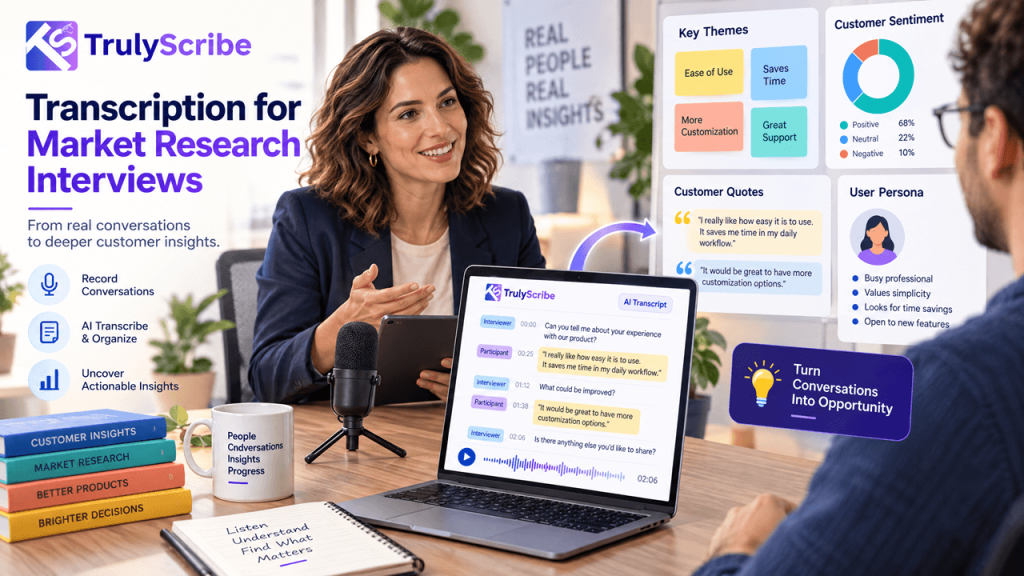
Qualitative research has always been labour-intensive. You recruit participants, run the sessions, and then face what many researchers call the transcription wall: hours of audio that need to become searchable, codeable text before you can begin any real analysis. For decades, the only option was to type it yourself or pay a transcription service. A single 60-minute in-depth interview could mean 6 to 8 hours of manual transcription work. A focus group with six participants could take an entire working day to transcribe accurately. AI transcription has changed that calculation dramatically. Researchers across academic institutions, market research agencies, UX teams, and independent consultancies are now using AI tools to transcribe hours of qualitative data in minutes — freeing up time for the work that actually requires human judgment: interpretation, coding, and insight generation. This guide explains how AI transcription works in a research context, what the real workflow looks like, what limitations to account for, and how to get the best results from tools like TrulyScribe on your next qualitative project. The Transcription Problem in Qualitative Research To understand why AI transcription matters so much to researchers, it helps to appreciate the scale of the problem it solves. In qualitative research, transcription isn’t optional. Whether you’re conducting academic ethnographic interviews, running UX discovery sessions, moderating consumer focus groups, or gathering employee feedback for an organisational study, the spoken word has to become written text before meaningful analysis can begin. And that conversion process is brutally time-consuming when done manually. 6–8 hrs  average time to manually transcribe a 1-hour research interview 10–12 hrs  typical transcription time for a 90-minute focus group with 6 participants Up to 40%  of a qualitative researcher’s project time historically spent on transcription alone Beyond time, manual transcription introduces other problems: AI transcription doesn’t eliminate the need for researcher involvement — but it collapses the transcription timeline from days to hours, freeing researchers to spend their cognitive energy where it belongs. How AI Transcription Works for Research Data Modern AI transcription tools use deep learning speech recognition models trained on vast audio datasets. When you upload a research recording, the model analyses the audio waveform, identifies phoneme patterns, matches them against language models, and outputs a timestamped text transcript. For research use, the key capabilities that matter most are: Speaker Diarization Diarization is the process of automatically identifying and labelling different speakers in a recording. For qualitative research, this is critical. A focus group with six participants produces interleaved speech from multiple voices — without diarization, you get a single undifferentiated block of text that’s difficult to analyse. Good AI transcription tools like TrulyScribe automatically detect and label individual speakers throughout the transcript. You get output formatted as Speaker 1, Speaker 2, etc., which you can then rename to participant IDs, pseudonyms, or actual names depending on your consent and anonymisation protocols. Timestamps AI-generated transcripts include timestamps at regular intervals or at every speaker turn. These serve as reference points, allowing researchers to jump back to the exact moment in the audio if a passage needs verification or if a nuance of tone is relevant to the interpretation. Multiple Export Formats Research workflows require flexibility. AI tools that export to .docx, .txt, and .srt give researchers the option to import directly into qualitative analysis software, share with collaborators via standard document formats, or create timestamped caption files for video recordings. Multi-Language Support Research increasingly crosses language boundaries. Whether you’re conducting interviews in a second language, working with multilingual focus groups, or running a cross-cultural comparative study, AI transcription tools with strong multilingual support — like TrulyScribe — significantly expand what’s possible without specialist transcriptionists for every language. Traditional vs AI-Assisted Research Transcription Workflow Task Traditional Method With AI Transcription Time Saved Transcribing 1-hr interview 6–8 hrs manual typing 10–15 min processing + review ~85% Focus group (6 people, 90 min) 10–12 hrs manual 20–30 min + speaker review ~90% Speaker labelling Manual throughout Auto-diarization, light cleanup ~70% Finding a specific quote Re-listen to recording Ctrl+F the transcript ~95% Sharing data with team Send audio file + timestamps Share clean .docx or .txt transcript Significant Coding & thematic analysis Transcribe first, then code Import transcript directly into NVivo/Atlas.ti Streamlined Time savings are approximate and depend on audio quality, number of speakers, and the level of accuracy required for the specific research context. The Step-by-Step AI Transcription Workflow for Researchers Here is how experienced qualitative researchers are integrating AI transcription into their data collection and analysis workflow in practice. Step 1: Record Your Sessions Properly The single biggest factor in AI transcription accuracy is audio quality. Before running your session, invest a few minutes in setup: 💡  Pro tip:  For video focus groups conducted on Zoom or Teams, always record the session and download the audio file before uploading to a transcription tool. Cloud recordings typically produce better audio quality than local ones. Step 2: Upload to TrulyScribe Step 3: Review and Clean the Transcript AI transcription is highly accurate but not perfect. A post-processing review is standard practice in research transcription — just as it would be with a human transcriptionist. The key things to check: 📌  Research standard note:  Most institutional review boards and qualitative methodology frameworks accept AI-generated transcripts with researcher review as methodologically valid. Document your transcription process in your methodology section as you would any other data handling procedure. Step 4: Assign Participant IDs and Anonymise Once you’ve reviewed the transcript, replace the generic speaker labels (Speaker 1, Speaker 2) with your project’s participant identification system. Depending on your ethics approval and data handling protocols, this might mean: Use Find and Replace in your word processor to do this efficiently across the entire document. Also remove or redact any identifying information mentioned in the transcript itself — full names, specific locations, employer names — in line with your data protection commitments to participants. Step 5: Import into Qualitative Analysis Software With a clean, labelled .docx or .txt transcript in hand, you’re ready to

TrulyScribe vs Otter.ai vs Descript
Tools & Reviews, AI Transcription, Guides & Comparisons, Uncategorized

TrulyScribe vs Otter.ai vs Descript: Which Is Best for Freelancers? (2026)

Three tools. One decision. And if you get it wrong, you’ll either overpay for features you never use or spend half your time fighting a tool that wasn’t designed for your workflow. TrulyScribe, Otter.ai, and Descript are three of the most searched AI transcription tools in 2026 — and they’re radically different products that happen to overlap on one feature: turning audio into text. Beyond that, they serve very different needs, have very different pricing models, and will suit very different types of freelancers. This comparison is written specifically for freelancers — writers, journalists, podcasters, researchers, coaches, content creators, and consultants who work solo and need transcription as a core part of their workflow. We’ve broken the comparison down round by round so you can skip to what matters most to you. 📌  TL;DR:  TrulyScribe wins for most freelancers who need reliable, accurate transcription with a generous free tier. Otter.ai wins for live meeting transcription. Descript wins if you edit video or audio content as part of your workflow. The Three Tools at a Glance TrulyScribe TrulyScribe is a dedicated AI transcription platform built specifically for individuals and freelancers. Upload audio or video, get a clean transcript back — with speaker labels, timestamps, and multiple export formats. It doesn’t try to be an editor, a meeting bot, or an all-in-one suite. It transcribes, and it does it extremely well. Otter.ai Otter.ai started as a meeting transcription tool and remains best-in-class for that specific job. It integrates directly with Zoom, Google Meet, and Microsoft Teams to transcribe calls in real time. It has expanded into AI summaries and action item extraction, making it more of a meeting intelligence platform than a pure transcription tool. Descript Descript is an audio and video editor that uses transcription as the foundation of its editing workflow. The core idea: edit your transcript, and the audio and video edits itself. It’s powerful for podcast producers and video creators, but it’s a significantly more complex product with a steeper learning curve and a higher price point. Full Feature Comparison Feature TrulyScribe Otter.ai Descript Free Tier 10 min/day + 15 hrs signup 300 min/month (40 min/file cap) 1 hr/month only Paid Price Most affordable for individuals ~$8.33/mo (annual) ~$12/mo (annual) Long File Support ✅ Full-length recordings ⚠️ 40 min cap on free ✅ On paid plans Speaker Detection ✅ Yes ✅ Yes ✅ Yes Accuracy ⭐⭐⭐⭐⭐ ⭐⭐⭐⭐ ⭐⭐⭐⭐ Export Formats .txt .docx .srt .txt .docx .pdf (paid) .txt .docx + video/audio Audio/Video Editing ❌ Transcription only ❌ No ✅ Yes — core feature Live Meeting Bot ❌ Upload-based ✅ Zoom, Meet, Teams ❌ No Multi-language ✅ Yes ⚠️ English-first ⚠️ English-first Setup ⭐ Very easy — browser ⭐ Easy — browser ⚠️ Medium — app install Best For Freelancers, podcasters, researchers Live meeting note-takers Video/podcast producers Overall Verdict 🏆 Best for most freelancers 📊 Best for live meetings 🎥 Best for video producers * Pricing correct as of March 2026. Free tier limits subject to change. Always verify on each tool’s website. Round 1: Free Tier — How Much Do You Actually Get for Free? Free Tier TrulyScribe Otter.ai Descript Result 10 min/day + 15 hrs on signup 300 min/month (40 min file cap) 1 hr/month only TrulyScribe TrulyScribe’s free tier is the most practically useful of the three. You get 10 minutes of transcription every single day — no credit card, no trial expiry. For short tasks like a client call clip, a quick interview excerpt, or a daily standup recording, this covers you indefinitely. On top of that, you get 15 free hours when you sign up, giving you real runway to test the tool on your actual workload before committing to anything paid. Otter.ai Otter.ai gives 300 minutes per month on its free plan — that’s 5 hours, which sounds generous until you hit the 40-minute per-file cap. Upload a 45-minute podcast episode or a 1-hour client call and you’re blocked. The 300-minute monthly total also disappears quickly if you transcribe multiple recordings each week. Export options on the free plan are restricted, with key formats gated behind paid tiers. Descript Descript’s free tier gives you just 1 hour of transcription per month. That’s enough to evaluate the interface, but it’s not enough to do regular work. For any freelancer transcribing more than one recording a week, the free plan runs out within days of signing up. ✔ Verdict — TrulyScribe: Wins decisively on free tier. The daily quota plus signup bonus makes it genuinely usable as a free tool for months, not just days. Round 2: Transcription Accuracy Accuracy TrulyScribe Otter.ai Descript Result ⭐⭐⭐⭐⭐ Excellent ⭐⭐⭐⭐ Very Good ⭐⭐⭐⭐ Very Good All three tools use modern AI speech recognition and deliver strong accuracy on clear audio. The differences emerge in specific scenarios: ✔ Verdict — TrulyScribe: Slight edge overall, particularly on non-US accents and multilingual content. All three are competitive on clean, clear audio. Round 3: Paid Pricing — Value for Freelancers Paid Pricing TrulyScribe Otter.ai Descript Result Most affordable for individuals ~$8.33/mo (annual) ~$12/mo (annual) TrulyScribe TrulyScribe’s paid plans are positioned specifically for individuals and freelancers — not enterprise teams. Pricing is straightforward and designed to scale with actual usage. For freelancers who transcribe regularly but not at enterprise volume, this is the most cost-efficient option of the three. Otter.ai Otter.ai’s Pro plan runs around $8.33 per month billed annually and unlocks higher transcription limits, longer file imports, and advanced export formats. The Business plan jumps significantly in price and is designed for teams. For a solo freelancer, the Pro plan works well if meetings are your primary use case — but the value fades if you need it for general-purpose audio transcription. Descript Descript’s Creator plan starts around $12 per month billed annually and unlocks the features that make it genuinely useful: unlimited transcription, filler word removal, and full audio and video export. If you’re a podcast producer or video creator who uses both the transcription and editing features, that’s reasonable

How to Transcribe Spotify & Apple Podcasts Episodes
How-To Guides, AI Transcription

How to Transcribe Spotify Podcasts or Apple Podcasts Episodes (2026)

You’re listening to a podcast episode and someone drops a killer insight — a framework, a statistic, a quote you want to use. Or maybe you’re a content creator who wants to turn a 45-minute podcast episode into a blog post, a newsletter, or a series of social media captions. Or you’re a researcher who needs to reference spoken content in writing. The problem? Spotify and Apple Podcasts don’t give you a download button or a built-in transcription feature for most episodes. Getting the text out requires a workaround. This guide walks you through every working method to transcribe Spotify and Apple Podcasts episodes in 2026 — from the simplest free approaches to more flexible options for power users. No technical background needed. Why People Transcribe Podcast Episodes Before we get into the how, it’s worth understanding the range of reasons people do this — because the best method often depends on your use case: The Challenge: Why You Can’t Just “Download” a Transcript Neither Spotify nor Apple Podcasts provides a universal transcript download feature for listeners. Here’s why: So while both platforms have made progress, they haven’t solved the problem for people who need a usable, downloadable text file. That’s where the methods below come in. Methods at a Glance Method Works For Free? Difficulty Download + TrulyScribe Spotify & Apple ✅ Yes — generous free tier Easy RSS feed audio download Apple Podcasts (most) ✅ Yes Easy Spotify Web Player + recorder Spotify ✅ Yes Medium Third-party podcast sites Both platforms ✅ Often free Easy Chrome extension capture Both platforms ✅ Free extensions available Easy Contact the podcaster Both platforms ✅ Yes (if they share) Easy * Availability may vary by episode, region, and platform updates. Always check the podcast’s own website first — many shows publish official transcripts. Method 1: Check If a Transcript Already Exists (Do This First) Before attempting any workaround, spend 60 seconds checking whether a transcript already exists. This is the easiest path and works more often than you’d expect. On Spotify: On Apple Podcasts: On the podcast’s own website: 💡 Time-saver:  Shows like Lex Fridman, Huberman Lab, Tim Ferriss, and How I Built This publish detailed transcripts on their websites. Always check there first before using any tool. Method 2: Download the Audio File and Transcribe It with TrulyScribe (Best Method) This is the most reliable method and works for almost every podcast episode on both platforms. The idea is simple: get the audio file, upload it to an AI transcription tool, and download the text. Here’s how to do it step by step. Step 1: Get the Audio File For Apple Podcasts (via RSS feed): Most podcasts are publicly distributed via RSS feeds, which means the audio files are accessible without any special tools. For Spotify (via web player + audio capture): Spotify streams audio and doesn’t allow direct downloads for free users. The cleanest workaround is to use your computer’s audio recording capability. ⚠️ Important note:  Only transcribe podcast content for personal use, research, accessibility, or content you have rights to repurpose. Always respect copyright and the podcast’s terms of use. Step 2: Transcribe the Audio with TrulyScribe 💡 Pro tip: TrulyScribe gives you 30 minutes free every day and 15 hours free monthly when you sign up — enough to transcribe a full episode without spending anything. Method 3: Use a Podcast Transcript Website Several websites automatically generate and index transcripts for popular podcasts. These are the fastest option when they work — no downloading or uploading required. Sites worth checking: How to use them: 💡 Best for:  Popular, English-language podcasts with large audiences. Less reliable for niche, non-English, or brand-new episodes. Method 4: Use a Browser Extension to Capture Audio If you listen to podcasts in a browser (Spotify Web Player or Apple Podcasts on Mac), browser extensions can capture the audio stream or grab transcripts directly. For Spotify Web Player: For Apple Podcasts on Mac: 💡 Note: The quality of captured audio depends on your system setup. For best transcription accuracy, aim to record at the highest available quality setting. Method 5: Copy Spotify’s In-App Transcript (Where Available) If Spotify shows a transcript for an episode (look for the transcript icon below the episode description), you can manually copy the visible text even though there’s no export button. ⚠️ Limitation:  This only works when Spotify has already generated a transcript for that episode, and it’s a manual, time-consuming process for anything longer than 10–15 minutes. Method 2 is faster for most episodes. Method 6: Ask the Podcaster This sounds obvious, but it works surprisingly often — especially for independent podcasters and smaller shows. Many podcasters already have transcripts sitting on their hard drive from their production process. They may not have published them, but they’ll often share on request. A short email or DM asking for the transcript of a specific episode takes 2 minutes to send and sometimes gets you exactly what you need. This approach is especially worth trying for: Which Method Should You Use? Here’s a quick decision guide based on your situation: What to Do With Your Podcast Transcript Once you have a clean transcript, you’ve unlocked far more value than the raw audio ever gave you. Here’s what solopreneurs, creators, and researchers typically do with podcast transcripts: 💡 Content multiplier tip: One podcast transcript can realistically become a blog post, 3–5 social posts, a newsletter section, and a set of show notes. Transcribe once, distribute everywhere. Tips for Getting the Best Transcript Quality AI transcription accuracy depends heavily on the quality of the audio you upload. Here’s how to maximise it: Frequently Asked Questions Start Transcribing Podcast Episodes Today Whether you’re a content creator looking to repurpose audio, a researcher capturing insights, or a podcaster building your own show notes, getting a clean transcript from Spotify or Apple Podcasts no longer requires expensive software or hours of manual work. The fastest workflow in 2026: download or record the episode audio, upload

How to Transcribe a Google Meet or Zoom Recording for Free
AI Transcription, How-To Guides, Tools & Reviews

How to Transcribe a Google Meet / Zoom Recording for Free

You just wrapped up a 45-minute Zoom call or Google Meet session — a client interview, a team brainstorm, maybe a sales discovery call. Now you need the text. Maybe it’s for meeting notes, a content piece, a follow-up email, or just your records.  The problem? Most built-in transcription tools are either locked behind paid tiers, inaccurate, or don’t give you a clean, downloadable transcript you can actually use. This guide walks you through exactly how to transcribe a Google Meet or Zoom recording for free — step by step — so you get a clean, accurate transcript without spending a dime. Why Transcribing Your Meetings Matters Before diving into the how, here’s why this is worth doing: •   Searchable records: Ctrl+F your way through hours of audio instead of scrubbing timelines. •   Better follow-ups: Capture every action item and decision without relying on memory. •   Content repurposing: Turn interviews, webinars, or coaching calls into blog posts, newsletters, or social media content. •   Accessibility: Make content available to people who are deaf or hard of hearing. •   Legal and compliance records: A written transcript is far easier to reference than rewatching a recording. Step 1: Get Your Recording File For Zoom Recordings Zoom saves recordings either locally on your device or to the Zoom Cloud (paid plans). Here’s how to download either: •   Local recording: Open the Zoom desktop app → click “Recordings” in the left sidebar → find your meeting → click “Open” to find the .mp4 file on your computer. •   Cloud recording: Sign in at zoom.us → go to “Recordings” → find your meeting → click “Download” next to the video file. Tip: Zoom saves files as .mp4 (video) and .m4a (audio only). The audio-only file is smaller and works just as well for transcription. For Google Meet Recordings Google Meet recordings are only available on Google Workspace paid plans (Business Standard and above). If your organisation has recording enabled: 1. Open Google Drive — the recording saves automatically to the host’s “My Drive” in a folder called “Meet Recordings.” 2. Right-click the file → “Download” to save it as an .mp4 to your device. 3. Alternatively, copy the shareable Drive link if you prefer to work with it directly online. Don’t have a recording yet? On free Google Meet accounts, recording isn’t available. In that case, you can use a tool like OBS Studio or your device’s built-in screen recorder to capture the audio during the call, then transcribe the saved file. Step 2: Choose Your Free Transcription Method There are several ways to get a free transcript. Here’s a clear breakdown of your options: Option A: Use TrulyScribe (Recommended — Free Daily Quota) TrulyScribe offers 30 minutes of free transcription every day with no credit card required. For longer recordings, you also get 15 free hours every month on signup. Here’s how to use it: 4. Go to TrulyScribe.com and create a free account. 5. Upload your file: Click “Upload” and select your .mp4 or .m4a recording. TrulyScribe supports most common audio and video formats. 6. Select your language: TrulyScribe supports multiple languages and accents, so choose the one spoken in your recording. 7. Enable speaker detection (optional): If your meeting had multiple participants, turn on speaker diarization so the transcript labels who said what. 8. Hit transcribe: Processing is fast — typically a few minutes even for longer recordings. 9. Download or copy your transcript: Export as .txt, .docx, or .srt (for captions). Why TrulyScribe over other free tools? It handles long recordings without crashing, produces clean paragraph-formatted text, and supports multiple speakers — which is exactly what you need for a meeting transcript. Option B: Use Zoom’s Built-in Transcription (Paid Plans Only) If you’re on a Zoom Pro, Business, or Enterprise plan, you already have access to Zoom’s native transcription feature. After a recorded call: 10. Go to zoom.us → Recordings. 11. Open the meeting recording → you’ll see an “Audio Transcript” option. 12. Download the .vtt or .txt file. Limitation: Zoom’s auto-transcription is only available on cloud recordings (not local saves), and accuracy drops noticeably with accents, background noise, or fast speech. It also doesn’t give you a clean, formatted document — just a raw timestamped file. Option C: Use Google Meet’s Transcription Feature (Workspace Only) Google Meet added live transcription for Google Workspace accounts. To use it: 13. Start or join a Google Meet call. 14. Click the three-dot menu (“More options”) → “Transcripts” → “Start transcript.” 15. After the call, the transcript is saved automatically to Google Docs in your Meet Recordings Drive folder. Limitation: This is only available to Workspace subscribers. Free Google accounts cannot access this. The output is also a basic Google Doc — not formatted or speaker-labeled. Option D: Upload the Audio File to a Free AI Transcription Tool If you already have the recording as a file, any AI transcription tool with a free plan can handle it. Beyond TrulyScribe, here are other tools with free tiers worth knowing about: •   Otter.ai: 300 minutes/month free, but limits file length per upload and watermarks exports. •   Rev (free trial): Offers a limited free trial, but quickly moves to paid. •   Whisper (OpenAI): Free and open-source, but requires technical setup — not ideal for non-developers. For most individuals and freelancers, TrulyScribe hits the best balance of free access, accuracy, and ease of use. Step 3: Clean Up Your Transcript Even the best AI transcription tools aren’t perfect. After you get your transcript, spend a few minutes reviewing it:  •   Check proper nouns: Names, brand names, and technical terms are where AI tools slip up most. •   Verify speaker labels: If you used speaker diarization, confirm the labels match the right people. •   Remove filler words: Depending on your use case, you may want to clean out “um,” “uh,” and false starts. •   Add paragraph breaks: Most AI transcripts come out as dense

AI Transcription for Creators
Creator Tools & Workflows, AI Transcription, AI Transcription Tools

AI Transcription for Creators in 2026: What’s Changed, What Works, and What to Avoid

In 2026, creators are producing more content than ever—videos, podcasts, live streams, courses, interviews, and short-form clips. But creation alone no longer guarantees growth. The creators who scale today are the ones who turn spoken content into reusable, searchable, and monetizable assets. That’s why AI transcription for creators has become a core part of modern content workflows. What started as a simple accessibility feature is now a powerful tool for SEO, repurposing, productivity, and long-term visibility. But not all transcription tools—or strategies—deliver the same results. This guide breaks down what’s changed, what actually works, and what creators should avoid when using AI transcription in 2026. Why AI Transcription Matters More for Creators in 2026 The creator economy has matured. Algorithms are unpredictable, competition is fierce, and audiences discover content across search engines, AI assistants, and multiple platforms—not just YouTube or Spotify. Creators now need: AI transcription sits at the center of all three. By converting audio and video into text, creators unlock SEO, repurposing, and automation—without creating more content from scratch. What’s Changed in AI Transcription for Creators Higher Accuracy Across Accents and Speaking Styles Modern AI transcription accuracy has improved significantly. In 2026, leading tools handle: For creators, this means less manual cleanup and more usable transcripts right out of the box. Speech-to-text for creators is no longer “almost usable”—it’s production-ready. Faster, Near Real-Time Transcription Creators are moving fast, and transcription tools have caught up. Today’s automated transcription tools offer: This speed enables scalable content creation, especially for creators publishing frequently. Creator-Focused Transcription Tools (Not Generic Software) Earlier transcription tools were built for enterprises, meetings, or legal use—not creators. In 2026, the best AI transcription tools for creators focus on: This shift has made transcription software for content creators far more accessible and practical. What Works for Creators Using AI Transcription in 2026 Video Transcription for Creators Video transcription for creators is one of the highest-impact use cases. Creators use transcripts to: This answers a key creator question: transcription isn’t just about captions—it’s about discoverability and reach. Podcast Transcription for Creators Podcasts are powerful—but invisible to search engines without text. With podcast transcription for creators, episodes can be repurposed into: This helps creators grow audiences beyond podcast platforms. Using Transcripts to Build a Scalable Content Workflow The most successful creators in 2026 follow a simple system: Record once → Transcribe → Repurpose everywhere Transcripts power: This transcription-driven content creation workflow reduces burnout and maximizes output without extra effort. Choosing the Best AI Transcription Tool for Creators in 2026 So, what should creators look for in transcription tools? The best AI transcription tool for creators in 2026 should offer: Tools like TrulyScribe are built specifically for creators who want to convert audio to text without friction. What to Avoid When Using AI Transcription Tools Relying on Poor-Quality or Generic Tools Not all AI transcription tools are equal. Creators should avoid tools that: These are common AI transcription tools to avoid, especially for SEO and publishing. Ignoring Editing and Context Review AI transcription is powerful—but not “set and forget.” Common AI transcription mistakes creators make include: A quick edit ensures transcripts are professional, readable, and SEO-ready. Choosing Cheap Tools That Don’t Scale Affordability matters—but ultra-cheap tools often cost more in the long run through: Affordable AI transcription for creators should balance price, accuracy, and usability. AI Transcription vs Manual Transcription for Creators Manual transcription offers high precision—but it’s slow and expensive. In 2026: For most creators, AI transcription vs manual transcription is no longer a debate—AI wins for speed, cost, and efficiency. How Creators Are Using AI Transcription to Grow in 2026 Creators are using transcription to: This is how creators use transcription to grow—by turning every spoken word into a long-term asset. Is AI Transcription Accurate Enough for Creators in 2026? A common concern is accuracy. The answer: Yes—when you use the right tool. Modern AI transcription accuracy is more than sufficient for: Minor edits are still recommended, but AI transcription now meets creator-quality standards. The Future of AI Transcription in the Creator Economy AI transcription isn’t a trend—it’s infrastructure. As AI search, voice assistants, and content automation evolve, text remains the foundation. Creators who adopt transcription today are building future-proof content systems. In the creator economy, transcription will continue to power: Final Thoughts: How Creators Should Use AI Transcription Going Forward In 2026, creators don’t just publish content—they build systems. AI transcription for creators is no longer optional. It’s the foundation for SEO, repurposing, and sustainable growth. If you’re creating audio or video content, transcription is the fastest way to turn effort into visibility—and visibility into results. FAQs: AI Transcription for Creators in 2026

ai-transcription-creator-seo
AI Transcription

From Voice to Visibility: How AI Transcription Is Powering Creator SEO in 2026

Why Visibility Matters More Than Content Creation in 2026 In 2026, content creation is no longer just about recording great videos or publishing engaging podcasts. Visibility is the real challenge. With millions of creators competing for attention across YouTube, podcasts, blogs, and social platforms, discoverability has become the defining factor of growth. This is where AI transcription for SEO has emerged as a game-changing strategy. Creators who once relied solely on platform algorithms are now turning spoken content into searchable, indexable assets—unlocking long-term organic traffic, better rankings, and platform-independent growth. Why Creator SEO Looks Different in 2026 Search behavior has changed. Audiences now discover creators through: Yet, audio and video content alone cannot be fully understood by search engines. Search engines still rely heavily on text. That’s why transcription for content creators has become essential—not optional. What Is AI Transcription for SEO? AI transcription converts spoken audio or video into accurate text using speech-to-text technology.When optimized correctly, these transcripts become powerful SEO assets that help search engines: In short, transcription transforms voice into visibility. How AI Transcription Improves SEO for Content Creators 1. Turns Audio and Video into Indexable Content Search engines cannot “watch” a video or “listen” to a podcast—but they can crawl text. By adding video transcription SEO and podcast transcription for SEO, creators give Google exactly what it needs to rank their content. This answers a common question creators ask: Does transcription help YouTube SEO? Yes—especially when transcripts are published on web pages, blogs, or video descriptions. 2. Boosts Keyword Coverage Naturally Spoken language is naturally rich in keywords, variations, and semantic phrases. AI-generated transcripts help you rank for: This is one of the most effective ways to increase organic traffic using transcripts—without keyword stuffing. 3. Powers Creator SEO Beyond Platforms Creators who rely only on YouTube, TikTok, or Spotify face constant algorithm risk. By using audio to text for SEO, you can: This approach supports platform-independent creator growth, one of the biggest creator trends of 2026. From Transcripts to Traffic: Real Creator Use Cases YouTube Transcription for SEO Creators use transcripts to: How to rank videos on Google using transcripts: Publish your transcript on a blog page with optimized headings, internal links, and FAQs. Podcast Transcription for SEO Podcasters convert episodes into: This answers another high-intent query: How do creators use transcription for SEO? By turning conversations into evergreen written content. Content Repurposing with Transcription One transcript can become: This makes content repurposing with transcription one of the most efficient creator workflows in 2026. Best AI Transcription Tool for Creators in 2026 Not all transcription tools are built for creators. Creators need: This is where AI transcription tools like TrulyScribe stand out—designed specifically to help creators convert audio to text for SEO without technical complexity. How Transcripts Increase Organic Traffic Over Time Here’s what happens when creators consistently publish transcripts: This makes transcription a long-term SEO investment, not just a productivity hack. The Future of Creator SEO Starts with Voice In 2026, creators don’t just publish content—they build searchable content ecosystems. If your content includes: Then AI transcription for creators is the fastest path from spoken words to sustainable visibility. Final Thoughts Creators who win in 2026 will be the ones who: AI transcription is no longer a backend task—it’s the foundation of modern creator SEO. If you want your content to be found, ranked, and remembered, it starts with transcription. Turn your voice into traffic.Signup TrulyScribe and start using AI transcription to make every piece of content searchable. FAQs: AI Transcription & Creator SEO

Audio-to-Text-Online
AI Transcription, Audio to Text, Media & Localization Workflows, Productivity & Automation, Speech-to-Text Technology

Audio to Text Online: How AI Transcription Saves 10+ Hours Every Week

Why Audio-to-Text Is a Game Changer for Modern Teams Audio content is everywhere—meetings, podcasts, interviews, training sessions, webinars, voiceovers, and video productions. But turning that audio into usable, searchable, and editable text has traditionally been one of the most time-consuming tasks for media and content teams. This is exactly why audio to text online solutions powered by AI have become essential. Instead of spending hours manually transcribing recordings, professionals today rely on AI transcription software to convert speech into text in minutes—not days. For teams working in dubbing, subtitling, localization, and media production, this shift isn’t just convenient—it’s transformative. In this guide, we’ll explore how automatic audio transcription helps save 10+ hours every week, where those time savings really come from, and how tools like TrulyScribe fit seamlessly into professional transcription and localization workflows. What Is Audio to Text Online? Audio to text online refers to cloud-based tools that convert spoken audio into written text using speech-to-text AI. These tools work directly in the browser or via web platforms—no complex installations required. Modern AI-driven platforms can transcribe: Unlike traditional professional transcription services, which rely heavily on manual labor, AI transcription delivers speed, scalability, and cost efficiency. How Does AI Audio to Text Save Time? One of the most common questions professionals ask is:How does AI audio to text save time? The answer lies in automation and parallel processing. Traditional manual transcription: AI transcription workflow: By removing repetitive manual steps, AI transcription tools like TrulyScribe easily save 10+ hours per week for media, localization, and content teams. Key Benefits of AI Transcription for Media Teams The benefits of AI transcription for media teams go far beyond speed. 1. Faster Turnaround Times AI transcription enables near-instant text output, allowing teams to: 2. Scalable Audio-to-Text Workflows Whether you’re processing: AI transcription scales effortlessly—something manual workflows struggle with. 3. Cost Efficiency Manual transcription costs rise linearly with volume. AI transcription software reduces cost per minute dramatically, especially for recurring content. 4. Consistency Across Projects AI systems maintain consistent formatting, terminology, and structure—critical for localization, subtitling, and accessibility workflows. Audio to Text Workflow for Dubbing and Subtitling In dubbing and subtitling, transcription is the foundation. A typical audio to text workflow for dubbing and subtitling looks like this: Using automatic audio transcription eliminates the biggest bottleneck at step one—allowing teams to move faster without sacrificing accuracy. How Accurate Is AI Audio Transcription? Another common concern is accuracy. How accurate is AI audio transcription? Today’s AI transcription engines achieve high accuracy levels—especially for: Platforms like TrulyScribe are built for professional use cases, meaning transcripts are suitable for: When needed, AI transcripts can be quickly reviewed or lightly edited—still saving significant time compared to full manual transcription. Can AI Transcription Replace Manual Transcription? A question many agencies ask is:Can AI transcription replace manual transcription? The realistic answer: AI replaces 80–90% of the effort. For most workflows: This hybrid approach delivers the best balance of speed, quality, and cost—especially for professional transcription services operating at scale. Best Audio to Text Online Tool for Professionals When evaluating the best audio to text online tool for professionals, decision-makers should look beyond basic features. What professionals actually need: TrulyScribe is designed specifically for professional environments—supporting media teams, localization agencies, dubbing studios, and enterprise users who need reliability and scale. Audio to Text Online for Localization & Global Content For localization teams, transcription is the gateway to multilingual content. Once audio is converted to text: AI transcription dramatically reduces turnaround time for global releases—especially for OTT platforms, e-learning providers, and corporate communications teams distributing content across regions. How to Convert Audio to Text Online Securely Security matters—especially for enterprise and media clients. How to convert audio to text online securely? Look for platforms that offer: Professional AI transcription platforms like TrulyScribe are built with enterprise-grade security in mind, making them suitable for corporate, legal, and media use cases. H2 Real-World Scenario: Saving 10+ Hours Every Week Imagine a localization agency handling: Manual transcription = ~35–40 hours weeklyAI transcription = under 2 hours of processing + light review That’s 30+ hours saved every week—time that teams can reinvest in higher-value tasks like quality control, localization, or client delivery. Why TrulyScribe for Audio to Text Online? TrulyScribe is an AI-powered transcription platform built for professionals who work with audio every day. With TrulyScribe, you can: Whether you’re a dubbing studio, media company, localization agency, or content team—TrulyScribe helps you work faster without compromising quality. 👉 Start using TrulyScribe to turn audio into text—and reclaim 10+ hours every week. Final Takeaway Audio to text online is no longer a productivity upgrade—it’s a competitive advantage.With AI transcription tools like TrulyScribe, teams across media, localization, dubbing, and content production can save 10+ hours every week, deliver faster, and scale without friction. Frequently Asked Questions (FAQ)

Best AI transcription Tools
AI Transcription

10 Best AI Transcription Tools in 2026 (Compared) — Why TrulyScribe Is the Smart Choice

The best AI transcription tools in 2026 combine high accuracy, multilingual support, speaker detection, timestamps, and seamless editing—yet they differ widely in pricing, workflow fit, and data privacy posture, which is where TrulyScribe offers a balanced, scalable solution for teams and creators alike. Leading roundups consistently include Otter.ai, Rev/Rev AI, Descript, Sonix, Trint, Fireflies, and newer Whisper-powered options, but few provide a simple, secure, multi-format upload-to-edit pipeline with multilingual coverage and speaker labels that marketing, media, and product teams can deploy fast—TrulyScribe fills that gap. What matters in 2026 Accuracy, speed, and language coverage are table stakes, but the differentiators this year are collaboration, flexible exporting, AI summaries, and privacy-by-design workflows for sensitive meetings and customer data. Enterprise buyers also prioritize domain-tuned dictionaries, role-based access, and APIs, while creators want easy editing, subtitles, and formats like SRT/VTT for publishing—favoring platforms that reduce post-production time without locking content into proprietary systems. TrulyScribe at a glance TrulyScribe focuses on fast, accurate AI transcription with multilingual support, speaker labels, timestamps, and a streamlined editor, designed to minimize time-to-final transcript and subtitle assets for teams handling interviews, webinars, podcasts, and research. The platform emphasizes an easy interface, multi-format uploads, customization at scale, and private processing that suits compliance-conscious workflows, making it a pragmatic choice for B2B use cases. Top 10 AI Transcription tools to consider Where TrulyScribe fits best If the priority is upload-anything simplicity, multilingual accuracy, speaker labels, timestamps, and fast editing to final assets, TrulyScribe’s UX and workflow shine, especially for teams producing recurring transcripts and captions across podcasts, webinars, interviews, and customer research. For agencies and in-house content ops, the ability to tailor outputs and scale across many files without complex setup reduces operational friction compared to meeting-only or developer-first tools. Feature comparison (quick read) Why highlight TrulyScribe Most lists split between meeting assistants and creator/editors—TrulyScribe offers an upload-to-publish lane built for speed, accuracy, and simplicity that many teams prefer when they don’t need bots in calls or complex editing suites. Paired with multilingual support and speaker-aware outputs, teams can standardize a repeatable process that lowers post-production time by turning raw audio/video into ready-to-use transcripts and captions. Best use cases by tool How to choose quickly Closing thoughts The “best” AI transcription tool depends on whether you’re optimizing for live meeting intelligence, creator editing, developer APIs, or high-throughput content ops—TrulyScribe is optimized for the last category, giving teams a fast, multilingual, speaker-aware pipeline from upload to export without the overhead of meeting bots or complex editors. For marketers, podcasters, researchers, and media teams who want accurate transcripts and subtitles fast—and who value simple, secure workflows—TrulyScribe is a smart, scalable standard to adopt in 2026.

Scroll to Top