Trulyscribe

Author name: Izaj

AI transcription for research interviews
AI Transcription, How-To Guides, Research & Academia, use cases

How Researchers Are Using AI to Transcribe Focus Groups & Interviews (2026)

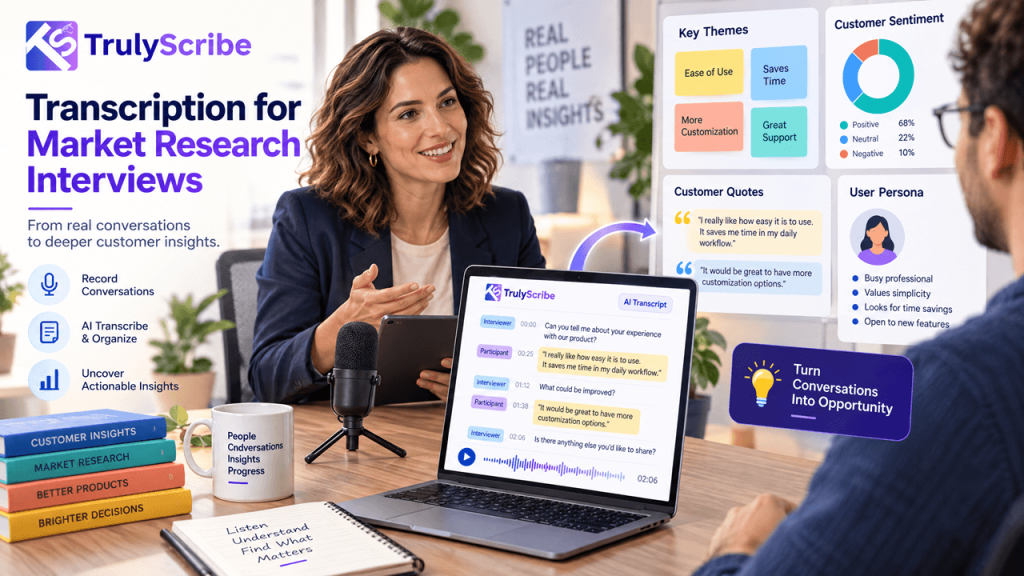
Qualitative research has always been labour-intensive. You recruit participants, run the sessions, and then face what many researchers call the transcription wall: hours of audio that need to become searchable, codeable text before you can begin any real analysis. For decades, the only option was to type it yourself or pay a transcription service. A single 60-minute in-depth interview could mean 6 to 8 hours of manual transcription work. A focus group with six participants could take an entire working day to transcribe accurately. AI transcription has changed that calculation dramatically. Researchers across academic institutions, market research agencies, UX teams, and independent consultancies are now using AI tools to transcribe hours of qualitative data in minutes — freeing up time for the work that actually requires human judgment: interpretation, coding, and insight generation. This guide explains how AI transcription works in a research context, what the real workflow looks like, what limitations to account for, and how to get the best results from tools like TrulyScribe on your next qualitative project. The Transcription Problem in Qualitative Research To understand why AI transcription matters so much to researchers, it helps to appreciate the scale of the problem it solves. In qualitative research, transcription isn’t optional. Whether you’re conducting academic ethnographic interviews, running UX discovery sessions, moderating consumer focus groups, or gathering employee feedback for an organisational study, the spoken word has to become written text before meaningful analysis can begin. And that conversion process is brutally time-consuming when done manually. 6–8 hrs  average time to manually transcribe a 1-hour research interview 10–12 hrs  typical transcription time for a 90-minute focus group with 6 participants Up to 40%  of a qualitative researcher’s project time historically spent on transcription alone Beyond time, manual transcription introduces other problems: AI transcription doesn’t eliminate the need for researcher involvement — but it collapses the transcription timeline from days to hours, freeing researchers to spend their cognitive energy where it belongs. How AI Transcription Works for Research Data Modern AI transcription tools use deep learning speech recognition models trained on vast audio datasets. When you upload a research recording, the model analyses the audio waveform, identifies phoneme patterns, matches them against language models, and outputs a timestamped text transcript. For research use, the key capabilities that matter most are: Speaker Diarization Diarization is the process of automatically identifying and labelling different speakers in a recording. For qualitative research, this is critical. A focus group with six participants produces interleaved speech from multiple voices — without diarization, you get a single undifferentiated block of text that’s difficult to analyse. Good AI transcription tools like TrulyScribe automatically detect and label individual speakers throughout the transcript. You get output formatted as Speaker 1, Speaker 2, etc., which you can then rename to participant IDs, pseudonyms, or actual names depending on your consent and anonymisation protocols. Timestamps AI-generated transcripts include timestamps at regular intervals or at every speaker turn. These serve as reference points, allowing researchers to jump back to the exact moment in the audio if a passage needs verification or if a nuance of tone is relevant to the interpretation. Multiple Export Formats Research workflows require flexibility. AI tools that export to .docx, .txt, and .srt give researchers the option to import directly into qualitative analysis software, share with collaborators via standard document formats, or create timestamped caption files for video recordings. Multi-Language Support Research increasingly crosses language boundaries. Whether you’re conducting interviews in a second language, working with multilingual focus groups, or running a cross-cultural comparative study, AI transcription tools with strong multilingual support — like TrulyScribe — significantly expand what’s possible without specialist transcriptionists for every language. Traditional vs AI-Assisted Research Transcription Workflow Task Traditional Method With AI Transcription Time Saved Transcribing 1-hr interview 6–8 hrs manual typing 10–15 min processing + review ~85% Focus group (6 people, 90 min) 10–12 hrs manual 20–30 min + speaker review ~90% Speaker labelling Manual throughout Auto-diarization, light cleanup ~70% Finding a specific quote Re-listen to recording Ctrl+F the transcript ~95% Sharing data with team Send audio file + timestamps Share clean .docx or .txt transcript Significant Coding & thematic analysis Transcribe first, then code Import transcript directly into NVivo/Atlas.ti Streamlined Time savings are approximate and depend on audio quality, number of speakers, and the level of accuracy required for the specific research context. The Step-by-Step AI Transcription Workflow for Researchers Here is how experienced qualitative researchers are integrating AI transcription into their data collection and analysis workflow in practice. Step 1: Record Your Sessions Properly The single biggest factor in AI transcription accuracy is audio quality. Before running your session, invest a few minutes in setup: 💡  Pro tip:  For video focus groups conducted on Zoom or Teams, always record the session and download the audio file before uploading to a transcription tool. Cloud recordings typically produce better audio quality than local ones. Step 2: Upload to TrulyScribe Step 3: Review and Clean the Transcript AI transcription is highly accurate but not perfect. A post-processing review is standard practice in research transcription — just as it would be with a human transcriptionist. The key things to check: 📌  Research standard note:  Most institutional review boards and qualitative methodology frameworks accept AI-generated transcripts with researcher review as methodologically valid. Document your transcription process in your methodology section as you would any other data handling procedure. Step 4: Assign Participant IDs and Anonymise Once you’ve reviewed the transcript, replace the generic speaker labels (Speaker 1, Speaker 2) with your project’s participant identification system. Depending on your ethics approval and data handling protocols, this might mean: Use Find and Replace in your word processor to do this efficiently across the entire document. Also remove or redact any identifying information mentioned in the transcript itself — full names, specific locations, employer names — in line with your data protection commitments to participants. Step 5: Import into Qualitative Analysis Software With a clean, labelled .docx or .txt transcript in hand, you’re ready to

TrulyScribe vs Otter.ai vs Descript
Tools & Reviews, AI Transcription, Guides & Comparisons, Uncategorized

TrulyScribe vs Otter.ai vs Descript: Which Is Best for Freelancers? (2026)

Three tools. One decision. And if you get it wrong, you’ll either overpay for features you never use or spend half your time fighting a tool that wasn’t designed for your workflow. TrulyScribe, Otter.ai, and Descript are three of the most searched AI transcription tools in 2026 — and they’re radically different products that happen to overlap on one feature: turning audio into text. Beyond that, they serve very different needs, have very different pricing models, and will suit very different types of freelancers. This comparison is written specifically for freelancers — writers, journalists, podcasters, researchers, coaches, content creators, and consultants who work solo and need transcription as a core part of their workflow. We’ve broken the comparison down round by round so you can skip to what matters most to you. 📌  TL;DR:  TrulyScribe wins for most freelancers who need reliable, accurate transcription with a generous free tier. Otter.ai wins for live meeting transcription. Descript wins if you edit video or audio content as part of your workflow. The Three Tools at a Glance TrulyScribe TrulyScribe is a dedicated AI transcription platform built specifically for individuals and freelancers. Upload audio or video, get a clean transcript back — with speaker labels, timestamps, and multiple export formats. It doesn’t try to be an editor, a meeting bot, or an all-in-one suite. It transcribes, and it does it extremely well. Otter.ai Otter.ai started as a meeting transcription tool and remains best-in-class for that specific job. It integrates directly with Zoom, Google Meet, and Microsoft Teams to transcribe calls in real time. It has expanded into AI summaries and action item extraction, making it more of a meeting intelligence platform than a pure transcription tool. Descript Descript is an audio and video editor that uses transcription as the foundation of its editing workflow. The core idea: edit your transcript, and the audio and video edits itself. It’s powerful for podcast producers and video creators, but it’s a significantly more complex product with a steeper learning curve and a higher price point. Full Feature Comparison Feature TrulyScribe Otter.ai Descript Free Tier 10 min/day + 15 hrs signup 300 min/month (40 min/file cap) 1 hr/month only Paid Price Most affordable for individuals ~$8.33/mo (annual) ~$12/mo (annual) Long File Support ✅ Full-length recordings ⚠️ 40 min cap on free ✅ On paid plans Speaker Detection ✅ Yes ✅ Yes ✅ Yes Accuracy ⭐⭐⭐⭐⭐ ⭐⭐⭐⭐ ⭐⭐⭐⭐ Export Formats .txt .docx .srt .txt .docx .pdf (paid) .txt .docx + video/audio Audio/Video Editing ❌ Transcription only ❌ No ✅ Yes — core feature Live Meeting Bot ❌ Upload-based ✅ Zoom, Meet, Teams ❌ No Multi-language ✅ Yes ⚠️ English-first ⚠️ English-first Setup ⭐ Very easy — browser ⭐ Easy — browser ⚠️ Medium — app install Best For Freelancers, podcasters, researchers Live meeting note-takers Video/podcast producers Overall Verdict 🏆 Best for most freelancers 📊 Best for live meetings 🎥 Best for video producers * Pricing correct as of March 2026. Free tier limits subject to change. Always verify on each tool’s website. Round 1: Free Tier — How Much Do You Actually Get for Free? Free Tier TrulyScribe Otter.ai Descript Result 10 min/day + 15 hrs on signup 300 min/month (40 min file cap) 1 hr/month only TrulyScribe TrulyScribe’s free tier is the most practically useful of the three. You get 10 minutes of transcription every single day — no credit card, no trial expiry. For short tasks like a client call clip, a quick interview excerpt, or a daily standup recording, this covers you indefinitely. On top of that, you get 15 free hours when you sign up, giving you real runway to test the tool on your actual workload before committing to anything paid. Otter.ai Otter.ai gives 300 minutes per month on its free plan — that’s 5 hours, which sounds generous until you hit the 40-minute per-file cap. Upload a 45-minute podcast episode or a 1-hour client call and you’re blocked. The 300-minute monthly total also disappears quickly if you transcribe multiple recordings each week. Export options on the free plan are restricted, with key formats gated behind paid tiers. Descript Descript’s free tier gives you just 1 hour of transcription per month. That’s enough to evaluate the interface, but it’s not enough to do regular work. For any freelancer transcribing more than one recording a week, the free plan runs out within days of signing up. ✔ Verdict — TrulyScribe: Wins decisively on free tier. The daily quota plus signup bonus makes it genuinely usable as a free tool for months, not just days. Round 2: Transcription Accuracy Accuracy TrulyScribe Otter.ai Descript Result ⭐⭐⭐⭐⭐ Excellent ⭐⭐⭐⭐ Very Good ⭐⭐⭐⭐ Very Good All three tools use modern AI speech recognition and deliver strong accuracy on clear audio. The differences emerge in specific scenarios: ✔ Verdict — TrulyScribe: Slight edge overall, particularly on non-US accents and multilingual content. All three are competitive on clean, clear audio. Round 3: Paid Pricing — Value for Freelancers Paid Pricing TrulyScribe Otter.ai Descript Result Most affordable for individuals ~$8.33/mo (annual) ~$12/mo (annual) TrulyScribe TrulyScribe’s paid plans are positioned specifically for individuals and freelancers — not enterprise teams. Pricing is straightforward and designed to scale with actual usage. For freelancers who transcribe regularly but not at enterprise volume, this is the most cost-efficient option of the three. Otter.ai Otter.ai’s Pro plan runs around $8.33 per month billed annually and unlocks higher transcription limits, longer file imports, and advanced export formats. The Business plan jumps significantly in price and is designed for teams. For a solo freelancer, the Pro plan works well if meetings are your primary use case — but the value fades if you need it for general-purpose audio transcription. Descript Descript’s Creator plan starts around $12 per month billed annually and unlocks the features that make it genuinely useful: unlimited transcription, filler word removal, and full audio and video export. If you’re a podcast producer or video creator who uses both the transcription and editing features, that’s reasonable

How to Transcribe Spotify & Apple Podcasts Episodes
How-To Guides, AI Transcription

How to Transcribe Spotify Podcasts or Apple Podcasts Episodes (2026)

You’re listening to a podcast episode and someone drops a killer insight — a framework, a statistic, a quote you want to use. Or maybe you’re a content creator who wants to turn a 45-minute podcast episode into a blog post, a newsletter, or a series of social media captions. Or you’re a researcher who needs to reference spoken content in writing. The problem? Spotify and Apple Podcasts don’t give you a download button or a built-in transcription feature for most episodes. Getting the text out requires a workaround. This guide walks you through every working method to transcribe Spotify and Apple Podcasts episodes in 2026 — from the simplest free approaches to more flexible options for power users. No technical background needed. Why People Transcribe Podcast Episodes Before we get into the how, it’s worth understanding the range of reasons people do this — because the best method often depends on your use case: The Challenge: Why You Can’t Just “Download” a Transcript Neither Spotify nor Apple Podcasts provides a universal transcript download feature for listeners. Here’s why: So while both platforms have made progress, they haven’t solved the problem for people who need a usable, downloadable text file. That’s where the methods below come in. Methods at a Glance Method Works For Free? Difficulty Download + TrulyScribe Spotify & Apple ✅ Yes — generous free tier Easy RSS feed audio download Apple Podcasts (most) ✅ Yes Easy Spotify Web Player + recorder Spotify ✅ Yes Medium Third-party podcast sites Both platforms ✅ Often free Easy Chrome extension capture Both platforms ✅ Free extensions available Easy Contact the podcaster Both platforms ✅ Yes (if they share) Easy * Availability may vary by episode, region, and platform updates. Always check the podcast’s own website first — many shows publish official transcripts. Method 1: Check If a Transcript Already Exists (Do This First) Before attempting any workaround, spend 60 seconds checking whether a transcript already exists. This is the easiest path and works more often than you’d expect. On Spotify: On Apple Podcasts: On the podcast’s own website: 💡 Time-saver:  Shows like Lex Fridman, Huberman Lab, Tim Ferriss, and How I Built This publish detailed transcripts on their websites. Always check there first before using any tool. Method 2: Download the Audio File and Transcribe It with TrulyScribe (Best Method) This is the most reliable method and works for almost every podcast episode on both platforms. The idea is simple: get the audio file, upload it to an AI transcription tool, and download the text. Here’s how to do it step by step. Step 1: Get the Audio File For Apple Podcasts (via RSS feed): Most podcasts are publicly distributed via RSS feeds, which means the audio files are accessible without any special tools. For Spotify (via web player + audio capture): Spotify streams audio and doesn’t allow direct downloads for free users. The cleanest workaround is to use your computer’s audio recording capability. ⚠️ Important note:  Only transcribe podcast content for personal use, research, accessibility, or content you have rights to repurpose. Always respect copyright and the podcast’s terms of use. Step 2: Transcribe the Audio with TrulyScribe 💡 Pro tip: TrulyScribe gives you 30 minutes free every day and 15 hours free monthly when you sign up — enough to transcribe a full episode without spending anything. Method 3: Use a Podcast Transcript Website Several websites automatically generate and index transcripts for popular podcasts. These are the fastest option when they work — no downloading or uploading required. Sites worth checking: How to use them: 💡 Best for:  Popular, English-language podcasts with large audiences. Less reliable for niche, non-English, or brand-new episodes. Method 4: Use a Browser Extension to Capture Audio If you listen to podcasts in a browser (Spotify Web Player or Apple Podcasts on Mac), browser extensions can capture the audio stream or grab transcripts directly. For Spotify Web Player: For Apple Podcasts on Mac: 💡 Note: The quality of captured audio depends on your system setup. For best transcription accuracy, aim to record at the highest available quality setting. Method 5: Copy Spotify’s In-App Transcript (Where Available) If Spotify shows a transcript for an episode (look for the transcript icon below the episode description), you can manually copy the visible text even though there’s no export button. ⚠️ Limitation:  This only works when Spotify has already generated a transcript for that episode, and it’s a manual, time-consuming process for anything longer than 10–15 minutes. Method 2 is faster for most episodes. Method 6: Ask the Podcaster This sounds obvious, but it works surprisingly often — especially for independent podcasters and smaller shows. Many podcasters already have transcripts sitting on their hard drive from their production process. They may not have published them, but they’ll often share on request. A short email or DM asking for the transcript of a specific episode takes 2 minutes to send and sometimes gets you exactly what you need. This approach is especially worth trying for: Which Method Should You Use? Here’s a quick decision guide based on your situation: What to Do With Your Podcast Transcript Once you have a clean transcript, you’ve unlocked far more value than the raw audio ever gave you. Here’s what solopreneurs, creators, and researchers typically do with podcast transcripts: 💡 Content multiplier tip: One podcast transcript can realistically become a blog post, 3–5 social posts, a newsletter section, and a set of show notes. Transcribe once, distribute everywhere. Tips for Getting the Best Transcript Quality AI transcription accuracy depends heavily on the quality of the audio you upload. Here’s how to maximise it: Frequently Asked Questions Start Transcribing Podcast Episodes Today Whether you’re a content creator looking to repurpose audio, a researcher capturing insights, or a podcaster building your own show notes, getting a clean transcript from Spotify or Apple Podcasts no longer requires expensive software or hours of manual work. The fastest workflow in 2026: download or record the episode audio, upload

Best AI Transcription Tools for Solopreneurs on a Budget (2026)
AI Transcription Tools, Tools & Reviews

Best AI Transcription Tools for Solopreneurs on a Budget (2026)

When you’re running a one-person business, every tool you pay for has to earn its keep. You’re not a corporate team with a software budget — you’re a freelancer, a creator, a consultant, or a side-hustle operator who needs things to work without costing a fortune. AI transcription has quietly become one of the most useful tools in a solopreneur’s toolkit. Whether you’re transcribing client calls, podcast interviews, research conversations, YouTube videos, or online courses, turning audio to text saves hours every week. But the tool landscape is confusing. Some are genuinely free. Some hide their best features behind expensive plans. Some are built for enterprise teams and completely overkill for solo use. This guide cuts through the noise. We’ve compared the best AI transcription tools specifically for solopreneurs and budget-conscious freelancers — looking at free tiers, paid pricing, accuracy, and real-world usability. No fluff, no filler. What Solopreneurs Actually Need in a Transcription Tool Before diving into the tools, here’s what actually matters when you’re working solo and watching your spending: With that as our framework, here are the best options in 2026. Quick Comparison: Best AI Transcription Tools for Solopreneurs Tool Free Tier Paid From Best For Accuracy TrulyScribe 30 min/day (i.e. 15 hrs/month) on signup $0 — very generous free Solopreneurs & freelancers ⭐⭐⭐⭐⭐ Otter.ai 300 min/month ~$8.33/mo Meeting notes ⭐⭐⭐⭐ oTranscribe Unlimited (manual) Free only Manual transcriptionists ⭐⭐⭐⭐⭐ Whisper (OpenAI) Unlimited (local) Free (self-hosted) Tech-savvy users ⭐⭐⭐⭐⭐ Rev AI Free trial only ~$0.02/min High-accuracy needs ⭐⭐⭐⭐⭐ Trint 7-day trial ~$48/mo Teams, not solopreneurs ⭐⭐⭐⭐ Descript 1 hr/month ~$12/mo Video creators ⭐⭐⭐⭐ * Pricing correct as of March 2026. Free tier limits may vary. Always check the tool’s website for the latest details. 1. TrulyScribe — Best Overall Free Option for Solopreneurs Free tier: 30 minutes/day free, i.e. 15 free hours monthly on signup  |  Paid: Affordable plans available TrulyScribe is purpose-built for individuals and freelancers who need fast, accurate transcription without paying enterprise prices. The free tier is genuinely generous — 30 minutes of transcription every single day, with 15 hours of free monthly transcription when you first sign up. That’s enough to handle a week of real work without spending a penny. Why solopreneurs love it: Best for: Freelancers, podcasters, content creators, coaches, and researchers who need reliable transcription regularly but don’t want to pay a monthly subscription just to get started. 💡 Pro tip: Use your daily free 30 minutes (i.e. 15 hours monthly) to transcribe a backlog of recordings. 2. Otter.ai — Good for Meeting Notes, Limited for Other Use Cases Free tier: 300 minutes/month  |  Paid from: ~$8.33/month (billed annually) Otter.ai is one of the most recognised names in AI transcription, and its free tier — 300 minutes per month — is decent for light use. It’s particularly strong for live meeting transcription, with integrations for Zoom, Google Meet, and Microsoft Teams. What’s good: Where it falls short for solopreneurs: Best for: Solopreneurs who primarily need live meeting transcription and don’t regularly work with long audio files. 3. oTranscribe — Best Free Tool for Manual Transcription Free tier: 100% free, no account needed  |  Paid: No paid tier — it’s entirely free oTranscribe is a browser-based tool that lets you manually transcribe audio by controlling playback with keyboard shortcuts while you type. It doesn’t use AI — you’re doing the transcription yourself — but it’s the best free option for anyone who needs total accuracy and doesn’t mind investing the time. What’s good: Where it falls short: Best for: Journalists, researchers, or anyone who needs 100% accuracy and is comfortable doing the work manually. Not the right choice if you’re trying to save time. 4. OpenAI Whisper — Best for Tech-Savvy Solopreneurs Free tier: Completely free and open-source  |  Paid: Free (self-hosted) or via API (~$0.006/min) Whisper is OpenAI’s open-source speech recognition model. It runs locally on your computer, meaning you can transcribe unlimited audio for free — with some caveats. The accuracy is genuinely impressive, often matching or beating paid tools. What’s good: Where it falls short: Best for: Solopreneurs with technical skills who want unlimited free transcription and don’t need a polished interface. If you can run a Python script, Whisper is unbeatable value. 5. Descript — Best for Video Creators Who Edit Content Free tier: 1 hour transcription/month  |  Paid from: ~$12/month Descript is more than a transcription tool — it’s a full audio and video editor that uses transcription as the backbone of its editing workflow. You edit your transcript and the audio/video edits itself. For solopreneurs who create video content, this is genuinely powerful. What’s good: Where it falls short: Best for: Solopreneurs who produce podcasts or video content and want a combined editing + transcription workflow. Not the right pick if you only need text output. 6. Rev AI — Best for One-Off High-Accuracy Jobs Free tier: Free trial (limited)  |  Paid: ~$0.02/minute automated, ~$1.50/minute human Rev is a professional transcription service that offers both AI-powered and human transcription. The AI accuracy is excellent, and the human transcription option produces near-perfect output — but the pricing model (pay-per-minute) adds up quickly for regular use. What’s good: Where it falls short: Best for: One-off transcription jobs where accuracy matters more than cost — legal interviews, important client recordings, or content that will be published verbatim. How to Choose the Right Tool for Your Situation Not sure which tool fits your workflow? Here’s a simple decision framework: 5 Ways Solopreneurs Save Money on Transcription Frequently Asked Questions The Bottom Line You don’t need to spend money to get excellent AI transcription as a solopreneur. Between TrulyScribe’s generous free tier, Otter.ai’s meeting focus, and OpenAI Whisper’s unlimited local option, there’s a free path forward for almost every workflow. If you’re just starting out, the smartest move is to try TrulyScribe first. The 15 free hours on signup gives you real runway to test the tool against your actual use cases — without handing over a credit card.Start transcribing

How to Transcribe a Google Meet or Zoom Recording for Free
AI Transcription, How-To Guides, Tools & Reviews

How to Transcribe a Google Meet / Zoom Recording for Free

You just wrapped up a 45-minute Zoom call or Google Meet session — a client interview, a team brainstorm, maybe a sales discovery call. Now you need the text. Maybe it’s for meeting notes, a content piece, a follow-up email, or just your records.  The problem? Most built-in transcription tools are either locked behind paid tiers, inaccurate, or don’t give you a clean, downloadable transcript you can actually use. This guide walks you through exactly how to transcribe a Google Meet or Zoom recording for free — step by step — so you get a clean, accurate transcript without spending a dime. Why Transcribing Your Meetings Matters Before diving into the how, here’s why this is worth doing: •   Searchable records: Ctrl+F your way through hours of audio instead of scrubbing timelines. •   Better follow-ups: Capture every action item and decision without relying on memory. •   Content repurposing: Turn interviews, webinars, or coaching calls into blog posts, newsletters, or social media content. •   Accessibility: Make content available to people who are deaf or hard of hearing. •   Legal and compliance records: A written transcript is far easier to reference than rewatching a recording. Step 1: Get Your Recording File For Zoom Recordings Zoom saves recordings either locally on your device or to the Zoom Cloud (paid plans). Here’s how to download either: •   Local recording: Open the Zoom desktop app → click “Recordings” in the left sidebar → find your meeting → click “Open” to find the .mp4 file on your computer. •   Cloud recording: Sign in at zoom.us → go to “Recordings” → find your meeting → click “Download” next to the video file. Tip: Zoom saves files as .mp4 (video) and .m4a (audio only). The audio-only file is smaller and works just as well for transcription. For Google Meet Recordings Google Meet recordings are only available on Google Workspace paid plans (Business Standard and above). If your organisation has recording enabled: 1. Open Google Drive — the recording saves automatically to the host’s “My Drive” in a folder called “Meet Recordings.” 2. Right-click the file → “Download” to save it as an .mp4 to your device. 3. Alternatively, copy the shareable Drive link if you prefer to work with it directly online. Don’t have a recording yet? On free Google Meet accounts, recording isn’t available. In that case, you can use a tool like OBS Studio or your device’s built-in screen recorder to capture the audio during the call, then transcribe the saved file. Step 2: Choose Your Free Transcription Method There are several ways to get a free transcript. Here’s a clear breakdown of your options: Option A: Use TrulyScribe (Recommended — Free Daily Quota) TrulyScribe offers 30 minutes of free transcription every day with no credit card required. For longer recordings, you also get 15 free hours every month on signup. Here’s how to use it: 4. Go to TrulyScribe.com and create a free account. 5. Upload your file: Click “Upload” and select your .mp4 or .m4a recording. TrulyScribe supports most common audio and video formats. 6. Select your language: TrulyScribe supports multiple languages and accents, so choose the one spoken in your recording. 7. Enable speaker detection (optional): If your meeting had multiple participants, turn on speaker diarization so the transcript labels who said what. 8. Hit transcribe: Processing is fast — typically a few minutes even for longer recordings. 9. Download or copy your transcript: Export as .txt, .docx, or .srt (for captions). Why TrulyScribe over other free tools? It handles long recordings without crashing, produces clean paragraph-formatted text, and supports multiple speakers — which is exactly what you need for a meeting transcript. Option B: Use Zoom’s Built-in Transcription (Paid Plans Only) If you’re on a Zoom Pro, Business, or Enterprise plan, you already have access to Zoom’s native transcription feature. After a recorded call: 10. Go to zoom.us → Recordings. 11. Open the meeting recording → you’ll see an “Audio Transcript” option. 12. Download the .vtt or .txt file. Limitation: Zoom’s auto-transcription is only available on cloud recordings (not local saves), and accuracy drops noticeably with accents, background noise, or fast speech. It also doesn’t give you a clean, formatted document — just a raw timestamped file. Option C: Use Google Meet’s Transcription Feature (Workspace Only) Google Meet added live transcription for Google Workspace accounts. To use it: 13. Start or join a Google Meet call. 14. Click the three-dot menu (“More options”) → “Transcripts” → “Start transcript.” 15. After the call, the transcript is saved automatically to Google Docs in your Meet Recordings Drive folder. Limitation: This is only available to Workspace subscribers. Free Google accounts cannot access this. The output is also a basic Google Doc — not formatted or speaker-labeled. Option D: Upload the Audio File to a Free AI Transcription Tool If you already have the recording as a file, any AI transcription tool with a free plan can handle it. Beyond TrulyScribe, here are other tools with free tiers worth knowing about: •   Otter.ai: 300 minutes/month free, but limits file length per upload and watermarks exports. •   Rev (free trial): Offers a limited free trial, but quickly moves to paid. •   Whisper (OpenAI): Free and open-source, but requires technical setup — not ideal for non-developers. For most individuals and freelancers, TrulyScribe hits the best balance of free access, accuracy, and ease of use. Step 3: Clean Up Your Transcript Even the best AI transcription tools aren’t perfect. After you get your transcript, spend a few minutes reviewing it:  •   Check proper nouns: Names, brand names, and technical terms are where AI tools slip up most. •   Verify speaker labels: If you used speaker diarization, confirm the labels match the right people. •   Remove filler words: Depending on your use case, you may want to clean out “um,” “uh,” and false starts. •   Add paragraph breaks: Most AI transcripts come out as dense

Best AI Transcription for Long Podcasts & 2-Hour Recordings
Uncategorized

Best AI Transcription for Long Podcasts & 2-Hour Recordings

Ever uploaded a 2-hour podcast to an AI transcription tool… only for it to crash at 82%? Or worse — it completes the transcript, but speaker labels are a mess and editing takes longer than manual typing. Short clips are easy.Long-form audio is where most AI transcription tools struggle. If you regularly produce: You need a transcription solution built for long audio — not just short snippets. In this guide, we’ll break down: Why 2-Hour Recordings Break Most AI Transcription Tools AI transcription performs well in controlled demos. But long podcasts expose weaknesses. Here’s why: 1️⃣ Memory & File Size Limits Many platforms quietly limit: Long files increase processing strain, especially in browser-based tools. 2️⃣ Speaker Drift Over Time Multi-speaker transcription becomes harder over 90–120 minutes. Common issues: If your podcast includes co-hosts or guests, diarization accuracy becomes critical. 3️⃣ Accumulated Errors Small recognition errors compound over time: Editing a 10-minute transcript is easy.Editing 25 pages of slightly messy text? Not so much. 4️⃣ Export Problems Long transcripts can: For professional workflows, this becomes a serious bottleneck. What to Look for in AI Transcription for Long Podcasts If you regularly transcribe 2-hour recordings, here are the non-negotiables: ✅ Stable Large File Processing No random cutoffs. No crashes. ✅ Multi-Speaker Detection (Diarization) Clear speaker separation throughout the entire file. ✅ Timestamp Control Especially useful for: ✅ Clean Editing Interface You should be able to: ✅ Flexible Export Formats TXT, DOCX, SRT — depending on your workflow. Common Frustrations Creators Face If you’ve searched Reddit for “best AI transcription for long audio,” you’ll notice similar complaints: Long-form content reveals which transcription tools are built for scale — and which aren’t. Best AI Transcription for Long Podcasts (2026) Not every transcription tool is optimized for 2-hour recordings. Here’s how to think about it: 🔹 For 30–60 Minute Audio Many modern AI transcription tools can handle this length without issues. If your content rarely exceeds one hour, you’ll likely be fine with most premium platforms. 🔹 For 60–120 Minute Podcasts & Interviews This is where you need: For creators who frequently publish long-form episodes, TrulyScribe is designed to handle extended recordings efficiently. It supports: Instead of breaking large files into segments or juggling multiple tools, creators can process full-length recordings more reliably in one place. Free vs Paid Transcription for Long Recordings Many creators start with free AI transcription tools. Free plans are useful for: But long podcasts usually expose limits: If long-form content is part of your weekly workflow, paid tools provide consistency and time savings. How to Transcribe a 2-Hour Podcast Efficiently Here’s a simple workflow to reduce editing time: Step 1: Clean Your Audio First Reduce background noise before uploading. Step 2: Enable Speaker Detection Especially important for co-host formats. Step 3: Review the First 10 Minutes Check accuracy early to identify recurring issues. Step 4: Use Search to Batch-Correct Fix recurring name or terminology errors in bulk. Step 5: Export Strategically Use: A structured AI transcription workflow can turn a 2-hour recording into multiple content assets. Why Long-Form Transcription Is a Growth Lever in 2026 Transcribing long podcasts isn’t just about documentation. It enables: 📈 SEO blog posts📧 Email newsletters📱 Social media snippets🎥 Video captions♿ Accessibility compliance A single 2-hour episode can become: And that process starts with reliable AI transcription. Final Verdict When choosing the best AI transcription for long podcasts and 2-hour recordings, prioritize: ✔ Stability✔ Speaker accuracy✔ Long-file support✔ Editing efficiency✔ Export flexibility Not all tools are built for long-form audio. If extended recordings are part of your workflow, choosing a transcription platform that handles them reliably can save hours every week. FAQs – Best AI Transcription for Long Podcasts (2026)

Best AI Transcription Tools in 2026
Uncategorized

Best AI Transcription Tools in 2026: What Actually Works for Meetings, Interviews & Long Audio

If you search Reddit for “best AI transcription tool,” you’ll see the same questions repeated: In 2026, AI transcription has improved dramatically — but not all tools are built for the same use case. In this guide, we break down: What to Look for in the Best AI Transcription Tools Before choosing a transcription tool, focus on these core features: 1. Accuracy (Even in Noisy Audio) Modern AI models can reach high accuracy — but real-world conditions matter: The best tools use advanced speech recognition models trained on diverse datasets. 2. Speaker Identification (Diarization) For: You need multi-speaker transcription with clear speaker labels. Poor diarization = unusable transcript. 3. Long Audio Support Many free tools struggle with: If you regularly transcribe webinars, lectures, or long meetings, this becomes critical. 4. Pricing & Free Tiers Reddit users frequently ask: “Is there a reliable free AI transcription tool?” Most free tools: Free is great for testing — but serious workflows usually require scalable pricing. 5. Editing & Export Options Look for: A good editing interface saves hours. Best AI Transcription Tools by Use Case (2026) Instead of ranking tools blindly, here’s what works best for different needs. 🎤 Best for Interviews Interviews require: For journalists, researchers, and content creators, tools that balance accuracy + usability are ideal. If you’re conducting frequent interviews, a platform like TrulyScribe offers: This makes it suitable for interview-heavy workflows. 🧑‍💼 Best for Meetings & Team Workflows Meeting transcription tools must handle: Many AI tools struggle when conversations overlap. TrulyScribe is particularly useful when: 🎙️ Best for Multi-Speaker Recordings Reddit users consistently ask: “Which AI tool handles long multi-speaker transcription best?” The answer depends on: TrulyScribe supports multi-speaker transcription, making it practical for: 💸 Best Free AI Transcription Tools If you’re testing: Free tools can work for: But expect limitations: For professional or recurring needs, scalable tools like TrulyScribe offer more consistency. 📚 Best for Long Audio Files (Webinars, Lectures, Archives) Archivists and researchers often ask: “What works for long voice recordings?” The key factors: If your workflow includes 60–120 minute recordings, using a tool built for longer content (like TrulyScribe) prevents workflow bottlenecks. How to Choose the Right AI Transcription Tool Use this quick decision guide: If You Need Look For Free short-term testing Basic AI tool with limited minutes Multi-speaker accuracy Strong diarization features Interview transcripts Clean formatting + editing Long recordings Stable large file support SEO-friendly transcripts Exportable, structured text Why AI Transcription Matters More in 2026 AI transcription is no longer just about converting audio to text. It now powers: Creators turn:🎙 Podcast episodes🎥 YouTube videos🎤 Webinars Into:📝 Blogs📱 Social posts📧 Email newsletters And that workflow starts with reliable transcription. Where TrulyScribe Fits In For creators, professionals, and teams who need: TrulyScribe provides a practical solution built for real-world workflows. Instead of patching together multiple tools, it centralizes the transcription process. Final Thoughts The “best AI transcription tool” depends on your use case. But in 2026, the must-haves are clear: ✔ Accuracy✔ Speaker labeling✔ Long file stability✔ Clean exports✔ Reliable pricing If transcription is part of your content, research, or business workflow — choosing the right platform can save hours every week. FAQs – Best AI Transcription Tools in 2026

online-course-transcripts-accessibility-seo
Uncategorized

Why Every Online Course Needs Transcripts for Accessibility and SEO

Online learning has exploded in the past few years. From independent course creators to universities and corporate training teams, digital education is now mainstream. But while most creators focus on video quality, content depth, and platform features, one critical element is often overlooked: Online course transcripts. Transcripts are no longer optional add-ons. They are essential for accessibility, compliance, SEO, and learner success. Whether you’re running a small course on a creator platform or managing large-scale eLearning programs, transcripts play a vital role in long-term growth. Let’s break down why every online course needs transcripts for accessibility and SEO in 2026. What Are Online Course Transcripts? Online course transcripts are text versions of spoken content in course videos, lectures, webinars, or training sessions. Unlike captions that appear on screen, transcripts provide a full written record of the lesson in a structured, readable format. They are commonly created using: When properly formatted, transcripts become powerful learning and search assets. Online Course Accessibility: Why Transcripts Are Essential 1. Supporting Students with Hearing Impairments Accessibility for online courses is not just a best practice—it’s often a legal requirement. Transcripts help: Many creators ask: Do online courses need transcripts for accessibility? If you want your course to be inclusive and compliant, the answer is yes. 2. ADA Compliance for Online Courses In many regions, including the United States, ADA compliance for online courses requires accessible learning materials. While captions are essential, transcripts provide an additional level of accessibility and usability. Institutions and course platforms increasingly require: Failing to provide transcripts can create legal risks and limit audience reach. 3. Supporting Different Learning Styles Not all students learn best through video. Some prefer: Transcripts allow learners to: This improves comprehension and retention significantly. How Transcripts Improve SEO for Online Courses Most course creators don’t realize this: Search engines cannot “watch” your videos. Without transcripts, your course content is largely invisible to Google. 1. Making Course Content Indexable Adding video transcripts for courses allows search engines to: This directly answers a common question: How do transcripts improve SEO for online courses? They turn spoken content into searchable, crawlable text. 2. Ranking for Long-Tail Keywords When you publish transcripts on: You naturally rank for long-tail phrases students are searching for. For example: Transcripts capture organic phrasing you may not intentionally optimize for. 3. Increasing Organic Traffic Transcripts increase organic visibility by: Over time, this can significantly improve SEO for online courses and bring in students outside your learning platform. Transcripts vs Captions for Online Courses Many course creators confuse the two. Captions Transcripts Both are important—but transcripts offer additional benefits beyond on-screen captions. Benefits of Transcripts for eLearning Here are the core advantages of eLearning transcription: Improved Accessibility Making online courses accessible with transcripts ensures equal access for all learners. Better Student Experience Students can: Content Repurposing Transcripts can be turned into: Scalability Using AI transcription for online courses, creators can scale content production without hiring manual transcriptionists. How to Add Transcripts to Online Courses If you’re wondering how to add transcripts to online courses, here’s a simple workflow: Using automated tools dramatically reduces turnaround time compared to manual transcription. Choosing the Best Transcription Service for Course Creators When selecting a transcription solution, look for: The best transcription service for course creators should integrate seamlessly into your workflow without adding friction. Tools like TrulyScribe are built to support educators and course creators with fast, accurate, and scalable transcription solutions. Are Transcripts Required for Online Course Compliance? While legal requirements vary by region, many platforms and institutions strongly recommend transcripts as part of accessibility compliance. Even if not legally mandated in every case, transcripts: From both ethical and business perspectives, transcripts are a smart investment. The Future of Online Course Accessibility and SEO As online learning grows, expectations around accessibility and discoverability will increase. Search engines are becoming smarter, but they still rely on text to understand content. At the same time, accessibility standards are tightening across education and corporate training. Creators who invest in online course transcripts today will: Final Thoughts If you’re creating online courses in 2026, transcripts are not optional—they’re foundational. They support accessibility, improve SEO, enhance learner experience, and unlock content repurposing opportunities. Whether you’re a solo course creator or managing enterprise-level training, investing in course transcription services ensures your content is inclusive, discoverable, and future-ready. And with modern AI-powered tools, adding transcripts to your courses has never been easier. FAQs – Online Course Transcripts

Human vs. AI Transcription
Guides & Comparisons

Human vs. AI Transcription: Which is Best for Your Business in 2026?

In 2026, the question isn’t whether AI can transcribe—it’s whether AI can transcribe well enough for your specific business needs. As we move further into the era of agentic AI and automated workflows, the gap between human intuition and machine efficiency has narrowed, but it hasn’t disappeared. Choosing between human and AI transcription is no longer a binary choice; it’s a strategic decision that impacts your budget, your data security, and your team’s productivity. In this guide, we break down the Human vs AI transcription accuracy benchmarks, costs, and use cases to help you decide which path is right for your business this year. 1. The Accuracy Benchmark: Word Error Rate (WER) in 2026 Accuracy remains the most critical metric for any transcription service. In the industry, we measure this using Word Error Rate (WER). AI Transcription Accuracy In 2026, premium AI engines like TrulyScribe have reached a staggering 95% to 99.8% accuracy on “clean” audio (studio quality, single speaker, no accent). However, real-world audio is rarely perfect. When you introduce background noise, heavy accents, or “crosstalk” (people talking over each other), AI accuracy typically drops to 80%–85%. Human Transcription Accuracy Professional human transcriptionists still maintain the “Gold Standard” of 99% accuracy. Unlike AI, humans excel at: The 2026 Verdict: If your transcript is for internal notes or a quick meeting recap, AI’s 95% is more than enough. If it’s for a legal deposition or a medical record, the 1% human-error margin is still the only safe bet. 2. Speed vs. Cost: The Business Trade-off For most businesses, the decision comes down to the “Iron Triangle”: Speed, Quality, and Price. Cost of AI Transcription vs. Human Services The price gap is wider than ever in 2026. Turnaround Time (TAT) Feature AI Transcription (TrulyScribe) Human Transcription Accuracy (Clean Audio) 95% – 98% 99%+ Cost (Per Minute) $0.10 – $0.25 $1.50 – $4.00 Turnaround Time 5 – 10 Minutes 24 – 48 Hours Best For Volume, Speed, Budget Legal, Medical, High-Stakes 3. Industry-Specific Use Cases: Where AI Wins and Where Humans Rule Different industries have different “risk profiles” for errors. Use AI Transcription (TrulyScribe) For: Use Human Transcription For: 4. The 2026 Trend: The Hybrid Transcription Workflow Smart businesses in 2026 aren’t choosing one over the other—they are using a Hybrid Model. The most efficient workflow today looks like this: This “Human-in-the-loop” (HITL) approach reduces costs by up to 70% while maintaining near-perfect accuracy. 5. Data Privacy and Security Standards In 2026, data sovereignty is a major concern. Many free AI tools “train” their models on your uploaded data. When choosing a service, ensure they meet these 2026 standards: 6. Summary: Which Should You Choose? Choose AI Transcription if: Choose Human Transcription if: Why TrulyScribe? At TrulyScribe, we’ve engineered our AI to handle the complexities of 2026 business environments. From advanced speaker diarization (identifying who said what) to industry-specific vocabulary filters, we provide the speed of AI with a precision that bridges the gap toward human quality. Ready to see the power of 2026 AI for yourself? [Try TrulyScribe for Free] and get daily free 30 minutes of audio transcribed with 99.8% accuracy in seconds. Frequently Asked Questions (FAQ)

AI Transcription for Creators
Creator Tools & Workflows, AI Transcription, AI Transcription Tools

AI Transcription for Creators in 2026: What’s Changed, What Works, and What to Avoid

In 2026, creators are producing more content than ever—videos, podcasts, live streams, courses, interviews, and short-form clips. But creation alone no longer guarantees growth. The creators who scale today are the ones who turn spoken content into reusable, searchable, and monetizable assets. That’s why AI transcription for creators has become a core part of modern content workflows. What started as a simple accessibility feature is now a powerful tool for SEO, repurposing, productivity, and long-term visibility. But not all transcription tools—or strategies—deliver the same results. This guide breaks down what’s changed, what actually works, and what creators should avoid when using AI transcription in 2026. Why AI Transcription Matters More for Creators in 2026 The creator economy has matured. Algorithms are unpredictable, competition is fierce, and audiences discover content across search engines, AI assistants, and multiple platforms—not just YouTube or Spotify. Creators now need: AI transcription sits at the center of all three. By converting audio and video into text, creators unlock SEO, repurposing, and automation—without creating more content from scratch. What’s Changed in AI Transcription for Creators Higher Accuracy Across Accents and Speaking Styles Modern AI transcription accuracy has improved significantly. In 2026, leading tools handle: For creators, this means less manual cleanup and more usable transcripts right out of the box. Speech-to-text for creators is no longer “almost usable”—it’s production-ready. Faster, Near Real-Time Transcription Creators are moving fast, and transcription tools have caught up. Today’s automated transcription tools offer: This speed enables scalable content creation, especially for creators publishing frequently. Creator-Focused Transcription Tools (Not Generic Software) Earlier transcription tools were built for enterprises, meetings, or legal use—not creators. In 2026, the best AI transcription tools for creators focus on: This shift has made transcription software for content creators far more accessible and practical. What Works for Creators Using AI Transcription in 2026 Video Transcription for Creators Video transcription for creators is one of the highest-impact use cases. Creators use transcripts to: This answers a key creator question: transcription isn’t just about captions—it’s about discoverability and reach. Podcast Transcription for Creators Podcasts are powerful—but invisible to search engines without text. With podcast transcription for creators, episodes can be repurposed into: This helps creators grow audiences beyond podcast platforms. Using Transcripts to Build a Scalable Content Workflow The most successful creators in 2026 follow a simple system: Record once → Transcribe → Repurpose everywhere Transcripts power: This transcription-driven content creation workflow reduces burnout and maximizes output without extra effort. Choosing the Best AI Transcription Tool for Creators in 2026 So, what should creators look for in transcription tools? The best AI transcription tool for creators in 2026 should offer: Tools like TrulyScribe are built specifically for creators who want to convert audio to text without friction. What to Avoid When Using AI Transcription Tools Relying on Poor-Quality or Generic Tools Not all AI transcription tools are equal. Creators should avoid tools that: These are common AI transcription tools to avoid, especially for SEO and publishing. Ignoring Editing and Context Review AI transcription is powerful—but not “set and forget.” Common AI transcription mistakes creators make include: A quick edit ensures transcripts are professional, readable, and SEO-ready. Choosing Cheap Tools That Don’t Scale Affordability matters—but ultra-cheap tools often cost more in the long run through: Affordable AI transcription for creators should balance price, accuracy, and usability. AI Transcription vs Manual Transcription for Creators Manual transcription offers high precision—but it’s slow and expensive. In 2026: For most creators, AI transcription vs manual transcription is no longer a debate—AI wins for speed, cost, and efficiency. How Creators Are Using AI Transcription to Grow in 2026 Creators are using transcription to: This is how creators use transcription to grow—by turning every spoken word into a long-term asset. Is AI Transcription Accurate Enough for Creators in 2026? A common concern is accuracy. The answer: Yes—when you use the right tool. Modern AI transcription accuracy is more than sufficient for: Minor edits are still recommended, but AI transcription now meets creator-quality standards. The Future of AI Transcription in the Creator Economy AI transcription isn’t a trend—it’s infrastructure. As AI search, voice assistants, and content automation evolve, text remains the foundation. Creators who adopt transcription today are building future-proof content systems. In the creator economy, transcription will continue to power: Final Thoughts: How Creators Should Use AI Transcription Going Forward In 2026, creators don’t just publish content—they build systems. AI transcription for creators is no longer optional. It’s the foundation for SEO, repurposing, and sustainable growth. If you’re creating audio or video content, transcription is the fastest way to turn effort into visibility—and visibility into results. FAQs: AI Transcription for Creators in 2026

Scroll to Top