Trulyscribe

Author name: Editorial Team

how-ai-makes-international-webinar-localization-affordable
AI Transcription, Business Tools, Localization, Webinars & Virtual Events

How AI Makes International Webinar Localization Affordable

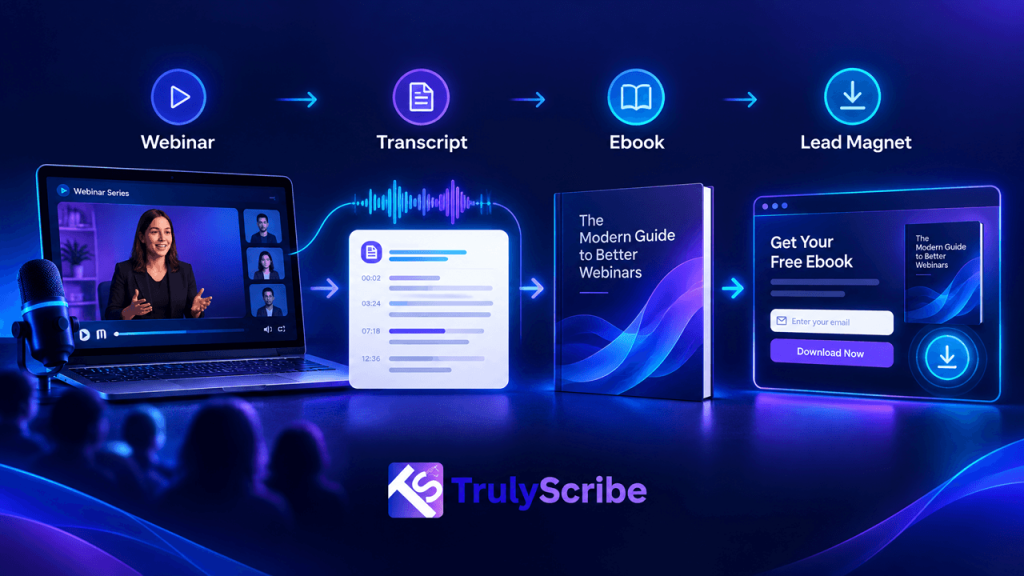
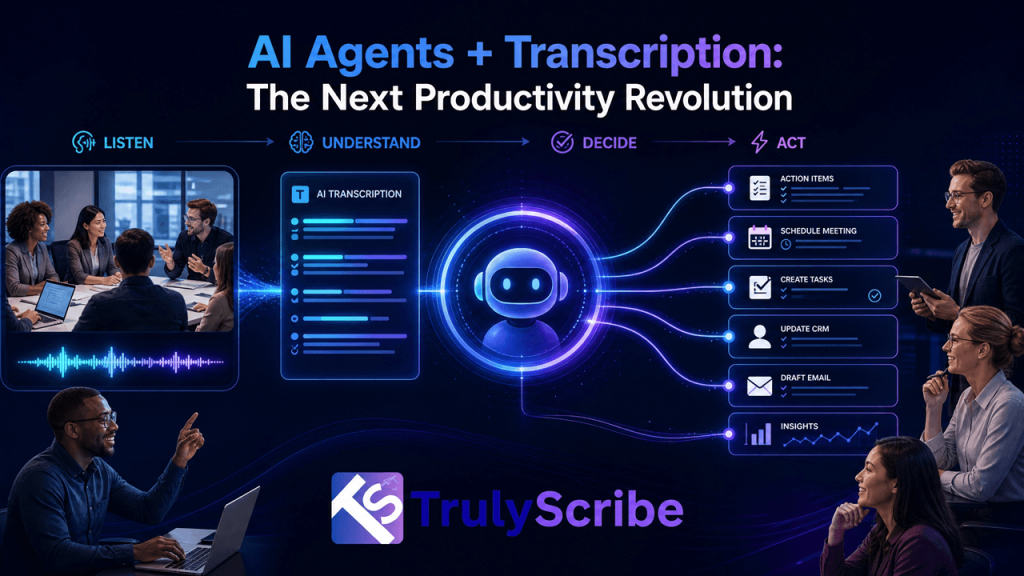
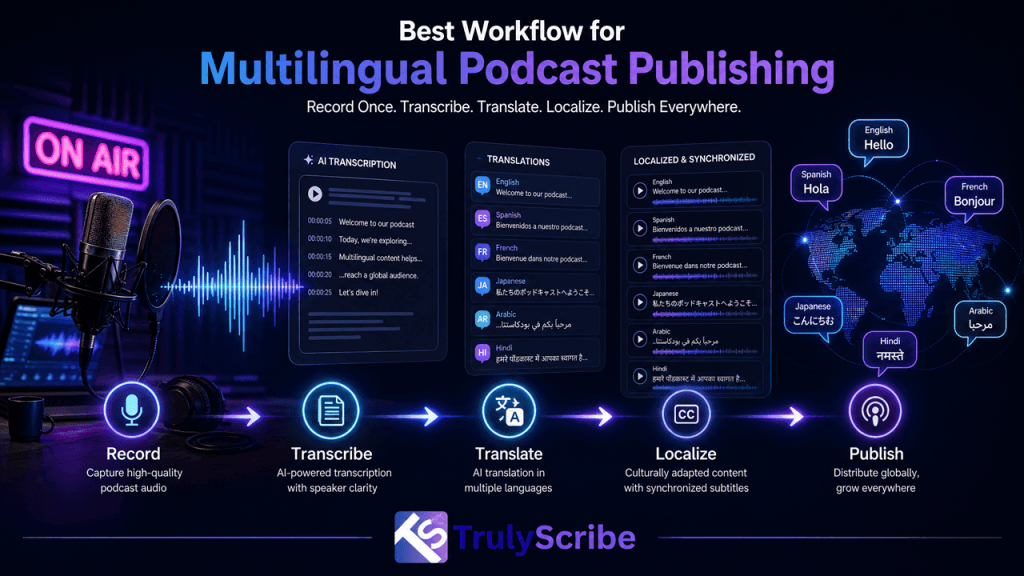
Webinars have become one of the fastest, cheapest ways for companies to reach buyers, train employees, and build authority in their industry. But there’s a catch: most webinars are still recorded and published in a single language, which means a huge share of the global audience never gets to watch them. A product demo delivered in English is invisible to a procurement manager in São Paulo, a compliance officer in Tokyo, or a student in Warsaw who would happily watch it in their own language. For years, the reason companies skipped webinar localization wasn’t a lack of interest — it was cost. Professional interpreters, subtitling studios, and dubbing agencies could easily turn a single 60-minute webinar into a five-figure line item, and the turnaround time often stretched into weeks, by which point the content felt stale. Artificial intelligence has quietly rewritten that math. What used to require a project manager, three vendors, and a month of back-and-forth can now be done in an afternoon, at a fraction of the price, using AI transcription, neural machine translation, and synthetic voice technology working together. In this guide, we’ll break down exactly why traditional webinar localization is so expensive, how AI collapses that cost, what an AI-powered localization workflow actually looks like step by step, and how a tool like TrulyScribe fits into that pipeline as the foundation — the accurate transcript everything else is built on. The Real Cost of Traditional Webinar Localization To understand why AI is such a big deal here, it helps to look at what localization used to cost. A typical enterprise localization workflow for a single webinar involves several separate specialists, each billing by the minute or the hour: Run those numbers for a one-hour webinar localized into five languages — a fairly modest ask for a company selling into Europe, Latin America, and Asia — and you’re often looking at $10,000 to $25,000, with a delivery window of two to four weeks. For most marketing and L&D teams, that’s simply not in the budget, so localization gets cut, and the webinar stays English-only, or English-plus-maybe-one-other-language if a big client demands it. That’s the real cost of skipping localization: not the money saved, but the audience never reached. What Changed: The Rise of AI-Powered Localization Three technologies matured at roughly the same time, and together they broke the old cost structure: 1. Speech recognition that’s finally good enough Modern AI transcription models routinely hit 95–99% accuracy on clear business audio, even with accents, cross-talk, and industry jargon. That’s a dramatic shift from the error-prone auto-captions of a few years ago, and it means the transcript an AI produces can be trusted as the source-of-truth text for everything downstream, rather than needing a human to retype the whole thing. 2. Neural machine translation Translation engines built on neural networks now produce fluent, context-aware translations across dozens of language pairs almost instantly, instead of the stilted, word-for-word output older statistical translation tools were known for. 3. AI voice synthesis and dubbing Text-to-speech has moved past robotic-sounding narration. Current AI voices can preserve tone, pacing, and even something close to the original speaker’s cadence, making automated dubbing a realistic option for internal training content and lower-stakes external webinars. Individually, each of these technologies is useful. Chained together into a single pipeline — transcribe, translate, caption, dub, publish — they turn a multi-vendor, multi-week project into something a single marketer can run before lunch. How AI Webinar Localization Actually Works, Step by Step Here’s what a modern, AI-driven localization workflow looks like in practice, whether you’re localizing a live sales webinar or an on-demand training session. Step 1: Capture and transcribe the source webinar The first step is turning spoken audio into accurate, timestamped text. This can happen live during the event with real-time AI transcription for webinars and virtual events, or after the fact by uploading the recording. If your webinar was hosted on a video conferencing platform, transcribing your Google Meet or Zoom recording takes just minutes and gives you a clean, speaker-labeled transcript to work from. This transcript becomes the single source of truth for every language version that follows. Step 2: Clean and structure the transcript A good AI transcript includes speaker labels, timestamps, and punctuation, which makes it far easier to align translated subtitles later. Accuracy matters enormously here, because any error in the source text gets carried into every translated language. This is also where it’s worth understanding how AI transcription accuracy now compares to human transcription — for most business and marketing content, AI is close enough to human-level that it can be used directly, with a light human review pass for anything customer-facing or legally sensitive. Step 3: Machine-translate the transcript into target languages Once you have a clean source transcript, translating it into five, ten, or twenty languages is largely a matter of running it through a neural machine translation engine. Because the source text is already structured with timestamps, the translations stay aligned to the original timing, which is essential for subtitles and dubbing. Teams building a broader multilingual content strategy often standardize this step across all their video and webinar content, not just a single event. Step 4: Generate multilingual subtitles and captions Translated, timestamped text can be exported directly into SRT or VTT caption files for each language, ready to burn into the video or upload alongside it on YouTube, your LMS, or your webinar platform. This is the fastest, cheapest way to make a webinar accessible internationally — no voice talent required, and viewers who are comfortable reading subtitles get the full content immediately. Step 5: Add AI dubbing where it matters For markets where subtitles aren’t enough — internal training audiences, for instance, or regions where video consumption habits favor dubbed audio — AI voice synthesis can generate a spoken track in the target language, timed to match the original video. This is the most resource-intensive step in the pipeline, so many teams reserve it for

how-search-engines-read-video-content-through-transcripts
SEO & Search, AI Tools, Content Strategy, Digital Marketing, Video Marketing

How Search Engines Read Video Content Through Transcripts

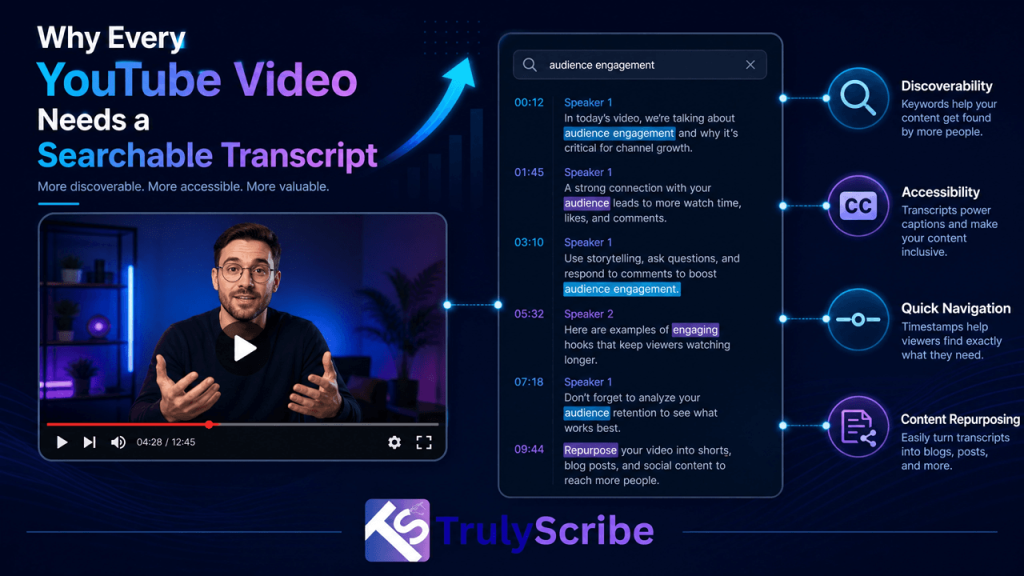
Here is something most video creators and marketers don’t fully appreciate: search engines are, at their core, text-reading machines. Google, Bing, and every major search engine built their foundational technology around indexing written language. They are extraordinarily good at understanding, categorizing, and ranking text. Video? That’s a different story. A search engine cannot watch a video the way a human does. It cannot listen to your guest expert explain a concept for 40 minutes and understand what was said. It cannot hear the insight buried in minute 23 of your webinar or the product explanation in your tutorial video. Unless that spoken content is converted to text, it is essentially invisible to search—a black box that crawls cannot open. This is the core reason why transcripts are not just a nice-to-have for video publishers. They are the primary mechanism through which search engines understand what a video is about, decide what search queries it should rank for, and determine whether it deserves to be surfaced to users. In this guide, we’ll walk through exactly how search engine crawlers process video content, why transcripts are the bridge between your spoken words and search visibility, and what practical steps you can take to unlock the SEO value sitting untapped in your video library—starting with AI transcription from TrulyScribe. The Fundamental Problem: Search Bots Are Readers, Not Viewers When Googlebot visits your webpage, it reads. It parses your HTML, follows your links, reads your headings, body text, alt tags, and metadata. It understands your page through language. This is why well-written, structured text has always been the backbone of SEO. When Googlebot encounters a video, it has far fewer signals to work with. It can read: • The video title — whatever you typed into the title field. • The description — whatever text you added manually beneath the video. • Surrounding page text — paragraphs, headings, and links on the page where the video is embedded. • Metadata tags — tags, categories, and any structured data markup you’ve applied. • Caption and subtitle files — if they exist and are properly linked. What it cannot do—at least not in the same reliable, comprehensive way it reads text—is extract meaning from the audio track of your video. This means that every insight, explanation, story, demonstration, and conversation inside your video is invisible to search unless it has been converted to text and made available to crawlers. Think of your video as a locked filing cabinet. The transcript is the key. Without it, search engines are guessing at the contents based on the label on the outside—your title and description. With it, they can read every document inside. How Google Actually Processes Video Content Google has made significant investments in video understanding technology, and it’s worth being precise about what it can and cannot do in 2026. What Google Can Do With Video Google can automatically generate captions for YouTube videos using its speech recognition technology. This has been a feature of YouTube since 2009, and the auto-generated captions are indexed and used as a ranking signal for videos on the YouTube platform. If your video is on YouTube and you haven’t provided your own captions, Google is already generating text from your audio—but with significant limitations. Auto-generated captions are notoriously inaccurate for: technical and domain-specific vocabulary, proper nouns and brand names, heavy accents or non-standard dialects, multiple overlapping speakers, and audio with significant background noise. They also produce no punctuation, which makes them difficult for both humans and natural language processing systems to parse meaningfully. What Google Cannot Do Reliably For video hosted outside of YouTube—on your own website, on Vimeo, on Wistia, on any corporate video platform—Google has no equivalent automatic speech recognition pipeline. The video is processed primarily through surrounding text signals and any structured data you provide. The spoken content is largely inaccessible. Even for YouTube videos, Google’s own documentation consistently recommends providing manually reviewed captions rather than relying on auto-generation, specifically because accuracy matters for both accessibility and indexing quality. The Structured Data Layer Google supports VideoObject schema markup, which allows publishers to tell search engines metadata about a video in a structured, machine-readable format. Among the properties supported is  ⟨ VideoObject Schema — transcript field example ⟩“@context”: “https://schema.org”,“@type”: “VideoObject”,“name”: “How AI Transcription Works”,“description”: “An overview of AI speech-to-text technology…”,“transcript”: “Welcome to TrulyScribe. Today we are going to explore…”,“uploadDate”: “2026-01-15”,“thumbnailUrl”: “https://example.com/thumbnail.jpg” Filling this field accurately requires—you guessed it—a transcript. And the more accurate and complete the transcript, the better the structured data signal sent to search engines. The Three Ways Transcripts Drive Video SEO Understanding the mechanism is one thing. Understanding the practical SEO value is what motivates action. Here are the three distinct ways that transcripts improve the search performance of video content. 1. Keyword Coverage and Topical Depth A 30-minute video conversation naturally covers a topic in far more depth than any written description you could reasonably add manually. Every question asked, every sub-point explored, every example given—these represent dozens of keyword variations, related terms, and semantic signals that search engines use to understand topical relevance. When that content is transcribed and made available to search engines—either through an on-page transcript, captions file, or schema markup—Google can understand the full topical scope of the video. This is why pages with full transcripts consistently rank for a broader set of search queries than pages with only a title and description. 68%  of marketers report measurable ranking improvements after adding transcripts to existing video pages. 2. Featured Snippet and Voice Search Eligibility Google’s featured snippets—the answer boxes that appear above organic search results—are pulled almost exclusively from text. A video without a transcript cannot contribute its spoken content to featured snippets. A video with a transcript can. If your video contains a clear, direct answer to a common question—and the transcript makes that answer available in text form—Google can surface that answer as a featured snippet with attribution to your page. This is one of the highest-value SEO

turn-podcast-transcripts-into-viral-linkedin-posts
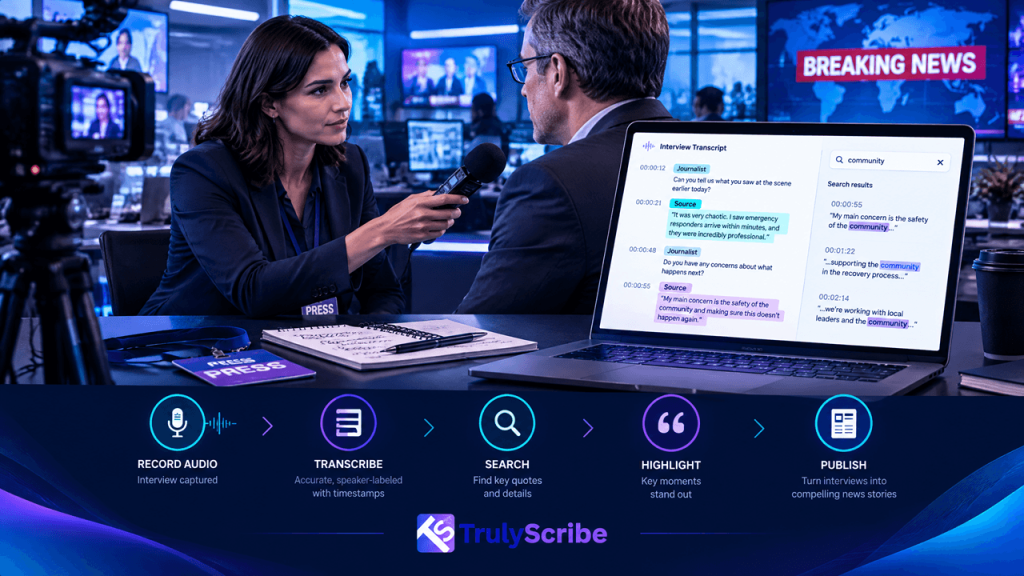
Content Marketing, AI Tools, Creator Economy, LinkedIn Growth, Podcast Strategy

Turn Podcast Transcripts into Viral LinkedIn Posts

You spend hours preparing for every episode. You research your guest, craft your questions, record, edit, and publish. Then the episode goes live—and most of the gold buried inside that conversation disappears into an audio file that maybe 5% of your audience will ever fully listen to. What if you could take everything said in that episode and turn it into content that reaches 10x more people? That’s exactly what the smartest podcasters, founders, and B2B marketers are doing in 2026. They’re using AI transcription to pull every quotable insight, every counterintuitive claim, every story worth sharing out of their episodes—and they’re building a LinkedIn content engine around it. This guide walks you through the exact process: from getting your podcast transcript in minutes, to structuring LinkedIn posts that stop the scroll, to the formats that consistently perform best on the platform. Whether you host a weekly business show or record the occasional conversation with a colleague, this workflow will change how much mileage you get from every episode. Why LinkedIn Is the Best Platform for Podcast Repurposing Not all social platforms are created equal for long-form audio repurposing, and LinkedIn has a structural advantage that most creators underutilize. LinkedIn’s algorithm rewards dwell time—how long someone spends reading your post. This means text-heavy, idea-rich content performs exceptionally well. A 300-word LinkedIn post that shares a genuine insight from a podcast conversation will routinely outperform a polished 30-second video clip, simply because readers engage with it longer. The audience fit matters just as much. LinkedIn’s user base skews heavily toward professionals, decision-makers, and people actively trying to grow in their careers. If your podcast covers business, leadership, entrepreneurship, marketing, technology, finance, or any professional domain, your ideal listener and your ideal LinkedIn reader are essentially the same person. Finally, LinkedIn has generous organic reach compared to other major platforms. You don’t need a following of tens of thousands to see a post perform well. A post that lands with your network can easily reach 3x to 10x your follower count through comments and reposts—especially if it touches on a professional pain point or a genuinely surprising insight. A single well-crafted podcast episode contains enough material for 8 to 15 LinkedIn posts. Most creators are getting one post per episode, if that. Step 1: Get a Full Transcript of Your Episode in Minutes The starting point for everything is the transcript. Without it, mining a 45-minute episode for great content means listening to the whole thing again, manually noting timestamps, and trying to paraphrase ideas you half-remember. That’s why most podcasters don’t repurpose consistently—it’s just too slow. With AI transcription, this step takes minutes rather than hours. Upload your episode audio to TrulyScribe’s free podcast transcription tool, and you’ll have a complete, accurate, time-stamped transcript ready within minutes of your episode wrapping. No credit card, no long setup—just upload and go. The transcript you get back isn’t just a wall of text. Speaker labels tell you who said what, timestamps let you jump to any section, and the output is clean enough to work with immediately. Export it as a DOCX or PDF and you have a working document you can highlight, annotate, and slice into content. 💡  Pro tip: Transcribe every episode the day it’s recorded—before editing, even before it goes live. Having the transcript ready means you can start building LinkedIn content before the episode is even published, so your posts and the launch go out together. TrulyScribe supports all major podcast audio formats—MP3, WAV, M4A, AAC, and more—so there’s no friction regardless of what your recording setup outputs. For teams with a back catalogue, bulk upload support means you can process multiple episodes at once and build a content library overnight. Step 2: Mine the Transcript for LinkedIn-Ready Gold With the transcript open, your job is to become an editor. Read through it with a highlighter mindset—you’re not trying to summarize the episode, you’re looking for moments that could stand alone as a piece of LinkedIn content. Here’s what to look for: Counterintuitive claims. Any time someone says something that contradicts conventional wisdom, that’s LinkedIn gold. ‘Most founders raise money too early.’ ‘Great onboarding starts before the contract is signed.’ These are the statements that make someone stop scrolling. Specific numbers and data points. Specificity builds credibility. ‘We reduced churn by 34% in 90 days by changing a single email.’ That’s more compelling than any general observation about customer retention. Memorable frameworks and mental models. If your guest or co-host described a way of thinking about something in a structured, nameable way, that’s post material. People on LinkedIn love frameworks they can apply immediately. Personal stories with a professional lesson. The moment in the conversation where someone got vulnerable about a failure, a turning point, or an unexpected lesson—these resonate deeply on LinkedIn because they’re rare. Strong opinions stated plainly. Not controversial for controversy’s sake, but genuine convictions stated directly. ‘I don’t think cold outreach works for enterprise sales anymore and here’s why.’ A clear point of view attracts engagement. Aim to pull 8–12 moments per episode. You won’t use all of them immediately, but you’ll build a content buffer that lets you post consistently for weeks after a single recording session. Step 3: Choose the Right LinkedIn Post Format LinkedIn rewards variety. If you post the same format every time, your audience habituates and engagement drops. Mix these five formats across the posts you create from each episode: Format 1: The Hook + Insight Post (300–500 words) This is the workhorse format. Start with a single-line hook—the most surprising or provocative thing that came up in the conversation. Follow it with context, the insight itself, and what it means for the reader. End with a question or a direct call to listen to the full episode. [ Example Hook + Insight Post ]We interviewed 200 founders who sold their companies.Only 31% said the exit felt worth it. That number surprised us when we recorded this episode.But the

how-ai-transcription-powers-global-video-localization
AI Tools, Content Marketing for Coaches, Digital Transformation, Localization & Translation, Video Production

How AI Transcription Powers Global Video Localization

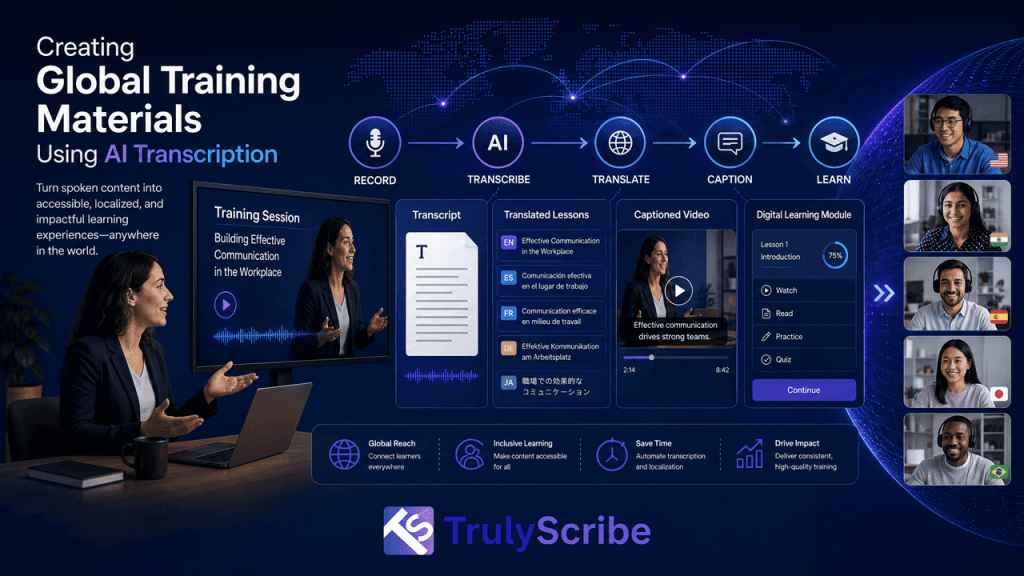
Video has become the dominant language of global business. A product launch video, a customer training course, a keynote from the CEO—these pieces of content carry enormous value, but only if they can actually reach and be understood by the audiences they’re meant for. That’s where localization comes in. And at the very foundation of every successful localization workflow is one critical step: transcription. Before a single subtitle can be written, before a voice-over artist opens their script, before a translated caption appears on screen—someone or something has to convert the spoken audio into accurate written text. In 2026, AI transcription has fundamentally changed what’s possible here. What was once a slow, expensive, and labor-intensive bottleneck has become one of the fastest and most cost-effective steps in the entire localization pipeline. In this post, we’ll walk through exactly how AI transcription powers global video localization—the mechanics, the workflow, the benefits, and the real-world applications across industries. Why Transcription Is the Starting Point for All Video Localization Most people think of localization as a translation problem. In reality, it’s a text problem first. You cannot translate what you cannot read—and until AI transcription arrived at scale, converting video audio to text reliably enough to base a professional localization workflow on it was genuinely difficult. Human transcriptionists are accurate, but they are slow and expensive. A 60-minute corporate training video could take four to six hours to transcribe manually, and professional rates for specialized content—technical, legal, medical—could make the cost prohibitive for anything less than high-priority content. AI transcription changes the equation entirely. A tool like TrulyScribe can process that same 60-minute video in a matter of minutes, producing a time-stamped, speaker-labeled transcript that serves as the source document for every downstream localization task. The rest of the pipeline—translation, subtitle formatting, dubbing, quality review—can start almost immediately. Key insight: AI transcription doesn’t just speed up one step. It accelerates every step that depends on it, which is essentially the entire localization workflow. The Video Localization Pipeline: Where AI Transcription Fits To appreciate how transformative AI transcription has been, it helps to understand the complete localization workflow and where transcription sits within it. A standard video localization pipeline typically looks like this: Step 1 — Transcription: The source audio is converted to text, with timestamps attached to each segment. This becomes the master script. Step 2 — Translation: The transcribed text is translated into target languages by human translators or machine translation engines (often with human post-editing for quality-sensitive content). Step 3 — Subtitle Formatting: Translated text is broken into subtitle blocks that fit within the time codes established in the original transcript. Each block must match the timing of the spoken audio. Step 4 — Review & QA: Linguists and localization engineers review the subtitles for accuracy, readability, and synchronization. Step 5 — Dubbing (if required): For dubbed content, voice-over artists read from the translated script. The dubbing script is adapted to match lip movements and timing of the original recording—a process called lip-sync adaptation. Step 6 — Final Delivery: The localized video is encoded with embedded or sidecar subtitle files (SRT, VTT, etc.) or with a dubbed audio track, then delivered to the target platform. AI transcription makes Step 1 nearly instantaneous. Because Step 1 is the dependency for every other step, compressing it from hours to minutes has a multiplier effect on total project time. Subtitle Generation: From Audio to Screen in Minutes Subtitles are the most common output of a video localization project, and AI transcription is the most direct path to producing them. When a video is transcribed with accurate timestamps, the resulting file can be exported directly as an SRT or WebVTT file—the two most widely accepted subtitle formats across streaming platforms, video hosting services, and corporate video players. For teams producing subtitles in the source language only—say, English captions for an English-language training video—AI transcription alone may be all they need. The transcript is reviewed, lightly edited, and formatted into a caption file without any translation step at all. For multilingual subtitle projects, the time-coded transcript from TrulyScribe becomes the source document handed to translators. Because timing is already embedded, translators can focus on finding natural-sounding equivalents in the target language rather than manually syncing text to video. This removes one of the most tedious and error-prone parts of the traditional subtitle workflow. The quality of the original transcription matters enormously here. A transcript with inaccurate timestamps or missed words creates downstream errors that can be expensive to fix. High-accuracy AI transcription—consistently above 98% for clear audio—makes the rest of the localization work cleaner and faster. Dubbing Workflows: How AI Transcription Enables Scalable Voice-Over Dubbing has historically been the most resource-intensive form of video localization. It requires a script, a recording studio, voice talent, audio engineers, and careful synchronization work. For most content, the economics simply didn’t justify the investment. AI transcription has made dubbing workflows significantly more scalable by automating the script creation phase. A dubbed video project begins with a verbatim transcript that captures not just the words but the rhythm and pacing of the original delivery. This transcript is then adapted by a linguistic specialist into a dubbing script—adjusted for lip-sync timing and natural-sounding phrasing in the target language. Some production studios are now combining AI transcription with AI voice synthesis to create fully automated dubbing pipelines for lower-stakes content such as e-learning modules, internal training videos, and product demos. While human voice talent remains the gold standard for premium content, AI-assisted dubbing has made it economically viable to localize a much larger portion of a content library than was previously possible. Teams using TrulyScribe as their transcription layer report that automated dubbing pipelines reduce script preparation time by over 70% compared to manual approaches. Multilingual Transcription: Beyond One Source Language Many global businesses produce original content in multiple languages simultaneously. A multinational company might record the same product briefing in English, Spanish, German, and Mandarin—four separate recordings, each needing to be

25-ways-businesses-using-ai-transcription
AI Tools, Business Productivity, Digital Transformation, Transcription Technology

25 Ways Businesses Are Using AI Transcription in 2026

Not too long ago, transcription meant hiring someone to manually type out audio—slow, expensive, and prone to errors. In 2026, AI transcription has become something else entirely: a real-time business intelligence layer that turns spoken words into searchable, actionable, and shareable content within seconds. From startups to global enterprises, organizations across every vertical are finding new and creative ways to put AI transcription to work. Whether it’s capturing the nuance of a sales call, making court proceedings searchable, or helping content creators scale their output, the applications are broader than most people realize. In this post, we break down 25 concrete, real-world ways businesses are using AI transcription tools like TrulyScribe in 2026—and why this technology is quickly becoming as essential as email. 1. Meeting Documentation & Action Item Extraction Remote and hybrid work has made meetings longer and more frequent. AI transcription tools capture every word spoken in a meeting and, increasingly, flag action items, decisions, and follow-ups automatically. Teams that once spent hours writing up meeting notes now have full, searchable transcripts within minutes of a call ending. Tools like TrulyScribe support speaker labels, so you always know who said what—making accountability much clearer. 2. Sales Call Analysis Sales leaders are using AI transcription to review call recordings at scale. Instead of listening to hours of audio, managers can scan transcripts to spot patterns: which objections come up most, what language closes deals, where reps lose momentum. This kind of analysis was once only possible at large companies with dedicated QA teams; AI transcription has made it accessible to teams of any size. 3. Customer Support Quality Assurance Support centers transcribe every customer interaction, then use keyword and sentiment analysis to evaluate agent performance. A manager no longer needs to spot-check calls manually—AI flags the ones that need attention. This has reduced average handle time, improved CSAT scores, and helped companies identify training gaps much faster than before. 4. Legal Proceedings & Deposition Transcription Law firms and courts have long relied on human court reporters, but AI transcription is changing the economics of legal documentation. Depositions, witness interviews, and client meetings are transcribed with timestamp precision, and the resulting documents are immediately searchable. Legal teams using platforms like TrulyScribe report dramatically lower costs compared to traditional transcription services, with no compromise on accuracy. 5. Medical & Clinical Documentation Physician burnout is closely tied to documentation burden—doctors spend enormous time writing up patient encounters. AI transcription tools purpose-built for healthcare (and general tools adapted for clinical use) allow clinicians to dictate notes naturally, then review and approve a clean transcript. The result: more time with patients, fewer errors from manual typing, and faster records completion. 6. Podcast Production & Show Notes Podcast creators are among the heaviest users of AI transcription. A full episode transcript serves multiple purposes at once: it becomes show notes, a blog post, social media snippets, and a searchable archive of content. What used to take a freelance transcriptionist several hours can now be done in minutes. Many podcasters using TrulyScribe report that their SEO traffic improved significantly once they started publishing transcripts alongside episodes. 7. Video Captioning & Subtitle Generation Video content without captions loses a significant portion of its potential audience. AI transcription automatically generates captions for marketing videos, training content, product demos, and social clips. This improves accessibility for deaf and hard-of-hearing viewers, boosts watch time (since many people watch video on mute), and satisfies platform algorithms that favor captioned content. 8. Multilingual Content Localization Global businesses use AI transcription as the first step in their localization pipeline. A recorded webinar or product video is transcribed in the source language, then routed to translators who work from the text rather than listening to audio repeatedly. This cuts localization time and costs substantially. TrulyScribe supports transcription across 100+ languages, making it a practical starting point for global content teams. 9. Market Research & Focus Group Analysis Qualitative research generates enormous amounts of spoken data. AI transcription turns hours of focus group recordings into searchable text that researchers can code, tag, and analyze. Themes that might take days to identify through manual review can be spotted in a fraction of the time, making research cycles significantly faster. 10. Employee Training & Onboarding L&D teams are using AI transcription to build searchable training libraries from video recordings. A live training session gets transcribed, and new employees can search for exactly the concept they need rather than rewatching an entire recording. This dramatically improves knowledge retention and reduces the burden on senior staff to answer the same questions repeatedly. 11. Journalism & Media Production Journalists and documentary makers conduct hours of interviews for every piece they publish. AI transcription turns those recordings into text immediately, letting reporters search for key quotes, cross-reference sources, and write faster. Newsrooms have reduced turnaround times considerably since adopting AI-powered transcription workflows. 12. Academic Research & Oral History Projects Universities and research institutions use AI transcription to process interview recordings, oral histories, and fieldwork audio. Transcripts make qualitative data far easier to analyze, share, and archive. Grant-funded projects that once had to budget for professional transcription services can now redirect those funds toward the research itself. 13. Executive Interview & Thought Leadership Content Many executives and founders have valuable insights but little time to write. A simple workaround: record a 30-minute conversation, transcribe it, and hand the text to a content strategist to shape into articles, newsletters, or social posts. This approach has made thought leadership content far more authentic and scalable for time-pressed leaders. 14. Earnings Calls & Investor Relations Public companies transcribe earnings calls, investor days, and analyst briefings. These transcripts are published for shareholders, analyzed by investors, and increasingly used to train internal financial models. Accuracy matters enormously in this context—a single misquoted number can have real consequences—which is why companies choose high-accuracy solutions like TrulyScribe. 15. Insurance Claims Processing Insurance companies transcribe recorded statements from claimants and witnesses as part of the claims investigation process. AI

build-knowledge-base-from-video-transcripts
Content Strategy, AI Tools, Video Marketing

How Video Creators Can Build a Knowledge Base from Transcripts

Most video creators are sitting on a knowledge base and don’t know it. Every tutorial, every product walkthrough, every “how I fixed this” video contains real, specific, hard-won information — the exact kind of content a knowledge base is supposed to hold. The only thing standing between a video library and an actual knowledge base is text. Once that content is transcribed, organized, and structured, it stops being a collection of videos and starts being something people can search, skim, link to, and find through Google or an AI assistant. This guide walks through exactly how to make that shift. Why a Video Library Isn’t the Same Thing as a Knowledge Base A knowledge base, at its core, is meant to answer a specific question quickly. Someone lands on it because they’re stuck, curious, or trying to solve a problem, and they want the answer with as little friction as possible. Video is a poor fit for that kind of lookup on its own — it can’t be skimmed, scanned, or searched by keyword, and finding one specific answer inside a 20-minute video usually means scrubbing through a timeline hoping to land near the right moment. This is why a channel with hundreds of genuinely useful videos can still feel, to a visitor with a specific question, like it has “nothing on that.” The information is there, but it’s locked in a format that doesn’t support quick lookup. Transcription is what unlocks it — not by replacing the video, but by giving the same content a second, text-based form that behaves the way a knowledge base actually needs to behave. What a Transcript-Based Knowledge Base Actually Solves Findability A transcript makes every sentence in a video searchable, both by site search and by Google. Instead of a visitor guessing which video might cover their question, they can search a specific phrase and land directly on the right page — or the right moment, if timestamps are included. Support deflection Many support questions have already been answered somewhere in an existing video library. A searchable transcript archive turns “we answered this in episode 34” from an obscure fact only the creator remembers into something a support team, a community moderator, or the visitor themselves can find in seconds. SEO reach A transcript gives a video page the kind of unique, topic-specific text search engines need to understand and rank it for more than just its title. Long-tail phrases mentioned once, in passing, during a tutorial often end up being exactly what someone searches when they hit that specific problem. AI search visibility Generative AI tools like ChatGPT and Perplexity work from text, not video. A transcript is what makes it possible for these tools to read, understand, and cite a video’s content when answering someone’s question — something that’s simply not possible from the video file alone. Content longevity Video platforms come and go, algorithms change, and old videos get buried. A transcript published on an owned website isn’t subject to a platform’s feed or recommendation algorithm — it sits there, indexed and findable, for as long as the site exists. How to Actually Build the Knowledge Base: A Step-by-Step Process Structuring the Knowledge Base for Maximum Usefulness Once a meaningful number of videos are transcribed, structure becomes the difference between a genuinely useful knowledge base and a pile of text nobody can navigate. A few patterns work particularly well: Repurposing: The Bonus Layer on Top of the Knowledge Base Once transcripts exist and are organized, they become raw material for far more than the knowledge base itself. A single tutorial transcript can be condensed into a blog post, broken into social media captions, turned into an email newsletter section, or compiled with related videos into a downloadable guide. None of this requires new filming — it’s simply a different cut of content that already exists, made possible because the information is now available as editable text rather than locked inside a video timeline. Common Mistakes to Avoid Measuring Whether the Knowledge Base Is Working Because a transcript-based knowledge base is meant to solve real lookup problems, its success is measurable in fairly concrete ways rather than vanity metrics alone. Reviewing these signals periodically — monthly or quarterly, depending on publishing volume — helps prioritize which parts of a video catalog are worth transcribing next, rather than working through an entire backlog in upload order. What to Look for in a Transcription Tool for This Use Case Building a knowledge base out of a video library is a different job than transcribing the occasional podcast episode, and a few features matter more here than they would for smaller-scale use. This is the kind of workflow TrulyScribe is built to support — fast, accurate transcription with automatic speaker labeling and timestamps, flexible export options, and support for a wide range of languages, all of which make transcribing an entire back catalog a realistic weekend project rather than an open-ended one. For a video creator looking to turn years of tutorials and walkthroughs into an actual reference resource, that difference in speed and accuracy is often what separates a knowledge base that gets finished from one that stays a someday idea. Final Thoughts Video creators often assume a knowledge base means starting a new content project from scratch — a wiki, a help center, a documentation site built from nothing. In most cases, the actual content already exists, sitting inside videos that have already been made. Transcription is what turns that existing library into something searchable, linkable, and genuinely useful as a reference, rather than a scroll of thumbnails organized whenever they happen to be uploaded. Tools like TrulyScribe make transcribing a full video library fast and accurate enough to treat as a real project rather than an overwhelming one, which is really what it takes to turn years of recorded expertise into a knowledge base people can actually use. Frequently Asked Questions (FAQs)

ai-transcription-for-course-creators-complete-guide
Education, AI Tools, Content Strategy

AI Transcription for Course Creators: A Complete Guide

Every hour of recorded course content is really two products in disguise: the video or audio lesson students watch, and a second, invisible product hiding inside it — the exact words, explanations, and examples that make the lesson work. Most course creators only ever ship the first product. The moment a lesson is transcribed, the second product becomes usable too: searchable notes, accessible captions, repurposed blog and social content, translated versions for new markets, and text that search engines and AI assistants can actually find. This guide covers why transcription belongs in every course creator’s workflow, and exactly how to use it well. Why Transcription Matters More for Courses Than for Most Other Content Course content carries a heavier burden than most video or audio. Students don’t just consume it once for entertainment — they return to it, search it, quote it in assignments, and rely on it to actually learn something. That changes what “good content” requires. A podcast episode can get away with being listen-once and forgettable. A course lesson on database indexing or conversational Spanish grammar has to be findable, referenceable, and reviewable weeks later, often right before a deadline or an exam. Video and audio alone make that hard. A student who half-remembers “the part where the instructor explained foreign keys” has no way to jump there without scrubbing through footage. A transcript turns that same lesson into something a student can search by keyword, skim before a test, or copy a definition from directly into their own notes. That alone changes how usable a course feels, independent of anything else transcription adds. What AI Transcription Actually Gives Course Creators 1. Accessibility and compliance Accurate captions and transcripts make courses usable for deaf and hard-of-hearing students, students with processing differences who benefit from reading alongside listening, and non-native speakers who follow written text more easily than fast spoken English. For creators selling into institutions, corporate training programs, or any market with accessibility requirements, this isn’t optional — it’s frequently a purchasing prerequisite. 2. Better learning outcomes Research on learning consistently shows that pairing audio with synchronized text supports comprehension and retention better than audio alone, particularly for complex or technical material. Students can read along at their own pace, re-read a confusing sentence without replaying a whole video segment, and highlight or copy key passages directly — all of which support the kind of active engagement that improves retention. 3. Searchable course content Once a lesson has a transcript, students can search across an entire course for a specific term, example, or explanation instead of guessing which module covers it. For longer courses with dozens of lessons, this single feature can meaningfully reduce support questions and student frustration, since “where did the instructor mention X” becomes a search instead of a support ticket. 4. SEO for course marketing pages Course sales pages and free preview lessons that include full transcripts give search engines far more indexable, topic-relevant text to work with than a title and short description alone. The specific, natural language used while teaching — the exact phrases and questions an instructor addresses — often matches how prospective students actually search, which can help course pages surface for long-tail, high-intent queries. 5. Repurposing into new content A single transcribed lesson can become the raw material for a blog post, an email newsletter section, social media clips with captions, a downloadable PDF study guide, or an FAQ page — all without re-recording anything. For creators producing content across multiple channels, this turns each recorded lesson into several pieces of marketing and support content instead of just one. 6. Translation and global reach A clean transcript is also the fastest starting point for translating a course into another language, either through professional translators or AI-assisted translation. Translating accurate text is far faster and more reliable than trying to translate directly from audio, and it opens a course to markets the original recording was never built for. A Step-by-Step Transcription Workflow for Course Creators Where Transcripts Fit Across the Course Creation Lifecycle Common Mistakes Course Creators Make With Transcription What to Look for in a Transcription Tool for Course Content Not every transcription tool is built with course creators in mind, and a few features matter more here than they would for casual, one-off use. This is precisely the combination TrulyScribe is built around: fast, unlimited AI transcription with automatic speaker labeling, broad language support, and export options like DOCX and PDF, all inside an editor that makes reviewing technical terms against the original recording straightforward. For a course creator sitting on a growing library of lessons, that combination is what turns transcription from an occasional task into something that can realistically run alongside regular content production. Final Thoughts For course creators, transcription isn’t a side feature — it’s closer to a second, higher-leverage version of every lesson already recorded. It makes courses more accessible, more effective to learn from, easier to search and support, more discoverable by prospective students, and far easier to repurpose and translate. None of that requires recording anything new; it just requires turning what’s already been taught into text that students, search engines, and future course updates can all make use of. Tools like TrulyScribe make that step fast enough to build into a regular production workflow rather than a special project, which is really what it takes to get the full value out of transcription across an entire course library instead of a handful of lessons. Frequently Asked Questions (FAQs)

can-ai-transcripts-increase-organic-traffic-case-studies
SEO, Case Studies, Content Strategy

Can AI Transcripts Increase Organic Traffic? (With Case Studies)

It’s a reasonable question to be skeptical about. Adding a wall of text under a podcast player or video embed sounds more like an accessibility checkbox than a growth strategy. But this is one of the rare SEO questions with an actual, measurable paper trail behind it. Organizations have been publishing transcripts and tracking the traffic impact for well over a decade, and the results are consistent enough to draw real conclusions from. This article looks at what transcripts actually do for organic traffic, walks through documented case studies, and lays out how to apply the same approach using modern AI transcription. Why Transcripts Affect Organic Traffic in the First Place Search engines rank text. An audio or video file, on its own, gives a crawler almost nothing to work with beyond a title, a description, and whatever metadata has been added by hand. That’s a tiny fraction of what’s actually said in a 30-minute podcast episode or a 10-minute product demo. A transcript changes that completely. It converts everything spoken in the recording into indexable text, including the specific phrases, questions, and long-tail language a real listener used — language that’s often far more specific and conversational than what shows up in a polished show note or video description. That specificity matters because long-tail, conversational phrases are exactly what a meaningful share of search queries look like, especially as voice search and question-based queries have grown. Transcripts also tend to be long. A single episode can produce several thousand words of unique, topically focused text, which gives a page far more surface area to rank for related searches than a short summary ever could. And because transcripts are often the most detailed, quotable version of the content available, they tend to attract more inbound links and citations than the audio or video alone — which reinforces search authority over time. Case Study 1: This American Life This American Life — Full Archive Transcription+4.18% unique visitors · +6.68% organic search visitors · +3.89% inbound linksOne of the most cited transcript SEO studies comes from the public radio program This American Life, which transcribed its entire audio archive and published the transcripts on its website between April and October 2011. A case study conducted afterward found that unique visitors to the site increased, with the increase in visitors arriving specifically through organic search outpacing overall visitor growth. The study also found that transcript pages attracted a meaningful share of new inbound links — hundreds of external links pointed directly to transcript pages, showing that the text itself, not just the audio, was being referenced and cited elsewhere on the web.Source: 3Play Media case study, “This American Life: Boosting Podcast SEO with Transcription.” What makes this case study useful is its scope: it wasn’t a single episode or a short test, but an entire archive transcribed and tracked over time, which is closer to what most creators or brands would realistically do. Case Study 2: Davis Phinney Foundation (via Moz) Davis Phinney Foundation — Transcripts Added to Podcast Pages+15% organic traffic · +50% keyword rankings (within 3 months)SEO research firm Moz studied the impact of adding transcripts to podcast episode pages for the Davis Phinney Foundation, a health-focused nonprofit. Within just three months of publishing transcripts alongside episodes, the site saw a notable increase in organic traffic, along with a substantial lift in the number of keywords the site ranked for. The relatively short three-month window is notable, since it suggests transcripts can start contributing to search visibility well before the kind of long-term compounding effect SEO strategies often require to show results.Source: Moz research, cited via multiple podcast SEO industry reports. This case is a useful counterpoint to the idea that transcript SEO only pays off over years. A meaningful lift within a single quarter suggests the mechanism — more indexable, specific text — starts working almost as soon as it’s published and crawled. Case Study 3: A Composite Small-Business Scenario The following is an illustrative, composite scenario built from common patterns reported across podcast and content-marketing SEO case studies, rather than a single tracked company. It’s included to show how the mechanism plays out at a smaller scale than a national radio program. Illustrative Example — A Niche B2B PodcastPattern seen across smaller, niche podcasts adding transcriptsA small B2B podcast in a specialized industry (say, commercial insurance or veterinary supply) typically has limited domain authority and can’t compete head-to-head with large publishers on broad keywords. What smaller shows in this position consistently report after adding transcripts is traffic growth concentrated in long-tail, highly specific searches — phrases only mentioned once, in passing, by a guest during an interview. Because larger competitors rarely cover that exact phrase in text form, a transcript page can rank for it with relatively little competition, even on a lower-authority domain. Over dozens of episodes, this compounds into a meaningful stream of niche, high-intent organic traffic that the audio alone was never going to capture.Illustrative pattern, not a single verified case. What These Case Studies Have in Common How to Apply This With Modern AI Transcription The case studies above predate today’s AI transcription tools, which is worth noting: This American Life’s 2011 project and Moz’s early research relied on more manual or expensive transcription processes at a time when producing accurate transcripts at scale was a significant undertaking. That constraint has largely disappeared. Modern AI transcription tools can process an hour of audio or video in minutes, at a fraction of the historical cost, which means the traffic gains documented in these studies are now realistically achievable for far smaller creators and businesses — not just national media organizations with production budgets to match. A Few Realistic Caveats Transcripts aren’t a guaranteed traffic multiplier for every site. A few factors shape how much impact they’ll actually have: Final Thoughts The evidence here isn’t anecdotal — it’s measured, documented, and consistent across more than a decade of case studies, from This American Life’s full-archive project

transcribing-videos-for-geo-complete-guide
SEO, AI Tools, Video Marketing

Transcribing Videos for GEO (Generative Engine Optimization): Complete Guide

Generative Engine Optimization, or GEO, is the practice of shaping content so it gets picked up, understood, and cited by AI systems like ChatGPT, Perplexity, Google AI Overviews, and Copilot — rather than just ranked in a traditional list of search results. For anyone producing video content, GEO comes with a specific, unavoidable requirement: the video needs to exist as text somewhere, because generative AI systems work with language, not footage. Transcription is the bridge between a video sitting in your library and that same video showing up as a cited source in an AI-generated answer. This guide walks through exactly how to transcribe and structure video content so it performs well under GEO, step by step. What GEO Is, and Why It Treats Video Differently Than SEO Does Traditional SEO optimizes for ranking algorithms that crawl pages, weigh backlinks, and return a list of links for a person to click through. Video SEO within that world has always leaned heavily on titles, descriptions, thumbnails, and watch-time signals, because the algorithm was never really “reading” the video itself. GEO works differently because generative engines don’t return a list of links — they generate a direct answer, often with a citation, by pulling from text they can process and understand. A generative engine can’t watch your video, follow your presenter’s tone, or catch the nuance in a live demo. It can only work with what’s written down. That means a video with no transcript is, from a generative engine’s point of view, mostly invisible — no matter how good the content inside it actually is. This is why transcription sits at the center of any serious GEO strategy for video. It’s not an accessibility nice-to-have anymore; it’s the mechanism that makes video content eligible to be read, chunked, matched to a query, and cited in the first place. How Generative Engines Process Transcribed Video Content Step 1: Text becomes available for retrieval Once a video is transcribed and that transcript is published as text — on a webpage, in a knowledge base, or through a connected content source — it becomes something a generative engine can retrieve. Before this step, the underlying video content simply doesn’t exist in a form these systems can use. Step 2: The transcript is broken into chunks Generative engines typically don’t evaluate an entire page as one unit. They split content into smaller passages and assess each one for relevance to a specific query. A transcript, full of complete spoken statements and natural explanations, tends to chunk well — each section of dialogue often stands on its own as a clear, self-contained answer to a plausible question. Step 3: Chunks are matched against a person’s question When someone asks a generative engine something like “what’s the difference between X and Y” or “how do I fix Z,” the system searches available content for the passages most likely to answer accurately. A well-transcribed explainer video, tutorial, or expert interview often contains exactly this kind of directly responsive language, since spoken explanations tend to be phrased the way people actually ask questions. Step 4: The best match gets surfaced, often with a citation If your transcript contains the clearest, most accurate, best-structured answer to the question being asked, it stands a real chance of being the source the generative engine pulls from and cites. This is the GEO equivalent of a featured snippet or a page-one ranking — visibility inside the answer itself, not just a link beside it. A Step-by-Step Workflow for Transcribing Video for GEO What Makes a Transcript Genuinely GEO-Friendly Publishing any transcript is better than publishing none, but a few specific qualities separate a transcript that performs well under GEO from one that technically exists but rarely gets surfaced. None of these qualities require re-recording anything. They’re almost entirely a function of how the transcript is generated, lightly edited, and structured after the fact — which is why the transcription and formatting step deserves more attention in a GEO strategy than it typically gets. Common Mistakes When Transcribing Video for GEO Why This Matters More as Video Content Keeps Growing Video has become one of the primary ways expertise gets shared — through webinars, product demos, conference talks, and long-form interviews. Most of that content still lives exclusively as video, which means a large and growing share of the internet’s most substantive, specific expertise is currently invisible to generative engines. That gap is exactly the opportunity GEO-focused transcription addresses: instead of competing for visibility by producing more content, it makes existing, high-value video content newly eligible to be found and cited, often with relatively little additional work. As generative engines continue to lean more heavily on retrieval and citation, the advantage will likely keep compounding for creators and brands that treat transcription as a standard step in their publishing process, rather than an afterthought reserved for accessibility compliance. Final Thoughts GEO doesn’t change what makes video content valuable — clear explanations, specific expertise, and honest answers to real questions still matter as much as ever. What it changes is how that value gets discovered. A generative engine can’t watch a video, but it can read a transcript, and a well-structured, accurate transcript is what turns an hour of expertise sitting in a video file into dozens of citable answers a generative engine can actually find. Running video content through an accurate transcription tool like TrulyScribe, then publishing the result with clear structure, timestamps, and speaker labels, is a straightforward way to make sure the expertise already captured on camera doesn’t stay invisible to the tools more and more people are using to search. Frequently Asked Questions

ai-transcripts-rank-chatgpt-ai-search
SEO, AI Tools, Content Strategy

How AI Transcripts Help Your Content Rank in ChatGPT & AI Search

Search is changing shape. People still type questions into a search bar, but a growing share of them now ask ChatGPT, Google AI Overviews, Perplexity, or Copilot instead — and expect a direct answer, not a page of blue links. For creators sitting on hours of podcasts, webinars, interviews, and video content, this shift creates a quiet but real problem: if that content only exists as audio or video, AI systems can’t read it, quote it, or cite it. An AI transcript is what turns a locked audio file into content an AI engine can actually find, understand, and reference — and it may be one of the highest-leverage, lowest-effort SEO moves available in 2026. Why AI Search Changes the Rules for Audio and Video Content Traditional search engines have always struggled to “read” audio and video the way they read text. A podcast episode or a recorded webinar might rank for its title, but the actual substance — the specific advice, the exact numbers mentioned, the quotable insight at minute 14 — stays invisible to a crawler. Search engines have partially compensated with metadata, closed captions, and manual show notes, but none of that captures the full depth of what was actually said. AI search tools go a step further than traditional crawling. Systems like ChatGPT with browsing, Google’s AI Overviews, and Perplexity don’t just index a page — they read it, break it into semantic chunks, and use those chunks to generate a direct answer to a person’s question. That answer often includes a citation or a direct quote pulled from the source. For a chunk of your content to be selected and cited, it has to exist as clear, well-structured text in the first place. Audio and video, however valuable the content inside them, simply aren’t part of that process unless they’ve been transcribed. This is the core shift: in classic SEO, a video could rank on the strength of its title, thumbnail, and surrounding page content. In AI search, an AI model needs to be able to extract a specific, accurate statement from your content to answer a specific, narrow question. A transcript is what makes that extraction possible. What Makes AI Transcripts Valuable for AI Search Specifically Not all transcription is created equal when the goal is AI visibility rather than just accessibility. A few properties matter more than others. Put simply, a transcript doesn’t just make audio “accessible.” It turns a single recording into a long, naturally written, topically deep piece of text — exactly the kind of content AI search systems are built to extract answers from. How the Process Actually Works 1. AI models retrieve and read text-based content Whether through live browsing, a connected search index, or a retrieval system built into the AI product, these tools work primarily with text. Some can process video or audio directly in limited cases, but the reliable, consistent path to being read is a clean, well-formatted transcript published on a page the AI can access. 2. Content gets broken into chunks Rather than treating a page as one block, AI search systems typically split content into smaller passages — often a few sentences to a paragraph — and evaluate each chunk on its own for relevance to a given question. This is why a long, meandering video description performs worse than a transcript: a transcript naturally contains many self-contained, well-formed statements that work well as individual chunks. 3. Relevant chunks get matched to a query When someone asks an AI assistant a question, the system searches its available content for the passages most likely to answer it accurately, then either summarizes or directly quotes the strongest match. A transcript increases the odds that your content contains the exact phrasing, explanation, or data point the system is looking for. 4. The best-matching source gets cited Many AI search products now show a citation or source link alongside their answer. Being the source behind that citation is the AI-search equivalent of ranking on page one — it drives visibility, brand recognition, and increasingly, referral traffic, since curious users often click through to verify or learn more. This entire chain breaks down at step one if there’s no text to retrieve. A brilliant, highly specific answer buried in a video that’s never transcribed is invisible to this whole system, no matter how good the content actually is. Turning Transcripts Into AI-Search-Ready Content Publishing a raw transcript is a good start, but a few practices make transcripts significantly more effective for AI visibility. This is also where the quality of the transcription itself matters more than it might seem. A transcript full of misheard words, missing punctuation, or garbled speaker attribution isn’t just harder for a human to read — it’s a weaker, less reliable source for an AI system trying to extract an accurate answer. This is precisely the kind of use case TrulyScribe is built for: fast, accurate AI transcription with automatic speaker labeling, timestamps, and support for a wide range of languages, producing a clean transcript that’s ready to publish rather than needing hours of manual correction. For anyone sitting on a backlog of podcast episodes, webinars, or interviews, running that content through a reliable transcription tool and publishing the result is one of the more straightforward ways to make existing content newly visible to AI search. Who Benefits Most From This The common thread is that none of these groups need to create new content to benefit. The insight already exists in a recording; transcription is what makes it visible to the systems increasingly standing between that content and the people searching for it. A Simple Starting Workflow For anyone looking to act on this without overhauling an entire content strategy, a lightweight starting workflow looks like this: identify the handful of audio or video pieces that contain the most specific, valuable insight — a flagship podcast episode, a well-attended webinar, a detailed expert interview. Run each through an AI transcription tool to

Scroll to Top