Trulyscribe

Industry Trends

how-voice-search-is-changing-content-creation
Content Creation Tools, AI Transcription, Industry Trends, SEO

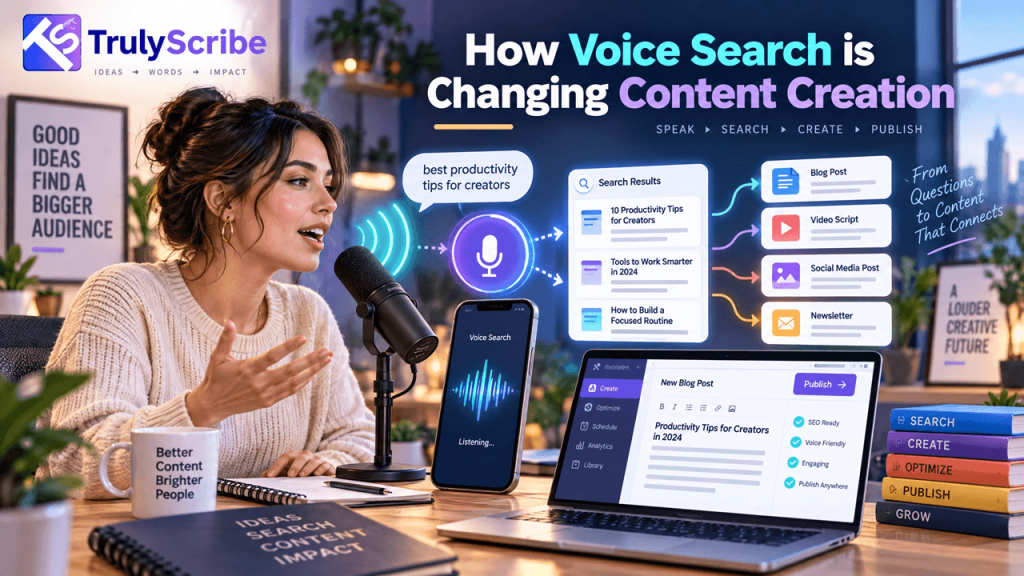
 How Voice Search Is Changing Content Creation

Key Takeaways Type “best pizza place” into a search bar and most people instinctively drop the words a sentence would need. Ask a smart speaker the same question and they say it in full: “what’s the best pizza place near me that’s still open?” The query is longer, more specific, and shaped like a real sentence — because it is one. That shift in how people ask questions is quietly changing what content actually needs to look like to get found and get read aloud. Voice isn’t a niche habit anymore. According to Edison Research’s Infinite Dial 2026, reported by SSRS’s Power of Audio 2026, smart speaker ownership in the US climbed to 39% of people aged 12 and up, the largest single-year jump since 2021, alongside 91% smartphone ownership. Every one of those devices is a voice interface, and a growing share of queries now arrive as spoken questions rather than typed fragments. This piece looks at what actually changes when a meaningful share of your audience is asking out loud instead of typing, and where transcription fits into writing content that works for both. This isn’t a call to abandon everything you know about SEO. Most of the fundamentals still apply — clear structure, genuine expertise, fast-loading pages. What changes is more specific: the phrasing of your headers, where you place your answers, and how closely your sentences match the way a real person would actually ask the question out loud. How Voice Queries Differ From Typed Queries The core shift is structural, not just about volume. Typed search has trained people to strip queries down to keywords. Voice search removes that friction, so people ask the way they’d ask a person standing next to them. Factor Typed Search Voice Search Typical query “pizza near me hours” “what time does the pizza place near me close?” Query length Short, keyword-based Longer and conversational Grammar Fragments, dropped words Full questions, natural phrasing Intent signal Inferred from keywords Often explicit (“how,” “what,” “can I”) Result format A page of ranked links Usually one spoken answer That last row matters most for content strategy. A typed search gives a reader ten options to scan. A voice query generally gets one answer read aloud, pulled from whichever source the assistant judges clearest and most directly responsive to the question asked. Ranking well isn’t enough if your content doesn’t also contain an answer an assistant can lift out cleanly. That single-answer dynamic changes the competitive calculus too. Ranking fourth or fifth on a results page still earns clicks from a typed search. In voice search, there’s effectively no equivalent of page-two visibility — an assistant reads one answer, and everything else is invisible to that particular query, no matter how well it would otherwise rank. What This Means for How Content Gets Written Lead with the direct answer Voice assistants favor content that answers a question plainly within the first sentence or two, rather than building up to the point. Put the direct answer near the top of a section, then expand with context and detail afterward for readers who want more. Write headers as real questions A header like “Pizza Delivery Hours” is less likely to match a spoken query than “What time does pizza delivery stop?” Matching your subheadings to the actual phrasing people would say out loud makes it far easier for an assistant to pair the right section with the right question. Use natural, conversational phrasing throughout Content written in clipped, keyword-stuffed fragments reads fine for a search engine trained on typed queries, but it doesn’t match how people actually talk. Writing in full, natural sentences — the way you’d explain something out loud — aligns content more closely with how voice queries are phrased. Build dedicated FAQ sections A clearly labeled question-and-answer format gives assistants an obvious, low-ambiguity source to pull from. It also tends to double as useful, skimmable content for human readers, so the format earns its place even where voice traffic is a secondary concern. Don’t neglect local intent A large share of voice queries carry local intent — “near me,” “open now,” “closest.” Backlinko’s analysis of voice search behaviour notes that the average voice query runs around 29 words, considerably longer than a typed search, which reflects how much specific, local, and conversational detail people pack into a spoken question. Business listings, hours, and location details need to be accurate and consistently published, not just mentioned once on a contact page. Why Spoken Content Is Naturally Shaped for Voice Search Here’s the connection that often gets missed: a transcript of someone genuinely answering a question out loud is already close to the format voice search rewards. Real speech is conversational by default. It uses full sentences. It often states the direct answer before elaborating, the way people naturally explain things. Written content frequently has to be rewritten to sound more natural — spoken content starts there. This is a big part of why creators are increasingly dictating first drafts instead of typing them. Talking through an answer and transcribing it tends to produce more natural, conversational phrasing on the first pass than typing does, simply because speech and voice search share the same underlying rhythm — real questions, real answers, in real sentences. There’s a useful feedback loop hiding in this: the better your content matches how people actually speak, the better it tends to perform in voice search, and the easiest way to write in that register consistently is to start by speaking the answer yourself, rather than trying to simulate natural speech on a keyboard from scratch. A Practical Workflow: Turning Spoken Answers Into Voice-Search-Ready Content Step 1: Record yourself answering the actual question Pick a question your audience genuinely asks — pulled from customer emails, support tickets, or comments — and answer it out loud as if someone asked you directly. Don’t script it word for word; a natural, slightly imperfect answer is the point. Step 2: Transcribe it accurately
ai-agents-transcription-productivity-revolution
AI Transcription, Business Tools, Industry Trends, Productivity

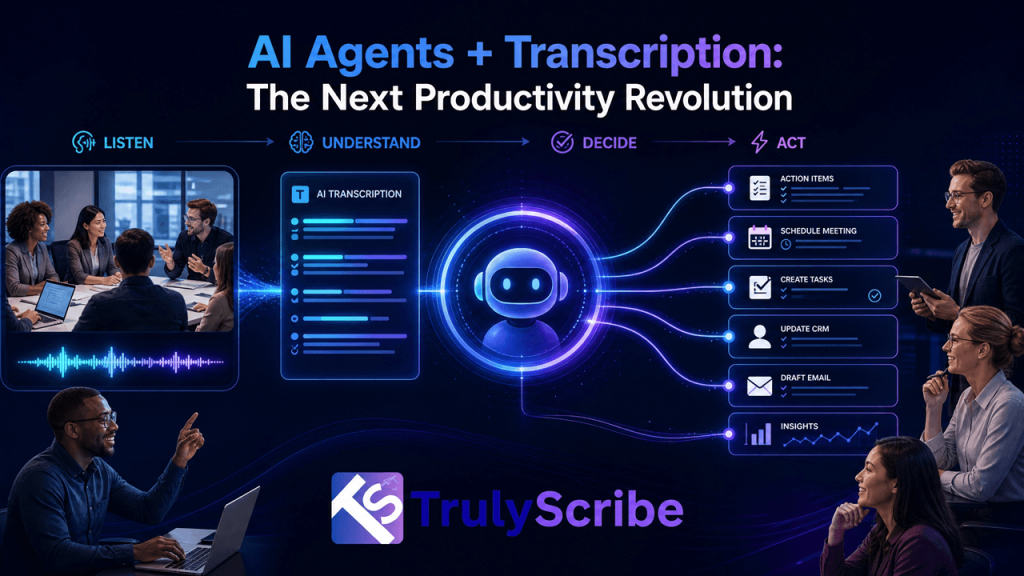
AI Agents + Transcription: The Next Productivity Revolution

AI agents — software that can plan, take action, and complete multi-step tasks with minimal supervision — have moved from demo videos to daily use inside sales teams, support desks, and operations departments. But an agent is only as useful as the information it can act on, and a huge share of what happens inside a business is still spoken, not written: sales calls, customer support conversations, interviews, standups, and strategy sessions. That’s the quiet but critical role transcription plays in this shift. Before an agent can log a CRM update, draft a follow-up email, or flag a compliance risk from a recorded call, that call has to become text an agent can actually read and reason over. Transcription isn’t a side feature in the agent era — it’s the raw material the whole system runs on. This piece looks at how AI agents and transcription are combining in practice, what’s actually driving the shift, and what to look for if you’re building or buying into this workflow. It’s worth being precise about what’s actually new here. Transcription itself isn’t new, and neither is basic automation. What’s changed is that agents can now chain several steps together — read a transcript, extract what matters, decide what to do, and take that action — without a human manually handing off between each step. That chaining is what turns a transcript from a static record into an active input driving real work. Why Transcripts Are the Fuel for AI Agents AI agents work by reading context, reasoning over it, and taking action — updating a record, drafting a message, triggering a workflow. Text is the format agents understand natively. Audio and video, by contrast, are opaque to most agent systems unless they’re converted into text first. This makes transcription the connective tissue between spoken business activity and automated action. A sales call an agent never “reads” can’t update a deal stage. A support call an agent can’t parse can’t trigger a refund workflow. An interview an agent hasn’t seen as text can’t be summarized into a hiring recommendation. The accuracy and structure of that transcript — speaker labels, timestamps, correct terminology — directly determines how reliable the agent’s downstream actions will be. In other words: garbage transcript in, garbage agent output out. As agents take on more consequential tasks, the quality of the transcription layer underneath them matters more, not less. This is a meaningful shift in how businesses should think about transcription quality. When a transcript was purely for human reading, small errors were self-correcting — a reader would spot an obviously wrong word and mentally fix it without a second thought. An agent doesn’t have that instinct by default. It reads the text it’s given and acts on it, which means the tolerance for transcription error effectively shrinks the moment an agent is the one reading. How AI Agents and Transcription Work Together in Practice 1. Meeting Agents That Update Your CRM Automatically Instead of a rep manually logging notes after a sales call, an agent reads the transcribed conversation from Zoom or Google Meet, extracts the deal stage, next steps, and objections raised, and writes them directly into the CRM — no manual data entry required. The rep’s actual job becomes reviewing and correcting rather than transcribing from memory. 2. Sales Agents That Draft Follow-Ups From the Call Itself Once a call is transcribed, an agent can draft a personalized follow-up email referencing the specific points a prospect raised, rather than a generic template. This only works if the underlying transcript correctly separates who said what — which is why accurate speaker labeling in multi-participant conversations matters as much for agent workflows as it does for human readers. 3. Research Agents That Synthesize Across Dozens of Interviews A single interview transcript is useful; an agent that can search and synthesize patterns across fifty of them is transformative. Research and product teams are increasingly feeding batches of transcribed interviews into an agent that surfaces recurring themes, contradictions, and quotes — work that used to take a human analyst days to do manually. 4. Support Agents That Learn From Every Recorded Call Customer support teams are using transcribed call logs to train agents on how issues actually get resolved, then having those agents draft responses to similar future tickets. The transcript becomes training data and a live reference simultaneously, and its reliability depends entirely on how accurately the AI handles background noise, accents, and overlapping speech common in real support calls. 5. Content Agents That Repurpose Recordings Automatically Marketing teams are chaining transcription directly into content agents: a webinar or podcast gets transcribed, and an agent automatically drafts a blog post, a set of social captions, and an email newsletter section from the same source text. This mirrors what teams already do manually to turn transcripts into blog posts and repurpose them into social and LinkedIn content — the difference is an agent now does the drafting, with a human reviewing rather than writing from scratch. 6. Compliance Agents That Flag Risk Language at Scale In regulated industries, agents are being used to scan transcribed calls and meetings for specific risk language, disclosure requirements, or missed compliance steps — something no team could realistically do by listening to every recording manually. This builds directly on how businesses already use transcription for legal discovery and document review, with an agent now doing the first pass of review instead of a paralegal. 7. Knowledge Agents That Answer Questions From Your Entire Archive Perhaps the biggest shift: once an organization has a searchable archive of transcribed meetings, calls, and training sessions, an agent can answer questions by searching across all of it — “what did we tell this client in March” or “how did we usually handle this objection last quarter.” This depends on having a structured, searchable knowledge base built from video and audio transcripts in the first place; an agent can only search what’s actually been transcribed and organized. 8. Localization

top-ai-transcription-trends-2026
AI Transcription, Business Tools, Content Creation Tools, Industry Trends

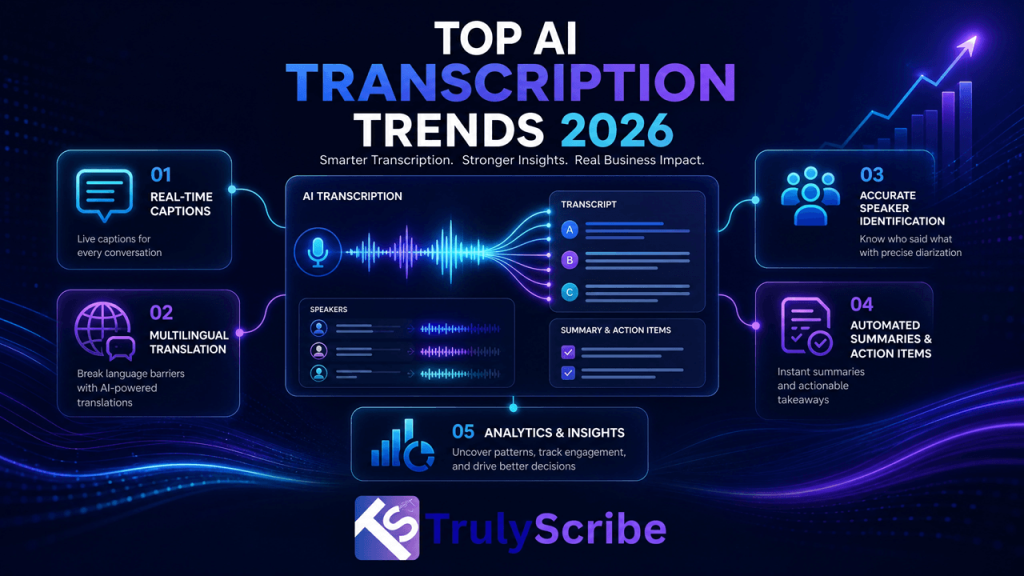
Top AI Transcription Trends 2026

AI transcription has quietly gone from a nice-to-have convenience to core infrastructure for how businesses, educators, and creators work. Meetings, webinars, podcasts, lectures, and customer calls are all being converted into searchable, shareable, translatable text by default — not because someone remembered to hire a transcriptionist, but because the software they already use does it automatically. 2026 is shaping up to be the year this shift stops being optional. Accuracy has closed the gap with human transcription for most everyday audio, real-time captioning is becoming a baseline expectation rather than a premium feature, and transcripts themselves are becoming a distinct content asset — valuable for SEO, for AI search visibility, and for repurposing into blogs, social posts, and knowledge bases. Below, we break down the trends actually driving that shift, what’s causing them, and what they mean for how you should be using AI transcription this year. Here’s what’s actually worth tracking, and why it matters for how you plan your content, meetings, and tooling for the rest of the year. 1. Near-Human Accuracy Becomes the Default Expectation For years, “AI transcription” was shorthand for auto-captions that mangled names, dropped words, and needed heavy manual cleanup. That’s no longer the baseline. Modern speech recognition models now regularly hit 95–99% accuracy on clear business audio, which means the gap between AI and professional human transcription has narrowed to the point where AI transcription can match human accuracy for most everyday use cases, with humans reserved for edge cases rather than the default choice. The practical effect: teams are trusting AI transcripts to be used directly — in meeting notes, in captions, in searchable archives — without a mandatory human retyping pass. That single shift is what makes every other trend on this list economically viable at scale. It’s also changing how quality gets measured. Instead of asking “is this transcript perfect,” teams are increasingly asking “is this transcript good enough to act on immediately,” which is a much lower bar and one that AI comfortably clears for the vast majority of everyday recordings. 2. Real-Time Transcription Becomes a Standard Meeting Feature Live captioning used to be a specialized accessibility feature. In 2026, it’s becoming a default expectation for any meeting, webinar, or virtual event. Sales teams want real-time notes they can act on immediately after a call; event organizers want real-time AI transcription during webinars and virtual events so international attendees can follow along as the speaker talks, not just after the recording is processed. This trend is also changing how people handle recorded meetings after the fact. Instead of manually scrubbing through a video looking for the moment a decision was made, teams are simply transcribing their Google Meet or Zoom recordings and searching the text — turning a 45-minute recording into something they can skim in two minutes. Expect this to keep pushing further upstream in 2026: rather than transcribing a meeting after it ends, more platforms are generating live summaries and action items as the conversation happens, so the transcript isn’t just a record of what was said but a working document the team can act on before the call is even over. 3. Multilingual Transcription Moves From Nice-to-Have to Core Feature Global teams and global audiences have made single-language transcription feel incomplete. The trend in 2026 is transcription tools that natively support dozens of languages and dialects, so a company doesn’t need a separate vendor for every market it operates in. This ties directly into a broader multilingual content strategy built around AI transcription, where one transcript becomes the source for translated captions, dubbed audio, and localized blog content across every language a business needs to reach. This is also feeding directly into affordable webinar localization, since the same transcription-and-translation pipeline that captions a sales call can now caption and translate a full international webinar for a fraction of what agency-based localization used to cost. What used to require a separate translation vendor per language is increasingly just a setting inside the same transcription tool a team already uses. 4. Transcripts Become SEO and AI-Search Assets, Not Just Notes One of the biggest shifts in 2026 is that transcripts are no longer just an internal convenience — they’re being treated as a distinct SEO asset. Publishing a transcript alongside a video or podcast helps search engines read and index video content that would otherwise be invisible to crawlers, turning a video-only page into one that can actually rank on text queries. This trend has accelerated further with the rise of AI-powered search and answer engines. Well-structured transcripts are increasingly a factor in how content gets surfaced in ChatGPT and other AI search tools, which is pushing more creators and businesses toward a broader GEO (generative engine optimization) approach to video content where the transcript is treated as seriously as the video itself. 5. Speaker Diarization Gets Smarter Telling speakers apart used to be one of AI transcription’s weakest points, especially in group settings. That’s changing fast. Improved diarization models are now handling panel discussions, interviews, and focus groups with multiple speakers accurately, correctly attributing overlapping dialogue and fast back-and-forth exchanges that older tools would jumble into a single unlabeled block of text. For researchers, HR teams, and journalists working with recorded interviews, this trend matters enormously: accurate speaker labels are often the difference between a transcript that’s immediately usable and one that needs a full manual review before anyone can trust it. 6. Noise-Robust Transcription for Real-World Audio Not every recording happens in a quiet studio. As remote work and hybrid meetings stay the norm, AI transcription models are being trained to perform better on messy, real-world audio — handling background noise like traffic, other conversations, or a noisy home office without falling apart. This matters because it removes one of the biggest practical barriers to trusting AI transcripts by default: the fear that any imperfect recording will produce a garbled, unusable transcript. 7. Domain-Specific Transcription Models General-purpose transcription is good, but 2026 is seeing a

Scroll to Top