Trulyscribe

Business Tools

gdpr-ai-transcription-what-businesses-need-to-know
AI Transcription, Business Tools, Compliance, Security & Privacy

GDPR and AI Transcription: What Businesses Need to Know

Key Takeaways Every time a business transcribes a meeting, a customer call, an interview, or a training session, it creates a new document full of personal data: names, voices, opinions, job titles, and sometimes health or financial details. Under the EU’s General Data Protection Regulation, that document comes with obligations — and so does the tool that produced it. Enforcement is not theoretical. DLA Piper’s GDPR Fines and Data Breach Survey reports about €1.2 billion in fines during 2025, a cumulative total of €7.1 billion since 2018, and an average of 443 personal data breach notifications a day across Europe, up 22% year on year. Transcription is rarely the headline case, but it is the kind of everyday processing that regulators look at when they ask whether an organisation treated data protection as a design principle. This guide explains what GDPR means for AI transcription in plain terms: what counts as personal data, who is responsible for what, which contracts and transfer rules apply, what to ask a vendor, and how to keep your own use of transcription defensible. It is general information, not legal advice, so involve your data protection officer or counsel for decisions specific to your organisation. Is a Transcript Personal Data Under GDPR? Yes, in almost every business setting. GDPR covers any information relating to an identifiable person. A recording of a sales call captures voices, names, and company details. The transcript adds searchable text that can be stored, copied, and shared far more easily than audio ever was. Both are personal data, and both need handling accordingly. Two nuances matter. First, what people say inside a recording can include special category data, such as health information mentioned in a HR call or union membership mentioned in an interview. Article 9 prohibits processing these categories unless one of a short list of conditions applies, and the ICO’s guidance notes there are ten such conditions, with explicit consent being one. Second, a voice becomes biometric data only when it is processed to uniquely identify someone, such as a voiceprint used for authentication. Ordinary speech-to-text is not that, but it is worth confirming with counsel if a tool advertises voice identification features. Controller vs. Processor: Who Is Responsible for What? GDPR splits responsibility between the party that decides why and how data is used (the controller) and the party that processes it on the controller’s behalf (the processor). When a company uploads meeting recordings to a transcription service, the company is normally the controller and the service is the processor. Responsibility You (Controller) Transcription Vendor (Processor) Lawful basis and purpose Decide why you are recording and transcribing Process only on your documented instructions Telling participants Inform people they are being recorded and transcribed Support you with information about processing Security Choose vendors with sufficient guarantees Implement appropriate technical and organisational measures Sub-processors Authorise them, in writing Flow the same obligations down and stay liable Breach handling Notify the regulator within 72 hours where required Tell you without undue delay Rights requests Respond to access and erasure requests Help you retrieve, correct, or delete data End of contract Decide what happens to your data Delete or return it The GDPR Principles Applied to Transcription Article 5 sets out the principles behind every other rule. Here is what each one looks like in a transcription workflow. Principle What It Means for Transcription Lawfulness, fairness, transparency Have a lawful basis, and tell participants a call is being recorded and transcribed and why. Purpose limitation Use transcripts for the stated purpose, such as meeting minutes, not for unrelated profiling. Data minimisation Transcribe what you need. Do not record or keep entire calls out of habit. Accuracy Correct misheard names and terms, especially before a transcript feeds decisions about a person. Storage limitation Set retention periods for recordings and transcripts and delete them when the purpose ends. Integrity and confidentiality Encrypt files, restrict access, and choose vendors with real security controls. Lawful Basis, Consent, and Telling Participants Article 6 lists six lawful bases, and consent is only one of them. For internal meetings, many organisations rely on legitimate interests or contractual necessity and document their reasoning. For external participants, such as customers, candidates, or research subjects, consent or a clearly explained legitimate interest is more common. Regulators have repeatedly cautioned that employee consent is hard to treat as freely given because of the power imbalance, so employers should not lean on it by default. Whatever basis you choose, be transparent. Say at the start of a call that it is being recorded and transcribed, explain the purpose, and tell people how to raise concerns. If you record calls on platforms like Zoom or Google Meet, the same rule applies when you later upload those recordings for transcription. Where recordings touch special category data, add the Article 9 condition on top of your Article 6 basis, and consider a data protection impact assessment for large-scale or high-risk use. Data Processing Agreements: The Contract You Cannot Skip Article 28 requires a binding written contract whenever a processor handles personal data for you. It must cover the subject matter, duration, purpose, types of data, and the processor’s obligations, including confidentiality, security, assistance with data subject rights, and deletion or return of data at the end. It must also control sub-processors: as the ICO explains, a processor cannot engage another processor without your prior specific or general written authorisation, and must impose the same obligations on that sub-processor. In practice, this means asking any transcription vendor for its Data Processing Agreement and its current list of sub-processors, such as cloud hosting and speech recognition providers, before you upload anything containing personal data. A generic terms-of-service page is not a substitute. International Transfers: Where Does Your Audio Actually Go? If a transcription service processes data outside the European Economic Area, GDPR requires a valid transfer mechanism, such as an adequacy decision or Standard Contractual Clauses. For US-based processing, the usual route has been the EU-US Data Privacy
transcript-to-sop-training-recordings-documentation
AI Transcription, Business Tools, Corporate Training, Documentation

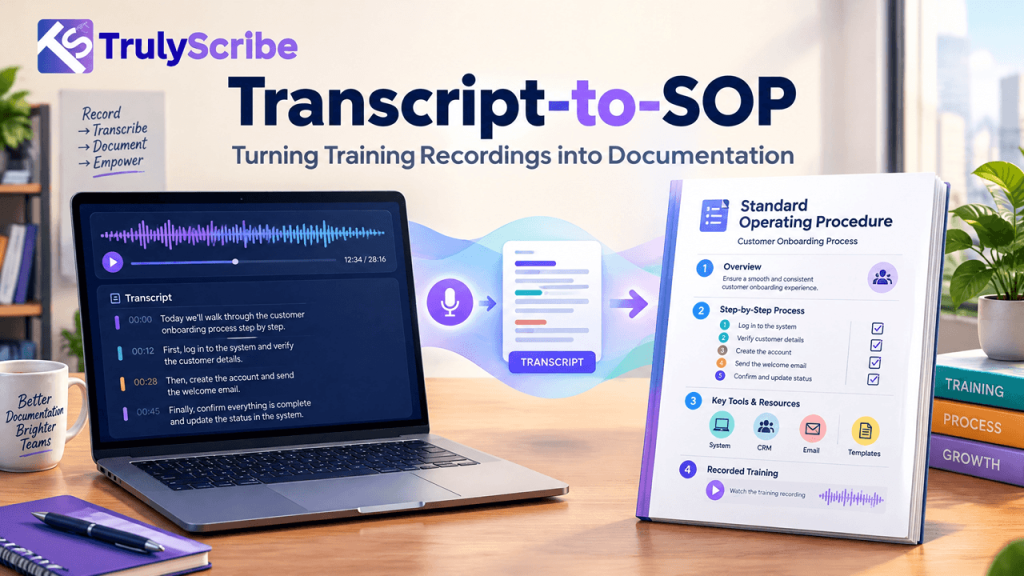
Transcript-to-SOP: Turning Training Recordings into Documentation

Key Takeaways Somewhere in your organization, someone knows exactly how a process works — and it exists only in their head, or scattered across old training calls and onboarding sessions nobody ever turned into a document. That gap is more expensive than it looks. Gallup estimates that voluntary employee turnover costs U.S. businesses more than $1 trillion a year, with the cost of replacing a single employee running anywhere from half to twice their annual salary — a cost driven substantially by the institutional knowledge that walks out the door with them. Most teams know they should document their processes. Very few actually do it, because writing a proper SOP from scratch is slow, and “we’ll document it later” quietly becomes never. But most organizations already have the raw material sitting in a recordings folder: training sessions, onboarding calls, screen-share walkthroughs, and new-hire Q&As where someone explained exactly how a process works, out loud, in detail. This guide covers how to turn those recordings into real, usable SOPs — without transcribing everything by hand or waiting for someone to write it all up from memory. This matters beyond any single departure. Even when nobody leaves, undocumented processes quietly tax a team every day — in interrupted focus time answering “how do I do this again” questions, in inconsistent output when two people handle the same task differently, and in the slow ramp time new hires face when the only training material is “go ask Sarah.” Why Training Recordings Are an Underused Documentation Source When someone trains a new hire, walks a colleague through a process on a screen share, or explains “how we actually handle this” in a recorded call, they’re doing something valuable: narrating a real process, in the order it actually happens, including the exceptions and judgment calls that never make it into a formal manual. That’s exactly the content a good SOP needs — and it’s usually just sitting in a recording nobody revisits. The reason it doesn’t become documentation isn’t a lack of value, it’s a lack of a workflow. Manually transcribing and restructuring even one 30-minute training call into a clean SOP can take hours, so the recording stays a recording — useful only to the person willing to re-watch it, which usually means it doesn’t get reused at all. What Undocumented Process Knowledge Actually Costs The cost of skipping this isn’t hypothetical. SHRM’s widely cited research puts the cost of replacing a departing employee at six to nine months of their salary once recruiting, onboarding, and lost productivity are factored in. Separately, industry research on “tribal knowledge” — process expertise that exists only in someone’s head — consistently finds that undocumented know-how drives slower onboarding, inconsistent output, and real operational risk when the person holding that knowledge leaves or is simply unavailable. None of that requires a dramatic departure to matter. Every time a new hire has to interrupt someone to ask “how do we actually do this,” that’s the same underlying gap — just paid in smaller, more frequent installments instead of one large one. There’s also a compounding effect worth naming: undocumented knowledge tends to concentrate in your most experienced people, precisely because they’re the ones who’ve accumulated the most exceptions and judgment calls nobody ever wrote down. That means the risk grows quietest around your most valuable employees, right up until the day it doesn’t. The Transcript-to-SOP Workflow Step 1: Record the Process Being Explained or Performed This can be a dedicated training session, a screen-share walkthrough, or simply asking the person who owns a process to talk through it out loud while doing it. The goal is capturing the real sequence of steps, including the exceptions and judgment calls a written manual often leaves out. Step 2: Transcribe It Accurately Turn the recording into an accurate, timestamped transcript. Training and process content is often full of internal terminology, tool names, and acronyms, so it’s worth using a transcription tool that handles technical and industry-specific jargon reliably rather than guessing at unfamiliar terms. Step 3: Extract the Actual Steps From Conversational Language This is the step people underestimate. A transcript captures what was said, in the order it was said — which is rarely the same as the order a reader needs to follow. Go through the transcript and pull out each discrete action, in the correct sequence, separating genuine steps from asides, tangents, and “oh, and one more thing” additions that belong elsewhere in the document. This is also where the most valuable content in the recording often hides. Experts tend to mention exceptions and caveats casually, mid-sentence, exactly where a formal manual would never think to include them — “oh, but if it’s a renewal instead of a new account, skip step three.” Catching these while extracting steps is what separates a genuinely useful SOP from a generic one. Step 4: Restructure Into Standard SOP Format Fit the extracted steps into a consistent SOP structure — purpose, scope, required tools or access, numbered steps, and exceptions or troubleshooting notes. This is what turns a readable transcript into an actually usable procedure someone can follow without having heard the original recording. Step 5: Add Visuals Where They Replace a Paragraph Screenshots, diagrams, or short clips are often faster to follow than a written description, particularly for software steps. Add them where they genuinely save the reader time, not as decoration. Step 6: Have the Subject-Matter Expert Review It Before publishing, have the person who explained the process (or another expert in it) read the finished SOP and confirm nothing was lost or misinterpreted in the transcript-to-document conversion. This step catches the small misunderstandings that are easy to introduce when restructuring spoken explanation into written steps. Step 7: Publish It Somewhere Searchable An SOP that lives in a random shared drive folder gets used about as often as the original recording did. Publish it into a searchable knowledge base built from your transcribed content, so the next person who needs

how-much-does-transcription-cost-2026-pricing-breakdown
AI Transcription, Business Tools, Pricing Guides

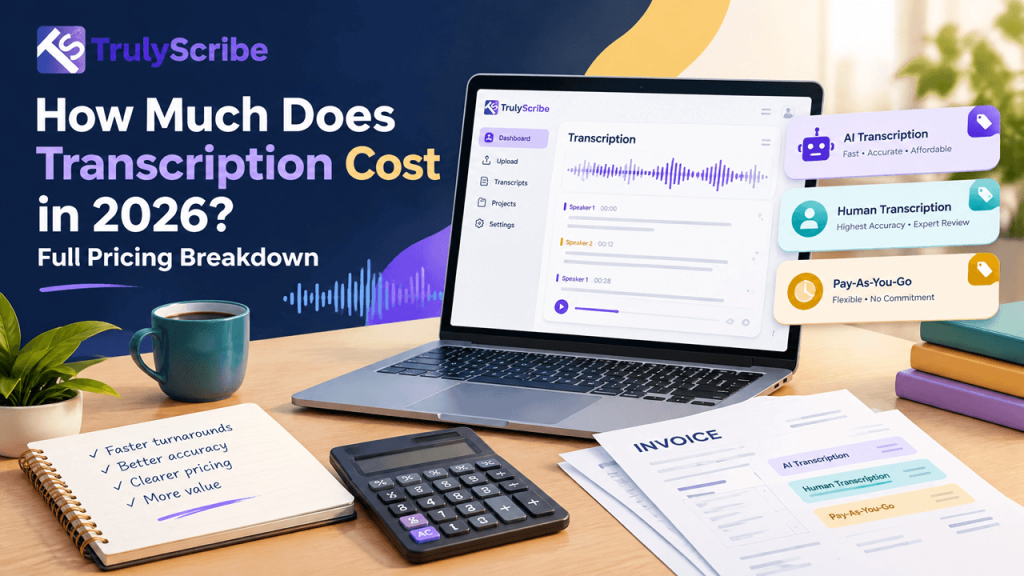
How Much Does Transcription Cost in 2026? Full Pricing Breakdown

Key Takeaways Transcription pricing in 2026 spans an unusually wide range — from a free tier that caps out after a few hundred minutes, to a subscription that costs less than a coffee subscription, to a certified human transcriptionist charging by the minute. The market has also grown fast enough that pricing keeps shifting: the AI speech-to-text tool segment alone was valued at roughly $3.87 billion in 2026 and is projected to reach $16.42 billion by 2035, according to Precedence Research, a market research firm that tracks the space. That growth has brought more pricing models, not fewer: flat subscriptions, per-minute pay-as-you-go, per-hour billing, hybrid AI-plus-human tiers, and enterprise contracts with custom terms. This guide breaks down what each model actually costs in 2026, with sources for every figure, so you can budget accurately instead of guessing from a marketing page. One thing worth flagging upfront: pricing pages change often, sometimes multiple times a year, and the exact numbers below reflect what each provider had published at the time of writing. Treat the figures as a reliable snapshot and directional benchmark rather than a locked-in guarantee, and always confirm current pricing on the provider’s own page before budgeting a larger project around it. The Three Main Transcription Pricing Models 1. Flat-rate subscriptions A fixed monthly or annual fee, usually with a usage allowance attached (minutes, hours, or files per month). This is the most predictable model and tends to be the cheapest option for anyone transcribing regularly, since cost doesn’t scale with usage the way per-minute pricing does. 2. Pay-as-you-go, per-minute or per-hour You pay only for what you transcribe, with no monthly commitment. This suits occasional or unpredictable usage well, but can cost significantly more than a subscription once volume climbs past a certain point each month. 3. Human or hybrid transcription Priced almost universally per audio minute, reflecting the labor involved. This tier exists for content where AI-only accuracy isn’t sufficient — legal, medical, or anything requiring certified, verbatim precision. AI Transcription Pricing in 2026 Here’s what the major AI-first transcription and meeting-notes tools charge, based on each provider’s own published pricing as of 2026. Tool Free Tier Entry Paid Plan Source TrulyScribe 30 min/day $18/mo, or $9/mo billed annually TrulyScribe TurboScribe 3 files/day $20/mo, or $10/mo billed annually TurboScribe Otter.ai 300 min/mo Pro: $16.99/mo, or $8.33/mo annually Otter.ai Descript ~1 hr media/mo Hobbyist: $24/mo, or $16/mo annually Descript Sonix Trial only $10/audio hour pay-as-you-go, or $22/mo + $5/hr Sonix Trint 7-day trial Subscription tiers from ~$48/mo Trint A few patterns stand out. Free tiers are genuinely usable for light, occasional needs — a few hundred minutes a month covers most students or casual users. Entry paid plans across the category cluster in a fairly narrow $9–$25/month band, with the outliers (Trint, Descript’s higher tiers) reflecting added collaboration or video-editing features rather than transcription accuracy alone. It’s also worth noting that annual billing consistently unlocks a meaningful discount across nearly every provider in this table, often 35–50% off the monthly rate. If you’re confident you’ll use a tool regularly for a full year, committing annually is one of the simplest ways to cut your effective transcription cost without changing providers or plans at all. Human and Hybrid Transcription Pricing in 2026 Human transcription is priced almost exclusively per audio minute, and the rate depends heavily on turnaround time, accuracy requirements, and subject-matter complexity. Service Tier Typical Rate Source Hybrid (AI + human review) $0.50–$1.25/min Talo cost guide Standard human transcription $1.00–$3.00/min ($60–$180/hr) SpeakWrite 2026 guide Rev human transcription $1.99/min Rev support/pricing Rev AI transcription $0.25/min Rev support/pricing Medical transcription (standard) $1.10–$1.75/min PriceItHere medical guide Medical transcription (STAT/complex) $2.50–$4.50/min PriceItHere medical guide The takeaway: human transcription costs somewhere between 4 and 20 times more than AI transcription on a per-minute basis, which is exactly why most teams reserve it for content where certified accuracy genuinely matters — legal depositions, medical records, or published interview quotes — rather than everyday meeting notes. It’s worth noting that these human rates are largely consistent across independent sources rather than a single vendor’s marketing claim — multiple cost guides and providers converge on the same $1–$3/minute general range, which is a reasonable sign the figures reflect real market pricing rather than one company’s outlier rate. What Actually Drives the Price You Pay Real-World Cost Scenarios Applying these rates to common use cases makes the differences concrete. Scenario AI Transcription Cost Human Transcription Cost One 60-min podcast episode $0–$6 (subscription or pay-as-you-go) $60–$180 10 hours of research interviews $9–$30/mo subscription covers it $600–$1,800 One 45-min legal deposition Not recommended as sole source ~$90–$135 (standard human rate) A month of daily 30-min meetings $9–$30/mo flat subscription $900–$2,700/mo at per-minute rates The pattern is consistent: AI transcription wins decisively on recurring, high-volume workloads, while human transcription’s cost is easiest to justify for single, high-stakes files where certified accuracy outweighs the price difference. Free vs. Paid: When a Free Tier Actually Makes Sense Free tiers across the AI transcription category are more usable in 2026 than they were a few years ago, but they share common limitations worth knowing before you rely on one: A free tier is a reasonable fit for testing a tool’s accuracy on your specific audio, or for genuinely light, occasional use. Once transcription becomes a weekly habit, the math almost always favors a paid subscription over stacking multiple free accounts or hitting caps repeatedly. One pattern worth watching for: several free tiers reset on a daily rather than monthly cycle, which can actually work in your favor if your usage is spread out day to day, but works against you if you need to transcribe a large batch of files in a single sitting. How to Choose Without Overpaying TrulyScribe’s Pricing in 2026 TrulyScribe follows the flat-rate subscription model, with a free tier offering 30 minutes of transcription per day for single-file audio up to 5 minutes, and a paid Unlimited plan at $18/month (or $108/year, roughly $9/month, when billed annually)

journalism-newsroom-interview-transcription
AI Transcription, Business Tools, Content Creation Tools, Journalism

Journalism and Newsroom Interview Transcription

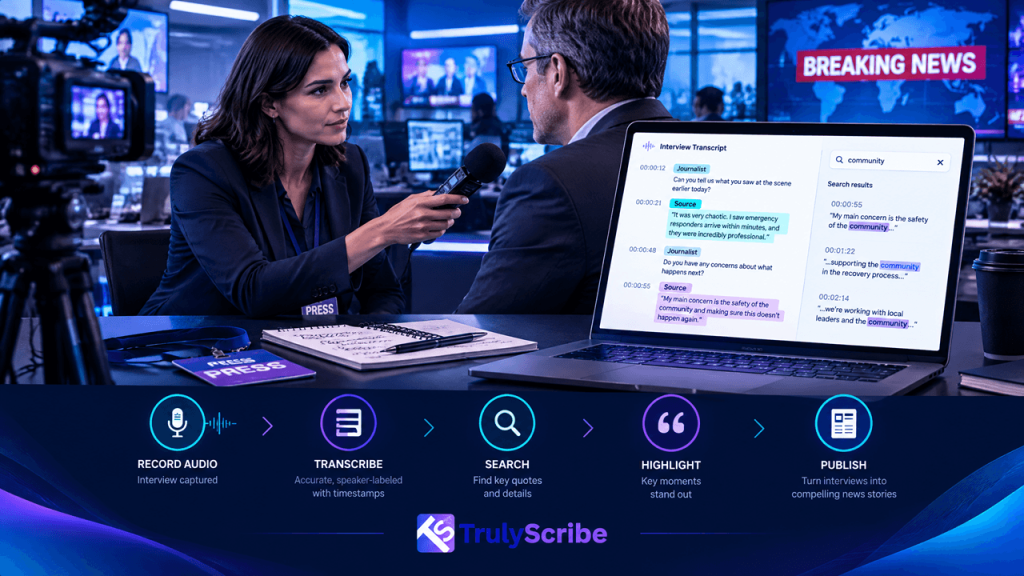
Newsrooms run on interviews, and interviews run on deadlines. A reporter chasing a same-day story doesn’t have the luxury of spending three hours transcribing a 40-minute conversation by hand — but they also can’t afford to get a direct quote wrong, misattribute a statement, or expose a source who spoke on the condition of anonymity. That combination of speed and precision is exactly where journalism’s transcription needs diverge from almost every other industry using AI transcription today. This piece looks at what makes newsroom transcription different, where AI genuinely helps reporters and editors work faster without cutting corners on accuracy, and where the human judgment of a journalist still has to stay firmly in the loop. It’s worth saying upfront: nothing here suggests AI transcription should replace editorial judgment. It replaces the mechanical, time-consuming part of the process — turning speech into text — so reporters can spend more of their limited time on the parts of the job that actually require a trained journalist: asking the right follow-up questions, verifying claims, and deciding what the story actually is. Why Journalism Has Different Transcription Needs Verbatim accuracy isn’t optional A misquote isn’t just an inconvenience in journalism — it’s a correction, a credibility hit, or in the worst cases, a legal problem. Direct quotes need to match what was actually said, word for word, which means AI transcription output has to be treated as a strong first draft that still gets checked against the original audio before publication, not as a final, citable source on its own. This is arguably the single biggest mindset shift newsrooms need when adopting AI transcription: the tool changes how fast a transcript gets produced, not who’s responsible for verifying it. That responsibility stays exactly where it’s always been — with the reporter and editor signing off on the story. Field conditions are rarely ideal Reporters record in press scrums, on street corners, over phone lines, and in loud public spaces — not quiet studios. Transcription accuracy on audio with real-world background noise matters enormously here, since a clean-room-only tool falls apart on exactly the kind of audio journalism actually produces. Multiple speakers, often without warning Press conferences, panel interviews, and roundtable discussions involve several speakers who aren’t always identified clearly in advance. Reliable speaker labeling in multi-participant recordings is the difference between a usable transcript and one that requires a full manual re-listen to figure out who said what. Confidentiality can be a matter of real consequence Investigative and beat reporters regularly handle recordings involving sensitive sources, whistleblowers, or off-the-record conversations. Whatever tool processes that audio needs genuinely secure handling, encryption, and clear data retention practices — a leaked or improperly retained recording isn’t just a privacy issue, it can put a source’s safety or livelihood at risk. Deadlines don’t move A breaking story doesn’t wait for transcription to catch up. Whether it’s a daily news cycle or a same-day broadcast segment, turnaround speed on interview transcription directly affects how much time a reporter actually has left to write, verify, and file. This is where the value of AI transcription compounds across an entire newsroom, not just for a single reporter. A daily desk running dozens of source calls, press briefings, and stand-ups can absorb hours of collective time savings, freeing editorial capacity for enterprise reporting rather than transcription backlog. The Real Cost of Manual Transcription for Journalists Manually transcribing an interview is famously slow — a widely cited rule of thumb puts it at roughly four to five times the length of the recording itself, once pausing, rewinding, and typing are factored in. A single 45-minute interview can easily eat two to three hours of a reporter’s day, time that isn’t spent reporting, verifying, or writing. For journalists conducting multiple source interviews per story, that cost compounds fast. It’s one of the reasons freelance and staff writers report some of the largest weekly time savings from adopting AI transcription — the hours saved on typing translate directly into more time for the reporting work that actually requires a journalist’s judgment. That math changes even more for investigative or long-form work, where a single story might draw on ten or more source interviews before a word gets written. At four to five hours of manual transcription per hour of audio, that’s easily a full work week spent typing before the actual reporting and writing even begins — time an AI-assisted first pass gives back almost entirely. How AI Transcription Fits the Newsroom Workflow 1. Fast Turnaround for Same-Day Deadlines Instead of budgeting hours for manual transcription, a reporter can get an accurate first-pass transcript back in minutes, leaving the remaining time for fact-checking quotes and actually writing the story. 2. Reliable Accuracy on Real Field Audio Interviews conducted over phone calls, in busy locations, or through video calls with imperfect connections still need to transcribe cleanly enough to be usable without a full manual rewrite. 3. Speaker Labels for Press Conferences and Panels Accurate speaker attribution turns a chaotic multi-voice recording into a transcript a reporter can actually scan for who said what, without re-listening to the full recording to sort it out. 4. A Searchable Archive Across an Entire Beat Reporters covering a long-running story or beat benefit enormously from being able to search across every past interview transcript for a specific name, quote, or topic, rather than relying on memory or manually scrubbing through old recordings. 5. Multilingual Interviews and Foreign Correspondence For international reporting or interviews conducted in a source’s native language, accurate multilingual transcription and translation — covered in more depth in a broader look at multilingual content workflows — removes a major bottleneck that used to require a separate translator or fixer just to get a usable transcript. 6. Structuring the Story From the Transcript Up A clean, searchable transcript makes it easier to build an article around what a source actually said, rather than working from memory or scattered notes — letting the structure of the piece

transcript-to-ebook-webinar-series-lead-magnet
AI Transcription, Business Tools, Content Creation Tools, Marketing

Transcript to Ebook: Turning a Webinar Series into a Lead Magnet

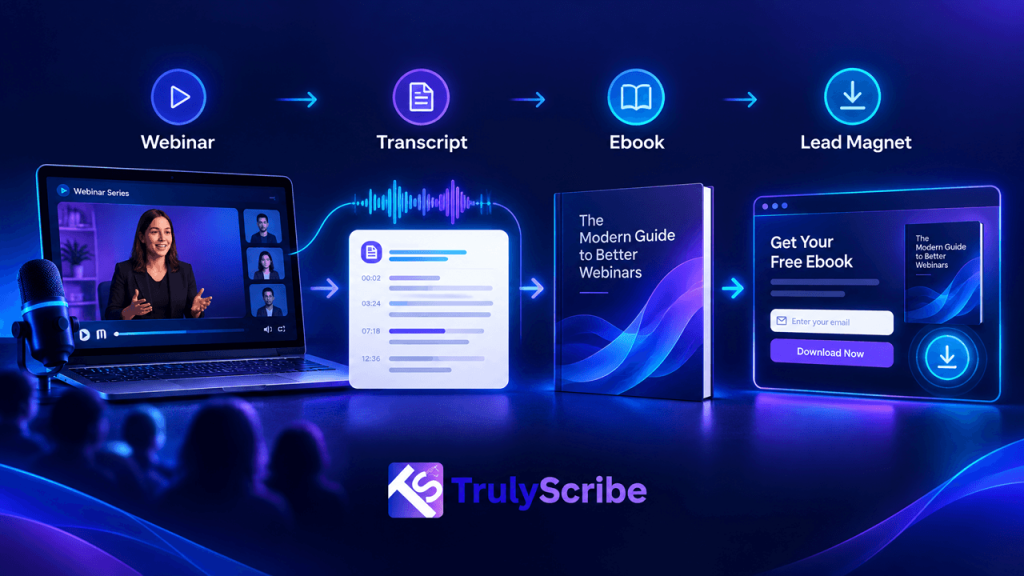
Most webinar series follow the same lifecycle: months of planning, an hour of live delivery, a replay link emailed out once, and then silence. The recording sits on a landing page nobody revisits, while the actual content — the frameworks, the stories, the expert answers to real audience questions — never gets used again. That’s a lot of genuinely valuable material going to waste, especially for a series that took real effort to plan and promote. An ebook is one of the most effective ways to give that content a second life. It’s a format people still actively trade an email address for, it positions your team as the expert who already said all of this out loud, and unlike writing an ebook from scratch, you’re not starting with a blank page — you’re starting with hours of expert commentary that just needs to be transcribed, structured, and edited into something readable. This guide walks through exactly how to do that, from raw webinar recording to a polished, gated lead magnet. This matters most for teams who already run a regular webinar program but have never treated the recordings as anything beyond a courtesy replay for people who missed the live session. If that describes your team, there’s likely a usable ebook or two already sitting in your past twelve months of webinars, waiting for someone to notice the content is there. Why Turning Webinar Transcripts Into an Ebook Works It’s worth being clear-eyed about why this format still works when so much other gated content has stopped converting well. A generic ebook assembled from research and stock advice competes with thousands of similar downloads. A webinar-derived ebook built from your own team’s actual expertise, delivered in your team’s actual voice, is much harder for a competitor to replicate — which is exactly what makes it worth the extra editorial effort. What Makes a Webinar Series Good Ebook Material Not every webinar translates well into an ebook, and picking the right source material makes the entire process easier. The Workflow: From Webinar Recording to Finished Ebook Step 1: Choose and Transcribe Each Session Start by selecting the webinars that form a coherent theme, then transcribe each one accurately. If the series was recorded on a standard platform, you can transcribe directly from Zoom or Google Meet recordings in a few minutes per session, or capture the transcript in real time during the webinar itself if you’re planning the ebook before the series even airs. Step 2: Clean Up and Organize by Theme, Not by Session Rather than treating each webinar as one chapter, review all the transcripts together and organize the content by topic. A five-part webinar series rarely maps neatly onto five clean chapters — more often, the best material is scattered across sessions and needs to be regrouped around the themes your audience actually cares about. Step 3: Edit Spoken Language Into Readable Prose This is the step people most often skip, and it’s the one that makes or breaks the finished product. Spoken language is full of filler words, false starts, and tangents that work fine live but read poorly on a page. Editing means trimming filler, tightening run-on sentences, and reorganizing ideas into a logical written flow — while preserving the speaker’s actual voice, examples, and phrasing wherever possible, rather than rewriting it into generic corporate copy. A useful test while editing: read a paragraph out loud. If it still sounds like something a person would actually say, you’ve probably struck the right balance between cleaning up the language and preserving the voice that made the original webinar worth listening to in the first place. Step 4: Add Structure a Live Audience Didn’t Need A live audience follows along in real time; a reader needs the page to do more work. Add chapter summaries, pull-quote callouts for the strongest lines, “key takeaway” boxes at the end of each section, and a clear table of contents — none of which existed in the original spoken delivery, but all of which make the written version far more usable. Step 5: Design and Format It Like an Actual Ebook A plain document of edited transcript text won’t perform like a designed lead magnet. Invest in basic layout: a cover, consistent typography, pull quotes, and enough white space that it doesn’t read like a wall of text. This is the difference between something that looks like a repurposed transcript and something that looks like a product your audience is glad they downloaded. Step 6: Gate It Behind a Simple, High-Intent Landing Page Keep the exchange simple: a clear headline describing the outcome the ebook delivers, a short list of what’s inside, and a form asking for the minimum information you actually need. Overly long forms are one of the most common reasons a well-made ebook underperforms as a lead magnet. It’s worth treating the landing page itself as part of the deliverable, not an afterthought tacked on once the ebook is finished. A strong ebook behind a weak landing page still underperforms, while a clear, benefit-focused page can meaningfully lift conversion even before anyone opens the PDF. Step 7: Promote It Using the Same Source Material The same transcripts that built the ebook can drive its promotion. Pull individual quotes and insights into social and LinkedIn posts announcing the ebook, or turn a chapter into a standalone blog post that links to the gated download for readers who want the full version. Step 8: Translate for Additional Markets If your webinar series drew an international audience, translating the finished ebook multiplies its reach as a lead magnet in additional markets. This follows the same logic behind a broader multilingual content strategy — one accurate source transcript, translated once, generates a localized asset without re-running the entire production process. From Raw Transcript to Finished Ebook Stage What It Looks Like Output Raw transcript Verbatim, unedited, full of filler words Not reader-ready Organized transcript Grouped by theme across sessions Rough chapter

is-ai-transcription-secure-data-retention-encryption
AI Transcription, Business Tools, Security & Privacy

Is AI Transcription Secure? Data Retention and Encryption Explained

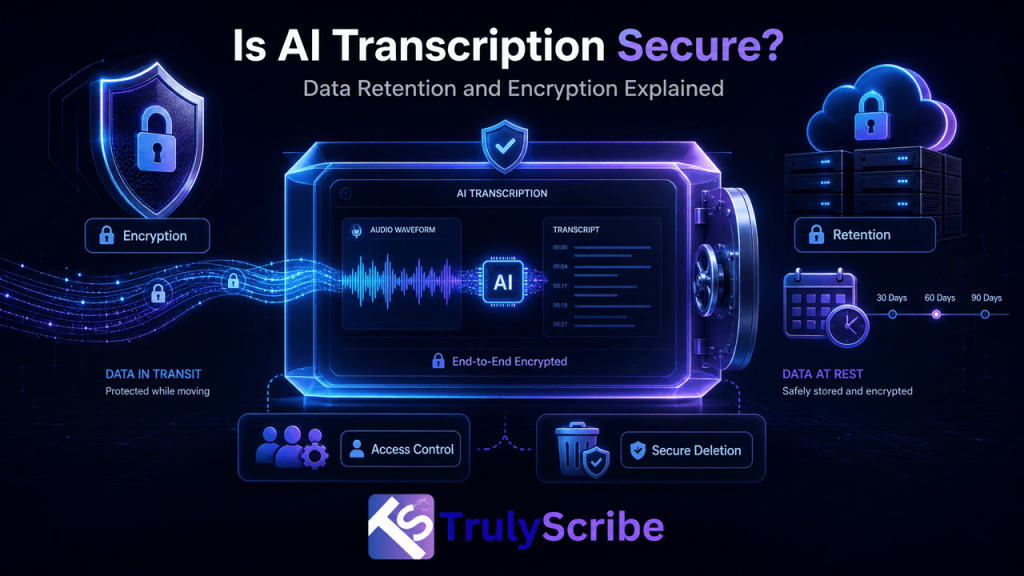
AI transcription tools now sit in the middle of some genuinely sensitive conversations: legal depositions, HR interviews, board meetings, therapy-adjacent coaching calls, sales negotiations, and internal strategy discussions. That’s a big shift from what these tools were originally used for — quick notes on a podcast or a casual meeting — and it raises a fair question that doesn’t get answered clearly enough: is any of this actually secure? The honest answer is that it depends entirely on the tool, and “secure” isn’t a single yes-or-no property. It’s a combination of specific, checkable practices: how data is encrypted, how long it’s retained, who can access it, and what happens to it after you’re done. This guide breaks down each of those in plain terms, so you can evaluate any AI transcription tool — including TrulyScribe — on the actual practices that matter, rather than a vague “your data is safe with us” claim. This matters because “secure” gets used as a one-word marketing badge far more often than it gets explained. Two tools can both claim to be secure while handling your data in meaningfully different ways — one deleting the original audio within days, the other keeping everything indefinitely; one clearly stating it never trains models on your content, the other staying silent on the question entirely. The word alone tells you nothing; the specifics behind it tell you everything. Why This Question Matters More Than It Used To Recording a conversation used to mean it existed in one place: a physical recorder, or a video file on your own device. AI transcription changes that by design — the recording typically gets uploaded to a third-party server, processed by a speech recognition model, and stored as both an audio file and a text file, sometimes indefinitely, sometimes across multiple systems if the tool integrates with other software. That’s not inherently a problem. It’s just a different risk profile than a conversation that never left the room, and it means the security practices of whatever tool you’re using directly determine how exposed that conversation actually is. As AI transcription use expands into legal discovery and document review and HR interviews and recruitment, the stakes of getting this wrong go up accordingly. The Three Things That Actually Determine Security Marketing pages love the word “secure,” but it only means something specific when it’s backed by these three things. 1. Encryption — in Transit and at Rest Encryption in transit means your file is protected while it’s traveling from your device to the transcription service’s servers, typically via TLS/HTTPS — the same standard securing online banking. Without it, a file could theoretically be intercepted while uploading. This part is largely table-stakes at this point — any legitimate web-based service, transcription or otherwise, should have TLS/HTTPS enabled by default. If a tool doesn’t, that alone is a strong enough warning sign to look elsewhere before evaluating anything else about it. Encryption at rest means the file stays encrypted once it’s sitting on the provider’s servers, not just during the upload. This matters because a server breach that exposes unencrypted stored files is a very different (and much worse) outcome than one that exposes encrypted files an attacker can’t actually read without the keys. Reputable transcription providers, TrulyScribe included, encrypt files both in transit and at rest as a baseline practice, not an add-on. 2. Data Retention — How Long Your Files Actually Stick Around This is the part most people never think to ask about. Every transcription service has some policy on how long it keeps your audio files, video files, and generated transcripts after processing — and that policy varies widely between providers, and sometimes between plan tiers on the same platform. None of these is automatically wrong, but you should know which one applies to you before uploading anything sensitive — and you should be able to find that answer in a vendor’s actual privacy policy, not just infer it from marketing copy. 3. Access Control — Who Can Actually See Your Data Encryption protects data from outside attackers; access control determines who inside the company, and inside your own organization if you’re on a team plan, can view it. Look for role-based permissions on team accounts, limited internal employee access to raw files, and clear answers about whether human staff ever review transcripts — and under what circumstances. This is the pillar most often overlooked, partly because it’s harder to verify from the outside than encryption or a stated retention window. Asking directly — “who at your company can access my uploaded files, and why” — is a reasonable question to put to any vendor handling sensitive material, and a specific, confident answer is a good sign in itself. Compliance Frameworks You’ll See Referenced Vendors often cite specific compliance frameworks as shorthand for their security posture. Here’s what each one actually signals: Framework What It Actually Means GDPR An EU regulation giving individuals control over their personal data, requiring companies to justify data collection, allow deletion requests, and secure data by design. Applies to any company handling EU residents’ data, regardless of where the company is based. SOC 2 An independent audit certification confirming a company’s security controls meet specific standards across areas like access control and monitoring. It’s a third-party verification, not a self-declared claim. HIPAA A US regulation governing protected health information. Relevant if you’re transcribing anything touching patient data; most general-purpose transcription tools are not HIPAA-covered by default and require a specific business associate agreement to be usable for healthcare data. ISO 27001 An international standard for information security management systems, covering how a company identifies and manages security risk as an ongoing process, not a one-time checklist. The key takeaway: these frameworks aren’t interchangeable, and a vendor citing one doesn’t automatically mean it covers your specific use case. If you’re transcribing legal or medical content specifically, confirm the exact certification and scope with the vendor directly rather than assuming general “compliance” language covers it. Common

ai-agents-transcription-productivity-revolution
AI Transcription, Business Tools, Industry Trends, Productivity

AI Agents + Transcription: The Next Productivity Revolution

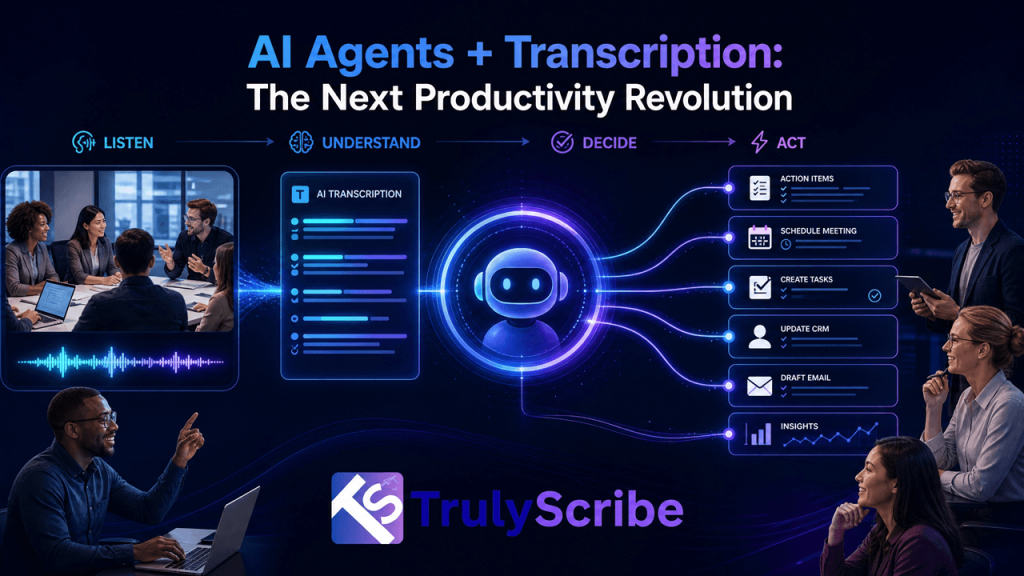
AI agents — software that can plan, take action, and complete multi-step tasks with minimal supervision — have moved from demo videos to daily use inside sales teams, support desks, and operations departments. But an agent is only as useful as the information it can act on, and a huge share of what happens inside a business is still spoken, not written: sales calls, customer support conversations, interviews, standups, and strategy sessions. That’s the quiet but critical role transcription plays in this shift. Before an agent can log a CRM update, draft a follow-up email, or flag a compliance risk from a recorded call, that call has to become text an agent can actually read and reason over. Transcription isn’t a side feature in the agent era — it’s the raw material the whole system runs on. This piece looks at how AI agents and transcription are combining in practice, what’s actually driving the shift, and what to look for if you’re building or buying into this workflow. It’s worth being precise about what’s actually new here. Transcription itself isn’t new, and neither is basic automation. What’s changed is that agents can now chain several steps together — read a transcript, extract what matters, decide what to do, and take that action — without a human manually handing off between each step. That chaining is what turns a transcript from a static record into an active input driving real work. Why Transcripts Are the Fuel for AI Agents AI agents work by reading context, reasoning over it, and taking action — updating a record, drafting a message, triggering a workflow. Text is the format agents understand natively. Audio and video, by contrast, are opaque to most agent systems unless they’re converted into text first. This makes transcription the connective tissue between spoken business activity and automated action. A sales call an agent never “reads” can’t update a deal stage. A support call an agent can’t parse can’t trigger a refund workflow. An interview an agent hasn’t seen as text can’t be summarized into a hiring recommendation. The accuracy and structure of that transcript — speaker labels, timestamps, correct terminology — directly determines how reliable the agent’s downstream actions will be. In other words: garbage transcript in, garbage agent output out. As agents take on more consequential tasks, the quality of the transcription layer underneath them matters more, not less. This is a meaningful shift in how businesses should think about transcription quality. When a transcript was purely for human reading, small errors were self-correcting — a reader would spot an obviously wrong word and mentally fix it without a second thought. An agent doesn’t have that instinct by default. It reads the text it’s given and acts on it, which means the tolerance for transcription error effectively shrinks the moment an agent is the one reading. How AI Agents and Transcription Work Together in Practice 1. Meeting Agents That Update Your CRM Automatically Instead of a rep manually logging notes after a sales call, an agent reads the transcribed conversation from Zoom or Google Meet, extracts the deal stage, next steps, and objections raised, and writes them directly into the CRM — no manual data entry required. The rep’s actual job becomes reviewing and correcting rather than transcribing from memory. 2. Sales Agents That Draft Follow-Ups From the Call Itself Once a call is transcribed, an agent can draft a personalized follow-up email referencing the specific points a prospect raised, rather than a generic template. This only works if the underlying transcript correctly separates who said what — which is why accurate speaker labeling in multi-participant conversations matters as much for agent workflows as it does for human readers. 3. Research Agents That Synthesize Across Dozens of Interviews A single interview transcript is useful; an agent that can search and synthesize patterns across fifty of them is transformative. Research and product teams are increasingly feeding batches of transcribed interviews into an agent that surfaces recurring themes, contradictions, and quotes — work that used to take a human analyst days to do manually. 4. Support Agents That Learn From Every Recorded Call Customer support teams are using transcribed call logs to train agents on how issues actually get resolved, then having those agents draft responses to similar future tickets. The transcript becomes training data and a live reference simultaneously, and its reliability depends entirely on how accurately the AI handles background noise, accents, and overlapping speech common in real support calls. 5. Content Agents That Repurpose Recordings Automatically Marketing teams are chaining transcription directly into content agents: a webinar or podcast gets transcribed, and an agent automatically drafts a blog post, a set of social captions, and an email newsletter section from the same source text. This mirrors what teams already do manually to turn transcripts into blog posts and repurpose them into social and LinkedIn content — the difference is an agent now does the drafting, with a human reviewing rather than writing from scratch. 6. Compliance Agents That Flag Risk Language at Scale In regulated industries, agents are being used to scan transcribed calls and meetings for specific risk language, disclosure requirements, or missed compliance steps — something no team could realistically do by listening to every recording manually. This builds directly on how businesses already use transcription for legal discovery and document review, with an agent now doing the first pass of review instead of a paralegal. 7. Knowledge Agents That Answer Questions From Your Entire Archive Perhaps the biggest shift: once an organization has a searchable archive of transcribed meetings, calls, and training sessions, an agent can answer questions by searching across all of it — “what did we tell this client in March” or “how did we usually handle this objection last quarter.” This depends on having a structured, searchable knowledge base built from video and audio transcripts in the first place; an agent can only search what’s actually been transcribed and organized. 8. Localization

creating-global-training-materials-ai-transcription
AI Transcription, Business Tools, Corporate Training, Localization

Creating Global Training Materials Using AI Transcription

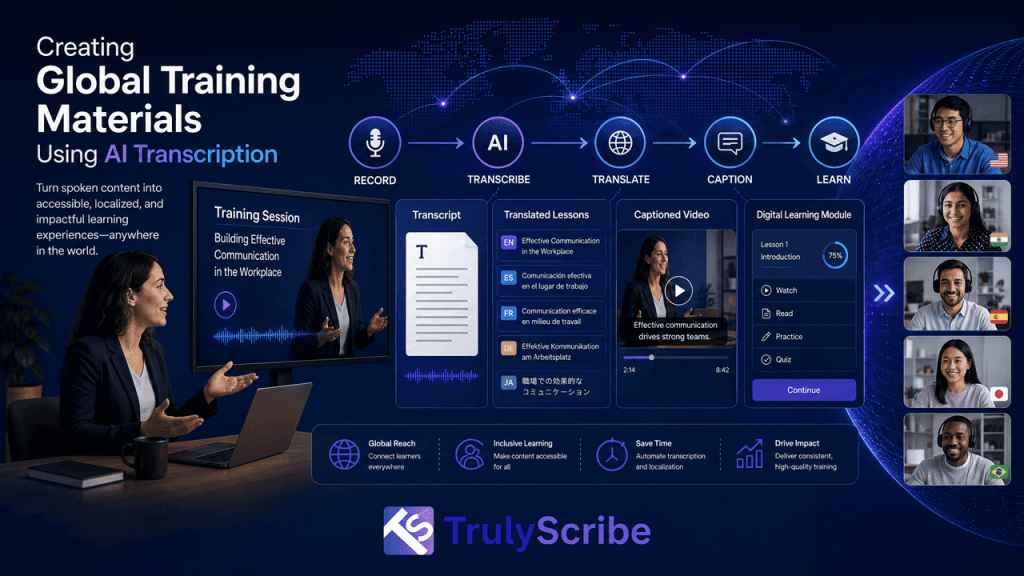
Most corporate training starts life as a single recorded session — a trainer walking through a process, a product demo, an onboarding session, a compliance briefing. The problem is what happens next: that one recording usually stays in one language, in one format, sitting in one folder, while the company’s actual workforce is spread across a dozen countries, several languages, and a mix of learning preferences that a single video rarely serves well. L&D and HR teams have historically dealt with this by treating localization as a separate, expensive project layered on top of training content that was never built to travel. Translators, voiceover studios, and subtitling vendors could turn one training video into a properly localized global asset, but at a cost and timeline that made most teams localize only their most critical content, if anything at all. AI transcription has changed that equation. What used to require a multi-vendor localization project can now start from a single accurate transcript and branch out into translated documentation, multilingual captions, searchable knowledge base entries, and accessible course materials — all from one recorded session. This guide covers how to build that workflow for your own training content. The shift matters most for the training content that never got localized under the old model — not the flagship onboarding video every new hire eventually sees, but the everyday process walkthroughs, policy updates, and internal briefings that make up most of what L&D teams actually produce. Those are exactly the assets a per-vendor, per-language agency workflow was too expensive to touch, and exactly where an AI-powered pipeline pays off fastest. Why Global Training Content Needs a Different Approach The Old Way vs. the AI-Powered Way Traditional global training localization involved sending a video to a translation agency, waiting for a script translation, then booking voiceover talent or a subtitling vendor for each target language — often with a per-minute rate stacked at every stage. For a single 30-minute training module localized into five languages, that could easily take two to three weeks and cost several thousand dollars, which is why most companies reserved full localization for only their highest-priority content. The AI-powered approach collapses that into a single pipeline: transcribe the session once, translate the transcript into as many languages as needed, generate captions and localized documentation automatically, and optionally add AI-dubbed narration for priority languages. The same accurate source transcript becomes the foundation for every downstream asset, which is what makes it realistic to localize routine training content, not just the handful of videos that used to justify agency fees. This also changes who can own the process. Under the agency model, localization sat with procurement and a specialized vendor relationship. Under an AI-powered pipeline, an L&D team can manage the entire cycle themselves — recording, transcribing, translating, and publishing — without waiting on an external partner’s queue, which is often the bigger practical win even before the cost savings are factored in. Traditional vs. AI-Powered Training Localization Factor Traditional Agency Workflow AI-Powered Workflow Turnaround (5 languages, 30-min session) 2–3 weeks Same day to a few days Cost (captions and docs only) $1,500 – $4,000 Well under $500 Minimum project size Often required by agencies None — scales to a single session Updating content later New vendor quote for each revision Re-run the pipeline in minutes These figures are illustrative rather than fixed quotes, but they reflect the scale of change teams typically see: AI doesn’t just lower the cost of localizing training content, it removes the minimum-project-size problem that used to keep routine training videos untranslated in the first place. The AI Transcription Workflow for Global Training Materials Step 1: Record or Gather the Source Training Session Whether it’s a live workshop, a recorded onboarding walkthrough, or a webinar-style compliance briefing, start with the cleanest audio you can capture — a decent microphone and a quiet room measurably improve transcription accuracy, which carries through every language version that follows. Step 2: Transcribe the Session Accurately Turn the recording into an accurate, speaker-labeled transcript. Training content is often full of product names, internal terminology, and process-specific vocabulary, so it’s worth using a transcription tool that handles technical and industry-specific jargon reliably rather than guessing at unfamiliar terms. For panel-style or multi-trainer sessions, accurate speaker labeling in multi-speaker recordings keeps the transcript usable when it’s later split into role-specific reference material. Step 3: Clean Up and Structure the Transcript Review the transcript for any misheard names, product terms, or acronyms, and break it into clear sections that mirror the structure of the training itself — introduction, core process steps, examples, and Q&A. This structured version becomes the master document every other language and format is generated from, so it’s worth getting right once rather than fixing the same error five times across five languages. This is also a good point to add a short glossary of company- or product-specific terms alongside the transcript. Feeding that glossary into the translation step later keeps terminology consistent across every language, rather than having the same product name or internal acronym translated differently depending on which session it appears in. Step 4: Translate Into Every Language Your Workforce Needs With a clean, structured transcript, translating into multiple languages becomes a matter of running it through a machine translation engine rather than briefing a translator from scratch for every new language. This is the same logic behind a broader multilingual content strategy built around AI transcription, and it’s worth checking which languages your transcription platform actually supports before committing to a rollout list, since coverage and accuracy vary between languages. Step 5: Generate Captions and Accessible Course Materials Export translated, timestamped transcripts as SRT or VTT files for any video-based training, and as DOCX or PDF documents for written reference material. This step does double duty: it makes training content usable for employees who are deaf or hard of hearing, and it supports ADA and WCAG accessibility compliance, which is increasingly a requirement for corporate training programs,

best-trint-alternatives-ai-transcription-2026
AI Transcription, Business Tools, Comparisons

5 Best Trint Alternatives for AI Transcription (2026)

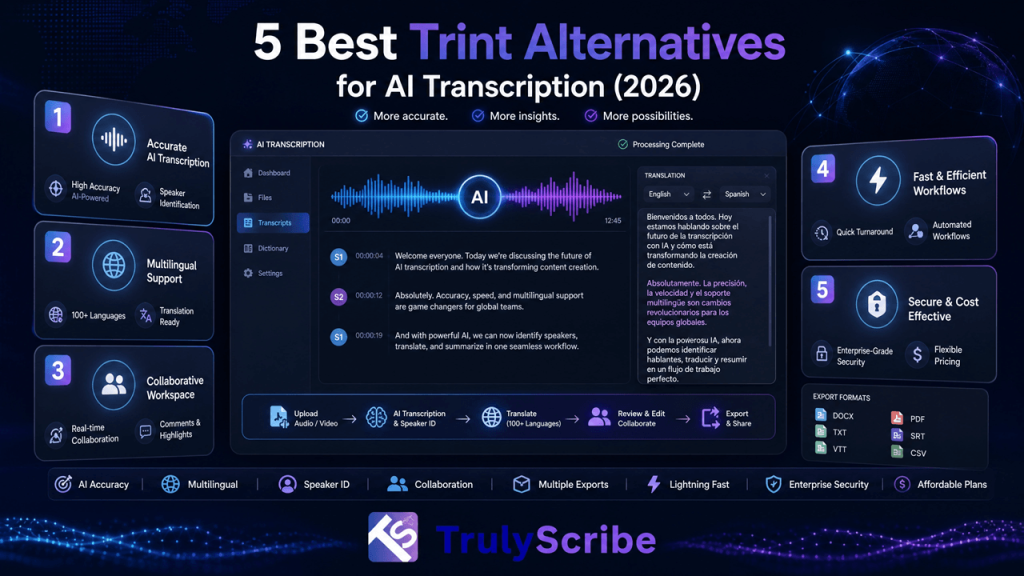
Trint helped popularize a genuinely useful idea: turn a recording into a searchable, time-coded transcript, then let teams collaborate on it like a shared document. For newsrooms and media teams working under deadline, that workflow has real value, and it’s a big part of why Trint built such a loyal following among journalists. But Trint’s pricing sits firmly in enterprise territory, with no pay-as-you-go option for smaller or occasional projects, and users regularly point to unclear charges, limited subtitle editing precision, and accuracy that holds up on clean audio but slips on noisy or multi-speaker recordings. For teams that don’t need a full newsroom collaboration suite, those trade-offs add up fast. This guide breaks down where Trint holds up, where it falls short, and the best Trint alternatives worth considering in 2026, depending on whether your priority is cost, language coverage, live meeting capture, or certified accuracy. We’re weighing each alternative against the specific gaps Trint leaves open — pricing accessibility, language breadth, and subtitle precision — rather than just listing competitors. A tool that’s cheaper than Trint but still can’t handle a non-English recording cleanly, or still lacks a usable subtitle editor, isn’t actually solving the problem most teams go looking for a replacement to fix. Key Takeaways Why Look for a Trint Alternative? Trint built a strong reputation on turning recordings into searchable text with real-time collaboration and story-building tools that let journalists work without leaving the platform. Even with those strengths, some limits show up consistently across user reviews: None of this makes Trint a weak tool for its core audience — collaborative newsroom transcription — but for broader business, meeting, or multilingual use cases, it’s worth comparing what else is available. It’s also worth noting that Trint’s newer AI Assistant features, aimed at summaries and quote extraction, are a useful addition but don’t change the underlying cost and language-coverage trade-offs — they sit on top of the same per-seat pricing and roughly 40-language transcription base as the rest of the platform. What to Consider Before Choosing a Transcription Tool Prioritize accuracy on real-world audio Clean, single-speaker audio transcribes easily almost anywhere. For interviews, panels, or field recordings, look for a tool that balances AI speed with strong real-world performance, or offers human review as an option. Balance speed and quality Some tools return a transcript in minutes; others prioritize careful, verified accuracy that takes longer but saves cleanup time later. The right choice depends on which trade-off matters more for a given project. Look for smooth collaboration and editing Simple sharing, inline notes, and live editing matter when a team is reviewing clips or quotes together. Fewer exports and file versions to juggle means a smoother workflow overall. Check integrations A tool that connects to Zoom, Slack, or your existing content workflow keeps production moving without forcing you to rebuild processes around transcription. Value transparent pricing Per-seat, per-minute, and hidden usage limits can all affect real costs very differently depending on your volume. Knowing exactly what you’re paying for prevents surprises as usage scales. Make security non-negotiable Look for encryption, access controls, and recognized compliance standards, especially if you’re handling client recordings or confidential material. Top Trint Alternatives for 2026 1. TrulyScribe — Best Overall Alternative Best for: Teams and individuals who want Trint’s collaborative transcript workflow without the enterprise pricing or narrower language coverage. TrulyScribe covers the core job Trint does well — turning recordings into searchable, accurate, timestamped transcripts — while extending language support well past Trint’s roughly 40 languages. TrulyScribe supports over 90 languages and dialects, with speaker labels and punctuation included automatically, and exports directly to TXT, DOCX, PDF, SRT, and VTT. Where TrulyScribe pulls ahead of Trint specifically is accessibility and pricing: there’s no enterprise-only seat structure to work around, which matters for small teams or solo creators who found Trint’s per-seat cost hard to justify. TrulyScribe also supports real-time transcription for meetings and webinars and can process recordings directly from Zoom and Google Meet, and its built-in editor lets you compare the transcript against the original audio to fix names or terminology before exporting — all under GDPR-compliant encryption. One honest trade-off: Trint’s Story Builder and newsroom-specific editorial tools are more specialized than anything TrulyScribe offers, so large media organizations with deeply collaborative editorial workflows may still find Trint’s niche tooling worth the premium. For everyone else, TrulyScribe’s accuracy holds up well against traditional transcription methods at a fraction of the cost. TrulyScribe also fits naturally into workflows beyond a single transcript. Because the same accurate, timestamped output can feed translated captions and repurposed content, teams switching from Trint for interview or meeting transcription often end up using TrulyScribe for affordable webinar and event localization as well, without adding a separate tool for that step. 2. Otter.ai — Best for Live Meeting Capture Best for: Teams whose primary need is automatic meeting notes rather than file-based transcription. Otter.ai centers everything around live conversations, automatically joining Zoom, Google Meet, or Teams calls and delivering transcripts with summaries and action items shortly after the call ends. It’s fast to adopt and connects well with tools teams already use, though language coverage is narrow and some users report inconsistent support quality. 3. Descript — Best for Content Creators Best for: Podcasters and video creators who want to edit media by editing the transcript itself. Descript’s signature feature is text-based editing: delete a sentence from the transcript, and the clip disappears from the video or audio too. It bundles AI transcription with tools like Studio Sound for cleanup and an AI co-editor for scripts and drafts, making it a strong pick when publishing polished audio or video, not just a transcript, is the end goal. 4. Rev — Best for Certified Accuracy Best for: Legal, media, and research teams that can’t risk a misquote or transcription error. Rev pairs fast AI transcription with an option for full human verification, backed by compliance certifications that matter for regulated industries. Where Trint emphasizes collaboration speed,

best-descript-alternatives-ai-transcription-2026
Comparisons, AI Transcription, Business Tools

5 Best Descript Alternatives for Transcription (2026)

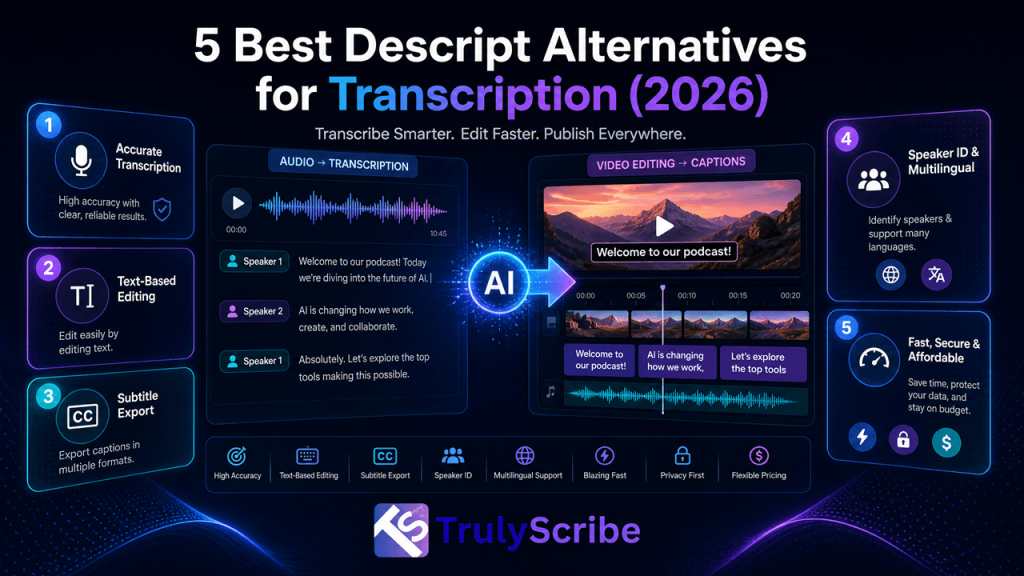
Descript earned its popularity by turning video and podcast editing into something closer to editing a document — delete a sentence from the transcript, and the clip disappears too. For creators building a podcast, a screen recording, or a polished video from scratch, that workflow genuinely saves time. The friction shows up when transcription is all you actually need. Getting a clean, accurate transcript out of Descript still means working through a tool built around timelines, project files, and video-editing overhead — a lot of setup for something that should take a few clicks. This guide covers the best Descript alternatives for 2026: transcription-first platforms that skip the video-editor detour, plus a few dedicated video editors if editing really is the job you need done. We’re splitting this into two groups on purpose. If transcription is the actual bottleneck, the fix is a tool built for text first, not a lighter version of a video editor. If video editing genuinely is the job, the fix is a real editor, not a transcription tool wearing an editing hat. Mixing the two up is usually what leads teams to feel stuck with Descript in the first place — paying for editing power they don’t use, or fighting an editing interface to get plain text out. Key Takeaways Inside Descript: What It Offers and What It Misses Descript is genuinely fast for early cuts and script-based projects. But because it’s a full video editor first, transcription second, using it purely for text means handling large project files, cloud processing, and an interface built around timelines rather than plain documents. Where Descript helps Where Descript slows you down None of this makes Descript a weak product — for script-based video and podcast editing, it’s genuinely well designed. The issue is fit: a tool built to edit video by editing text isn’t the fastest path to a transcript when video editing isn’t the goal. How to Choose the Right Descript Alternative Descript tries to serve two jobs at once: transcription and video editing. You’ll land on the right tool faster by thinking about how you actually work, rather than how a platform markets itself. Top 5 Alternatives to Descript for Transcription When accuracy and language coverage matter more than video-editing features, these five platforms handle the work without the overhead of a full production interface. 1. TrulyScribe — Best Overall Alternative Best for: Anyone who wants fast, accurate, multilingual transcripts without opening a video editor to get them. TrulyScribe is built around exactly the job Descript makes you work for: turning audio or video into clean, usable text, fast. It supports more than 90 languages and dialects, with speaker labels, timestamps, and punctuation included automatically, and exports directly to TXT, DOCX, PDF, SRT, and VTT — formats Descript’s own export controls handle less flexibly. TrulyScribe also supports real-time transcription for meetings and webinars and can process recordings directly from Zoom and Google Meet, so you’re not stuck exporting a call recording just to bring it into an editor. Its built-in editor lets you review the transcript against the original audio and fix names or terminology before export, and everything is encrypted under a GDPR-compliant process. For anyone weighing it specifically against video-editing-first tools, TrulyScribe’s own comparison against Otter.ai and Descript breaks down accuracy, language coverage, and pricing side by side. TrulyScribe also fits naturally into workflows that go beyond a single transcript. Because the same accurate, timestamped text can feed translated subtitles, blog drafts, and searchable archives, teams that switch from Descript for meeting or interview transcription often end up using TrulyScribe for affordable webinar localization as well, without adding a separate tool for that job. 2. Otter.ai — Best for Live Meetings Best for: Teams whose main use case is capturing and summarizing live calls automatically. Otter.ai joins scheduled Zoom, Google Meet, or Teams calls via calendar sync, transcribes as people talk, and delivers a structured summary with action items right after the meeting ends. It’s fast to adopt and genuinely useful for teams that rely on clear takeaways to keep projects moving, though its language coverage is narrow and some users report inconsistent support and strict minute limits on lower tiers. 3. Trint — Best for Multilingual Newsroom Work Best for: Journalists and research teams working across multiple languages and sources under deadline. Trint transcribes in 40+ languages with automatic language detection, live transcription from a microphone, screen, or broadcast feed, and translation into 70+ languages inside the same editor. Collaboration tools support fast-moving newsroom workflows, though pricing has no pay-as-you-go tier, so even small projects require a full monthly seat. 4. Sonix — Best for Interview-Heavy Research Best for: Teams working through large volumes of interviews who want analysis on top of a plain transcript. Sonix transcribes quickly, then layers content-intelligence features on top — surfacing themes, topics, and key entities across a recording rather than leaving you with plain text alone. It supports translation in 50+ languages and integrates with tools like Zoom, Dropbox, and Adobe Premiere. 5. Maestra AI — Best for Live Streams and Dubbing Best for: Live events, streams, and multilingual broadcast content that needs real-time captioning. Maestra AI handles live transcription, translation, and captioning for streams and events as they happen, plugging into OBS, vMix, and YouTube. It also offers AI dubbing with voice cloning into 125+ languages, which goes well beyond what Descript or most transcription tools attempt. Descript Alternatives Comparison Tool Best For Standout Feature Key Limitation TrulyScribe Overall transcription replacement 100+ languages, real-time + meeting transcription No timeline video editing Otter.ai Live meetings Calendar-synced meeting bot Narrow language support Trint Multilingual newsroom work Auto language detection, live capture No pay-as-you-go tier Sonix Interview-heavy research Built-in theme/topic analysis Per-hour pricing, uneven accuracy in some languages Maestra AI Live streams and dubbing Real-time captions + voice cloning Reported billing/support issues Pricing and language counts change frequently across all of these platforms, so confirm current plans directly on each provider’s site before committing. If You Actually

Scroll to Top