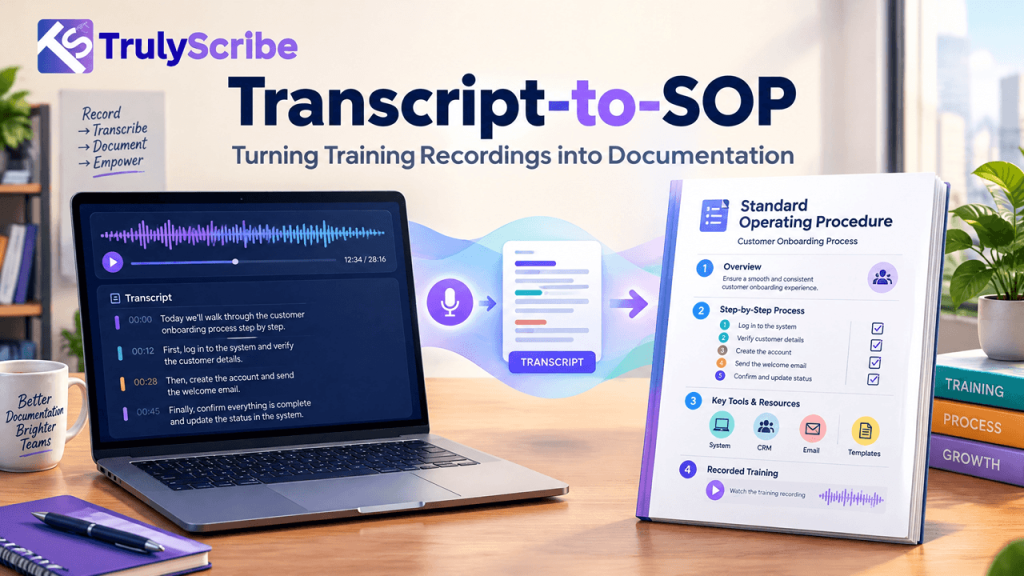
Transcript-to-SOP: Turning Training Recordings into Documentation
Key Takeaways Somewhere in your organization, someone knows exactly how a process works — and it exists only in their head, or scattered across old training calls and onboarding sessions nobody ever turned into a document. That gap is more expensive than it looks. Gallup estimates that voluntary employee turnover costs U.S. businesses more than $1 trillion a year, with the cost of replacing a single employee running anywhere from half to twice their annual salary — a cost driven substantially by the institutional knowledge that walks out the door with them. Most teams know they should document their processes. Very few actually do it, because writing a proper SOP from scratch is slow, and “we’ll document it later” quietly becomes never. But most organizations already have the raw material sitting in a recordings folder: training sessions, onboarding calls, screen-share walkthroughs, and new-hire Q&As where someone explained exactly how a process works, out loud, in detail. This guide covers how to turn those recordings into real, usable SOPs — without transcribing everything by hand or waiting for someone to write it all up from memory. This matters beyond any single departure. Even when nobody leaves, undocumented processes quietly tax a team every day — in interrupted focus time answering “how do I do this again” questions, in inconsistent output when two people handle the same task differently, and in the slow ramp time new hires face when the only training material is “go ask Sarah.” Why Training Recordings Are an Underused Documentation Source When someone trains a new hire, walks a colleague through a process on a screen share, or explains “how we actually handle this” in a recorded call, they’re doing something valuable: narrating a real process, in the order it actually happens, including the exceptions and judgment calls that never make it into a formal manual. That’s exactly the content a good SOP needs — and it’s usually just sitting in a recording nobody revisits. The reason it doesn’t become documentation isn’t a lack of value, it’s a lack of a workflow. Manually transcribing and restructuring even one 30-minute training call into a clean SOP can take hours, so the recording stays a recording — useful only to the person willing to re-watch it, which usually means it doesn’t get reused at all. What Undocumented Process Knowledge Actually Costs The cost of skipping this isn’t hypothetical. SHRM’s widely cited research puts the cost of replacing a departing employee at six to nine months of their salary once recruiting, onboarding, and lost productivity are factored in. Separately, industry research on “tribal knowledge” — process expertise that exists only in someone’s head — consistently finds that undocumented know-how drives slower onboarding, inconsistent output, and real operational risk when the person holding that knowledge leaves or is simply unavailable. None of that requires a dramatic departure to matter. Every time a new hire has to interrupt someone to ask “how do we actually do this,” that’s the same underlying gap — just paid in smaller, more frequent installments instead of one large one. There’s also a compounding effect worth naming: undocumented knowledge tends to concentrate in your most experienced people, precisely because they’re the ones who’ve accumulated the most exceptions and judgment calls nobody ever wrote down. That means the risk grows quietest around your most valuable employees, right up until the day it doesn’t. The Transcript-to-SOP Workflow Step 1: Record the Process Being Explained or Performed This can be a dedicated training session, a screen-share walkthrough, or simply asking the person who owns a process to talk through it out loud while doing it. The goal is capturing the real sequence of steps, including the exceptions and judgment calls a written manual often leaves out. Step 2: Transcribe It Accurately Turn the recording into an accurate, timestamped transcript. Training and process content is often full of internal terminology, tool names, and acronyms, so it’s worth using a transcription tool that handles technical and industry-specific jargon reliably rather than guessing at unfamiliar terms. Step 3: Extract the Actual Steps From Conversational Language This is the step people underestimate. A transcript captures what was said, in the order it was said — which is rarely the same as the order a reader needs to follow. Go through the transcript and pull out each discrete action, in the correct sequence, separating genuine steps from asides, tangents, and “oh, and one more thing” additions that belong elsewhere in the document. This is also where the most valuable content in the recording often hides. Experts tend to mention exceptions and caveats casually, mid-sentence, exactly where a formal manual would never think to include them — “oh, but if it’s a renewal instead of a new account, skip step three.” Catching these while extracting steps is what separates a genuinely useful SOP from a generic one. Step 4: Restructure Into Standard SOP Format Fit the extracted steps into a consistent SOP structure — purpose, scope, required tools or access, numbered steps, and exceptions or troubleshooting notes. This is what turns a readable transcript into an actually usable procedure someone can follow without having heard the original recording. Step 5: Add Visuals Where They Replace a Paragraph Screenshots, diagrams, or short clips are often faster to follow than a written description, particularly for software steps. Add them where they genuinely save the reader time, not as decoration. Step 6: Have the Subject-Matter Expert Review It Before publishing, have the person who explained the process (or another expert in it) read the finished SOP and confirm nothing was lost or misinterpreted in the transcript-to-document conversion. This step catches the small misunderstandings that are easy to introduce when restructuring spoken explanation into written steps. Step 7: Publish It Somewhere Searchable An SOP that lives in a random shared drive folder gets used about as often as the original recording did. Publish it into a searchable knowledge base built from your transcribed content, so the next person who needs