
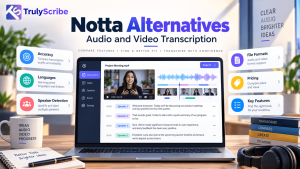
Notta has earned a loyal following as an AI meeting notetaker and transcription tool, with live recording, summaries and support for many languages. But if your work is mostly audio and video files, such as podcasts, interviews, lectures, webinars and recorded calls, a meeting-first tool is not always the best fit. Minute allowances, short free-plan file limits and per-seat pricing can slow you down, and you may simply want something built for file transcription.
This guide covers the best Notta alternatives for audio and video transcription in 2026: what each does well, where it falls short and who should choose it. We start with TrulyScribe, because its unlimited, file-first approach is designed for exactly this kind of workload, and we stay fair to every other tool so you can choose with confidence.
Key Takeaways
- Notta is a solid meeting-first tool, but its plans rely on monthly minute allowances, short free-plan file limits and per-seat business pricing, which can feel restrictive for heavy audio and video work.
- TrulyScribe is a top Notta alternative for file-based transcription: an unlimited approach, 100+ languages, speaker labels, timestamps, a built-in editor and DOCX/PDF exports.
- Otter.ai and Fireflies.ai suit live meetings, Rev suits human-verified transcripts, Sonix suits translation-heavy work, Descript suits editing and TurboScribe suits simple flat-rate use.
- Match the tool to the job. Meeting notetakers and file transcription tools solve different problems, so decide which one you really need.
- Test with your own recordings. Accuracy on accents, noise and multiple speakers matters more than any feature list.
What Is Notta, and What Does It Do Well?
Notta is an AI-powered transcription and meeting-notes platform. It can record live conversations, transcribe uploaded audio and video, generate AI summaries and work across many languages, with web, mobile and browser-extension options. Public pricing summaries describe a free plan with 120 minutes per month and short per-file limits, a Pro plan with roughly 1,800 minutes per month, and a per-seat Business plan for teams. Plans and prices change, so check Notta’s website for current details.
If your main need is capturing meetings and getting quick summaries, that is a sensible package. The trade-offs show up when you work primarily with recorded audio and video at volume.
Why Look for a Notta Alternative?
- Minute allowances. Paid plans include a set number of transcription minutes each month, which heavy users can outgrow.
- Tight free limits. Short per-file limits on the free plan make it hard to test with real interviews, lectures or podcast episodes.
- Per-seat team pricing. Business plans charge per user, so costs rise as your team grows.
- Add-ons for some features. Certain translation and bilingual features are priced separately, according to public pricing summaries.
- Meeting-first design. Notta shines at meetings. If your workflow is uploading finished recordings, a tool built around files may feel simpler.
- Predictability. Many creators and researchers prefer a model where they never have to watch a minute counter.
What to Look for in an Audio and Video Transcription Tool
- Accuracy on real recordings. Test with accents, jargon and imperfect audio. Our tips on transcribing audio with background noise show what to expect.
- Speaker identification. Interviews and panels need clear labels. See our guide to transcribing multiple speakers accurately.
- Long-file handling. Look for tools that handle long podcasts, lectures and webinars without strict length limits.
- Language coverage. Check the languages and accents you actually use. Our guide to multilingual AI transcription explains what to test.
- Editor and exports. You need to correct text against the media and export to the formats your workflow uses.
- Pricing model. Compare effective monthly cost at your volume, including caps, add-ons and seats.
- Security. Choose a provider with encryption and clear data-handling policies, especially for client or research material.
New to the technology? Read our beginner’s guide to what AI transcription is and how it works.
Notta Alternatives at a Glance
| Tool | Best for | Standout strength |
|---|---|---|
| TrulyScribe | Audio and video file transcription at volume | Unlimited approach, 100+ languages, speaker labels, timestamps, editor and DOCX/PDF export |
| Otter.ai | Live meetings and shared notes | Real-time transcription and meeting summaries |
| Fireflies.ai | Automated meeting capture and CRM workflows | Meeting bot, searchable archive and integrations |
| Sonix | Translation and international content | Browser editor with multi-language transcription and translation |
| Rev | Human-verified transcripts | AI plus professional human transcription |
| Descript | Podcasters and video creators | Edit audio and video by editing the text |
| TurboScribe | Budget-friendly flat-rate use | Simple unlimited plan for individual users |
Features and pricing change often, so confirm current details on each vendor’s website before you decide.
The 7 Best Notta Alternatives
1. TrulyScribe: Best for Audio and Video File Transcription
TrulyScribe is an AI transcription platform built around a simple promise: upload as much audio and video as you need and get accurate text back without watching a minute counter. Each transcript includes speaker labels, timestamps and smart punctuation, with support for 100+ languages and accuracy of up to 99.8% on clear audio.
Why TrulyScribe stands out among Notta alternatives:
- Built for files, not just meetings. Podcasts, interviews, lectures, webinars and recorded calls all go through the same simple upload workflow. If you record meetings, our guide shows how to transcribe Zoom and Google Meet recordings for free.
- Unlimited approach. Costs stay predictable as your library grows, and new users get free monthly hours to try real files before paying.
- A built-in editor that saves time. Compare the transcript against the audio or video in real time and fix names, jargon and numbers quickly.
- Broad language coverage. See the full list of supported languages and try different accents with your own recordings.
- Easy exports. Download transcripts as PDF, DOCX and other formats to share, publish or analyze.
- Secure handling. Encryption and secure servers help protect interviews, client calls and sensitive recordings.
Best for: podcasters, creators, researchers, journalists, students, agencies and businesses with large or multilingual audio and video libraries. Keep in mind: TrulyScribe focuses on transcribing recordings rather than joining live meetings as a bot. If you need automatic meeting capture, pair it with a notetaker or choose one of the meeting-first tools below. See the pricing page for current plans.
2. Otter.ai: Best for Live Meetings and Shared Notes
Otter.ai is a popular meeting assistant that provides live transcription, automatic summaries and collaborative notes that connect to your calendar. It is a natural Notta substitute if meetings are your main use case. Keep in mind: it is less focused on long-form media and heavy multilingual work. Our TrulyScribe vs Otter AI vs Descript comparison breaks down the differences.
3. Fireflies.ai: Best for Automated Meeting Capture
Fireflies.ai joins your meetings automatically, transcribes them, generates summaries and syncs with common business tools, which suits sales and operations teams. Keep in mind: it is oriented toward meeting workflows, so creators and researchers working with recorded media may find a file-first tool simpler. For recorded calls, see our guide to free meeting transcription.
4. Sonix: Best for Translation and International Content
Sonix offers quick automated transcription, a browser-based editor and translation across many languages. It suits teams producing international video and audio content. Keep in mind: plans are usage-based, so costs rise with volume. For more on this workflow, read how AI transcription powers global video localization.
5. Rev: Best for Human-Verified Transcripts
Rev pairs AI transcription with professional human transcription, which makes it a go-to for legal, medical, broadcast and compliance work where near-perfect accuracy matters. Keep in mind: human transcription costs far more per minute, so most teams use it selectively. Our human vs AI transcription comparison explains when it is worth the price.
6. Descript: Best for Podcasters and Video Creators
Descript lets you edit audio and video by editing the transcript, which is a major time-saver in podcast and video production. Keep in mind: it is a full editing suite, so if you only need transcripts you may pay for features you will not use. See our guide to AI transcription tools for content creators.
7. TurboScribe: Best for Simple Flat-Rate Use
TurboScribe is known for a straightforward unlimited plan aimed at individual users, with a limited free tier for testing. Keep in mind: it is built primarily for single users, so teams needing collaboration or finer workflow control should compare it closely with TrulyScribe and the others on this list.
TrulyScribe vs Notta: Side-by-Side
Here is how the two compare on the points that matter most for audio and video work. Notta details reflect public pricing summaries and TrulyScribe details come from its website. Both may change, so verify before you buy.
| Feature | Notta | TrulyScribe |
|---|---|---|
| Core focus | AI meeting notetaker and transcription (recorder bot, summaries, apps) | Audio and video file transcription |
| Pricing model | Free tier, Pro with a monthly minute allowance, per-seat Business plan | Built around unlimited transcription; see the pricing page for current plans |
| Free option | Free plan with 120 minutes per month and short per-file limits | Free monthly hours for new users (up to 15 hours per month at the time of writing) |
| Languages | Dozens of languages | 100+ languages |
| Speaker identification | Yes | Automatic speaker labels and timestamps |
| Editing | Online transcript editor | Editor to compare transcript with audio/video in real time |
| Exports | Multiple export formats | PDF, DOCX and other formats |
| Data security | Check provider policies | Encryption and secure servers |
The honest summary: Notta is a strong choice if live meeting capture and summaries are your priority. TrulyScribe is the stronger choice if you transcribe a lot of recorded audio and video, work across many languages and want costs that do not depend on minute caps or seat counts.
Which Notta Alternative Should You Choose?
- Podcasters and video creators: TrulyScribe for transcripts at volume, or Descript if you also want to edit by text. See the best AI transcription for long podcasts.
- Researchers and journalists: TrulyScribe for speaker labels and unlimited volume. Read about AI transcription for research, focus groups and interviews.
- Teams that live in meetings: Otter.ai or Fireflies.ai for automatic capture, with TrulyScribe for recordings and archives.
- Legal, medical or broadcast work: Rev for human-verified transcripts.
- YouTube and video content: TrulyScribe for turning videos into text. Our guide shows how to transcribe YouTube videos to text for free.
- Captions and accessibility: check export formats carefully. See our guides on JSON and SRT export tools and video transcription and accessibility.
How to Test Alternatives Before You Switch
- Pick three real files. Choose one clean recording, one noisy recording and one with several speakers.
- Run the same files through each tool. Compare accuracy on names, numbers and jargon, plus speaker labels and timestamps.
- Try the editor and exports. Correct a few lines and export in the formats you actually use.
- Calculate real monthly cost. Multiply your typical minutes by each pricing model, adding any caps, add-ons and seats.
- Keep what you have. Export existing transcripts before cancelling, and re-upload original media to your new tool if you want fresh transcripts.
Final Thoughts
Notta is a capable tool, and for live meeting notes it remains a good option. But audio and video transcription at volume is a different job, and the best Notta alternative depends on whether you need a meeting bot, human verification, editing features or simply accurate transcripts of recorded files. If your priorities are unlimited usage, wide language support and clean, speaker-labeled transcripts, TrulyScribe belongs at the top of your shortlist.
The easiest way to decide is to test it. You can sign up for TrulyScribe, use your free monthly hours and see how your next podcast, interview or lecture recording turns out.
Frequently Asked Questions (FAQs)
What is the best Notta alternative?
It depends on your use case. TrulyScribe is a strong choice for audio and video file transcription at volume, Otter.ai and Fireflies.ai suit live meetings, Rev suits human-verified transcripts and Descript suits creators who edit by text.
Is there a free alternative to Notta?
Yes. Several tools offer free tiers, including TrulyScribe, which gives new users free monthly hours to test real recordings. Free tiers vary in file length, minutes and features, so check the limits first.
Is TrulyScribe better than Notta?
For high-volume audio and video transcription across many languages, TrulyScribe’s unlimited approach is often a better fit. If you need a bot that joins live meetings and produces summaries automatically, Notta or a similar notetaker may suit you better.
Can I transcribe video files with these tools?
Yes. Most tools on this list accept both audio and video uploads. With TrulyScribe you upload the file and receive a speaker-labeled, timestamped transcript that you can edit and export.
Which Notta alternative supports the most languages?
TrulyScribe supports 100+ languages, and several other tools offer broad coverage. Accuracy varies by language and accent, so test your specific languages in each tool before committing.
How accurate is AI transcription?
Accuracy depends on audio quality, accents, background noise and technical vocabulary. With clear audio, leading tools perform very well, and TrulyScribe cites accuracy of up to 99.8%. For critical content, always review the transcript against the recording.
Can I move my transcripts from Notta to another tool?
You can export your existing transcripts from Notta in the available formats and keep them. To create a fresh transcript in a new tool, upload the original audio or video file.
Relevant Articles
Keep exploring with these related guides from the TrulyScribe blog:
- Best AI Transcription Tools in 2026: an up-to-date comparison of leading platforms.
- 10 Best AI Transcription Tools: a broader roundup with pros and cons.
- TrulyScribe vs Otter AI vs Descript: a side-by-side look at features and value.
- How to Transcribe Google Meet or Zoom Recordings for Free: a step-by-step upload guide.
- How to Transcribe a YouTube Video to Text for Free: turn video into searchable text.
- Best AI Transcription for Long Podcasts: handle long episodes without limits.
- Mastering Multilingual Content with AI Transcription: get more from multi-language workflows.