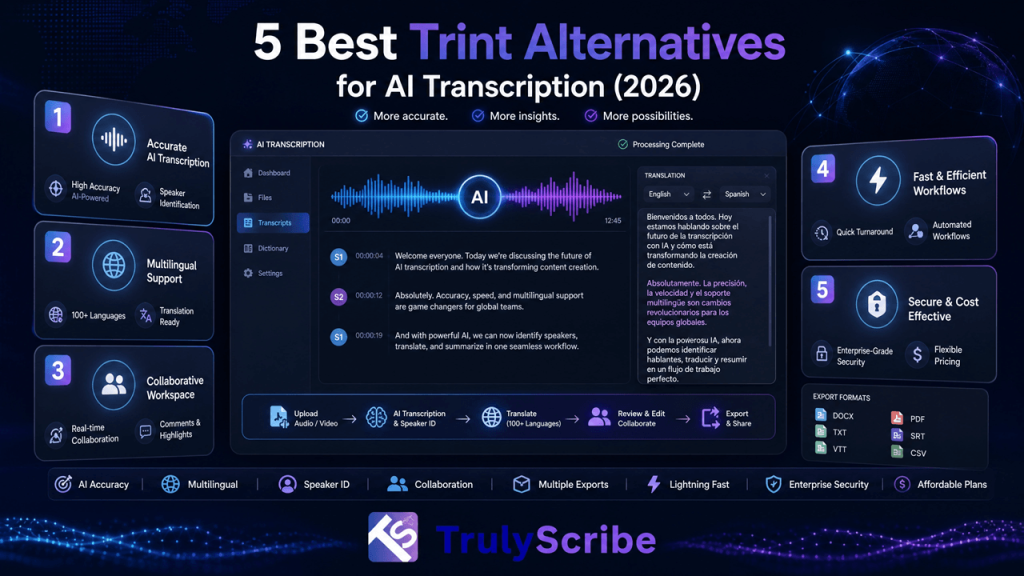
5 Best Trint Alternatives for AI Transcription (2026)
Trint helped popularize a genuinely useful idea: turn a recording into a searchable, time-coded transcript, then let teams collaborate on it like a shared document. For newsrooms and media teams working under deadline, that workflow has real value, and it’s a big part of why Trint built such a loyal following among journalists. But Trint’s pricing sits firmly in enterprise territory, with no pay-as-you-go option for smaller or occasional projects, and users regularly point to unclear charges, limited subtitle editing precision, and accuracy that holds up on clean audio but slips on noisy or multi-speaker recordings. For teams that don’t need a full newsroom collaboration suite, those trade-offs add up fast. This guide breaks down where Trint holds up, where it falls short, and the best Trint alternatives worth considering in 2026, depending on whether your priority is cost, language coverage, live meeting capture, or certified accuracy. We’re weighing each alternative against the specific gaps Trint leaves open — pricing accessibility, language breadth, and subtitle precision — rather than just listing competitors. A tool that’s cheaper than Trint but still can’t handle a non-English recording cleanly, or still lacks a usable subtitle editor, isn’t actually solving the problem most teams go looking for a replacement to fix. Key Takeaways Why Look for a Trint Alternative? Trint built a strong reputation on turning recordings into searchable text with real-time collaboration and story-building tools that let journalists work without leaving the platform. Even with those strengths, some limits show up consistently across user reviews: None of this makes Trint a weak tool for its core audience — collaborative newsroom transcription — but for broader business, meeting, or multilingual use cases, it’s worth comparing what else is available. It’s also worth noting that Trint’s newer AI Assistant features, aimed at summaries and quote extraction, are a useful addition but don’t change the underlying cost and language-coverage trade-offs — they sit on top of the same per-seat pricing and roughly 40-language transcription base as the rest of the platform. What to Consider Before Choosing a Transcription Tool Prioritize accuracy on real-world audio Clean, single-speaker audio transcribes easily almost anywhere. For interviews, panels, or field recordings, look for a tool that balances AI speed with strong real-world performance, or offers human review as an option. Balance speed and quality Some tools return a transcript in minutes; others prioritize careful, verified accuracy that takes longer but saves cleanup time later. The right choice depends on which trade-off matters more for a given project. Look for smooth collaboration and editing Simple sharing, inline notes, and live editing matter when a team is reviewing clips or quotes together. Fewer exports and file versions to juggle means a smoother workflow overall. Check integrations A tool that connects to Zoom, Slack, or your existing content workflow keeps production moving without forcing you to rebuild processes around transcription. Value transparent pricing Per-seat, per-minute, and hidden usage limits can all affect real costs very differently depending on your volume. Knowing exactly what you’re paying for prevents surprises as usage scales. Make security non-negotiable Look for encryption, access controls, and recognized compliance standards, especially if you’re handling client recordings or confidential material. Top Trint Alternatives for 2026 1. TrulyScribe — Best Overall Alternative Best for: Teams and individuals who want Trint’s collaborative transcript workflow without the enterprise pricing or narrower language coverage. TrulyScribe covers the core job Trint does well — turning recordings into searchable, accurate, timestamped transcripts — while extending language support well past Trint’s roughly 40 languages. TrulyScribe supports over 90 languages and dialects, with speaker labels and punctuation included automatically, and exports directly to TXT, DOCX, PDF, SRT, and VTT. Where TrulyScribe pulls ahead of Trint specifically is accessibility and pricing: there’s no enterprise-only seat structure to work around, which matters for small teams or solo creators who found Trint’s per-seat cost hard to justify. TrulyScribe also supports real-time transcription for meetings and webinars and can process recordings directly from Zoom and Google Meet, and its built-in editor lets you compare the transcript against the original audio to fix names or terminology before exporting — all under GDPR-compliant encryption. One honest trade-off: Trint’s Story Builder and newsroom-specific editorial tools are more specialized than anything TrulyScribe offers, so large media organizations with deeply collaborative editorial workflows may still find Trint’s niche tooling worth the premium. For everyone else, TrulyScribe’s accuracy holds up well against traditional transcription methods at a fraction of the cost. TrulyScribe also fits naturally into workflows beyond a single transcript. Because the same accurate, timestamped output can feed translated captions and repurposed content, teams switching from Trint for interview or meeting transcription often end up using TrulyScribe for affordable webinar and event localization as well, without adding a separate tool for that step. 2. Otter.ai — Best for Live Meeting Capture Best for: Teams whose primary need is automatic meeting notes rather than file-based transcription. Otter.ai centers everything around live conversations, automatically joining Zoom, Google Meet, or Teams calls and delivering transcripts with summaries and action items shortly after the call ends. It’s fast to adopt and connects well with tools teams already use, though language coverage is narrow and some users report inconsistent support quality. 3. Descript — Best for Content Creators Best for: Podcasters and video creators who want to edit media by editing the transcript itself. Descript’s signature feature is text-based editing: delete a sentence from the transcript, and the clip disappears from the video or audio too. It bundles AI transcription with tools like Studio Sound for cleanup and an AI co-editor for scripts and drafts, making it a strong pick when publishing polished audio or video, not just a transcript, is the end goal. 4. Rev — Best for Certified Accuracy Best for: Legal, media, and research teams that can’t risk a misquote or transcription error. Rev pairs fast AI transcription with an option for full human verification, backed by compliance certifications that matter for regulated industries. Where Trint emphasizes collaboration speed,