

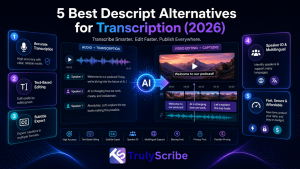
Descript earned its popularity by turning video and podcast editing into something closer to editing a document — delete a sentence from the transcript, and the clip disappears too. For creators building a podcast, a screen recording, or a polished video from scratch, that workflow genuinely saves time.
The friction shows up when transcription is all you actually need. Getting a clean, accurate transcript out of Descript still means working through a tool built around timelines, project files, and video-editing overhead — a lot of setup for something that should take a few clicks. This guide covers the best Descript alternatives for 2026: transcription-first platforms that skip the video-editor detour, plus a few dedicated video editors if editing really is the job you need done.
We’re splitting this into two groups on purpose. If transcription is the actual bottleneck, the fix is a tool built for text first, not a lighter version of a video editor. If video editing genuinely is the job, the fix is a real editor, not a transcription tool wearing an editing hat. Mixing the two up is usually what leads teams to feel stuck with Descript in the first place — paying for editing power they don’t use, or fighting an editing interface to get plain text out.
Key Takeaways
- Descript is strong for script-based video and podcast editing, but getting a plain transcript out of it means working through a full production interface you may not need.
- TrulyScribe is the best pick when transcription accuracy, language coverage, and speed matter more than video editing — fast AI transcription across 100+ languages with real-time and meeting support.
- Otter.ai and Trint suit teams centered on live meetings or multilingual newsroom-style collaboration, respectively.
- Sonix adds content-analysis features (themes, topics) on top of transcription for research-heavy work.
- If you genuinely need timeline-based video editing, CapCut, Premiere Pro, or DaVinci Resolve are better tools for that job than Descript’s text-first approach.
Inside Descript: What It Offers and What It Misses
Descript is genuinely fast for early cuts and script-based projects. But because it’s a full video editor first, transcription second, using it purely for text means handling large project files, cloud processing, and an interface built around timelines rather than plain documents.
Where Descript helps
- Text-based editing — delete words in the transcript and the audio or video updates to match.
- Studio Sound cleans up rough recordings automatically.
- Filler-word removal trims “um”s and dead air from takes.
- AI voice regeneration can fix small verbal slip-ups without a re-record.
Where Descript slows you down
- Performance depends heavily on local hardware and improves noticeably with a stronger machine.
- Cloud dependence means large files can slow the whole editing process down.
- Export controls are fairly limited compared to dedicated video software.
- The interface has a real learning curve if all you actually need is clean text or a multilingual transcript.
- Language support is comparatively narrow — well short of what dedicated transcription platforms now offer.
None of this makes Descript a weak product — for script-based video and podcast editing, it’s genuinely well designed. The issue is fit: a tool built to edit video by editing text isn’t the fastest path to a transcript when video editing isn’t the goal.
How to Choose the Right Descript Alternative
Descript tries to serve two jobs at once: transcription and video editing. You’ll land on the right tool faster by thinking about how you actually work, rather than how a platform markets itself.
- Accuracy and language needs: pick a tool that handles your accent, audio quality, and languages, with human review available for detailed or technical work.
- Speed and capture method: decide whether you need real-time transcripts, fast post-upload processing, or the ability to start without a full project setup.
- Collaboration and exports: confirm the formats you need — DOCX, PDF, SRT, VTT, or styled subtitles — and how your team shares work.
- Budget and frequency: occasional use fits pay-as-you-go pricing; daily use is usually cheaper on a predictable subscription.
- Scenario fit: live meetings call for real-time notes; long interviews benefit from word-linked editing; multilingual publishing needs strong translation and subtitle control; polished video output needs real timeline tools.
Top 5 Alternatives to Descript for Transcription
When accuracy and language coverage matter more than video-editing features, these five platforms handle the work without the overhead of a full production interface.
1. TrulyScribe — Best Overall Alternative
Best for: Anyone who wants fast, accurate, multilingual transcripts without opening a video editor to get them.
TrulyScribe is built around exactly the job Descript makes you work for: turning audio or video into clean, usable text, fast. It supports more than 90 languages and dialects, with speaker labels, timestamps, and punctuation included automatically, and exports directly to TXT, DOCX, PDF, SRT, and VTT — formats Descript’s own export controls handle less flexibly.
TrulyScribe also supports real-time transcription for meetings and webinars and can process recordings directly from Zoom and Google Meet, so you’re not stuck exporting a call recording just to bring it into an editor. Its built-in editor lets you review the transcript against the original audio and fix names or terminology before export, and everything is encrypted under a GDPR-compliant process. For anyone weighing it specifically against video-editing-first tools, TrulyScribe’s own comparison against Otter.ai and Descript breaks down accuracy, language coverage, and pricing side by side.
- Pros: 100+ language support, real-time and meeting-based transcription, fast turnaround, GDPR-compliant encryption, flexible export formats.
- Cons: Not built for timeline-based video editing — pair it with a dedicated editor if that’s part of your workflow.
TrulyScribe also fits naturally into workflows that go beyond a single transcript. Because the same accurate, timestamped text can feed translated subtitles, blog drafts, and searchable archives, teams that switch from Descript for meeting or interview transcription often end up using TrulyScribe for affordable webinar localization as well, without adding a separate tool for that job.
2. Otter.ai — Best for Live Meetings
Best for: Teams whose main use case is capturing and summarizing live calls automatically.
Otter.ai joins scheduled Zoom, Google Meet, or Teams calls via calendar sync, transcribes as people talk, and delivers a structured summary with action items right after the meeting ends. It’s fast to adopt and genuinely useful for teams that rely on clear takeaways to keep projects moving, though its language coverage is narrow and some users report inconsistent support and strict minute limits on lower tiers.
- Pros: Reliable calendar-based auto-join, quick post-meeting summaries, strong CRM and task-tool integrations.
- Cons: Limited language support, and reported issues around meeting-bot behavior and minute caps.
3. Trint — Best for Multilingual Newsroom Work
Best for: Journalists and research teams working across multiple languages and sources under deadline.
Trint transcribes in 40+ languages with automatic language detection, live transcription from a microphone, screen, or broadcast feed, and translation into 70+ languages inside the same editor. Collaboration tools support fast-moving newsroom workflows, though pricing has no pay-as-you-go tier, so even small projects require a full monthly seat.
- Pros: Automatic language detection, live capture from multiple sources, strong translation range.
- Cons: No pay-as-you-go option, and no multi-factor authentication or HIPAA compliance for sensitive work.
4. Sonix — Best for Interview-Heavy Research
Best for: Teams working through large volumes of interviews who want analysis on top of a plain transcript.
Sonix transcribes quickly, then layers content-intelligence features on top — surfacing themes, topics, and key entities across a recording rather than leaving you with plain text alone. It supports translation in 50+ languages and integrates with tools like Zoom, Dropbox, and Adobe Premiere.
- Pros: Built-in content analysis, browser-based editing, useful integrations for downstream editing.
- Cons: Pay-per-hour pricing that can surprise new users, and accuracy that varies more across certain languages.
5. Maestra AI — Best for Live Streams and Dubbing
Best for: Live events, streams, and multilingual broadcast content that needs real-time captioning.
Maestra AI handles live transcription, translation, and captioning for streams and events as they happen, plugging into OBS, vMix, and YouTube. It also offers AI dubbing with voice cloning into 125+ languages, which goes well beyond what Descript or most transcription tools attempt.
- Pros: True live captioning and translation, AI dubbing at scale, broad platform integrations.
- Cons: Some users report billing and support issues, and translation quality can be inconsistent across less common languages.
Descript Alternatives Comparison
| Tool | Best For | Standout Feature | Key Limitation |
| TrulyScribe | Overall transcription replacement | 100+ languages, real-time + meeting transcription | No timeline video editing |
| Otter.ai | Live meetings | Calendar-synced meeting bot | Narrow language support |
| Trint | Multilingual newsroom work | Auto language detection, live capture | No pay-as-you-go tier |
| Sonix | Interview-heavy research | Built-in theme/topic analysis | Per-hour pricing, uneven accuracy in some languages |
| Maestra AI | Live streams and dubbing | Real-time captions + voice cloning | Reported billing/support issues |
Pricing and language counts change frequently across all of these platforms, so confirm current plans directly on each provider’s site before committing.
If You Actually Need a Video Editor, Not Just Transcription
Descript edits through text, which works well until a project needs timeline precision, layered effects, or frame-accurate cuts. If that’s genuinely what you’re after, a dedicated video editor will serve you better than any transcription-first tool, including TrulyScribe.
- CapCut: fastest option for short-form social content, with templates and AI tools that keep the interface simple.
- Adobe Premiere Pro: full professional control over color, audio, and multicam editing, with a real learning curve to match.
- DaVinci Resolve: page-based workflow separating editing, color, effects, and audio, with a capable free tier and a one-time paid upgrade rather than a subscription.
Many teams end up using both categories of tool together: a transcription-first platform like TrulyScribe for turning recordings into accurate, searchable, translatable text, and a dedicated editor for the final video cut.
The split is worth making deliberately rather than defaulting to whichever tool you already have open. A transcription-first tool will always be faster and cheaper for getting text out of a recording; a dedicated editor will always give you more control over the finished video. Trying to make one tool do both jobs well is usually where the friction people report with Descript actually comes from.
What to Look For Beyond the Transcript Itself
The most useful transcription tools now do more than hand back plain text. Look for a platform that can also support accessibility compliance for published video and course content, feed a multilingual content strategy, and turn a single recording into a published blog post or article without switching tools for that step. This is part of a broader shift covered in 25 practical ways businesses are using AI transcription, where the transcript itself has become as valuable as the recording it came from.
Frequently Asked Questions (FAQs)
Is Descript still worth using if I don’t edit videos often?
Yes, if your workflow genuinely involves shaping audio or video through script-based editing. But if you only need transcripts or subtitles without touching a timeline, a transcription-first tool like TrulyScribe gets you there faster, with fewer steps and broader language support.
Do I need to fully replace Descript to try an alternative?
No. Many teams run both: keeping Descript for actual video editing while using a dedicated transcription tool for meetings, interviews, or multilingual files where Descript adds unnecessary overhead.
Which Descript alternative has the best language support?
TrulyScribe supports 100+ languages and dialects for transcription, which is considerably broader than Descript’s language coverage and competitive with other dedicated transcription platforms.
Can any of these alternatives handle live transcription the way Descript can record live?
Yes. Otter.ai and TrulyScribe both support live or real-time transcription for meetings, and Maestra AI and Trint extend that further into live streaming and broadcast use cases — all without needing the full Descript editing interface.
How do I know if a transcription tool will work well with my specific audio?
Test it directly. Most tools, including TrulyScribe, offer a free tier or trial minutes — run a short sample from your actual microphone or recording environment rather than relying on general accuracy claims, since real-world performance varies with accents, background noise, and audio quality.
What export formats should I look for in a Descript alternative?
At minimum, DOCX and PDF for readable transcripts, plus SRT and VTT if you need subtitles. TrulyScribe supports all four natively, which covers most business, publishing, and accessibility use cases without needing a second tool.
The Bottom Line
Descript is a capable tool when video editing is genuinely part of the job, but it asks a lot from anyone who only needs an accurate transcript. If your priority is speed, language coverage, and getting from recording to usable text without a production interface in the way, TrulyScribe is the most complete Descript alternative for transcription in 2026 — leaving dedicated editors like CapCut, Premiere, or DaVinci Resolve for the projects that actually need timeline-based video work.