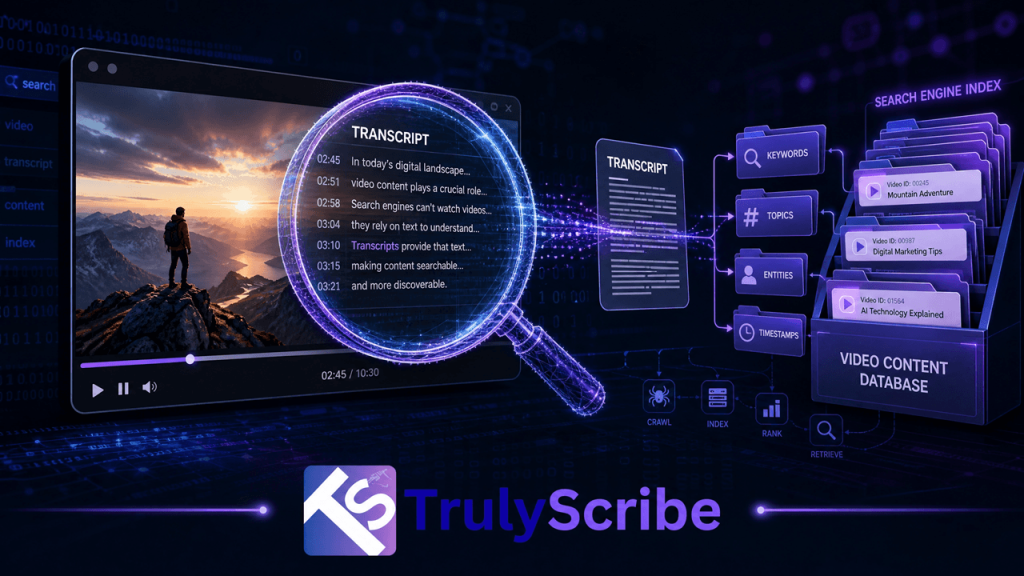
How Search Engines Read Video Content Through Transcripts
Here is something most video creators and marketers don’t fully appreciate: search engines are, at their core, text-reading machines. Google, Bing, and every major search engine built their foundational technology around indexing written language. They are extraordinarily good at understanding, categorizing, and ranking text. Video? That’s a different story. A search engine cannot watch a video the way a human does. It cannot listen to your guest expert explain a concept for 40 minutes and understand what was said. It cannot hear the insight buried in minute 23 of your webinar or the product explanation in your tutorial video. Unless that spoken content is converted to text, it is essentially invisible to search—a black box that crawls cannot open. This is the core reason why transcripts are not just a nice-to-have for video publishers. They are the primary mechanism through which search engines understand what a video is about, decide what search queries it should rank for, and determine whether it deserves to be surfaced to users. In this guide, we’ll walk through exactly how search engine crawlers process video content, why transcripts are the bridge between your spoken words and search visibility, and what practical steps you can take to unlock the SEO value sitting untapped in your video library—starting with AI transcription from TrulyScribe. The Fundamental Problem: Search Bots Are Readers, Not Viewers When Googlebot visits your webpage, it reads. It parses your HTML, follows your links, reads your headings, body text, alt tags, and metadata. It understands your page through language. This is why well-written, structured text has always been the backbone of SEO. When Googlebot encounters a video, it has far fewer signals to work with. It can read: • The video title — whatever you typed into the title field. • The description — whatever text you added manually beneath the video. • Surrounding page text — paragraphs, headings, and links on the page where the video is embedded. • Metadata tags — tags, categories, and any structured data markup you’ve applied. • Caption and subtitle files — if they exist and are properly linked. What it cannot do—at least not in the same reliable, comprehensive way it reads text—is extract meaning from the audio track of your video. This means that every insight, explanation, story, demonstration, and conversation inside your video is invisible to search unless it has been converted to text and made available to crawlers. Think of your video as a locked filing cabinet. The transcript is the key. Without it, search engines are guessing at the contents based on the label on the outside—your title and description. With it, they can read every document inside. How Google Actually Processes Video Content Google has made significant investments in video understanding technology, and it’s worth being precise about what it can and cannot do in 2026. What Google Can Do With Video Google can automatically generate captions for YouTube videos using its speech recognition technology. This has been a feature of YouTube since 2009, and the auto-generated captions are indexed and used as a ranking signal for videos on the YouTube platform. If your video is on YouTube and you haven’t provided your own captions, Google is already generating text from your audio—but with significant limitations. Auto-generated captions are notoriously inaccurate for: technical and domain-specific vocabulary, proper nouns and brand names, heavy accents or non-standard dialects, multiple overlapping speakers, and audio with significant background noise. They also produce no punctuation, which makes them difficult for both humans and natural language processing systems to parse meaningfully. What Google Cannot Do Reliably For video hosted outside of YouTube—on your own website, on Vimeo, on Wistia, on any corporate video platform—Google has no equivalent automatic speech recognition pipeline. The video is processed primarily through surrounding text signals and any structured data you provide. The spoken content is largely inaccessible. Even for YouTube videos, Google’s own documentation consistently recommends providing manually reviewed captions rather than relying on auto-generation, specifically because accuracy matters for both accessibility and indexing quality. The Structured Data Layer Google supports VideoObject schema markup, which allows publishers to tell search engines metadata about a video in a structured, machine-readable format. Among the properties supported is ⟨ VideoObject Schema — transcript field example ⟩“@context”: “https://schema.org”,“@type”: “VideoObject”,“name”: “How AI Transcription Works”,“description”: “An overview of AI speech-to-text technology…”,“transcript”: “Welcome to TrulyScribe. Today we are going to explore…”,“uploadDate”: “2026-01-15”,“thumbnailUrl”: “https://example.com/thumbnail.jpg” Filling this field accurately requires—you guessed it—a transcript. And the more accurate and complete the transcript, the better the structured data signal sent to search engines. The Three Ways Transcripts Drive Video SEO Understanding the mechanism is one thing. Understanding the practical SEO value is what motivates action. Here are the three distinct ways that transcripts improve the search performance of video content. 1. Keyword Coverage and Topical Depth A 30-minute video conversation naturally covers a topic in far more depth than any written description you could reasonably add manually. Every question asked, every sub-point explored, every example given—these represent dozens of keyword variations, related terms, and semantic signals that search engines use to understand topical relevance. When that content is transcribed and made available to search engines—either through an on-page transcript, captions file, or schema markup—Google can understand the full topical scope of the video. This is why pages with full transcripts consistently rank for a broader set of search queries than pages with only a title and description. 68% of marketers report measurable ranking improvements after adding transcripts to existing video pages. 2. Featured Snippet and Voice Search Eligibility Google’s featured snippets—the answer boxes that appear above organic search results—are pulled almost exclusively from text. A video without a transcript cannot contribute its spoken content to featured snippets. A video with a transcript can. If your video contains a clear, direct answer to a common question—and the transcript makes that answer available in text form—Google can surface that answer as a featured snippet with attribution to your page. This is one of the highest-value SEO