Trulyscribe

AI Tools

ai-transcription-voice-notes-personal-productivity-2026
Productivity, AI Tools, Transcription

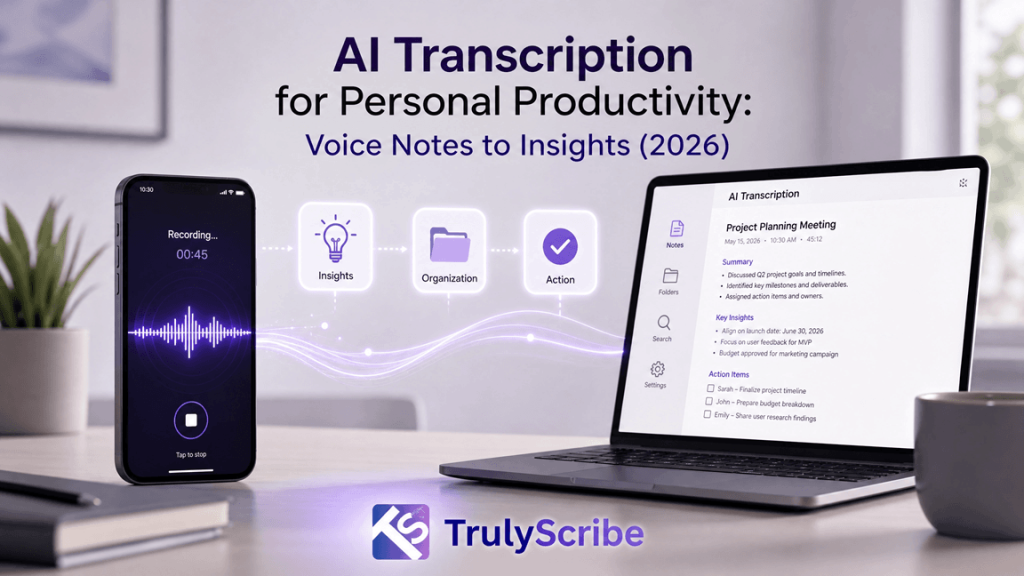
From Voice Notes to Actionable Insights: AI Transcription for Personal Productivity (2026)

Your phone’s voice memo app is quietly becoming the most cluttered drawer in your digital life. Half-finished ideas, meeting recaps, grocery lists muttered on the way to the car, a brilliant thought you had in the shower — all sitting there as untouched audio files you will “listen to later.” In 2026, AI transcription tools have finally closed the gap between recording a thought and doing something useful with it. This guide walks through how modern AI transcription turns voice notes into searchable text, structured tasks, and real insight — and how to build a voice-first productivity system around it. Why Voice Notes Alone Aren’t Enough Anymore Voice notes are the fastest way to capture a thought. Talking is roughly three times faster than typing, which is exactly why so many of us default to hitting record instead of opening a notes app. The problem isn’t capture — it’s retrieval. An audio file is a black box. You can’t skim it, search it, copy a line from it into an email, or ask it to remind you of a deadline you mentioned in passing. This is what productivity researchers sometimes call the “capture-to-action gap.” You record the idea, then the idea sits in audio purgatory until you either forget about it or spend fifteen minutes re-listening to a two-minute clip trying to find the one sentence that mattered. Multiply that across dozens of voice notes a week, and the very tool meant to save time quietly starts costing it. AI transcription closes that gap. By converting speech to text the moment it’s recorded, it turns a disposable audio clip into a permanent, searchable, shareable piece of information — the raw material for real productivity, not just raw capture. What “AI Transcription” Actually Means in 2026 Transcription software has existed for decades, but the AI transcription of 2026 is a different category of tool. Early speech-to-text engines struggled with accents, background noise, and overlapping speakers, and the output was often a wall of text nobody wanted to read. Today’s models, trained on far larger and more diverse audio datasets, handle natural, messy, real-world speech — including filler words, code-switching between languages, and multiple speakers in the same recording. A few developments define the current generation of tools: Put together, these features mean transcription is no longer just “audio turned into text.” It’s the first processing layer of a personal knowledge system — the step that makes everything you say as useful as everything you type. The Journey: From a Raw Voice Note to an Actionable Insight It helps to think of the process as a pipeline with four distinct stages. Understanding each one makes it much easier to choose the right tool and build habits that stick. 1. Capture This is the easy part most people already do well: recording a thought on a phone, a smart watch, or a dedicated voice recorder during a walk, commute, or meeting. The goal at this stage is simply to get the idea out of your head before it disappears — no editing, no structure, no second-guessing. 2. Convert The recording is uploaded or synced to an AI transcription tool, which converts speech into accurate, punctuated, speaker-labeled text within minutes. This is where tools like TrulyScribe do the heavy lifting: audio and video files are processed automatically, with support for a very wide range of languages and accents, so the transcript is usable the moment it’s ready rather than needing manual cleanup. 3. Condense Raw transcripts, especially from longer recordings, are still a lot to read. The condensing stage uses AI to pull out the signal from the noise — summarizing the recording into a short overview, highlighting decisions and action items, and organizing rambling thoughts into a clear structure. This is the stage that turns a five-minute voice note into three usable bullet points. 4. Convert to Action The final stage moves the condensed text out of the transcription tool and into wherever work actually happens: a task added to a to-do list, a line copied into an email draft, a decision logged in a project doc, or a follow-up scheduled on a calendar. This is the step that closes the loop — the moment a voice note stops being a recording and becomes something done. Most people skip stages two through four entirely and stay stuck at stage one, which is exactly why voice notes pile up unused. A good AI transcription workflow automates stages two and three so that stage four takes seconds instead of minutes. Where This Actually Helps: Everyday Use Cases AI transcription for personal productivity isn’t a niche, professional-only tool anymore. It shows up in dozens of small, practical moments across a week. What connects all of these is the same underlying shift: speech becomes data. Once a thought exists as text, it can be searched, tagged, summarized, translated, and moved into any other tool — something that’s simply not possible with a locked audio file. What to Look For in an AI Transcription Tool Not all transcription tools are built for personal productivity in the same way. Some are optimized for enterprise call centers, others for podcast editing. If your goal is turning everyday voice notes into action, a few features matter more than the rest. TrulyScribe is built around exactly this use case: unlimited AI-powered audio and video transcription with support for a very wide range of languages, automatic speaker labeling, timestamps, and export options that include DOCX and PDF, all wrapped in a straightforward editor where the transcript can be checked against the original audio in real time. For anyone trying to turn a habit of voice notes into an actual productivity system, that combination of speed, accuracy, and flexible export is what makes the difference between a tool you try once and one you use every day. Building a Voice-First Productivity System Having the right tool is only half the equation. The other half is a light structure around how you use it,

best-ai-transcription-tools-json-srt-export-video-editing
AI Tools, Transcription Software, Video Editing

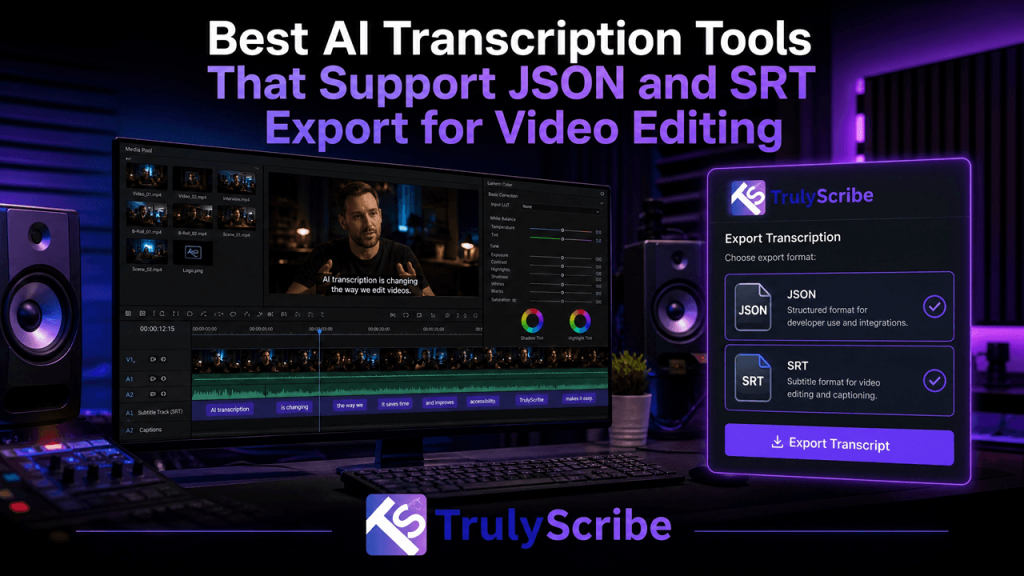
Best AI Transcription Tools That Support JSON and SRT Export for Video Editing

A practical 2026 buyer’s guide for video editors, agencies, and dev teams who need caption-ready SRT files and developer-ready JSON in the same workflow. If you edit video for a living, a transcript alone isn’t enough anymore. You need an SRT file to drop captions straight onto your timeline, and you increasingly need a JSON export with word-level timestamps to power text-based editing, custom caption styling, or an automated publishing pipeline. Choosing a transcription tool that only gives you one of these formats means someone on your team ends up hand-converting files or writing a script to bridge the gap — a workflow tax most editors don’t have time for. We looked at the AI transcription tools that reliably export both SRT and JSON (not just one, buried behind an enterprise tier), and evaluated them on accuracy, speaker labeling, language coverage, and how easily the export actually plugs into a real editing workflow. Here are the seven best options in 2026, starting with the tool that makes JSON-to-SRT workflow integration the least painful. Why SRT and JSON Together Actually Matter SRT (SubRip Text) is the caption format every platform and editor understands — YouTube, Vimeo, Premiere Pro, DaVinci Resolve, Final Cut, and CapCut all ingest it natively. It’s the format you need the moment a video needs subtitles. JSON is different. Instead of just timed caption blocks, a JSON transcript gives you structured, word-level timestamps, speaker labels, and confidence scores — the raw data that powers text-based video editing (delete a word, the clip cuts), karaoke-style animated captions, searchable transcript archives, and automated publishing pipelines that push captions into a CMS or app without a human touching a file. A tool that hands you only SRT leaves your dev or automation team stuck writing a parser. A tool that hands you only JSON leaves your editor stuck hand-building caption files. The tools below give you both, so the same transcription job can serve your publishing workflow and your engineering workflow at once. 1. TrulyScribe — Best Overall for Workflow Integration TrulyScribe tops this list because it’s built around the handoff problem most teams actually run into: one file for the editor, one format for the pipeline. From a single upload, TrulyScribe generates a full transcript with speaker labels and timestamps, then lets you export straight to SRT for captions, alongside structured JSON output through its API for teams building automated editing or publishing pipelines. That means your video editor can pull a caption-ready SRT for Premiere or YouTube in the same job that your dev team pulls a timestamped JSON payload for a custom captioning tool or CMS integration — no separate vendor, no manual conversion step. Beyond format flexibility, TrulyScribe is built for the parts of a real production workflow that slow teams down: bulk upload for processing multiple episodes or clips at once, accurate speaker identification for multi-speaker interviews and panels, and support for 100+ languages and dialects for teams localizing content. Files are encrypted in transit and at rest and the platform is GDPR-compliant, which matters for agencies handling client footage. Best for: video editing teams, content agencies, and product teams that want one platform to cover both the caption-and-publish side of the workflow and the automation-and-integration side — without stitching together two separate tools. 2. Sonix Sonix is a strong all-around pick for teams that need enterprise-grade accuracy alongside flexible exports. It supports transcript and subtitle export in SRT, VTT, and JSON, with native integrations into Premiere Pro, Final Cut Pro, Zoom, and YouTube, plus a developer API for teams that want to build transcription into their own tools. Its compliance profile (SOC 2 Type II, HIPAA-ready workflows) makes it a common choice for legal, healthcare, and enterprise media teams handling sensitive recordings. Best for: enterprise and compliance-conscious teams that need wide language coverage and NLE integrations alongside JSON access. 3. Descript Descript is less a transcription tool and more a video editor built on top of one — you edit the video by editing the transcript text, and deleting a word cuts the corresponding clip automatically. It exports captions as SRT/VTT and exposes timestamped transcript data through its API for teams that want to build on top of it. If your team wants transcription and rough-cut editing in the same interface, Descript is the strongest single-tool option, though it leans more expensive than dedicated transcription platforms. Best for: podcasters and video producers who want transcription and text-based editing bundled into one app. 4. Happy Scribe Happy Scribe pairs AI transcription with an optional human-proofreading layer, which makes it a good fit for teams that need occasional guaranteed accuracy on top of fast AI drafts. Its browser-based editor exports to SRT, VTT, DOCX, and JSON, with support for 120+ languages — one of the widest ranges on this list — making it a solid option for global subtitle and localization workflows. Best for: video production teams and localization teams that need multilingual subtitle exports with an optional human QA step. 5. ElevenLabs Scribe ElevenLabs’ transcription tool exports to a genuinely wide format list — TXT, DOCX, PDF, JSON, HTML, SRT, and VTT — straight from the same job, with word-level timestamps and speaker labels for up to 32 speakers. It also tags non-speech audio events like laughter or applause, which is a useful detail for documentary or interview editors trying to avoid losing context in the transcript. Language coverage is broad, with accurate results claimed across 99 languages. Best for: creators and editors who want maximum export-format flexibility from one transcription pass. 6. AssemblyAI AssemblyAI is a developer-first speech-to-text API rather than a dashboard product, which makes it the right pick for engineering teams building their own transcription or captioning feature into a video platform or app. Output is native JSON with word-level timestamps and speaker diarization; SRT/VTT generation is handled through the API rather than a one-click export button. It’s priced per minute of audio processed, which tends to be far cheaper than subscription

How to Transcribe Focus Groups with Multiple Speakers Accurately
Transcription Guides, AI Tools, Research Methods

How to Transcribe Focus Groups with Multiple Speakers Accurately

Focus groups are an invaluable tool in qualitative research, offering rich insights into opinions, behaviors, and perceptions. However, the process of transcribing these dynamic discussions, especially those involving multiple speakers, can be notoriously challenging. Overlapping speech, varied accents, background noise, and the sheer volume of dialogue often lead to inaccuracies and significant time investment. Yet, accurate transcripts are the bedrock of reliable qualitative analysis. This comprehensive guide will delve into the complexities of transcribing focus groups with multiple speakers, providing best practices for recording, manual transcription techniques, and highlighting how advanced AI transcription tools like TrulyScribe can streamline the entire process, ensuring high accuracy and efficiency. The Unique Challenges of Multi-Speaker Focus Group Transcription Transcribing a single-speaker interview is straightforward compared to the intricate dance of a focus group. Several factors contribute to the difficulty: Best Practices for Recording Focus Groups for Optimal Transcription High-quality audio is the single most important factor for accurate transcription. Investing time and effort in proper recording techniques will save countless hours during the transcription phase. Consider the following best practices: 1. Use High-Quality Recording Equipment 2. Optimize the Recording Environment 3. Facilitate Clear Communication 4. Consider Video Recording While primarily for audio transcription, video recordings can be incredibly helpful. They provide visual cues for speaker identification, especially when audio quality is poor or speakers overlap. This visual context can be invaluable during the editing process. Manual Transcription Techniques for Multi-Speaker Audio Even with the best AI tools, some level of manual review and editing is almost always necessary for focus group transcripts. Here are techniques to enhance accuracy: 2. Leveraging AI Transcription Tools for Focus Groups Modern AI transcription services have become indispensable for transcribing focus groups, significantly reducing the time and effort required. These tools excel at automating tasks that are tedious for humans, such as initial text generation and speaker separation. Key Features to Look for in an AI Transcription Tool: TrulyScribe: Your Partner for Accurate Focus Group Transcription TrulyScribe is an AI-powered transcription platform specifically designed to handle the complexities of multi-speaker audio, making it an ideal solution for transcribing focus groups. Our advanced algorithms are engineered to deliver high accuracy and intelligent speaker diarization, even in challenging recording conditions. How TrulyScribe Ensures Accuracy for Focus Groups: Steps to Transcribe Your Focus Group with TrulyScribe: Conclusion Transcribing focus groups with multiple speakers accurately is a critical step in qualitative research, providing the foundation for meaningful insights. While inherent challenges exist, adopting best practices for recording and leveraging advanced AI transcription tools can transform this complex task into an efficient and reliable process. TrulyScribe empowers researchers to overcome the hurdles of multi-speaker transcription, offering a powerful combination of high accuracy, intelligent speaker diarization, and a user-friendly editing environment. By integrating TrulyScribe into your research workflow, you can unlock deeper insights from your focus group discussions, saving valuable time and ensuring the integrity of your qualitative data. Ready to streamline your focus group transcription? and experience accurate, speaker-labeled transcripts with 15 hours free transcription every month! Frequently Asked Questions (FAQs)

How to Transcribe Audio with Background Noise
Transcription Guides, AI Tools, Audio Editing

How to Transcribe Audio with Background Noise: Tips and Tools

Transcribing audio can be a challenging task, and the presence of background noise often makes it significantly more difficult. Whether it’s a bustling coffee shop, a windy outdoor interview, or a meeting with constant chatter, unwanted sounds can obscure speech, leading to inaccurate transcripts and wasted time. However, with the right strategies and tools, you can achieve clear and precise transcriptions even from noisy recordings. This guide will provide practical tips for minimizing background noise during recording and transcription, and introduce you to advanced AI-powered tools like TrulyScribe that can help you overcome these challenges. The Challenge of Background Noise in Transcription Background noise poses several problems for transcription: Tips for Minimizing Background Noise During Recording The best way to deal with background noise is to prevent it from the start. Here are some recording tips to improve audio quality: Tips for Transcribing Noisy Audio (Manual & AI-Assisted) Even with the best recording practices, some background noise is inevitable. Here’s how to approach transcription when dealing with less-than-ideal audio: TrulyScribe: Your Solution for Noisy Audio Transcription TrulyScribe is an AI-powered transcription platform designed to deliver high accuracy even with challenging audio. Our advanced algorithms are trained to recognize and prioritize speech, effectively minimizing the impact of background noise on your transcripts. How TrulyScribe Handles Noisy Audio: Steps to Transcribe Noisy Audio with TrulyScribe: Conclusion Transcribing audio with background noise doesn’t have to be a daunting task. By implementing good recording practices and utilizing powerful AI transcription tools, you can overcome the challenges of noisy recordings. TrulyScribe offers a robust solution, leveraging advanced AI to deliver accurate, reliable, and editable transcripts, saving you time and effort. Don’t let background noise compromise your transcription quality. Experience the difference with TrulyScribe. Ready to get clear transcripts from your noisy audio? Sign up for TrulyScribe today and get your first 15 hours absolutely free!

Scroll to Top