Trulyscribe

Productivity

ai-transcription-voice-notes-personal-productivity-2026
Productivity, AI Tools, Transcription

From Voice Notes to Actionable Insights: AI Transcription for Personal Productivity (2026)

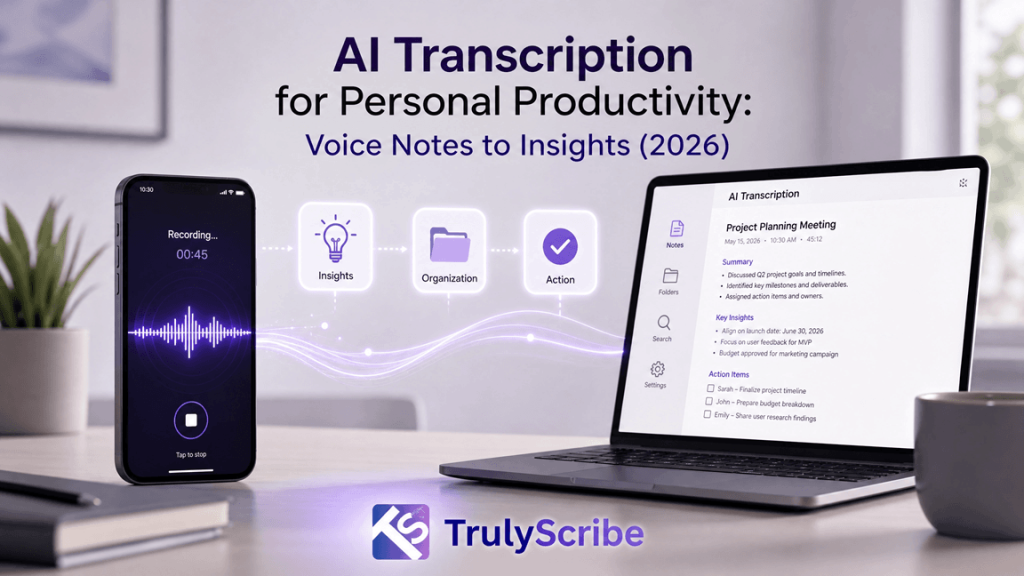
Your phone’s voice memo app is quietly becoming the most cluttered drawer in your digital life. Half-finished ideas, meeting recaps, grocery lists muttered on the way to the car, a brilliant thought you had in the shower — all sitting there as untouched audio files you will “listen to later.” In 2026, AI transcription tools have finally closed the gap between recording a thought and doing something useful with it. This guide walks through how modern AI transcription turns voice notes into searchable text, structured tasks, and real insight — and how to build a voice-first productivity system around it. Why Voice Notes Alone Aren’t Enough Anymore Voice notes are the fastest way to capture a thought. Talking is roughly three times faster than typing, which is exactly why so many of us default to hitting record instead of opening a notes app. The problem isn’t capture — it’s retrieval. An audio file is a black box. You can’t skim it, search it, copy a line from it into an email, or ask it to remind you of a deadline you mentioned in passing. This is what productivity researchers sometimes call the “capture-to-action gap.” You record the idea, then the idea sits in audio purgatory until you either forget about it or spend fifteen minutes re-listening to a two-minute clip trying to find the one sentence that mattered. Multiply that across dozens of voice notes a week, and the very tool meant to save time quietly starts costing it. AI transcription closes that gap. By converting speech to text the moment it’s recorded, it turns a disposable audio clip into a permanent, searchable, shareable piece of information — the raw material for real productivity, not just raw capture. What “AI Transcription” Actually Means in 2026 Transcription software has existed for decades, but the AI transcription of 2026 is a different category of tool. Early speech-to-text engines struggled with accents, background noise, and overlapping speakers, and the output was often a wall of text nobody wanted to read. Today’s models, trained on far larger and more diverse audio datasets, handle natural, messy, real-world speech — including filler words, code-switching between languages, and multiple speakers in the same recording. A few developments define the current generation of tools: Put together, these features mean transcription is no longer just “audio turned into text.” It’s the first processing layer of a personal knowledge system — the step that makes everything you say as useful as everything you type. The Journey: From a Raw Voice Note to an Actionable Insight It helps to think of the process as a pipeline with four distinct stages. Understanding each one makes it much easier to choose the right tool and build habits that stick. 1. Capture This is the easy part most people already do well: recording a thought on a phone, a smart watch, or a dedicated voice recorder during a walk, commute, or meeting. The goal at this stage is simply to get the idea out of your head before it disappears — no editing, no structure, no second-guessing. 2. Convert The recording is uploaded or synced to an AI transcription tool, which converts speech into accurate, punctuated, speaker-labeled text within minutes. This is where tools like TrulyScribe do the heavy lifting: audio and video files are processed automatically, with support for a very wide range of languages and accents, so the transcript is usable the moment it’s ready rather than needing manual cleanup. 3. Condense Raw transcripts, especially from longer recordings, are still a lot to read. The condensing stage uses AI to pull out the signal from the noise — summarizing the recording into a short overview, highlighting decisions and action items, and organizing rambling thoughts into a clear structure. This is the stage that turns a five-minute voice note into three usable bullet points. 4. Convert to Action The final stage moves the condensed text out of the transcription tool and into wherever work actually happens: a task added to a to-do list, a line copied into an email draft, a decision logged in a project doc, or a follow-up scheduled on a calendar. This is the step that closes the loop — the moment a voice note stops being a recording and becomes something done. Most people skip stages two through four entirely and stay stuck at stage one, which is exactly why voice notes pile up unused. A good AI transcription workflow automates stages two and three so that stage four takes seconds instead of minutes. Where This Actually Helps: Everyday Use Cases AI transcription for personal productivity isn’t a niche, professional-only tool anymore. It shows up in dozens of small, practical moments across a week. What connects all of these is the same underlying shift: speech becomes data. Once a thought exists as text, it can be searched, tagged, summarized, translated, and moved into any other tool — something that’s simply not possible with a locked audio file. What to Look For in an AI Transcription Tool Not all transcription tools are built for personal productivity in the same way. Some are optimized for enterprise call centers, others for podcast editing. If your goal is turning everyday voice notes into action, a few features matter more than the rest. TrulyScribe is built around exactly this use case: unlimited AI-powered audio and video transcription with support for a very wide range of languages, automatic speaker labeling, timestamps, and export options that include DOCX and PDF, all wrapped in a straightforward editor where the transcript can be checked against the original audio in real time. For anyone trying to turn a habit of voice notes into an actual productivity system, that combination of speed, accuracy, and flexible export is what makes the difference between a tool you try once and one you use every day. Building a Voice-First Productivity System Having the right tool is only half the equation. The other half is a light structure around how you use it,

ai-transcription-for-students-study-smarter
AI Transcription, How-To Guides, Productivity, Students & Education

How Students Are Using AI Transcription to Study Smarter (2026)

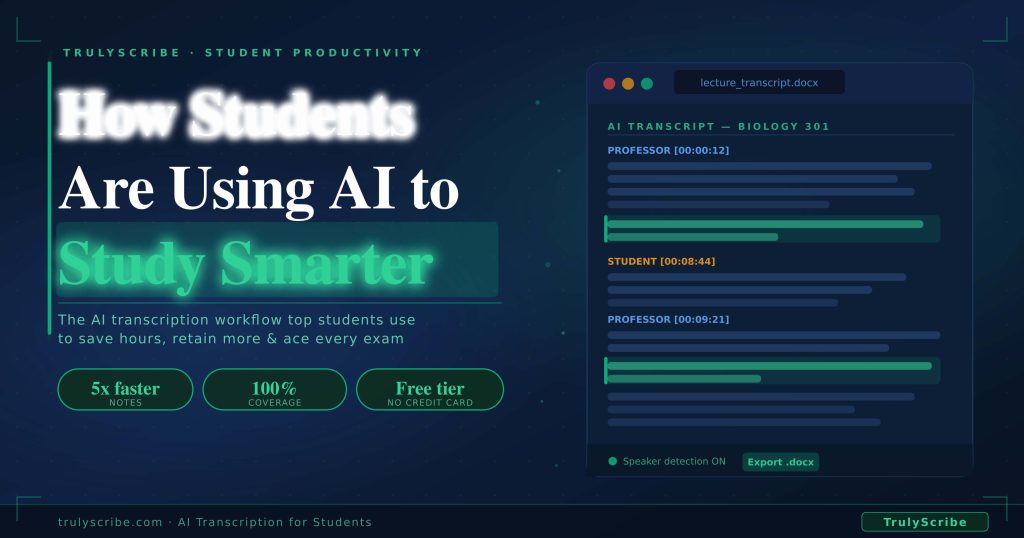
There are only so many hours in a student’s day. Between lectures, seminars, tutorials, assignments, revision, and everything else that comes with student life, time is the one resource that never seems to stretch far enough. And yet, a huge portion of that time gets swallowed by one of the most tedious tasks in academic life: note-taking. Sitting in a two-hour lecture trying to type fast enough to capture everything the professor says. Re-watching a recorded seminar to find the one point you missed. Spending a week manually transcribing 10 hours of dissertation interviews before you can even begin analysis. AI transcription is quietly changing all of that. Students at universities, colleges, and schools around the world are using tools like TrulyScribe to transcribe lectures, seminars, research interviews, and study group discussions — saving hours every week, capturing everything, and studying more effectively than ever before. This guide explains exactly how students are using AI transcription in 2026, the workflows that deliver the biggest study gains, and how to get started for free today. Why Traditional Note-Taking Is Holding Students Back The standard approach to lecture note-taking has a fundamental problem: the human brain cannot listen, process, and type simultaneously at full capacity. When you’re focused on typing, you’re not fully absorbing what’s being said. When you’re absorbing what’s being said, your typing falls behind. Something always gets sacrificed. Research consistently shows that students who take handwritten or typed notes during lectures miss between 40% and 60% of the content spoken by the lecturer. The faster the lecturer speaks, the more that gets lost. And the content that gets lost is rarely the repetitive filler — it’s usually the nuanced explanation, the key distinction, or the example that makes a concept click. 40-60%  of spoken lecture content is missed during traditional note-taking 6-8 hrs  to manually transcribe a 1-hour research interview for a dissertation 10 min  to transcribe the same recording with TrulyScribe AI AI transcription solves this by separating the capture phase from the processing phase. Instead of trying to listen, understand, and record at the same time, students can be fully present in the lecture or seminar — asking questions, thinking critically, engaging with the content — while the recording handles the capture. The transcription happens after, automatically and completely. How Different Students Are Using AI Transcription Student Type Primary AI Transcription Use Time Saved/Week Top Benefit University / College Lecture transcription + revision notes 4-8 hrs Never miss a detail PhD / Postgrad Researcher Research interview transcription 8-14 hrs Faster data analysis Medical / Law Student Case study & seminar transcription 5-9 hrs Verbatim accuracy Online / Distance Learner Webinar & video course transcription 3-6 hrs Searchable content Language Learner Transcribe audio to follow along in text 2-5 hrs Reading + listening School / High School Teacher explanation transcription 2-4 hrs Better revision * Time savings are approximate and vary by course load, recording length, and individual workflow. Before vs After: The AI-Assisted Study Workflow Study Task Old Way With AI Transcription 1-hour lecture notes Frantic typing, miss key points Full transcript in 10 min, 100% coverage Reviewing a seminar Re-watch full 2-hour recording Ctrl+F the topic in the transcript Interview-based dissertation 6-8 hrs manual transcription 10-15 min AI transcription + review Group discussion notes One person types while others talk Record, transcribe, share with everyone Exam revision Re-listen to audio, re-read slides Search transcript for key terms Studying with a disability Relies on inconsistent support services Independent, instant transcription anytime The 6 Most Powerful Ways Students Use AI Transcription 1. Transcribing Lectures and Seminars for Complete Notes This is the most common use case and the one with the most immediate impact. Instead of typing notes while the lecture happens, students record the session and transcribe it afterwards with TrulyScribe. The result is a complete, searchable, word-for-word record of everything the lecturer said — including the offhand remarks, the elaborations on key points, and the exam hints that are so easy to miss when you’re busy typing. 💡  Study tip:  Don’t just read the transcript linearly. Highlight key definitions, important examples, and anything the lecturer emphasised or repeated. These highlighted sections become your revision notes. 2. Accelerating Dissertation and Research Interview Transcription For postgraduate students, PhD researchers, and any undergraduate doing primary research, interview transcription is one of the most time-consuming stages of a research project. A dissertation requiring 10 qualitative interviews of 45 minutes each represents 75 to 100 hours of manual transcription work — weeks of effort before analysis can even begin. With AI transcription, those same 10 interviews can be transcribed in a single afternoon. The researcher uploads the recordings, enables speaker diarization to label interviewer and participant speech separately, and downloads clean, timestamped transcripts ready for NVivo, Atlas.ti, or manual coding. ⚠️  Ethics note:  Before uploading research interview recordings to any external tool, check your dissertation ethics approval and your institution’s data governance policy. Ensure your consent forms cover third-party processing. TrulyScribe does not use uploaded content to train AI models. 3. Creating Searchable Study Resources from Recorded Content One of the most underrated benefits of AI transcription is what happens after you have the transcript. A text document can be searched, highlighted, annotated, and reorganised in ways that audio never can. 4. Supporting Students with Disabilities and Learning Differences AI transcription has significant accessibility benefits that are often overlooked in general discussions about the technology. For students with conditions that affect note-taking — dyslexia, ADHD, processing disorders, hearing impairments, motor disabilities, or anxiety — the ability to access a complete written record of spoken content independently and instantly is genuinely transformative. Many students with disabilities have historically relied on Disabled Students’ Allowance (DSA) or equivalent support services to access note-taking assistance. These services, while valuable, can be inconsistent, limited in availability, and create a dependency on external support that isn’t always available for every lecture or seminar. AI transcription gives these students agency and independence. They can capture every session

Scroll to Top