Trulyscribe

Video Marketing

how-search-engines-read-video-content-through-transcripts
SEO & Search, AI Tools, Content Strategy, Digital Marketing, Video Marketing

How Search Engines Read Video Content Through Transcripts

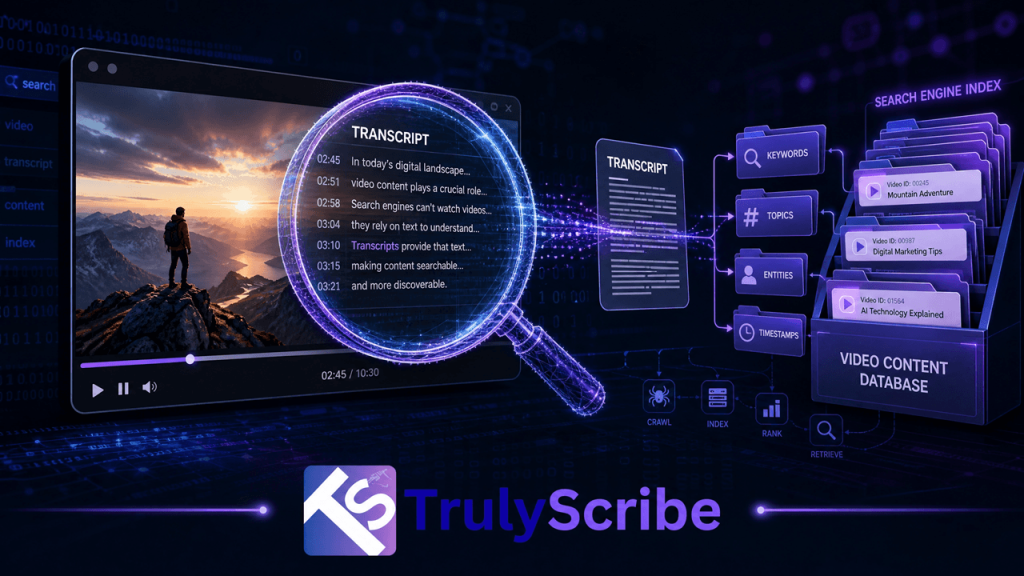
Here is something most video creators and marketers don’t fully appreciate: search engines are, at their core, text-reading machines. Google, Bing, and every major search engine built their foundational technology around indexing written language. They are extraordinarily good at understanding, categorizing, and ranking text. Video? That’s a different story. A search engine cannot watch a video the way a human does. It cannot listen to your guest expert explain a concept for 40 minutes and understand what was said. It cannot hear the insight buried in minute 23 of your webinar or the product explanation in your tutorial video. Unless that spoken content is converted to text, it is essentially invisible to search—a black box that crawls cannot open. This is the core reason why transcripts are not just a nice-to-have for video publishers. They are the primary mechanism through which search engines understand what a video is about, decide what search queries it should rank for, and determine whether it deserves to be surfaced to users. In this guide, we’ll walk through exactly how search engine crawlers process video content, why transcripts are the bridge between your spoken words and search visibility, and what practical steps you can take to unlock the SEO value sitting untapped in your video library—starting with AI transcription from TrulyScribe. The Fundamental Problem: Search Bots Are Readers, Not Viewers When Googlebot visits your webpage, it reads. It parses your HTML, follows your links, reads your headings, body text, alt tags, and metadata. It understands your page through language. This is why well-written, structured text has always been the backbone of SEO. When Googlebot encounters a video, it has far fewer signals to work with. It can read: • The video title — whatever you typed into the title field. • The description — whatever text you added manually beneath the video. • Surrounding page text — paragraphs, headings, and links on the page where the video is embedded. • Metadata tags — tags, categories, and any structured data markup you’ve applied. • Caption and subtitle files — if they exist and are properly linked. What it cannot do—at least not in the same reliable, comprehensive way it reads text—is extract meaning from the audio track of your video. This means that every insight, explanation, story, demonstration, and conversation inside your video is invisible to search unless it has been converted to text and made available to crawlers. Think of your video as a locked filing cabinet. The transcript is the key. Without it, search engines are guessing at the contents based on the label on the outside—your title and description. With it, they can read every document inside. How Google Actually Processes Video Content Google has made significant investments in video understanding technology, and it’s worth being precise about what it can and cannot do in 2026. What Google Can Do With Video Google can automatically generate captions for YouTube videos using its speech recognition technology. This has been a feature of YouTube since 2009, and the auto-generated captions are indexed and used as a ranking signal for videos on the YouTube platform. If your video is on YouTube and you haven’t provided your own captions, Google is already generating text from your audio—but with significant limitations. Auto-generated captions are notoriously inaccurate for: technical and domain-specific vocabulary, proper nouns and brand names, heavy accents or non-standard dialects, multiple overlapping speakers, and audio with significant background noise. They also produce no punctuation, which makes them difficult for both humans and natural language processing systems to parse meaningfully. What Google Cannot Do Reliably For video hosted outside of YouTube—on your own website, on Vimeo, on Wistia, on any corporate video platform—Google has no equivalent automatic speech recognition pipeline. The video is processed primarily through surrounding text signals and any structured data you provide. The spoken content is largely inaccessible. Even for YouTube videos, Google’s own documentation consistently recommends providing manually reviewed captions rather than relying on auto-generation, specifically because accuracy matters for both accessibility and indexing quality. The Structured Data Layer Google supports VideoObject schema markup, which allows publishers to tell search engines metadata about a video in a structured, machine-readable format. Among the properties supported is  ⟨ VideoObject Schema — transcript field example ⟩“@context”: “https://schema.org”,“@type”: “VideoObject”,“name”: “How AI Transcription Works”,“description”: “An overview of AI speech-to-text technology…”,“transcript”: “Welcome to TrulyScribe. Today we are going to explore…”,“uploadDate”: “2026-01-15”,“thumbnailUrl”: “https://example.com/thumbnail.jpg” Filling this field accurately requires—you guessed it—a transcript. And the more accurate and complete the transcript, the better the structured data signal sent to search engines. The Three Ways Transcripts Drive Video SEO Understanding the mechanism is one thing. Understanding the practical SEO value is what motivates action. Here are the three distinct ways that transcripts improve the search performance of video content. 1. Keyword Coverage and Topical Depth A 30-minute video conversation naturally covers a topic in far more depth than any written description you could reasonably add manually. Every question asked, every sub-point explored, every example given—these represent dozens of keyword variations, related terms, and semantic signals that search engines use to understand topical relevance. When that content is transcribed and made available to search engines—either through an on-page transcript, captions file, or schema markup—Google can understand the full topical scope of the video. This is why pages with full transcripts consistently rank for a broader set of search queries than pages with only a title and description. 68%  of marketers report measurable ranking improvements after adding transcripts to existing video pages. 2. Featured Snippet and Voice Search Eligibility Google’s featured snippets—the answer boxes that appear above organic search results—are pulled almost exclusively from text. A video without a transcript cannot contribute its spoken content to featured snippets. A video with a transcript can. If your video contains a clear, direct answer to a common question—and the transcript makes that answer available in text form—Google can surface that answer as a featured snippet with attribution to your page. This is one of the highest-value SEO
build-knowledge-base-from-video-transcripts
Content Strategy, AI Tools, Video Marketing

How Video Creators Can Build a Knowledge Base from Transcripts

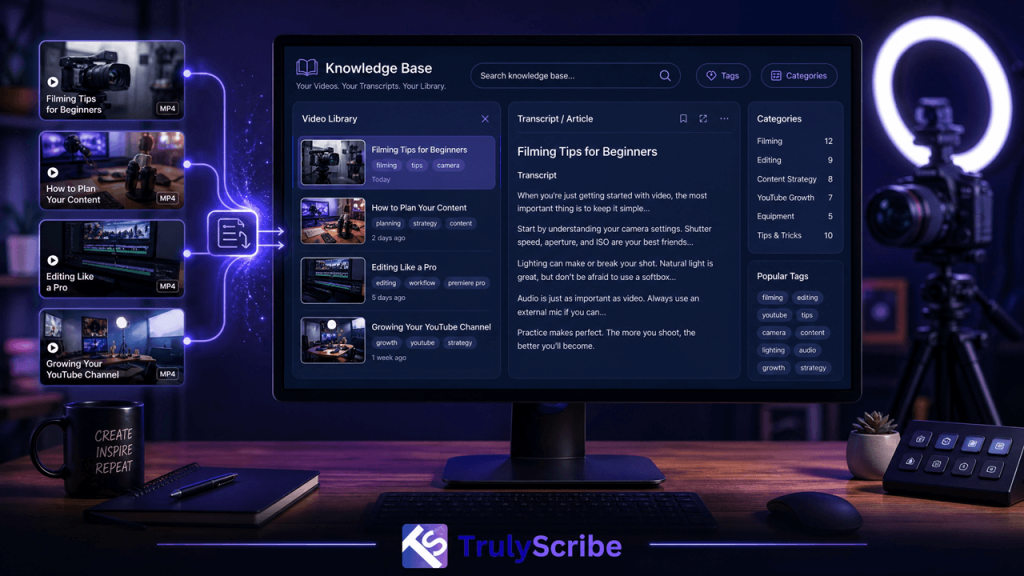
Most video creators are sitting on a knowledge base and don’t know it. Every tutorial, every product walkthrough, every “how I fixed this” video contains real, specific, hard-won information — the exact kind of content a knowledge base is supposed to hold. The only thing standing between a video library and an actual knowledge base is text. Once that content is transcribed, organized, and structured, it stops being a collection of videos and starts being something people can search, skim, link to, and find through Google or an AI assistant. This guide walks through exactly how to make that shift. Why a Video Library Isn’t the Same Thing as a Knowledge Base A knowledge base, at its core, is meant to answer a specific question quickly. Someone lands on it because they’re stuck, curious, or trying to solve a problem, and they want the answer with as little friction as possible. Video is a poor fit for that kind of lookup on its own — it can’t be skimmed, scanned, or searched by keyword, and finding one specific answer inside a 20-minute video usually means scrubbing through a timeline hoping to land near the right moment. This is why a channel with hundreds of genuinely useful videos can still feel, to a visitor with a specific question, like it has “nothing on that.” The information is there, but it’s locked in a format that doesn’t support quick lookup. Transcription is what unlocks it — not by replacing the video, but by giving the same content a second, text-based form that behaves the way a knowledge base actually needs to behave. What a Transcript-Based Knowledge Base Actually Solves Findability A transcript makes every sentence in a video searchable, both by site search and by Google. Instead of a visitor guessing which video might cover their question, they can search a specific phrase and land directly on the right page — or the right moment, if timestamps are included. Support deflection Many support questions have already been answered somewhere in an existing video library. A searchable transcript archive turns “we answered this in episode 34” from an obscure fact only the creator remembers into something a support team, a community moderator, or the visitor themselves can find in seconds. SEO reach A transcript gives a video page the kind of unique, topic-specific text search engines need to understand and rank it for more than just its title. Long-tail phrases mentioned once, in passing, during a tutorial often end up being exactly what someone searches when they hit that specific problem. AI search visibility Generative AI tools like ChatGPT and Perplexity work from text, not video. A transcript is what makes it possible for these tools to read, understand, and cite a video’s content when answering someone’s question — something that’s simply not possible from the video file alone. Content longevity Video platforms come and go, algorithms change, and old videos get buried. A transcript published on an owned website isn’t subject to a platform’s feed or recommendation algorithm — it sits there, indexed and findable, for as long as the site exists. How to Actually Build the Knowledge Base: A Step-by-Step Process Structuring the Knowledge Base for Maximum Usefulness Once a meaningful number of videos are transcribed, structure becomes the difference between a genuinely useful knowledge base and a pile of text nobody can navigate. A few patterns work particularly well: Repurposing: The Bonus Layer on Top of the Knowledge Base Once transcripts exist and are organized, they become raw material for far more than the knowledge base itself. A single tutorial transcript can be condensed into a blog post, broken into social media captions, turned into an email newsletter section, or compiled with related videos into a downloadable guide. None of this requires new filming — it’s simply a different cut of content that already exists, made possible because the information is now available as editable text rather than locked inside a video timeline. Common Mistakes to Avoid Measuring Whether the Knowledge Base Is Working Because a transcript-based knowledge base is meant to solve real lookup problems, its success is measurable in fairly concrete ways rather than vanity metrics alone. Reviewing these signals periodically — monthly or quarterly, depending on publishing volume — helps prioritize which parts of a video catalog are worth transcribing next, rather than working through an entire backlog in upload order. What to Look for in a Transcription Tool for This Use Case Building a knowledge base out of a video library is a different job than transcribing the occasional podcast episode, and a few features matter more here than they would for smaller-scale use. This is the kind of workflow TrulyScribe is built to support — fast, accurate transcription with automatic speaker labeling and timestamps, flexible export options, and support for a wide range of languages, all of which make transcribing an entire back catalog a realistic weekend project rather than an open-ended one. For a video creator looking to turn years of tutorials and walkthroughs into an actual reference resource, that difference in speed and accuracy is often what separates a knowledge base that gets finished from one that stays a someday idea. Final Thoughts Video creators often assume a knowledge base means starting a new content project from scratch — a wiki, a help center, a documentation site built from nothing. In most cases, the actual content already exists, sitting inside videos that have already been made. Transcription is what turns that existing library into something searchable, linkable, and genuinely useful as a reference, rather than a scroll of thumbnails organized whenever they happen to be uploaded. Tools like TrulyScribe make transcribing a full video library fast and accurate enough to treat as a real project rather than an overwhelming one, which is really what it takes to turn years of recorded expertise into a knowledge base people can actually use. Frequently Asked Questions (FAQs)

transcribing-videos-for-geo-complete-guide
SEO, AI Tools, Video Marketing

Transcribing Videos for GEO (Generative Engine Optimization): Complete Guide

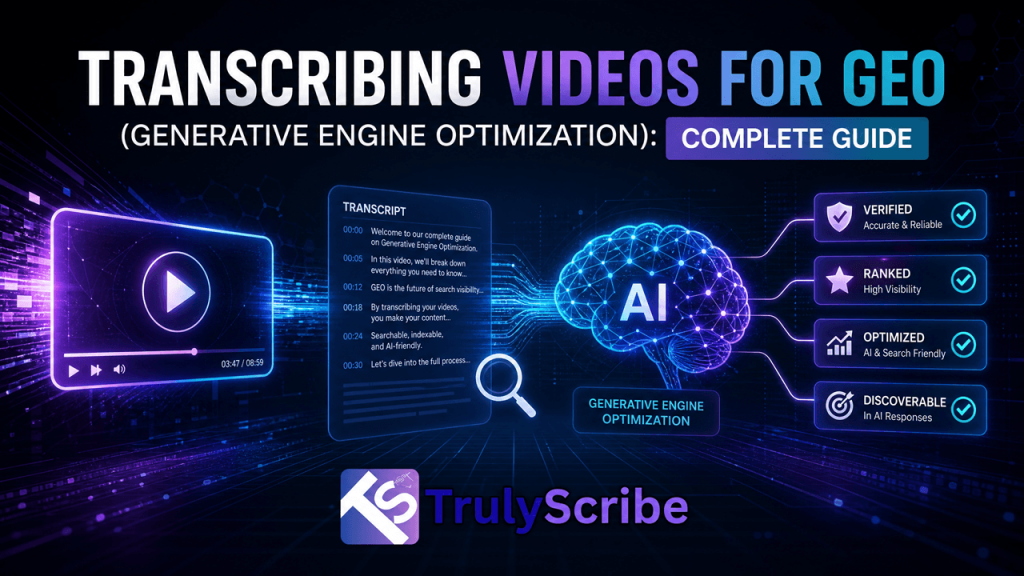
Generative Engine Optimization, or GEO, is the practice of shaping content so it gets picked up, understood, and cited by AI systems like ChatGPT, Perplexity, Google AI Overviews, and Copilot — rather than just ranked in a traditional list of search results. For anyone producing video content, GEO comes with a specific, unavoidable requirement: the video needs to exist as text somewhere, because generative AI systems work with language, not footage. Transcription is the bridge between a video sitting in your library and that same video showing up as a cited source in an AI-generated answer. This guide walks through exactly how to transcribe and structure video content so it performs well under GEO, step by step. What GEO Is, and Why It Treats Video Differently Than SEO Does Traditional SEO optimizes for ranking algorithms that crawl pages, weigh backlinks, and return a list of links for a person to click through. Video SEO within that world has always leaned heavily on titles, descriptions, thumbnails, and watch-time signals, because the algorithm was never really “reading” the video itself. GEO works differently because generative engines don’t return a list of links — they generate a direct answer, often with a citation, by pulling from text they can process and understand. A generative engine can’t watch your video, follow your presenter’s tone, or catch the nuance in a live demo. It can only work with what’s written down. That means a video with no transcript is, from a generative engine’s point of view, mostly invisible — no matter how good the content inside it actually is. This is why transcription sits at the center of any serious GEO strategy for video. It’s not an accessibility nice-to-have anymore; it’s the mechanism that makes video content eligible to be read, chunked, matched to a query, and cited in the first place. How Generative Engines Process Transcribed Video Content Step 1: Text becomes available for retrieval Once a video is transcribed and that transcript is published as text — on a webpage, in a knowledge base, or through a connected content source — it becomes something a generative engine can retrieve. Before this step, the underlying video content simply doesn’t exist in a form these systems can use. Step 2: The transcript is broken into chunks Generative engines typically don’t evaluate an entire page as one unit. They split content into smaller passages and assess each one for relevance to a specific query. A transcript, full of complete spoken statements and natural explanations, tends to chunk well — each section of dialogue often stands on its own as a clear, self-contained answer to a plausible question. Step 3: Chunks are matched against a person’s question When someone asks a generative engine something like “what’s the difference between X and Y” or “how do I fix Z,” the system searches available content for the passages most likely to answer accurately. A well-transcribed explainer video, tutorial, or expert interview often contains exactly this kind of directly responsive language, since spoken explanations tend to be phrased the way people actually ask questions. Step 4: The best match gets surfaced, often with a citation If your transcript contains the clearest, most accurate, best-structured answer to the question being asked, it stands a real chance of being the source the generative engine pulls from and cites. This is the GEO equivalent of a featured snippet or a page-one ranking — visibility inside the answer itself, not just a link beside it. A Step-by-Step Workflow for Transcribing Video for GEO What Makes a Transcript Genuinely GEO-Friendly Publishing any transcript is better than publishing none, but a few specific qualities separate a transcript that performs well under GEO from one that technically exists but rarely gets surfaced. None of these qualities require re-recording anything. They’re almost entirely a function of how the transcript is generated, lightly edited, and structured after the fact — which is why the transcription and formatting step deserves more attention in a GEO strategy than it typically gets. Common Mistakes When Transcribing Video for GEO Why This Matters More as Video Content Keeps Growing Video has become one of the primary ways expertise gets shared — through webinars, product demos, conference talks, and long-form interviews. Most of that content still lives exclusively as video, which means a large and growing share of the internet’s most substantive, specific expertise is currently invisible to generative engines. That gap is exactly the opportunity GEO-focused transcription addresses: instead of competing for visibility by producing more content, it makes existing, high-value video content newly eligible to be found and cited, often with relatively little additional work. As generative engines continue to lean more heavily on retrieval and citation, the advantage will likely keep compounding for creators and brands that treat transcription as a standard step in their publishing process, rather than an afterthought reserved for accessibility compliance. Final Thoughts GEO doesn’t change what makes video content valuable — clear explanations, specific expertise, and honest answers to real questions still matter as much as ever. What it changes is how that value gets discovered. A generative engine can’t watch a video, but it can read a transcript, and a well-structured, accurate transcript is what turns an hour of expertise sitting in a video file into dozens of citable answers a generative engine can actually find. Running video content through an accurate transcription tool like TrulyScribe, then publishing the result with clear structure, timestamps, and speaker labels, is a straightforward way to make sure the expertise already captured on camera doesn’t stay invisible to the tools more and more people are using to search. Frequently Asked Questions

Scroll to Top