Trulyscribe

Tools & Reviews

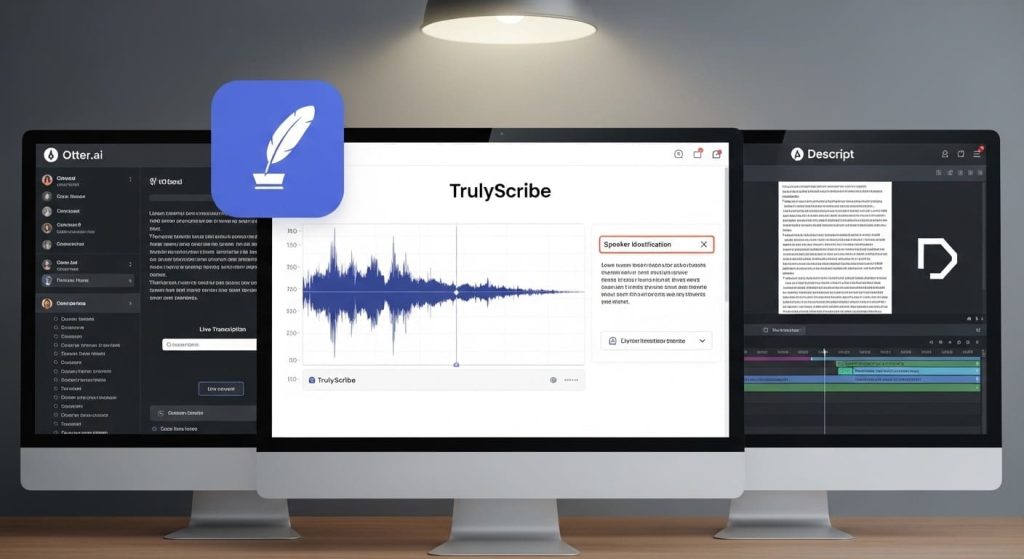
TrulyScribe vs Otter.ai vs Descript
Tools & Reviews, AI Transcription, Guides & Comparisons, Uncategorized

TrulyScribe vs Otter.ai vs Descript: Which Is Best for Freelancers? (2026)

Three tools. One decision. And if you get it wrong, you’ll either overpay for features you never use or spend half your time fighting a tool that wasn’t designed for your workflow. TrulyScribe, Otter.ai, and Descript are three of the most searched AI transcription tools in 2026 — and they’re radically different products that happen to overlap on one feature: turning audio into text. Beyond that, they serve very different needs, have very different pricing models, and will suit very different types of freelancers. This comparison is written specifically for freelancers — writers, journalists, podcasters, researchers, coaches, content creators, and consultants who work solo and need transcription as a core part of their workflow. We’ve broken the comparison down round by round so you can skip to what matters most to you. 📌  TL;DR:  TrulyScribe wins for most freelancers who need reliable, accurate transcription with a generous free tier. Otter.ai wins for live meeting transcription. Descript wins if you edit video or audio content as part of your workflow. The Three Tools at a Glance TrulyScribe TrulyScribe is a dedicated AI transcription platform built specifically for individuals and freelancers. Upload audio or video, get a clean transcript back — with speaker labels, timestamps, and multiple export formats. It doesn’t try to be an editor, a meeting bot, or an all-in-one suite. It transcribes, and it does it extremely well. Otter.ai Otter.ai started as a meeting transcription tool and remains best-in-class for that specific job. It integrates directly with Zoom, Google Meet, and Microsoft Teams to transcribe calls in real time. It has expanded into AI summaries and action item extraction, making it more of a meeting intelligence platform than a pure transcription tool. Descript Descript is an audio and video editor that uses transcription as the foundation of its editing workflow. The core idea: edit your transcript, and the audio and video edits itself. It’s powerful for podcast producers and video creators, but it’s a significantly more complex product with a steeper learning curve and a higher price point. Full Feature Comparison Feature TrulyScribe Otter.ai Descript Free Tier 10 min/day + 15 hrs signup 300 min/month (40 min/file cap) 1 hr/month only Paid Price Most affordable for individuals ~$8.33/mo (annual) ~$12/mo (annual) Long File Support ✅ Full-length recordings ⚠️ 40 min cap on free ✅ On paid plans Speaker Detection ✅ Yes ✅ Yes ✅ Yes Accuracy ⭐⭐⭐⭐⭐ ⭐⭐⭐⭐ ⭐⭐⭐⭐ Export Formats .txt .docx .srt .txt .docx .pdf (paid) .txt .docx + video/audio Audio/Video Editing ❌ Transcription only ❌ No ✅ Yes — core feature Live Meeting Bot ❌ Upload-based ✅ Zoom, Meet, Teams ❌ No Multi-language ✅ Yes ⚠️ English-first ⚠️ English-first Setup ⭐ Very easy — browser ⭐ Easy — browser ⚠️ Medium — app install Best For Freelancers, podcasters, researchers Live meeting note-takers Video/podcast producers Overall Verdict 🏆 Best for most freelancers 📊 Best for live meetings 🎥 Best for video producers * Pricing correct as of March 2026. Free tier limits subject to change. Always verify on each tool’s website. Round 1: Free Tier — How Much Do You Actually Get for Free? Free Tier TrulyScribe Otter.ai Descript Result 10 min/day + 15 hrs on signup 300 min/month (40 min file cap) 1 hr/month only TrulyScribe TrulyScribe’s free tier is the most practically useful of the three. You get 10 minutes of transcription every single day — no credit card, no trial expiry. For short tasks like a client call clip, a quick interview excerpt, or a daily standup recording, this covers you indefinitely. On top of that, you get 15 free hours when you sign up, giving you real runway to test the tool on your actual workload before committing to anything paid. Otter.ai Otter.ai gives 300 minutes per month on its free plan — that’s 5 hours, which sounds generous until you hit the 40-minute per-file cap. Upload a 45-minute podcast episode or a 1-hour client call and you’re blocked. The 300-minute monthly total also disappears quickly if you transcribe multiple recordings each week. Export options on the free plan are restricted, with key formats gated behind paid tiers. Descript Descript’s free tier gives you just 1 hour of transcription per month. That’s enough to evaluate the interface, but it’s not enough to do regular work. For any freelancer transcribing more than one recording a week, the free plan runs out within days of signing up. ✔ Verdict — TrulyScribe: Wins decisively on free tier. The daily quota plus signup bonus makes it genuinely usable as a free tool for months, not just days. Round 2: Transcription Accuracy Accuracy TrulyScribe Otter.ai Descript Result ⭐⭐⭐⭐⭐ Excellent ⭐⭐⭐⭐ Very Good ⭐⭐⭐⭐ Very Good All three tools use modern AI speech recognition and deliver strong accuracy on clear audio. The differences emerge in specific scenarios: ✔ Verdict — TrulyScribe: Slight edge overall, particularly on non-US accents and multilingual content. All three are competitive on clean, clear audio. Round 3: Paid Pricing — Value for Freelancers Paid Pricing TrulyScribe Otter.ai Descript Result Most affordable for individuals ~$8.33/mo (annual) ~$12/mo (annual) TrulyScribe TrulyScribe’s paid plans are positioned specifically for individuals and freelancers — not enterprise teams. Pricing is straightforward and designed to scale with actual usage. For freelancers who transcribe regularly but not at enterprise volume, this is the most cost-efficient option of the three. Otter.ai Otter.ai’s Pro plan runs around $8.33 per month billed annually and unlocks higher transcription limits, longer file imports, and advanced export formats. The Business plan jumps significantly in price and is designed for teams. For a solo freelancer, the Pro plan works well if meetings are your primary use case — but the value fades if you need it for general-purpose audio transcription. Descript Descript’s Creator plan starts around $12 per month billed annually and unlocks the features that make it genuinely useful: unlimited transcription, filler word removal, and full audio and video export. If you’re a podcast producer or video creator who uses both the transcription and editing features, that’s reasonable

Best AI Transcription Tools for Solopreneurs on a Budget (2026)
AI Transcription Tools, Tools & Reviews

Best AI Transcription Tools for Solopreneurs on a Budget (2026)

When you’re running a one-person business, every tool you pay for has to earn its keep. You’re not a corporate team with a software budget — you’re a freelancer, a creator, a consultant, or a side-hustle operator who needs things to work without costing a fortune. AI transcription has quietly become one of the most useful tools in a solopreneur’s toolkit. Whether you’re transcribing client calls, podcast interviews, research conversations, YouTube videos, or online courses, turning audio to text saves hours every week. But the tool landscape is confusing. Some are genuinely free. Some hide their best features behind expensive plans. Some are built for enterprise teams and completely overkill for solo use. This guide cuts through the noise. We’ve compared the best AI transcription tools specifically for solopreneurs and budget-conscious freelancers — looking at free tiers, paid pricing, accuracy, and real-world usability. No fluff, no filler. What Solopreneurs Actually Need in a Transcription Tool Before diving into the tools, here’s what actually matters when you’re working solo and watching your spending: With that as our framework, here are the best options in 2026. Quick Comparison: Best AI Transcription Tools for Solopreneurs Tool Free Tier Paid From Best For Accuracy TrulyScribe 30 min/day (i.e. 15 hrs/month) on signup $0 — very generous free Solopreneurs & freelancers ⭐⭐⭐⭐⭐ Otter.ai 300 min/month ~$8.33/mo Meeting notes ⭐⭐⭐⭐ oTranscribe Unlimited (manual) Free only Manual transcriptionists ⭐⭐⭐⭐⭐ Whisper (OpenAI) Unlimited (local) Free (self-hosted) Tech-savvy users ⭐⭐⭐⭐⭐ Rev AI Free trial only ~$0.02/min High-accuracy needs ⭐⭐⭐⭐⭐ Trint 7-day trial ~$48/mo Teams, not solopreneurs ⭐⭐⭐⭐ Descript 1 hr/month ~$12/mo Video creators ⭐⭐⭐⭐ * Pricing correct as of March 2026. Free tier limits may vary. Always check the tool’s website for the latest details. 1. TrulyScribe — Best Overall Free Option for Solopreneurs Free tier: 30 minutes/day free, i.e. 15 free hours monthly on signup  |  Paid: Affordable plans available TrulyScribe is purpose-built for individuals and freelancers who need fast, accurate transcription without paying enterprise prices. The free tier is genuinely generous — 30 minutes of transcription every single day, with 15 hours of free monthly transcription when you first sign up. That’s enough to handle a week of real work without spending a penny. Why solopreneurs love it: Best for: Freelancers, podcasters, content creators, coaches, and researchers who need reliable transcription regularly but don’t want to pay a monthly subscription just to get started. 💡 Pro tip: Use your daily free 30 minutes (i.e. 15 hours monthly) to transcribe a backlog of recordings. 2. Otter.ai — Good for Meeting Notes, Limited for Other Use Cases Free tier: 300 minutes/month  |  Paid from: ~$8.33/month (billed annually) Otter.ai is one of the most recognised names in AI transcription, and its free tier — 300 minutes per month — is decent for light use. It’s particularly strong for live meeting transcription, with integrations for Zoom, Google Meet, and Microsoft Teams. What’s good: Where it falls short for solopreneurs: Best for: Solopreneurs who primarily need live meeting transcription and don’t regularly work with long audio files. 3. oTranscribe — Best Free Tool for Manual Transcription Free tier: 100% free, no account needed  |  Paid: No paid tier — it’s entirely free oTranscribe is a browser-based tool that lets you manually transcribe audio by controlling playback with keyboard shortcuts while you type. It doesn’t use AI — you’re doing the transcription yourself — but it’s the best free option for anyone who needs total accuracy and doesn’t mind investing the time. What’s good: Where it falls short: Best for: Journalists, researchers, or anyone who needs 100% accuracy and is comfortable doing the work manually. Not the right choice if you’re trying to save time. 4. OpenAI Whisper — Best for Tech-Savvy Solopreneurs Free tier: Completely free and open-source  |  Paid: Free (self-hosted) or via API (~$0.006/min) Whisper is OpenAI’s open-source speech recognition model. It runs locally on your computer, meaning you can transcribe unlimited audio for free — with some caveats. The accuracy is genuinely impressive, often matching or beating paid tools. What’s good: Where it falls short: Best for: Solopreneurs with technical skills who want unlimited free transcription and don’t need a polished interface. If you can run a Python script, Whisper is unbeatable value. 5. Descript — Best for Video Creators Who Edit Content Free tier: 1 hour transcription/month  |  Paid from: ~$12/month Descript is more than a transcription tool — it’s a full audio and video editor that uses transcription as the backbone of its editing workflow. You edit your transcript and the audio/video edits itself. For solopreneurs who create video content, this is genuinely powerful. What’s good: Where it falls short: Best for: Solopreneurs who produce podcasts or video content and want a combined editing + transcription workflow. Not the right pick if you only need text output. 6. Rev AI — Best for One-Off High-Accuracy Jobs Free tier: Free trial (limited)  |  Paid: ~$0.02/minute automated, ~$1.50/minute human Rev is a professional transcription service that offers both AI-powered and human transcription. The AI accuracy is excellent, and the human transcription option produces near-perfect output — but the pricing model (pay-per-minute) adds up quickly for regular use. What’s good: Where it falls short: Best for: One-off transcription jobs where accuracy matters more than cost — legal interviews, important client recordings, or content that will be published verbatim. How to Choose the Right Tool for Your Situation Not sure which tool fits your workflow? Here’s a simple decision framework: 5 Ways Solopreneurs Save Money on Transcription Frequently Asked Questions The Bottom Line You don’t need to spend money to get excellent AI transcription as a solopreneur. Between TrulyScribe’s generous free tier, Otter.ai’s meeting focus, and OpenAI Whisper’s unlimited local option, there’s a free path forward for almost every workflow. If you’re just starting out, the smartest move is to try TrulyScribe first. The 15 free hours on signup gives you real runway to test the tool against your actual use cases — without handing over a credit card.Start transcribing

How to Transcribe a Google Meet or Zoom Recording for Free
AI Transcription, How-To Guides, Tools & Reviews

How to Transcribe a Google Meet / Zoom Recording for Free

You just wrapped up a 45-minute Zoom call or Google Meet session — a client interview, a team brainstorm, maybe a sales discovery call. Now you need the text. Maybe it’s for meeting notes, a content piece, a follow-up email, or just your records.  The problem? Most built-in transcription tools are either locked behind paid tiers, inaccurate, or don’t give you a clean, downloadable transcript you can actually use. This guide walks you through exactly how to transcribe a Google Meet or Zoom recording for free — step by step — so you get a clean, accurate transcript without spending a dime. Why Transcribing Your Meetings Matters Before diving into the how, here’s why this is worth doing: •   Searchable records: Ctrl+F your way through hours of audio instead of scrubbing timelines. •   Better follow-ups: Capture every action item and decision without relying on memory. •   Content repurposing: Turn interviews, webinars, or coaching calls into blog posts, newsletters, or social media content. •   Accessibility: Make content available to people who are deaf or hard of hearing. •   Legal and compliance records: A written transcript is far easier to reference than rewatching a recording. Step 1: Get Your Recording File For Zoom Recordings Zoom saves recordings either locally on your device or to the Zoom Cloud (paid plans). Here’s how to download either: •   Local recording: Open the Zoom desktop app → click “Recordings” in the left sidebar → find your meeting → click “Open” to find the .mp4 file on your computer. •   Cloud recording: Sign in at zoom.us → go to “Recordings” → find your meeting → click “Download” next to the video file. Tip: Zoom saves files as .mp4 (video) and .m4a (audio only). The audio-only file is smaller and works just as well for transcription. For Google Meet Recordings Google Meet recordings are only available on Google Workspace paid plans (Business Standard and above). If your organisation has recording enabled: 1. Open Google Drive — the recording saves automatically to the host’s “My Drive” in a folder called “Meet Recordings.” 2. Right-click the file → “Download” to save it as an .mp4 to your device. 3. Alternatively, copy the shareable Drive link if you prefer to work with it directly online. Don’t have a recording yet? On free Google Meet accounts, recording isn’t available. In that case, you can use a tool like OBS Studio or your device’s built-in screen recorder to capture the audio during the call, then transcribe the saved file. Step 2: Choose Your Free Transcription Method There are several ways to get a free transcript. Here’s a clear breakdown of your options: Option A: Use TrulyScribe (Recommended — Free Daily Quota) TrulyScribe offers 30 minutes of free transcription every day with no credit card required. For longer recordings, you also get 15 free hours every month on signup. Here’s how to use it: 4. Go to TrulyScribe.com and create a free account. 5. Upload your file: Click “Upload” and select your .mp4 or .m4a recording. TrulyScribe supports most common audio and video formats. 6. Select your language: TrulyScribe supports multiple languages and accents, so choose the one spoken in your recording. 7. Enable speaker detection (optional): If your meeting had multiple participants, turn on speaker diarization so the transcript labels who said what. 8. Hit transcribe: Processing is fast — typically a few minutes even for longer recordings. 9. Download or copy your transcript: Export as .txt, .docx, or .srt (for captions). Why TrulyScribe over other free tools? It handles long recordings without crashing, produces clean paragraph-formatted text, and supports multiple speakers — which is exactly what you need for a meeting transcript. Option B: Use Zoom’s Built-in Transcription (Paid Plans Only) If you’re on a Zoom Pro, Business, or Enterprise plan, you already have access to Zoom’s native transcription feature. After a recorded call: 10. Go to zoom.us → Recordings. 11. Open the meeting recording → you’ll see an “Audio Transcript” option. 12. Download the .vtt or .txt file. Limitation: Zoom’s auto-transcription is only available on cloud recordings (not local saves), and accuracy drops noticeably with accents, background noise, or fast speech. It also doesn’t give you a clean, formatted document — just a raw timestamped file. Option C: Use Google Meet’s Transcription Feature (Workspace Only) Google Meet added live transcription for Google Workspace accounts. To use it: 13. Start or join a Google Meet call. 14. Click the three-dot menu (“More options”) → “Transcripts” → “Start transcript.” 15. After the call, the transcript is saved automatically to Google Docs in your Meet Recordings Drive folder. Limitation: This is only available to Workspace subscribers. Free Google accounts cannot access this. The output is also a basic Google Doc — not formatted or speaker-labeled. Option D: Upload the Audio File to a Free AI Transcription Tool If you already have the recording as a file, any AI transcription tool with a free plan can handle it. Beyond TrulyScribe, here are other tools with free tiers worth knowing about: •   Otter.ai: 300 minutes/month free, but limits file length per upload and watermarks exports. •   Rev (free trial): Offers a limited free trial, but quickly moves to paid. •   Whisper (OpenAI): Free and open-source, but requires technical setup — not ideal for non-developers. For most individuals and freelancers, TrulyScribe hits the best balance of free access, accuracy, and ease of use. Step 3: Clean Up Your Transcript Even the best AI transcription tools aren’t perfect. After you get your transcript, spend a few minutes reviewing it:  •   Check proper nouns: Names, brand names, and technical terms are where AI tools slip up most. •   Verify speaker labels: If you used speaker diarization, confirm the labels match the right people. •   Remove filler words: Depending on your use case, you may want to clean out “um,” “uh,” and false starts. •   Add paragraph breaks: Most AI transcripts come out as dense

Scroll to Top