
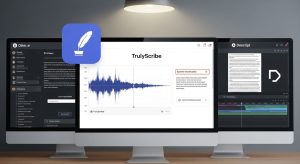
Three tools. One decision. And if you get it wrong, you’ll either overpay for features you never use or spend half your time fighting a tool that wasn’t designed for your workflow.
TrulyScribe, Otter.ai, and Descript are three of the most searched AI transcription tools in 2026 — and they’re radically different products that happen to overlap on one feature: turning audio into text. Beyond that, they serve very different needs, have very different pricing models, and will suit very different types of freelancers.
This comparison is written specifically for freelancers — writers, journalists, podcasters, researchers, coaches, content creators, and consultants who work solo and need transcription as a core part of their workflow. We’ve broken the comparison down round by round so you can skip to what matters most to you.
📌 TL;DR: TrulyScribe wins for most freelancers who need reliable, accurate transcription with a generous free tier. Otter.ai wins for live meeting transcription. Descript wins if you edit video or audio content as part of your workflow.
The Three Tools at a Glance
TrulyScribe
TrulyScribe is a dedicated AI transcription platform built specifically for individuals and freelancers. Upload audio or video, get a clean transcript back — with speaker labels, timestamps, and multiple export formats. It doesn’t try to be an editor, a meeting bot, or an all-in-one suite. It transcribes, and it does it extremely well.
Otter.ai
Otter.ai started as a meeting transcription tool and remains best-in-class for that specific job. It integrates directly with Zoom, Google Meet, and Microsoft Teams to transcribe calls in real time. It has expanded into AI summaries and action item extraction, making it more of a meeting intelligence platform than a pure transcription tool.
Descript
Descript is an audio and video editor that uses transcription as the foundation of its editing workflow. The core idea: edit your transcript, and the audio and video edits itself. It’s powerful for podcast producers and video creators, but it’s a significantly more complex product with a steeper learning curve and a higher price point.
Full Feature Comparison
| Feature | TrulyScribe | Otter.ai | Descript |
| Free Tier | 10 min/day + 15 hrs signup | 300 min/month (40 min/file cap) | 1 hr/month only |
| Paid Price | Most affordable for individuals | ~$8.33/mo (annual) | ~$12/mo (annual) |
| Long File Support | ✅ Full-length recordings | ⚠️ 40 min cap on free | ✅ On paid plans |
| Speaker Detection | ✅ Yes | ✅ Yes | ✅ Yes |
| Accuracy | ⭐⭐⭐⭐⭐ | ⭐⭐⭐⭐ | ⭐⭐⭐⭐ |
| Export Formats | .txt .docx .srt | .txt .docx .pdf (paid) | .txt .docx + video/audio |
| Audio/Video Editing | ❌ Transcription only | ❌ No | ✅ Yes — core feature |
| Live Meeting Bot | ❌ Upload-based | ✅ Zoom, Meet, Teams | ❌ No |
| Multi-language | ✅ Yes | ⚠️ English-first | ⚠️ English-first |
| Setup | ⭐ Very easy — browser | ⭐ Easy — browser | ⚠️ Medium — app install |
| Best For | Freelancers, podcasters, researchers | Live meeting note-takers | Video/podcast producers |
| Overall Verdict | 🏆 Best for most freelancers | 📊 Best for live meetings | 🎥 Best for video producers |
* Pricing correct as of March 2026. Free tier limits subject to change. Always verify on each tool’s website.
Round 1: Free Tier — How Much Do You Actually Get for Free?
| Free Tier | TrulyScribe | Otter.ai | Descript |
| Result | 10 min/day + 15 hrs on signup | 300 min/month (40 min file cap) | 1 hr/month only |
TrulyScribe
TrulyScribe’s free tier is the most practically useful of the three. You get 10 minutes of transcription every single day — no credit card, no trial expiry. For short tasks like a client call clip, a quick interview excerpt, or a daily standup recording, this covers you indefinitely. On top of that, you get 15 free hours when you sign up, giving you real runway to test the tool on your actual workload before committing to anything paid.
Otter.ai
Otter.ai gives 300 minutes per month on its free plan — that’s 5 hours, which sounds generous until you hit the 40-minute per-file cap. Upload a 45-minute podcast episode or a 1-hour client call and you’re blocked. The 300-minute monthly total also disappears quickly if you transcribe multiple recordings each week. Export options on the free plan are restricted, with key formats gated behind paid tiers.
Descript
Descript’s free tier gives you just 1 hour of transcription per month. That’s enough to evaluate the interface, but it’s not enough to do regular work. For any freelancer transcribing more than one recording a week, the free plan runs out within days of signing up.
✔ Verdict — TrulyScribe: Wins decisively on free tier. The daily quota plus signup bonus makes it genuinely usable as a free tool for months, not just days.
Round 2: Transcription Accuracy
| Accuracy | TrulyScribe | Otter.ai | Descript |
| Result | ⭐⭐⭐⭐⭐ Excellent | ⭐⭐⭐⭐ Very Good | ⭐⭐⭐⭐ Very Good |
All three tools use modern AI speech recognition and deliver strong accuracy on clear audio. The differences emerge in specific scenarios:
- Accented speech: TrulyScribe handles a wide range of English accents and international languages well. Otter.ai and Descript are primarily optimised for standard American English, with accuracy dipping noticeably on non-US accents.
- Multiple speakers: All three offer speaker diarization. TrulyScribe’s speaker detection performs reliably on interview-format content with 2–4 speakers.
- Background noise: None of the tools are magic fixes for poor audio. All three see accuracy decline with background music, echo, or overlapping speech. Use Auphonic or similar to clean audio before uploading.
- Technical vocabulary: Industry-specific terms, brand names, and proper nouns are the most common AI transcription errors across all three tools. A quick manual review pass is always recommended.
✔ Verdict — TrulyScribe: Slight edge overall, particularly on non-US accents and multilingual content. All three are competitive on clean, clear audio.
Round 3: Paid Pricing — Value for Freelancers
| Paid Pricing | TrulyScribe | Otter.ai | Descript |
| Result | Most affordable for individuals | ~$8.33/mo (annual) | ~$12/mo (annual) |
TrulyScribe
TrulyScribe’s paid plans are positioned specifically for individuals and freelancers — not enterprise teams. Pricing is straightforward and designed to scale with actual usage. For freelancers who transcribe regularly but not at enterprise volume, this is the most cost-efficient option of the three.
Otter.ai
Otter.ai’s Pro plan runs around $8.33 per month billed annually and unlocks higher transcription limits, longer file imports, and advanced export formats. The Business plan jumps significantly in price and is designed for teams. For a solo freelancer, the Pro plan works well if meetings are your primary use case — but the value fades if you need it for general-purpose audio transcription.
Descript
Descript’s Creator plan starts around $12 per month billed annually and unlocks the features that make it genuinely useful: unlimited transcription, filler word removal, and full audio and video export. If you’re a podcast producer or video creator who uses both the transcription and editing features, that’s reasonable value. If you only need transcription, you’re paying for a large set of features you’ll never touch.
✔ Verdict — TrulyScribe: Best value for freelancers who need straightforward transcription. Descript is only worth the premium if you actively use the video and audio editing workflow.
Round 4: Real Freelancer Use Cases — Who Wins Each Scenario?
🎤 Freelance Journalist or Interviewer
You record 30–60 minute interviews and need clean, speaker-labelled transcripts to write from. Speed and accuracy matter more than editing features.
- TrulyScribe: ✅ Strong fit. Upload the file, enable speaker diarization, download a clean .docx in minutes. The free tier covers lighter workloads entirely.
- Otter.ai: ⚠️ Workable for interviews under 40 minutes. Longer interviews hit the file cap on the free plan.
- Descript: ❌ Overkill. You’re paying for video editing features you won’t use.
🏆 Winner: TrulyScribe
🎙️ Podcaster
You produce weekly episodes of 30–90 minutes, need transcripts for show notes and SEO, and may also edit your audio.
- TrulyScribe: ✅ Excellent for transcription. Handles full-length episodes without restrictions. Fast turnaround.
- Otter.ai: ❌ The 40-minute cap blocks most full-length episodes on the free plan.
- Descript: ✅ Strong fit if you also edit your episodes. Transcript-based audio editing is genuinely powerful for podcast production.
🏆 Winner: TrulyScribe (transcription only) or Descript (if editing too)
💻 Freelance Consultant or Coach
You do video or phone calls with clients, need session notes and action items, and want to reference what was discussed.
- TrulyScribe: ✅ Upload any recorded session and get a clean transcript. Works for recordings from any platform.
- Otter.ai: ✅ Best fit if calls happen on Zoom, Google Meet, or Teams. The meeting bot joins automatically and transcribes in real time. AI summaries save additional follow-up time.
- Descript: ❌ Not built for this workflow.
🏆 Winner: Otter.ai (live calls) or TrulyScribe (recorded sessions)
📝 Content Writer or Researcher
You transcribe interviews, webinars, and research recordings to write articles, reports, and long-form content.
- TrulyScribe: ✅ Strong fit. Clean text output, good accuracy, simple workflow. No unnecessary complexity.
- Otter.ai: ⚠️ Works for shorter recordings. File length cap and limited exports are friction points.
- Descript: ❌ Built for audio and video editors, not writers.
🏆 Winner: TrulyScribe
🎥 Video Creator or YouTuber
You produce long-form video content, need transcripts for captions, and want to edit video by editing text.
- TrulyScribe: ✅ Great for transcription and .srt caption export. Not a video editor.
- Otter.ai: ❌ Not built for video workflows.
- Descript: ✅ Best-in-class for this workflow. Edit the transcript and the video edits itself.
🏆 Winner: Descript (if video editing is core) or TrulyScribe (captions only)
Round 5: Ease of Use and Setup
| Ease of Use | TrulyScribe | Otter.ai | Descript |
| Result | Simplest — upload and go | Easy — slight learning curve | Medium — app install required |
TrulyScribe
The simplest workflow of the three. Sign up, upload your file, select language, click transcribe, download. No software to install, no integrations to configure. A freelancer can go from zero to first transcript in under 5 minutes.
Otter.ai
Otter.ai’s interface is clean and intuitive. The web app is easy for basic use, and setting up the meeting bot (OtterPilot) takes a few minutes of calendar or Zoom configuration. The learning curve is gentle but there are more settings to navigate than TrulyScribe.
Descript
Descript requires downloading and installing a desktop application. The interface is powerful but has a steeper learning curve than either alternative. First-time users typically need 30 to 60 minutes to get comfortable with the project-based workflow, timeline view, and editing environment. Worth it if you use the editing features — unnecessary friction if you only need transcription.
✔ Verdict — TrulyScribe: Easiest setup and fastest time-to-first-transcript. No installation, no onboarding maze, no credit card required to start.
Round 6: Unique Strengths Worth Knowing
TrulyScribe standout features
- Long-file support: Handles 2-hour+ recordings without crashing or truncating — a common failure point with other tools.
- Multi-language transcription: Strong performance across languages beyond English, making it the best choice for international projects.
- No credit card to start: The free tier requires no payment details — zero friction to try it.
Otter.ai standout features
- OtterPilot: The meeting bot joins Zoom, Google Meet, and Teams calls automatically and transcribes in real time — no manual file upload required.
- AI summary and action items: Automatically extracts decisions, tasks, and key takeaways from meeting transcripts.
- Collaborative notes: Team members can highlight and comment on shared transcripts.
Descript standout features
- Text-based audio and video editing: Edit the transcript and the media edits itself. Genuinely transformative for podcast and video workflows.
- Filler word removal: One-click removal of filler words from both the transcript and the audio.
- Screen recording: Built-in screen and webcam recording, making it a one-stop shop for video creators.
Honest Weaknesses — What Each Tool Gets Wrong
TrulyScribe
- No live meeting transcription — requires a recorded file to work from
- No built-in audio or video editing
- No AI summaries or action item extraction
Otter.ai
- 40-minute file cap on the free plan — a hard blocker for podcasters and long-form content creators
- Accuracy drops on non-US English accents
- Export options limited on free plan
- 300-minute monthly allowance is used up faster than expected
Descript
- Steepest learning curve of the three
- Requires desktop app installation — no lightweight browser-only option
- Most expensive of the three for full feature access
- Only 1 hour free per month — far too little for a realistic evaluation
- Overkill for freelancers who don’t edit audio or video
The Decision Guide: Which Tool Is Right for You?
Answer these three questions to find your fit:
- Do you mainly transcribe recorded files — interviews, podcasts, calls, webinars? → Use TrulyScribe. It’s built exactly for this.
- Do you need live meeting transcription on Zoom, Google Meet, or Teams? → Use Otter.ai. Its meeting bot is best-in-class for this specific workflow.
- Do you edit podcast episodes or YouTube videos as a core part of your work? → Use Descript. The transcript-based editing workflow justifies the price and complexity.
💡 Can’t decide? Start with TrulyScribe — it’s the only one of the three where the free tier is genuinely useful for weeks of real work without a credit card. If you discover you specifically need live meeting transcription, add Otter.ai to your toolkit. If you grow into video production, evaluate Descript at that point.
Frequently Asked Questions
Is TrulyScribe better than Otter.ai?
For most freelancers, yes. TrulyScribe has a more generous free tier, better long-file support, stronger multilingual accuracy, and a simpler workflow. Otter.ai is better for one specific use case: real-time transcription of live video meetings via an automated bot. If your primary need is transcribing recorded files, TrulyScribe is the stronger choice.
Is Descript worth it for freelancers?
Only if you actively use the audio or video editing features. Descript is genuinely powerful for podcast producers and video creators who want to edit media by editing text. But if you just need transcription, you’re paying $12 per month for features you’ll never touch. TrulyScribe delivers better transcription at lower cost.
Which has the best free plan — TrulyScribe, Otter.ai, or Descript?
TrulyScribe, by a significant margin. You get 10 minutes of transcription every day plus 15 free hours on signup, with no credit card required. Otter.ai gives 300 minutes per month but caps each file at 40 minutes. Descript gives only 1 hour per month total. For a freelancer evaluating tools, TrulyScribe provides the longest realistic runway before needing to pay.
Can I use multiple tools together?
Yes, and many freelancers do. A common setup: TrulyScribe for all recorded file transcription (interviews, podcasts, webinars), Otter.ai for live client calls on Zoom or Google Meet, and Descript only if video editing is also part of the workflow. Using TrulyScribe and Otter.ai together on their free plans can cover most freelancer needs without paying for either.
Which tool is best for non-English transcription?
TrulyScribe. It offers the strongest multilingual support of the three, with good accuracy across a range of languages beyond English. Otter.ai and Descript are both primarily optimised for English and perform less reliably on other languages or heavy non-US accents.
Which tool is easiest for a complete beginner?
TrulyScribe is the most accessible starting point. There’s nothing to install, no integrations to configure, and no credit card required to try it. Upload a file, click transcribe, download the result. Otter.ai is close behind for live meeting use. Descript has the steepest onboarding curve and is better suited to users who already have some audio or video editing experience.
Final Verdict
After comparing all three tools on pricing, accuracy, free tier, ease of use, and real-world freelancer scenarios, here’s where each one belongs in your toolkit:
- TrulyScribe — Best overall for freelancers. The most generous free tier, strong accuracy on long files and non-English audio, simplest workflow, and pricing designed for individuals rather than enterprise teams. The right choice for most freelancers most of the time.
- Otter.ai — Best for live meeting transcription. If real-time Zoom, Meet, or Teams transcription is your primary need, Otter.ai’s meeting bot is unmatched. Less useful outside that specific context.
- Descript — Best for video and podcast producers. Worth the investment if you edit audio or video as part of your workflow. Overkill if you only need transcription.
🚀 Try TrulyScribe free today — no credit card needed: app.trulyscribe.com/register | 30 min free daily on signup.