Trulyscribe

Business Tools

best-rev-alternatives-ai-transcription-2026
Comparisons, AI Transcription, Business Tools

5 Best Rev Alternatives for AI Transcription (2026)

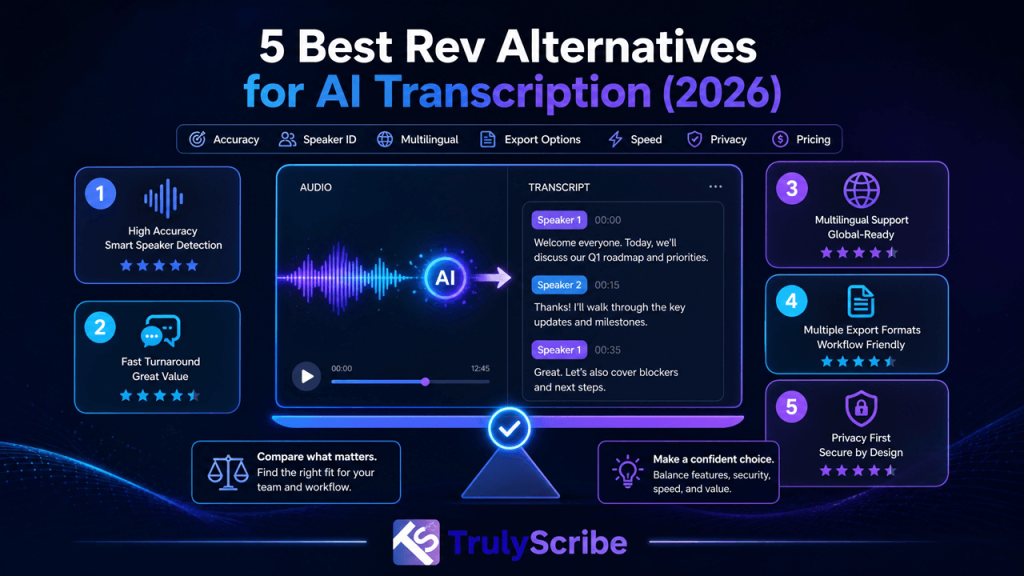
Rev has earned its reputation the hard way: for over a decade, it’s been one of the go-to names for accurate, human-reviewed transcription, especially in legal, academic, and compliance-heavy work. If you need a deposition transcribed word-for-word with nothing left to guesswork, Rev is a name that comes up for good reason. But that reliability comes with trade-offs. Rev’s model leans heavily on human transcriptionists, which means turnaround measured in hours, not minutes, pricing that climbs quickly at real production volume, and a workflow built almost entirely around English. If your team runs daily meetings, records webinars in multiple languages, or just needs a transcript back before the next call starts, those trade-offs start to matter. This guide breaks down where Rev genuinely excels, where it falls short, and the best Rev alternatives worth considering in 2026, depending on whether your priority is speed, language coverage, price, or certified accuracy. We’re comparing these tools against the specific gaps Rev leaves open — turnaround time, per-minute cost at volume, and English-first design — rather than just listing competitors. A tool that’s cheaper than Rev but still takes a day to deliver a transcript, or still can’t handle a non-English recording cleanly, doesn’t actually solve the problem most teams are looking to fix. Key Takeaways What Rev Does Well — and Where It Falls Short Rev’s core strength is quality assurance through human review. For legal, medical, and academic transcription, that matters more than speed, and it’s why Rev has held onto a loyal base of professional users for years. Where Rev genuinely excels Where Rev tends to fall short None of this makes Rev a bad tool — it just means Rev is optimized for a specific job (certified, high-stakes accuracy) rather than being the right fit for every transcription workflow. If speed, volume, or multilingual content matter more to you than certified human accuracy, it’s worth comparing the alternatives below. It’s also worth noting that Rev’s own product lineup has expanded to include an AI notetaker aimed at meetings, but reviewers consistently point out that it inherits the same English-first limitations as the rest of the platform, with more basic summarization than purpose-built meeting tools and none of Rev’s own signature human-review option layered on top. Best Alternatives to Rev for AI Transcription Here are five tools that solve the transcription problem differently than Rev does, each suited to a slightly different kind of workflow. 1. TrulyScribe — Best Overall Alternative Best for: Teams and individuals who need fast, accurate transcription across many languages without Rev’s per-minute human pricing or multi-hour turnaround. TrulyScribe takes a different approach than Rev’s human-first model: strong AI accuracy delivered in minutes, across more than 90 languages and dialects, with speaker labels, timestamps, and punctuation included by default. Where Rev is largely built around English, TrulyScribe is designed for teams that work across languages as a matter of course — a real advantage if you’re localizing content or webinars for international audiences rather than transcribing for a single English-speaking market. TrulyScribe also supports real-time transcription during live meetings and webinars and can process recordings directly from Zoom and Google Meet, closing a gap Rev’s human-first workflow doesn’t really address. Its built-in editor lets you play the transcript back against the original audio and correct names, terminology, or speaker labels before exporting to TXT, DOCX, PDF, SRT, or VTT — and everything is encrypted under a GDPR-compliant process, which matters for teams outside the US or handling sensitive material. It’s worth being direct about the trade-off: TrulyScribe doesn’t offer a dedicated, certified human-review tier the way Rev does, so for court-admissible transcripts or similarly high-stakes legal documentation, Rev (or a specialist like TranscribeMe) may still be the safer call. For nearly everything else — meetings, interviews, webinars, research, content production — TrulyScribe’s accuracy holds up well against human transcription at a fraction of the cost and wait time. 2. Notta — Best for Bilingual and Live Meetings Best for: Teams that need meetings captured and summarized automatically, especially across two languages at once. Notta isn’t trying to replace Rev for legal or long-form transcription — it’s built for a narrower problem: turning live or uploaded meetings into text and summaries without anyone taking manual notes. It supports dozens of languages, including bilingual sessions, and pushes transcripts and action items straight into tools like Notion, Slack, or Google Docs. 3. Otter.ai — Best for Calendar-Synced Meetings Best for: Remote teams whose workflow lives almost entirely inside Zoom, Google Meet, or Microsoft Teams. Otter.ai automatically joins scheduled calls from your calendar and delivers a transcript with summaries and searchable highlights shortly after the meeting ends. It’s fast and easy to adopt, though its meeting bot announces itself on the call, which can feel intrusive in interviews or sensitive discussions, and its language support is heavily English-first. 4. Trint — Best for Newsroom and Media Production Best for: Journalists and video teams turning interviews or footage directly into published stories or cuts. Trint links transcript text to the underlying audio or video, so editors can build a rough cut or pull quotes by editing the transcript itself rather than scrubbing a timeline. It supports transcription in 50+ languages and translation in even more, with real-time collaboration for newsroom teams working under deadline. 5. TranscribeMe — Best Budget Human Transcription Best for: Legal, medical, and research teams that need Rev-level human accuracy without Rev’s price tag. TranscribeMe offers tiered accuracy levels — from fast AI-only output up to fully verbatim, multi-pass human review — letting you pay only for the precision a given file actually needs. It supports court-ready formatting and jurisdiction-specific templates, making it a genuine Rev competitor for legal and compliance work specifically. Rev Alternatives Comparison Tool Best For Standout Feature Key Limitation TrulyScribe Overall replacement 100+ languages, real-time + meeting transcription, fast turnaround No certified human-review tier Notta Bilingual meetings Live bilingual capture + summaries Basic editor, not for long-form work Otter.ai Calendar-synced meetings Automatic meeting
best-turboscribe-alternatives-ai-transcription-2026
Comparisons, AI Transcription, Business Tools

5 Best TurboScribe Alternatives for AI Transcription (2026)

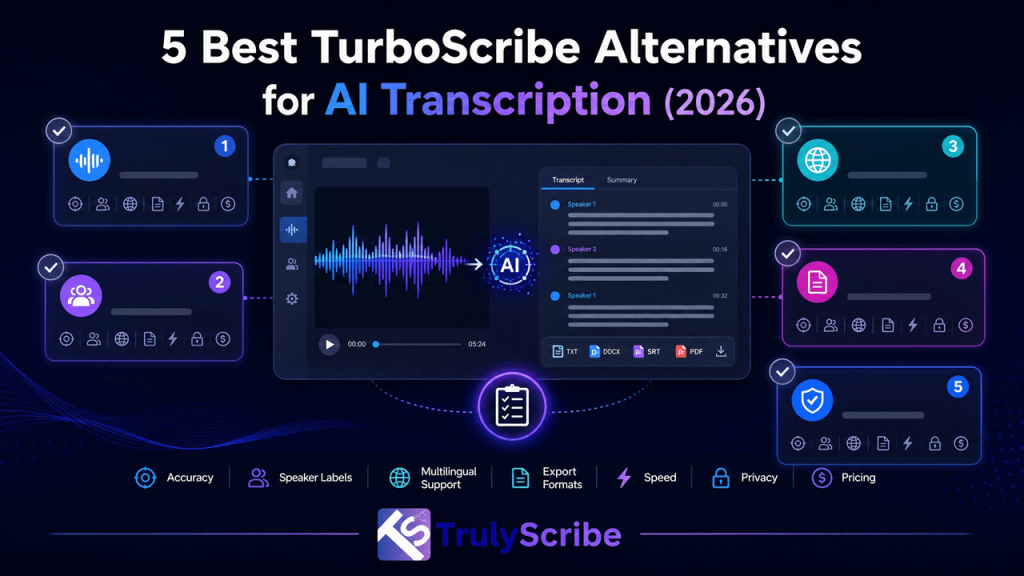
Key Takeaways TurboScribe has built a loyal following as a straightforward, flat-rate way to turn long audio and video files into text — upload a file, wait a few minutes, and download a transcript in whatever format you need. For solo creators, students, and researchers with a backlog of recordings, that simplicity is genuinely useful. But TurboScribe is built around one workflow: file upload, single-user editing, AI-only output. The moment your needs extend beyond that — live meetings you want captured automatically, a team that needs to collaborate on a transcript, multilingual content that needs to hold up outside English, or content you plan to publish and need in subtitle-ready formats — the gaps start to show. This guide breaks down the best TurboScribe alternatives for 2026, what each one does differently, and which one actually fits your workflow. We’re evaluating these alternatives specifically against the workflow gaps TurboScribe leaves open, not just headline pricing. A tool that’s marginally cheaper but still requires the same manual upload routine, or still can’t handle a non-English interview cleanly, isn’t solving the actual problem — it’s just a different bill. What Counts as a Real TurboScribe Alternative? A genuine TurboScribe alternative needs to match its core value — fast, affordable, high-volume transcription — while solving at least one of the gaps TurboScribe leaves open: live capture instead of manual upload, collaborative or team-based editing, human accuracy verification for high-stakes content, or stronger performance on accented, multilingual, or noisy audio. A tool that’s simply “another AI transcriber” without addressing one of these isn’t really an alternative, it’s a lateral move. Why People Look Beyond TurboScribe Manual upload, no live capture TurboScribe is built around uploading a finished recording, not joining a live call. There’s no calendar sync and no meeting bot, so every Zoom call, webinar, or Teams standup has to be recorded, downloaded, and uploaded manually before you get a transcript. For anyone running several meetings a day, that manual step adds up fast. AI-only output, no human review Every TurboScribe transcript is machine-generated with no option to have a human verify it. That’s fine for a podcast draft, but it rules the platform out for legal depositions, medical documentation, or anything else where an AI misread carries real consequences. Single-user editing, no team workflow The editing interface is built for one person reviewing one file. There’s no shared workspace, comments, or version history, which makes it awkward for teams that need to collaborate on a transcript together rather than passing exported files back and forth. Accuracy that varies with real-world audio On clean, single-speaker studio audio, TurboScribe performs well. On recordings with overlapping speakers, heavy accents, or background noise — the kind of audio most business meetings and interviews actually produce — accuracy is reported to drop more noticeably than on curated podcast content. No formal compliance documentation TurboScribe encrypts files and lets you delete them, but it doesn’t publish HIPAA or similar compliance documentation, and hosting is US-based. For healthcare providers, EU-based teams, or any organization with formal data-residency requirements, that’s a real limitation, not just a nice-to-have. Limited flexibility on export formats TurboScribe does support several export formats, but subtitle-ready SRT and VTT files are reported to be restricted on lower-tier plans. For video editors, course creators, or anyone publishing captioned content, having to upgrade just to get a usable subtitle file is a friction point that a purpose-built alternative avoids entirely. Top 5 TurboScribe Alternatives 1. TrulyScribe — Best Overall Alternative Best for: Individuals and teams that need TurboScribe’s affordability and volume, plus stronger multilingual accuracy and real-time capture. TrulyScribe covers the same core use case as TurboScribe — fast, affordable, high-volume transcription — while closing several of its biggest gaps. It supports over 100 languages and dialects with strong accuracy on non-English and accented audio, an area where general-purpose Whisper-based tools like TurboScribe tend to be less consistent. Every transcript comes with speaker labels, timestamps, and punctuation, and exports directly to TXT, DOCX, PDF, SRT, and VTT — including native subtitle files, which TurboScribe restricts on its lower tiers. Where TrulyScribe pulls further ahead is real-time and meeting-oriented transcription. Instead of a strict upload-only workflow, TrulyScribe supports real-time transcription during webinars and virtual events and can process recordings straight from Zoom and Google Meet, so teams running frequent calls aren’t stuck downloading and re-uploading files one at a time. Its built-in editor lets you compare the transcript against the original audio in real time and correct names or terminology before exporting, and all files are encrypted in transit and at rest under a GDPR-compliant process — a meaningful advantage for teams outside the US or handling sensitive material. For anyone specifically weighing the two platforms feature-by-feature, TrulyScribe’s own TurboScribe vs. TrulyScribe comparison breaks down long-file handling, subtitle export, and speaker detection side by side. TrulyScribe also leans into use cases that go beyond a single transcript. Because the same accurate, timestamped output can feed translated captions, blog drafts, and searchable archives, teams that adopt it for meeting notes often end up using it for affordable webinar localization and content repurposing as well, without needing a second tool for either job. 2. Otter.ai — Best for Live English Meetings Best for: Solo professionals and small teams whose workflow is mostly live, English-language meetings. Otter.ai remains the standard choice for calendar-synced meeting capture. Connect Google or Outlook calendar, and its bot joins scheduled Zoom, Meet, or Teams calls automatically, delivering a structured transcript and summary shortly after the call ends. Its free plan is generous for occasional use, and paid plans add custom vocabulary and broader export options. 3. Rev — Best for Legal and Compliance Accuracy Best for: Legal, medical, and compliance teams that need certified, human-verified transcripts. Rev offers both AI transcription and professional human transcription, and it’s the human option that sets it apart. For depositions, medical records, or anything intended for publication, a human-reviewed transcript removes the risk of an AI misinterpretation making it into

top-ai-transcription-trends-2026
AI Transcription, Business Tools, Content Creation Tools, Industry Trends

Top AI Transcription Trends 2026

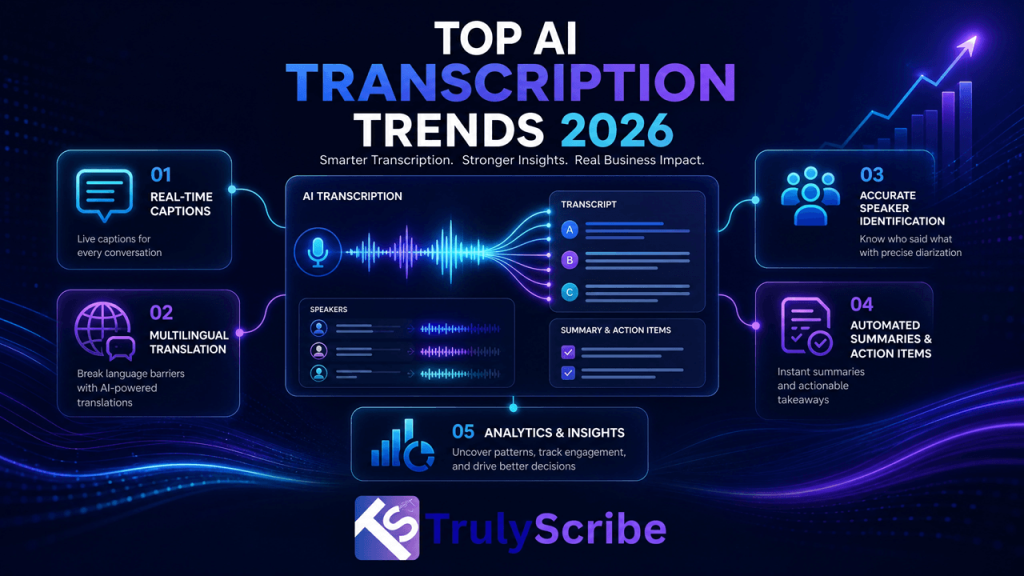
AI transcription has quietly gone from a nice-to-have convenience to core infrastructure for how businesses, educators, and creators work. Meetings, webinars, podcasts, lectures, and customer calls are all being converted into searchable, shareable, translatable text by default — not because someone remembered to hire a transcriptionist, but because the software they already use does it automatically. 2026 is shaping up to be the year this shift stops being optional. Accuracy has closed the gap with human transcription for most everyday audio, real-time captioning is becoming a baseline expectation rather than a premium feature, and transcripts themselves are becoming a distinct content asset — valuable for SEO, for AI search visibility, and for repurposing into blogs, social posts, and knowledge bases. Below, we break down the trends actually driving that shift, what’s causing them, and what they mean for how you should be using AI transcription this year. Here’s what’s actually worth tracking, and why it matters for how you plan your content, meetings, and tooling for the rest of the year. 1. Near-Human Accuracy Becomes the Default Expectation For years, “AI transcription” was shorthand for auto-captions that mangled names, dropped words, and needed heavy manual cleanup. That’s no longer the baseline. Modern speech recognition models now regularly hit 95–99% accuracy on clear business audio, which means the gap between AI and professional human transcription has narrowed to the point where AI transcription can match human accuracy for most everyday use cases, with humans reserved for edge cases rather than the default choice. The practical effect: teams are trusting AI transcripts to be used directly — in meeting notes, in captions, in searchable archives — without a mandatory human retyping pass. That single shift is what makes every other trend on this list economically viable at scale. It’s also changing how quality gets measured. Instead of asking “is this transcript perfect,” teams are increasingly asking “is this transcript good enough to act on immediately,” which is a much lower bar and one that AI comfortably clears for the vast majority of everyday recordings. 2. Real-Time Transcription Becomes a Standard Meeting Feature Live captioning used to be a specialized accessibility feature. In 2026, it’s becoming a default expectation for any meeting, webinar, or virtual event. Sales teams want real-time notes they can act on immediately after a call; event organizers want real-time AI transcription during webinars and virtual events so international attendees can follow along as the speaker talks, not just after the recording is processed. This trend is also changing how people handle recorded meetings after the fact. Instead of manually scrubbing through a video looking for the moment a decision was made, teams are simply transcribing their Google Meet or Zoom recordings and searching the text — turning a 45-minute recording into something they can skim in two minutes. Expect this to keep pushing further upstream in 2026: rather than transcribing a meeting after it ends, more platforms are generating live summaries and action items as the conversation happens, so the transcript isn’t just a record of what was said but a working document the team can act on before the call is even over. 3. Multilingual Transcription Moves From Nice-to-Have to Core Feature Global teams and global audiences have made single-language transcription feel incomplete. The trend in 2026 is transcription tools that natively support dozens of languages and dialects, so a company doesn’t need a separate vendor for every market it operates in. This ties directly into a broader multilingual content strategy built around AI transcription, where one transcript becomes the source for translated captions, dubbed audio, and localized blog content across every language a business needs to reach. This is also feeding directly into affordable webinar localization, since the same transcription-and-translation pipeline that captions a sales call can now caption and translate a full international webinar for a fraction of what agency-based localization used to cost. What used to require a separate translation vendor per language is increasingly just a setting inside the same transcription tool a team already uses. 4. Transcripts Become SEO and AI-Search Assets, Not Just Notes One of the biggest shifts in 2026 is that transcripts are no longer just an internal convenience — they’re being treated as a distinct SEO asset. Publishing a transcript alongside a video or podcast helps search engines read and index video content that would otherwise be invisible to crawlers, turning a video-only page into one that can actually rank on text queries. This trend has accelerated further with the rise of AI-powered search and answer engines. Well-structured transcripts are increasingly a factor in how content gets surfaced in ChatGPT and other AI search tools, which is pushing more creators and businesses toward a broader GEO (generative engine optimization) approach to video content where the transcript is treated as seriously as the video itself. 5. Speaker Diarization Gets Smarter Telling speakers apart used to be one of AI transcription’s weakest points, especially in group settings. That’s changing fast. Improved diarization models are now handling panel discussions, interviews, and focus groups with multiple speakers accurately, correctly attributing overlapping dialogue and fast back-and-forth exchanges that older tools would jumble into a single unlabeled block of text. For researchers, HR teams, and journalists working with recorded interviews, this trend matters enormously: accurate speaker labels are often the difference between a transcript that’s immediately usable and one that needs a full manual review before anyone can trust it. 6. Noise-Robust Transcription for Real-World Audio Not every recording happens in a quiet studio. As remote work and hybrid meetings stay the norm, AI transcription models are being trained to perform better on messy, real-world audio — handling background noise like traffic, other conversations, or a noisy home office without falling apart. This matters because it removes one of the biggest practical barriers to trusting AI transcripts by default: the fear that any imperfect recording will produce a garbled, unusable transcript. 7. Domain-Specific Transcription Models General-purpose transcription is good, but 2026 is seeing a

how-ai-makes-international-webinar-localization-affordable
AI Transcription, Business Tools, Localization, Webinars & Virtual Events

How AI Makes International Webinar Localization Affordable

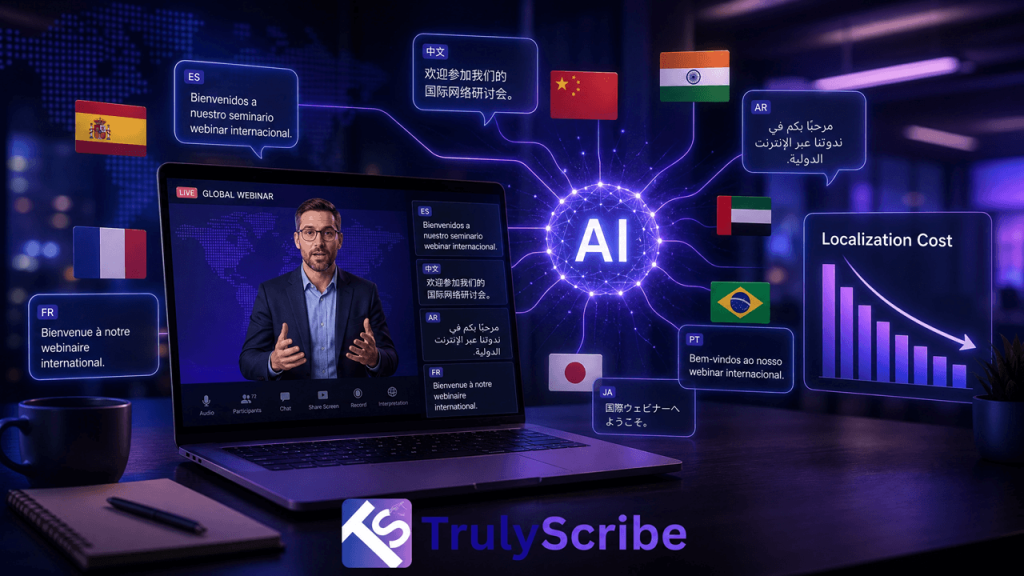
Webinars have become one of the fastest, cheapest ways for companies to reach buyers, train employees, and build authority in their industry. But there’s a catch: most webinars are still recorded and published in a single language, which means a huge share of the global audience never gets to watch them. A product demo delivered in English is invisible to a procurement manager in São Paulo, a compliance officer in Tokyo, or a student in Warsaw who would happily watch it in their own language. For years, the reason companies skipped webinar localization wasn’t a lack of interest — it was cost. Professional interpreters, subtitling studios, and dubbing agencies could easily turn a single 60-minute webinar into a five-figure line item, and the turnaround time often stretched into weeks, by which point the content felt stale. Artificial intelligence has quietly rewritten that math. What used to require a project manager, three vendors, and a month of back-and-forth can now be done in an afternoon, at a fraction of the price, using AI transcription, neural machine translation, and synthetic voice technology working together. In this guide, we’ll break down exactly why traditional webinar localization is so expensive, how AI collapses that cost, what an AI-powered localization workflow actually looks like step by step, and how a tool like TrulyScribe fits into that pipeline as the foundation — the accurate transcript everything else is built on. The Real Cost of Traditional Webinar Localization To understand why AI is such a big deal here, it helps to look at what localization used to cost. A typical enterprise localization workflow for a single webinar involves several separate specialists, each billing by the minute or the hour: Run those numbers for a one-hour webinar localized into five languages — a fairly modest ask for a company selling into Europe, Latin America, and Asia — and you’re often looking at $10,000 to $25,000, with a delivery window of two to four weeks. For most marketing and L&D teams, that’s simply not in the budget, so localization gets cut, and the webinar stays English-only, or English-plus-maybe-one-other-language if a big client demands it. That’s the real cost of skipping localization: not the money saved, but the audience never reached. What Changed: The Rise of AI-Powered Localization Three technologies matured at roughly the same time, and together they broke the old cost structure: 1. Speech recognition that’s finally good enough Modern AI transcription models routinely hit 95–99% accuracy on clear business audio, even with accents, cross-talk, and industry jargon. That’s a dramatic shift from the error-prone auto-captions of a few years ago, and it means the transcript an AI produces can be trusted as the source-of-truth text for everything downstream, rather than needing a human to retype the whole thing. 2. Neural machine translation Translation engines built on neural networks now produce fluent, context-aware translations across dozens of language pairs almost instantly, instead of the stilted, word-for-word output older statistical translation tools were known for. 3. AI voice synthesis and dubbing Text-to-speech has moved past robotic-sounding narration. Current AI voices can preserve tone, pacing, and even something close to the original speaker’s cadence, making automated dubbing a realistic option for internal training content and lower-stakes external webinars. Individually, each of these technologies is useful. Chained together into a single pipeline — transcribe, translate, caption, dub, publish — they turn a multi-vendor, multi-week project into something a single marketer can run before lunch. How AI Webinar Localization Actually Works, Step by Step Here’s what a modern, AI-driven localization workflow looks like in practice, whether you’re localizing a live sales webinar or an on-demand training session. Step 1: Capture and transcribe the source webinar The first step is turning spoken audio into accurate, timestamped text. This can happen live during the event with real-time AI transcription for webinars and virtual events, or after the fact by uploading the recording. If your webinar was hosted on a video conferencing platform, transcribing your Google Meet or Zoom recording takes just minutes and gives you a clean, speaker-labeled transcript to work from. This transcript becomes the single source of truth for every language version that follows. Step 2: Clean and structure the transcript A good AI transcript includes speaker labels, timestamps, and punctuation, which makes it far easier to align translated subtitles later. Accuracy matters enormously here, because any error in the source text gets carried into every translated language. This is also where it’s worth understanding how AI transcription accuracy now compares to human transcription — for most business and marketing content, AI is close enough to human-level that it can be used directly, with a light human review pass for anything customer-facing or legally sensitive. Step 3: Machine-translate the transcript into target languages Once you have a clean source transcript, translating it into five, ten, or twenty languages is largely a matter of running it through a neural machine translation engine. Because the source text is already structured with timestamps, the translations stay aligned to the original timing, which is essential for subtitles and dubbing. Teams building a broader multilingual content strategy often standardize this step across all their video and webinar content, not just a single event. Step 4: Generate multilingual subtitles and captions Translated, timestamped text can be exported directly into SRT or VTT caption files for each language, ready to burn into the video or upload alongside it on YouTube, your LMS, or your webinar platform. This is the fastest, cheapest way to make a webinar accessible internationally — no voice talent required, and viewers who are comfortable reading subtitles get the full content immediately. Step 5: Add AI dubbing where it matters For markets where subtitles aren’t enough — internal training audiences, for instance, or regions where video consumption habits favor dubbed audio — AI voice synthesis can generate a spoken track in the target language, timed to match the original video. This is the most resource-intensive step in the pipeline, so many teams reserve it for

Scroll to Top