

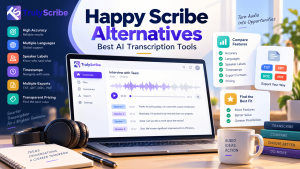
HappyScribe is one of the best-known names in transcription and subtitling, and for good reason: it offers a clean editor, solid language support and an optional human proofreading service. But it is not the right fit for everyone. If you regularly run out of monthly minutes, transcribe long recordings on a tight budget or simply want more predictable pricing, it is worth comparing your options.
This guide covers the best HappyScribe alternatives in 2026: what each tool does well, where it falls short and who should choose it. We put TrulyScribe first because of its unlimited, AI-first approach, but we have tried to be fair to every tool so you can decide for yourself
Key Takeaways
| HappyScribe is a capable platform, but its plans use fixed monthly AI minutes, with extra minutes and human proofreading billed separately, which can add up for heavy users. TrulyScribe is the best fit for high-volume, multilingual AI transcription thanks to its unlimited approach, speaker labels, timestamps, built-in editor and DOCX/PDF exports. Otter.ai, Rev, Trint, Sonix, Descript and TurboScribe each win in a specific niche: meetings, human-verified transcripts, newsrooms, translation, media editing and flat-rate usage. Compare tools on real cost at your volume, not on headline prices. Metered minutes, overage fees and seat limits change the math quickly. Accuracy, speaker identification and language coverage matter more than extras. Test each tool with your own recordings before you commit. If you need guaranteed human-verified accuracy or full subtitling tools, HappyScribe or Rev may still be the better primary choice, and pairing tools is perfectly reasonable. |
What Is HappyScribe, and What Does It Do Well?
HappyScribe is a transcription, subtitling and translation platform. According to its pricing page, it offers a free 10-minute trial, paid plans such as Basic ($17 per month for 120 AI minutes) and Pro ($29 per month for 600 AI minutes), extra credits at $0.20 per minute and human proofreading from $2.00 per minute. Its strengths include automatic speaker detection, a collaborative online editor, meeting recording for Google Meet, Zoom and Teams, and integrations with services such as YouTube, Vimeo, Google Drive, Box and Dropbox.
For occasional users and teams that value human-checked transcripts and subtitle workflows, that is a strong package. The reasons people look elsewhere are usually about volume, cost structure and fit.
Why Look for a HappyScribe Alternative?
- Metered minutes. Once your monthly allotment is used, extra minutes are billed at $0.20 each. Podcasters, researchers and call-heavy teams can see costs climb quickly.
- Human transcription is a separate cost. Human proofreading starts from $2.00 per minute, which makes it an occasional add-on rather than an everyday workflow.
- A small free trial. Ten minutes is enough for a quick test but not for evaluating long, noisy or multi-speaker files.
- Watermarked free video exports. Fine for testing, but not for finished work.
- Different workflow needs. Some teams want live meeting notes, text-based video editing or newsroom collaboration instead of a general-purpose transcription and subtitling tool.
- Predictability. Many users simply prefer a model where they never have to watch a minute counter.
What to Look for in a Transcription Tool
Before comparing names, decide what matters most for your recordings. This checklist keeps the comparison honest:
- Real-world accuracy. Test with your own files, including accents, jargon and imperfect audio. Our tips on transcribing audio with background noise show what to expect.
- Speaker identification. Interviews, meetings and panels need clear labels. See how this works in our guide to transcribing multiple speakers accurately.
- Language coverage. Check every language and accent you work with, not just the headline number.
- Pricing model. Compare the effective cost at your monthly volume, including overage fees and seat limits.
- Editor and exports. You should be able to correct text against the audio and export to the formats you actually use.
- Security. Look for encryption and clear data-handling policies, especially for interviews, client calls and research.
New to the technology? Our beginner’s guide explains what AI transcription is and how it works.
HappyScribe Alternatives at a Glance
| Tool | Best for | Standout strength |
|---|---|---|
| TrulyScribe | High-volume, multilingual AI transcription | Unlimited approach, 100+ languages, speaker labels, timestamps, editor and DOCX/PDF export |
| Otter.ai | Meetings and live notes | Real-time transcription and shareable meeting summaries |
| Rev | Human-verified transcripts | AI plus professional human transcription under one roof |
| Trint | Newsrooms and media teams | Collaborative editing and story-focused workflows |
| Sonix | Fast turnaround with translation | Browser editor and multi-language transcription and translation |
| Descript | Podcasters and video creators | Edit audio and video by editing the text |
| TurboScribe | Budget-friendly flat-rate use | Simple unlimited plan for individual users |
Features and pricing change often, so confirm current details on each vendor’s website before you decide.
The 7 Best HappyScribe Alternatives
1. TrulyScribe: Best for Unlimited, Multilingual AI Transcription
TrulyScribe is an AI transcription platform designed around a simple idea: you should be able to transcribe as much audio and video as you need without watching a minute counter. Upload a file and TrulyScribe returns a transcript with speaker labels, timestamps and smart punctuation, with support for 100+ languages and accuracy of up to 99.8% on clear audio.
What makes TrulyScribe stand out among HappyScribe alternatives:
- Unlimited approach. Ideal for podcasts, webinars, research interviews and call archives where the minutes add up fast. New users also get free monthly hours to test it on real files.
- A built-in editor that earns its keep. Compare the transcript against the audio or video in real time and fix names, jargon and numbers in seconds.
- Broad language coverage. Browse the full list of supported languages and see how to get more from them in our guide to multilingual AI transcription.
- Easy exports. Download transcripts as PDF, DOCX and other formats for sharing, publishing or analysis.
- Secure by design. Encryption and secure servers help protect interviews, client calls and sensitive recordings.
- Simple for beginners, scalable for teams. Customization options and an easy interface suit solo creators and growing businesses alike.
Best for: podcasters, content creators, researchers, agencies, students and businesses with large or multilingual audio libraries. Keep in mind: TrulyScribe is AI-first, so if you need human-verified transcripts for legal or broadcast use, plan a manual review step or a separate human service. See the pricing page for current plans.
2. Otter.ai: Best for Meetings and Live Notes
Otter.ai is a popular choice for meeting transcription, offering live captions, automatic summaries and shareable notes that join your calendar events. It works well for teams that live in video calls and want notes without extra effort. Keep in mind: it is oriented toward meetings rather than long-form media or heavy multilingual work. For a direct comparison, read our TrulyScribe vs Otter AI vs Descript breakdown.
3. Rev: Best for Human-Verified Transcripts
Rev combines AI transcription with professional human transcription, which makes it a go-to when you need near-perfect accuracy for legal, medical, broadcast or compliance work. Keep in mind: human transcription costs far more per minute than AI, so most teams use it selectively. Our comparison of human vs AI transcription helps you decide when it is worth paying for.
4. Trint: Best for Newsrooms and Media Teams
Trint focuses on turning recordings into stories, with collaborative editing, search and workflows aimed at journalists and media organizations. Keep in mind: it is geared toward professional media teams, so individual creators and small businesses may find it more than they need.
5. Sonix: Best for Fast Turnaround with Translation
Sonix offers quick automated transcription, a browser-based editor and transcription and translation across many languages. It suits teams that regularly work with international content. Keep in mind: plans are usage-based, so costs rise with volume, much like other metered services.
6. Descript: Best for Podcasters and Video Creators
Descript lets you edit audio and video by editing the transcript, which is a big time-saver for podcast and video production. It is a full editing suite as much as a transcription tool. Keep in mind: if you only need accurate transcripts, you may be paying for editing features you will not use. Our guide to AI transcription tools for content creators covers this trade-off in more detail.
7. TurboScribe: Best for Simple Flat-Rate Use
TurboScribe is known for a straightforward unlimited plan aimed at individual users, with a limited free tier for testing. Keep in mind: it is built primarily for single users, so teams that need collaboration or granular workflow features should compare it closely against TrulyScribe and others on this list.
TrulyScribe vs HappyScribe: Side-by-Side
Here is how the two compare on the points that matter most. HappyScribe details come from its public pricing page and TrulyScribe details from its website, and both may change, so verify before you buy.
| Feature | HappyScribe | TrulyScribe |
|---|---|---|
| Pricing model | Monthly plans with set AI minutes (e.g. Basic $17 for 120 min, Pro $29 for 600 min); extra credits $0.20/min | Built around unlimited transcription; see the pricing page for current plans |
| Free option | 10-minute trial of AI transcription | Free monthly hours for new users (up to 15 hours per month at the time of writing) |
| Languages | Dozens of languages and dialects | 100+ languages |
| Speaker labels | Automatic speaker detection | Automatic speaker labels and timestamps |
| Editor | Collaborative online editor | Editor to compare transcript with audio/video in real time |
| Human transcription | Available from $2.00/min | AI-first platform |
| Exports | DOCX, TXT, SRT and MP4 (watermarked on free) | PDF, DOCX and other formats |
| Data security | Check provider policies | Encryption and secure servers |
The honest summary: HappyScribe is a strong choice if you want human proofreading and subtitle workflows in one place and your volume is modest. TrulyScribe is the stronger choice if you transcribe a lot, work across many languages and want costs that do not scale with every extra minute.
Which Alternative Should You Choose?
- Podcasters and creators with long episodes: TrulyScribe or Descript. Our roundup of the best AI transcription for long podcasts can help you compare.
- Researchers and interviewers: TrulyScribe for speaker labels and unlimited volume. See our guide to AI transcription for research, focus groups and interviews.
- Business meetings and calls: TrulyScribe for accurate transcripts of recordings, or Otter.ai if you want live notes. Our guide shows how to transcribe Zoom and Google Meet recordings for free.
- Legal, medical or broadcast work: Rev for human-verified transcripts, with AI for drafts.
- Students and solo users on a budget: TrulyScribe or TurboScribe. See AI transcription for students and tools for solopreneurs.
- Subtitles and captions: check export formats carefully. Our guide to JSON and SRT export tools and article on transcripts and accessibility are good starting points.
How to Test Alternatives Before You Switch
- Pick three real files. Choose one clean recording, one noisy recording and one with multiple speakers.
- Run the same files through each tool. Compare accuracy on names, numbers and jargon, plus speaker labels and timestamps.
- Try the editor and exports. Correct a few lines and export the result in the formats you actually use.
- Calculate real monthly cost. Multiply your typical monthly minutes by each pricing model, including overages and extra seats.
- Keep what you already have. Export your existing transcripts before cancelling any subscription, and re-upload the original media to your new tool if you want a fresh transcript.
Final Thoughts
There is no single winner for every workflow. HappyScribe, Otter.ai, Rev, Trint, Sonix, Descript and TurboScribe all solve real problems well. But if your priorities are high volume, many languages, accurate speaker-labeled transcripts and costs that stay predictable, TrulyScribe deserves a place at the top of your shortlist.
The easiest way to decide is to try it with your own recordings. You can sign up for TrulyScribe, use your free monthly hours and see how your next podcast, interview or meeting recording turns out.
Frequently Asked Questions (FAQs)
What is the best HappyScribe alternative?
It depends on your needs, but TrulyScribe is a strong all-round choice for high-volume, multilingual AI transcription. Otter.ai suits meetings, Rev suits human-verified transcripts and Descript suits podcast and video editing.
Is there a free alternative to HappyScribe?
Yes. Several tools offer free tiers, including TrulyScribe, which gives new users free monthly hours to test real recordings. Free tiers differ in file length, minutes and features, so check the limits before relying on them.
Is TrulyScribe better than HappyScribe?
For high-volume AI transcription across many languages, TrulyScribe’s unlimited approach is often a better fit. If you need human proofreading or integrated subtitle workflows, HappyScribe may suit you better. Testing both with your own files is the best way to decide.
Does HappyScribe offer human transcription?
Yes. HappyScribe offers human proofreading, listed on its pricing page from $2.00 per minute, on top of its AI transcription plans.
Which HappyScribe alternative supports the most languages?
TrulyScribe supports 100+ languages and several tools offer wide coverage. Because accuracy varies by language and accent, test your specific languages in each tool before committing.
How accurate is AI transcription?
Accuracy depends mainly on audio quality, accents, background noise and technical vocabulary. With clear audio, leading tools perform very well, and TrulyScribe cites accuracy of up to 99.8%. For critical content, review the transcript against the recording.
Can I move my transcripts from HappyScribe to another tool?
You can export your transcripts from HappyScribe in formats such as DOCX, TXT and SRT. To create a fresh transcript in a new tool, simply upload the original audio or video file.
Relevant Articles
Keep exploring with these related guides from the TrulyScribe blog:
- Best AI Transcription Tools in 2026: an up-to-date comparison of leading platforms.
- 10 Best AI Transcription Tools: a broader roundup with pros and cons.
- TrulyScribe vs Otter AI vs Descript: a side-by-side look at features and value.
- Human vs AI Transcription: A Complete Comparison: when to choose speed and when to choose human review.
- Best AI Transcription Tools for Content Creators: picks for podcasters and video makers.
- Mastering Multilingual Content with AI Transcription: get more from multi-language workflows.
- How AI Transcription Powers Global Video Localization: turn transcripts into subtitles and translations.