

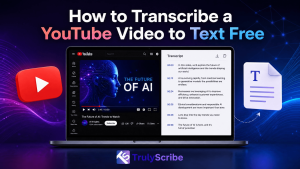
Whether you are a content creator looking to repurpose your videos into blog posts, a student taking notes from a lecture, or a researcher analyzing interviews, knowing how to transcribe a YouTube video to text for free is an invaluable skill. In 2026, the demand for accurate and fast transcription has never been higher, and thankfully, there are multiple ways to achieve this without spending a dime.
In this comprehensive guide, we will explore the best methods to convert YouTube videos into text, ranging from YouTube’s built-in features to advanced AI-powered tools like TrulyScribe.
Why Transcribe YouTube Videos?
Before diving into the “how,” it is essential to understand the “why.” Transcribing video content offers numerous benefits across different fields:
- Content Repurposing: Creators can easily turn a 10-minute video into a comprehensive blog post, a thread of social media posts, or an email newsletter.
- Improved SEO: Search engines cannot watch videos, but they can read text. Adding a transcript to your video description or website boosts your search engine visibility.
- Accessibility: Transcripts make your content accessible to individuals who are deaf or hard of hearing, as well as those who prefer reading over watching.
- Enhanced Learning: Students and professionals can quickly search through text to find specific information, making studying and research far more efficient.
Method 1: Using YouTube’s Built-In Transcript Feature
The easiest and most direct way to get a transcript from a YouTube video is by using the platform’s native feature. YouTube automatically generates captions for most videos using speech recognition technology.
Step-by-Step Guide:
- Open the Video: Navigate to the YouTube video you want to transcribe.
- Locate the Description: Below the video player, click on the “…more” button to expand the description box.
- Show Transcript: Scroll down until you see the “Show transcript” button and click it.
- View the Text: A transcript panel will open on the right side of the screen (or below the video on mobile devices), displaying the text with timestamps.
- Copy the Text: You can highlight the text, copy it, and paste it into your preferred document editor. If you want to remove the timestamps, you can toggle them off by clicking the three vertical dots in the transcript panel.
Pros: Completely free, requires no third-party tools, and is instantly available for most videos.
Cons: The accuracy of auto-generated captions can vary significantly depending on audio quality, accents, and background noise. It also lacks speaker identification and punctuation.
Method 2: Using Free Online Transcription Tools
If YouTube’s built-in transcript is unavailable or inaccurate, several free online tools can extract or generate transcripts from YouTube URLs.
Popular Free Tools in 2026:
- NoteGPT: This tool allows you to paste a YouTube URL and instantly generates a transcript. It also offers AI summarization features.
- Tactiq: Primarily known as a meeting transcription tool, Tactiq also offers a free YouTube transcript generator that extracts text quickly.
- YouTube Transcript AI: A dedicated tool that focuses on fast and free extraction of YouTube captions.
Pros: Easy to use, often provides cleaner formatting than copying directly from YouTube, and some offer summarization features.
Cons: These tools often rely on YouTube’s existing auto-captions. If the video does not have captions, these tools may not work or may require you to download the audio first.
Method 3: The Ultimate Solution – TrulyScribe
While built-in features and basic extractors are helpful, they often fall short when you need high accuracy, speaker identification, and professional formatting. This is where AI-powered transcription platforms like TrulyScribe shine.
TrulyScribe offers unlimited audio and video transcription powered by advanced AI, making it the perfect solution for creators, businesses, and professionals.
How to Use TrulyScribe for YouTube Videos:
- Download the Audio/Video: First, use a reliable tool to download the YouTube video or extract its audio (MP3 format is usually best for transcription).
- Sign Up for TrulyScribe: Create a free account on TrulyScribe. You get 15 hours of free transcription every month!
- Upload Your File: Navigate to the dashboard and upload your downloaded audio or video file. TrulyScribe supports multiple formats.
- Select Language: Choose the language spoken in the video. TrulyScribe supports over 80 languages, including various dialects like US English, UK English, and Australian English.
- Generate Transcript: Click transcribe. Within minutes, TrulyScribe’s AI will generate a highly accurate transcript.
- Edit and Export: Use the user-friendly editor to review the text, adjust speaker labels, and correct any minor errors. Finally, export your transcript in your preferred format (PDF, DOCX, etc.).
Why Choose TrulyScribe?
Unmatched Accuracy: With an accuracy rate of up to 98%, TrulyScribe significantly reduces the time spent editing transcripts.
Speaker Labels & Timestamps: Automatically identifies different speakers and adds precise timestamps, which is crucial for interviews and podcasts.
Multilingual Support: Perfect for global content, supporting dozens of languages and dialects.
Secure and Private: Your data is protected with robust encryption, ensuring your content remains confidential.
Generous Free Tier: The 15 hours of free transcription per month makes it an unbeatable choice for regular users.
Conclusion
Transcribing a YouTube video to text for free is easier than ever in 2026. For quick, basic needs, YouTube’s built-in transcript feature is a great starting point. However, if you require high accuracy, speaker identification, and professional formatting, leveraging an AI tool like TrulyScribe is the smartest choice.
By turning your videos into text, you unlock new possibilities for content creation, improve your SEO, and make your information accessible to a wider audience. Start transcribing today and maximize the value of your video content!
Ready to experience highly accurate, AI-powered transcription? Sign up for TrulyScribe today and get your first 15 hours absolutely free!