

AI transcription tools now sit in the middle of some genuinely sensitive conversations: legal depositions, HR interviews, board meetings, therapy-adjacent coaching calls, sales negotiations, and internal strategy discussions. That’s a big shift from what these tools were originally used for — quick notes on a podcast or a casual meeting — and it raises a fair question that doesn’t get answered clearly enough: is any of this actually secure?
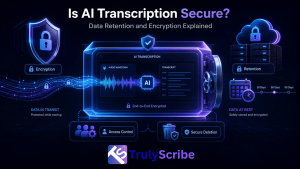
The honest answer is that it depends entirely on the tool, and “secure” isn’t a single yes-or-no property. It’s a combination of specific, checkable practices: how data is encrypted, how long it’s retained, who can access it, and what happens to it after you’re done. This guide breaks down each of those in plain terms, so you can evaluate any AI transcription tool — including TrulyScribe — on the actual practices that matter, rather than a vague “your data is safe with us” claim.
This matters because “secure” gets used as a one-word marketing badge far more often than it gets explained. Two tools can both claim to be secure while handling your data in meaningfully different ways — one deleting the original audio within days, the other keeping everything indefinitely; one clearly stating it never trains models on your content, the other staying silent on the question entirely. The word alone tells you nothing; the specifics behind it tell you everything.
Why This Question Matters More Than It Used To
Recording a conversation used to mean it existed in one place: a physical recorder, or a video file on your own device. AI transcription changes that by design — the recording typically gets uploaded to a third-party server, processed by a speech recognition model, and stored as both an audio file and a text file, sometimes indefinitely, sometimes across multiple systems if the tool integrates with other software.
That’s not inherently a problem. It’s just a different risk profile than a conversation that never left the room, and it means the security practices of whatever tool you’re using directly determine how exposed that conversation actually is. As AI transcription use expands into legal discovery and document review and HR interviews and recruitment, the stakes of getting this wrong go up accordingly.
The Three Things That Actually Determine Security
Marketing pages love the word “secure,” but it only means something specific when it’s backed by these three things.
1. Encryption — in Transit and at Rest
Encryption in transit means your file is protected while it’s traveling from your device to the transcription service’s servers, typically via TLS/HTTPS — the same standard securing online banking. Without it, a file could theoretically be intercepted while uploading.
This part is largely table-stakes at this point — any legitimate web-based service, transcription or otherwise, should have TLS/HTTPS enabled by default. If a tool doesn’t, that alone is a strong enough warning sign to look elsewhere before evaluating anything else about it.
Encryption at rest means the file stays encrypted once it’s sitting on the provider’s servers, not just during the upload. This matters because a server breach that exposes unencrypted stored files is a very different (and much worse) outcome than one that exposes encrypted files an attacker can’t actually read without the keys. Reputable transcription providers, TrulyScribe included, encrypt files both in transit and at rest as a baseline practice, not an add-on.
2. Data Retention — How Long Your Files Actually Stick Around
This is the part most people never think to ask about. Every transcription service has some policy on how long it keeps your audio files, video files, and generated transcripts after processing — and that policy varies widely between providers, and sometimes between plan tiers on the same platform.
- Some tools delete the original audio/video shortly after transcription and keep only the text.
- Some keep everything indefinitely unless you manually delete it.
- Some retain data for model training or product improvement unless you specifically opt out.
- Enterprise plans often include shorter, configurable retention windows than free or individual plans.
None of these is automatically wrong, but you should know which one applies to you before uploading anything sensitive — and you should be able to find that answer in a vendor’s actual privacy policy, not just infer it from marketing copy.
3. Access Control — Who Can Actually See Your Data
Encryption protects data from outside attackers; access control determines who inside the company, and inside your own organization if you’re on a team plan, can view it. Look for role-based permissions on team accounts, limited internal employee access to raw files, and clear answers about whether human staff ever review transcripts — and under what circumstances.
This is the pillar most often overlooked, partly because it’s harder to verify from the outside than encryption or a stated retention window. Asking directly — “who at your company can access my uploaded files, and why” — is a reasonable question to put to any vendor handling sensitive material, and a specific, confident answer is a good sign in itself.
Compliance Frameworks You’ll See Referenced
Vendors often cite specific compliance frameworks as shorthand for their security posture. Here’s what each one actually signals:
| Framework | What It Actually Means |
| GDPR | An EU regulation giving individuals control over their personal data, requiring companies to justify data collection, allow deletion requests, and secure data by design. Applies to any company handling EU residents’ data, regardless of where the company is based. |
| SOC 2 | An independent audit certification confirming a company’s security controls meet specific standards across areas like access control and monitoring. It’s a third-party verification, not a self-declared claim. |
| HIPAA | A US regulation governing protected health information. Relevant if you’re transcribing anything touching patient data; most general-purpose transcription tools are not HIPAA-covered by default and require a specific business associate agreement to be usable for healthcare data. |
| ISO 27001 | An international standard for information security management systems, covering how a company identifies and manages security risk as an ongoing process, not a one-time checklist. |
The key takeaway: these frameworks aren’t interchangeable, and a vendor citing one doesn’t automatically mean it covers your specific use case. If you’re transcribing legal or medical content specifically, confirm the exact certification and scope with the vendor directly rather than assuming general “compliance” language covers it.
Common Myths About AI Transcription Security
“Cloud-based means insecure”
Cloud storage isn’t inherently less secure than local storage — in many cases it’s more secure, since reputable providers invest in security infrastructure most individuals or small teams couldn’t replicate on their own hardware. The relevant question isn’t cloud versus local, it’s whether the specific provider follows solid encryption and access-control practices.
“Free tools and paid tools have the same security”
Free tiers often come with fewer data controls, longer default retention, and sometimes broader rights to use your content for model training or product improvement, since the free tier’s business model may depend on that data in ways a paid subscription doesn’t. Always check the specific terms for the tier you’re actually using.
“Deleting a file removes it everywhere instantly”
Deletion in an app usually removes the file from your active account, but backup systems, caches, or logs may retain a copy for a defined period afterward. A trustworthy provider’s privacy policy should specify how long that residual retention lasts, not just confirm that a delete button exists.
Questions to Ask Any AI Transcription Vendor
- Is my data encrypted both in transit and at rest, and with what standard?
- How long are my audio, video, and transcript files retained after processing?
- Can I permanently delete files myself, and how long does deletion actually take to complete?
- Is my content ever used to train AI models, and can I opt out?
- Who inside the company can access my files, and under what circumstances?
- What compliance certifications does the company actually hold, and do they cover my specific use case (legal, healthcare, EU data, etc.)?
- Where is data physically stored, and does that location matter for my regulatory requirements?
A vendor that can answer all of these clearly, ideally in a written privacy policy rather than a sales conversation, is a strong signal. Vague or evasive answers to any of them are worth treating as a red flag.
Red Flags That Signal Weak Security Practices
- No published privacy policy, or one that hasn’t been updated in years.
- No clear answer on data retention timelines when asked directly.
- Default settings that allow your content to be used for model training without an easy opt-out.
- No option to permanently delete files or export and remove your data.
- Vague marketing language (“bank-level security”) without specifics on encryption standards or certifications.
How TrulyScribe Approaches Security
TrulyScribe encrypts files both in transit and at rest, and processes data under GDPR-compliant practices, which matters directly for teams handling recordings that involve EU-based clients, colleagues, or customers — including international webinars and meetings where participants may be based across multiple regions with different data protection expectations.
You can review, edit, and export your transcripts directly from your dashboard, and TrulyScribe’s full privacy policy outlines how data is collected, used, and protected in detail — which is exactly the kind of documentation this guide recommends checking for any transcription vendor, not just TrulyScribe. If you’re evaluating providers specifically on security and data handling alongside accuracy and features, it’s also worth reviewing how TrulyScribe compares to tools like Otter.ai and Descript on those broader criteria.
Best Practices for Using AI Transcription Securely
- Read the actual privacy policy for any tool you’re about to use with sensitive content, not just the marketing page.
- Use team or enterprise plans rather than free individual tiers for anything involving client, patient, legal, or confidential business data.
- Delete files you no longer need rather than letting them accumulate indefinitely in your account.
- Confirm data residency requirements before transcribing content tied to specific regulatory regions, particularly the EU.
- Avoid transcribing highly sensitive legal or medical conversations on general-purpose tools that don’t explicitly support that use case.
- Set a personal review cadence — monthly or quarterly — to delete transcripts and recordings you no longer actively need, rather than treating your account as permanent storage.
Frequently Asked Questions (FAQs)
Is AI transcription safe to use for confidential business meetings?
Generally yes, provided the tool encrypts data in transit and at rest, has a clear retention policy, and doesn’t use your content for model training without consent. Confirm these specifics for whichever tool you’re using rather than assuming all transcription services handle data the same way.
What’s the difference between encryption in transit and encryption at rest?
Encryption in transit protects a file while it’s being uploaded or transferred between systems. Encryption at rest protects the file while it’s sitting stored on a server. A secure tool should provide both — one without the other leaves a real gap.
How long do transcription services typically keep my files?
This varies significantly by provider and plan tier, ranging from automatic deletion shortly after processing to indefinite retention until you manually delete files. Always check the specific retention policy for your plan rather than assuming a default.
Can I request that my data not be used to train AI models?
Many providers offer this as an opt-out, particularly on paid or enterprise plans, though practices vary. Check the vendor’s privacy policy or terms of service directly, since this is rarely stated clearly in general marketing materials.
Is AI transcription GDPR-compliant?
It depends on the specific provider, not the technology category as a whole. A tool can be built to support GDPR-compliant data handling — encryption, deletion rights, data minimization — but compliance ultimately depends on how the provider actually implements and documents those practices.
Should I avoid AI transcription entirely for legal or medical recordings?
Not necessarily, but you should confirm the specific tool supports that use case, ideally with documentation covering the relevant compliance framework (HIPAA for medical data, for example) rather than assuming general-purpose encryption and GDPR compliance automatically extend to those more regulated categories.
The Bottom Line
“Is AI transcription secure” isn’t a yes-or-no question — it’s a question about specific, checkable practices: encryption in transit and at rest, clear and reasonable data retention, and access controls that limit who can actually see your files. Any provider that can answer those questions plainly, in writing, is worth trusting more than one that only offers reassuring marketing language.
TrulyScribe builds encryption and GDPR-compliant data handling into its core service, with a published privacy policy laying out exactly how data is collected and protected — the same standard of transparency worth expecting from any transcription tool handling content you’d rather not see exposed.