Trulyscribe

AI Transcription Tools

Best AI Transcription Tools for Solopreneurs on a Budget (2026)
AI Transcription Tools, Tools & Reviews

Best AI Transcription Tools for Solopreneurs on a Budget (2026)

When you’re running a one-person business, every tool you pay for has to earn its keep. You’re not a corporate team with a software budget — you’re a freelancer, a creator, a consultant, or a side-hustle operator who needs things to work without costing a fortune. AI transcription has quietly become one of the most useful tools in a solopreneur’s toolkit. Whether you’re transcribing client calls, podcast interviews, research conversations, YouTube videos, or online courses, turning audio to text saves hours every week. But the tool landscape is confusing. Some are genuinely free. Some hide their best features behind expensive plans. Some are built for enterprise teams and completely overkill for solo use. This guide cuts through the noise. We’ve compared the best AI transcription tools specifically for solopreneurs and budget-conscious freelancers — looking at free tiers, paid pricing, accuracy, and real-world usability. No fluff, no filler. What Solopreneurs Actually Need in a Transcription Tool Before diving into the tools, here’s what actually matters when you’re working solo and watching your spending: With that as our framework, here are the best options in 2026. Quick Comparison: Best AI Transcription Tools for Solopreneurs Tool Free Tier Paid From Best For Accuracy TrulyScribe 30 min/day (i.e. 15 hrs/month) on signup $0 — very generous free Solopreneurs & freelancers ⭐⭐⭐⭐⭐ Otter.ai 300 min/month ~$8.33/mo Meeting notes ⭐⭐⭐⭐ oTranscribe Unlimited (manual) Free only Manual transcriptionists ⭐⭐⭐⭐⭐ Whisper (OpenAI) Unlimited (local) Free (self-hosted) Tech-savvy users ⭐⭐⭐⭐⭐ Rev AI Free trial only ~$0.02/min High-accuracy needs ⭐⭐⭐⭐⭐ Trint 7-day trial ~$48/mo Teams, not solopreneurs ⭐⭐⭐⭐ Descript 1 hr/month ~$12/mo Video creators ⭐⭐⭐⭐ * Pricing correct as of March 2026. Free tier limits may vary. Always check the tool’s website for the latest details. 1. TrulyScribe — Best Overall Free Option for Solopreneurs Free tier: 30 minutes/day free, i.e. 15 free hours monthly on signup  |  Paid: Affordable plans available TrulyScribe is purpose-built for individuals and freelancers who need fast, accurate transcription without paying enterprise prices. The free tier is genuinely generous — 30 minutes of transcription every single day, with 15 hours of free monthly transcription when you first sign up. That’s enough to handle a week of real work without spending a penny. Why solopreneurs love it: Best for: Freelancers, podcasters, content creators, coaches, and researchers who need reliable transcription regularly but don’t want to pay a monthly subscription just to get started. 💡 Pro tip: Use your daily free 30 minutes (i.e. 15 hours monthly) to transcribe a backlog of recordings. 2. Otter.ai — Good for Meeting Notes, Limited for Other Use Cases Free tier: 300 minutes/month  |  Paid from: ~$8.33/month (billed annually) Otter.ai is one of the most recognised names in AI transcription, and its free tier — 300 minutes per month — is decent for light use. It’s particularly strong for live meeting transcription, with integrations for Zoom, Google Meet, and Microsoft Teams. What’s good: Where it falls short for solopreneurs: Best for: Solopreneurs who primarily need live meeting transcription and don’t regularly work with long audio files. 3. oTranscribe — Best Free Tool for Manual Transcription Free tier: 100% free, no account needed  |  Paid: No paid tier — it’s entirely free oTranscribe is a browser-based tool that lets you manually transcribe audio by controlling playback with keyboard shortcuts while you type. It doesn’t use AI — you’re doing the transcription yourself — but it’s the best free option for anyone who needs total accuracy and doesn’t mind investing the time. What’s good: Where it falls short: Best for: Journalists, researchers, or anyone who needs 100% accuracy and is comfortable doing the work manually. Not the right choice if you’re trying to save time. 4. OpenAI Whisper — Best for Tech-Savvy Solopreneurs Free tier: Completely free and open-source  |  Paid: Free (self-hosted) or via API (~$0.006/min) Whisper is OpenAI’s open-source speech recognition model. It runs locally on your computer, meaning you can transcribe unlimited audio for free — with some caveats. The accuracy is genuinely impressive, often matching or beating paid tools. What’s good: Where it falls short: Best for: Solopreneurs with technical skills who want unlimited free transcription and don’t need a polished interface. If you can run a Python script, Whisper is unbeatable value. 5. Descript — Best for Video Creators Who Edit Content Free tier: 1 hour transcription/month  |  Paid from: ~$12/month Descript is more than a transcription tool — it’s a full audio and video editor that uses transcription as the backbone of its editing workflow. You edit your transcript and the audio/video edits itself. For solopreneurs who create video content, this is genuinely powerful. What’s good: Where it falls short: Best for: Solopreneurs who produce podcasts or video content and want a combined editing + transcription workflow. Not the right pick if you only need text output. 6. Rev AI — Best for One-Off High-Accuracy Jobs Free tier: Free trial (limited)  |  Paid: ~$0.02/minute automated, ~$1.50/minute human Rev is a professional transcription service that offers both AI-powered and human transcription. The AI accuracy is excellent, and the human transcription option produces near-perfect output — but the pricing model (pay-per-minute) adds up quickly for regular use. What’s good: Where it falls short: Best for: One-off transcription jobs where accuracy matters more than cost — legal interviews, important client recordings, or content that will be published verbatim. How to Choose the Right Tool for Your Situation Not sure which tool fits your workflow? Here’s a simple decision framework: 5 Ways Solopreneurs Save Money on Transcription Frequently Asked Questions The Bottom Line You don’t need to spend money to get excellent AI transcription as a solopreneur. Between TrulyScribe’s generous free tier, Otter.ai’s meeting focus, and OpenAI Whisper’s unlimited local option, there’s a free path forward for almost every workflow. If you’re just starting out, the smartest move is to try TrulyScribe first. The 15 free hours on signup gives you real runway to test the tool against your actual use cases — without handing over a credit card.Start transcribing
AI Transcription for Creators
Creator Tools & Workflows, AI Transcription, AI Transcription Tools

AI Transcription for Creators in 2026: What’s Changed, What Works, and What to Avoid

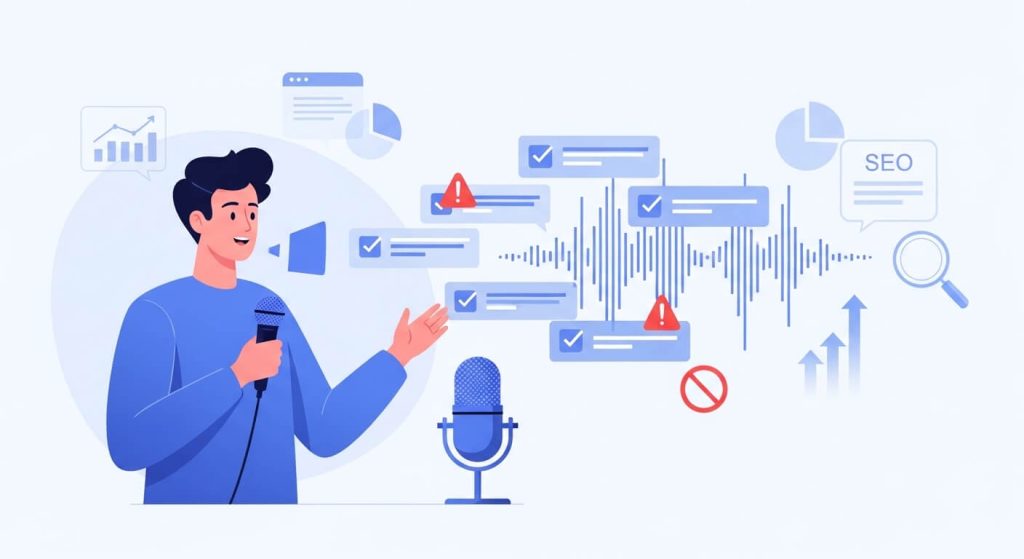
In 2026, creators are producing more content than ever—videos, podcasts, live streams, courses, interviews, and short-form clips. But creation alone no longer guarantees growth. The creators who scale today are the ones who turn spoken content into reusable, searchable, and monetizable assets. That’s why AI transcription for creators has become a core part of modern content workflows. What started as a simple accessibility feature is now a powerful tool for SEO, repurposing, productivity, and long-term visibility. But not all transcription tools—or strategies—deliver the same results. This guide breaks down what’s changed, what actually works, and what creators should avoid when using AI transcription in 2026. Why AI Transcription Matters More for Creators in 2026 The creator economy has matured. Algorithms are unpredictable, competition is fierce, and audiences discover content across search engines, AI assistants, and multiple platforms—not just YouTube or Spotify. Creators now need: AI transcription sits at the center of all three. By converting audio and video into text, creators unlock SEO, repurposing, and automation—without creating more content from scratch. What’s Changed in AI Transcription for Creators Higher Accuracy Across Accents and Speaking Styles Modern AI transcription accuracy has improved significantly. In 2026, leading tools handle: For creators, this means less manual cleanup and more usable transcripts right out of the box. Speech-to-text for creators is no longer “almost usable”—it’s production-ready. Faster, Near Real-Time Transcription Creators are moving fast, and transcription tools have caught up. Today’s automated transcription tools offer: This speed enables scalable content creation, especially for creators publishing frequently. Creator-Focused Transcription Tools (Not Generic Software) Earlier transcription tools were built for enterprises, meetings, or legal use—not creators. In 2026, the best AI transcription tools for creators focus on: This shift has made transcription software for content creators far more accessible and practical. What Works for Creators Using AI Transcription in 2026 Video Transcription for Creators Video transcription for creators is one of the highest-impact use cases. Creators use transcripts to: This answers a key creator question: transcription isn’t just about captions—it’s about discoverability and reach. Podcast Transcription for Creators Podcasts are powerful—but invisible to search engines without text. With podcast transcription for creators, episodes can be repurposed into: This helps creators grow audiences beyond podcast platforms. Using Transcripts to Build a Scalable Content Workflow The most successful creators in 2026 follow a simple system: Record once → Transcribe → Repurpose everywhere Transcripts power: This transcription-driven content creation workflow reduces burnout and maximizes output without extra effort. Choosing the Best AI Transcription Tool for Creators in 2026 So, what should creators look for in transcription tools? The best AI transcription tool for creators in 2026 should offer: Tools like TrulyScribe are built specifically for creators who want to convert audio to text without friction. What to Avoid When Using AI Transcription Tools Relying on Poor-Quality or Generic Tools Not all AI transcription tools are equal. Creators should avoid tools that: These are common AI transcription tools to avoid, especially for SEO and publishing. Ignoring Editing and Context Review AI transcription is powerful—but not “set and forget.” Common AI transcription mistakes creators make include: A quick edit ensures transcripts are professional, readable, and SEO-ready. Choosing Cheap Tools That Don’t Scale Affordability matters—but ultra-cheap tools often cost more in the long run through: Affordable AI transcription for creators should balance price, accuracy, and usability. AI Transcription vs Manual Transcription for Creators Manual transcription offers high precision—but it’s slow and expensive. In 2026: For most creators, AI transcription vs manual transcription is no longer a debate—AI wins for speed, cost, and efficiency. How Creators Are Using AI Transcription to Grow in 2026 Creators are using transcription to: This is how creators use transcription to grow—by turning every spoken word into a long-term asset. Is AI Transcription Accurate Enough for Creators in 2026? A common concern is accuracy. The answer: Yes—when you use the right tool. Modern AI transcription accuracy is more than sufficient for: Minor edits are still recommended, but AI transcription now meets creator-quality standards. The Future of AI Transcription in the Creator Economy AI transcription isn’t a trend—it’s infrastructure. As AI search, voice assistants, and content automation evolve, text remains the foundation. Creators who adopt transcription today are building future-proof content systems. In the creator economy, transcription will continue to power: Final Thoughts: How Creators Should Use AI Transcription Going Forward In 2026, creators don’t just publish content—they build systems. AI transcription for creators is no longer optional. It’s the foundation for SEO, repurposing, and sustainable growth. If you’re creating audio or video content, transcription is the fastest way to turn effort into visibility—and visibility into results. FAQs: AI Transcription for Creators in 2026

Best AI Transcription Tools for Content Creators in 2026
AI Transcription Tools, Accessibility & Localization, AI for Video, Content Creation Tools, Media Localization, Subtitling & Captioning

Best Tools for Content Creators in 2026 — Including AI for Transcripts & Captions

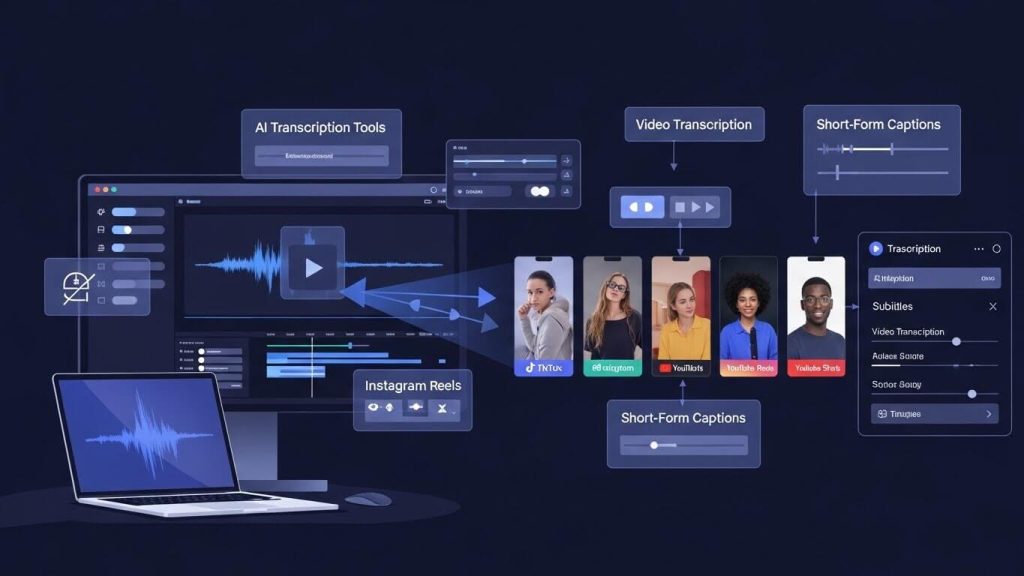
Content creation in 2026 looks very different from just a few years ago. Creators are producing more video, across more platforms, for more regions—and with far less time to spare. Whether you’re a YouTuber, TikTok creator, video editor, or media localization manager, one thing is clear: AI transcription tools and captioning software are no longer optional. From short-form video captions to multilingual subtitling and accessibility compliance, transcription and captioning tools now sit at the core of modern content workflows. In this guide, we explore the best AI tools for content creators in 2026, with a strong focus on video transcription software, AI captioning tools, and subtitling solutions—including how TrulyScribe compares with other popular platforms. Why AI Transcription Tools Are Essential for Creators in 2026 Video continues to dominate digital platforms. YouTube, TikTok, Instagram Reels, OTT platforms, and corporate video channels are all competing for attention—often in sound-off environments. This shift has made AI transcription tools critical for creators and organizations across industries such as: What creators need today: Creators and teams that rely solely on manual workflows are falling behind in speed, reach, and accessibility. What to Look for in AI Captioning & Transcription Tools Before comparing platforms, it’s important to understand what actually matters when choosing a tool in 2026. Key evaluation criteria: For professional users—such as subtitling specialists, dubbing producers, and media localization managers—these factors determine whether a tool fits into real production workflows. Best AI Transcription Tools for Content Creators in 2026 Below is a practical overview of how today’s leading tools are used, followed by where TrulyScribe fits within the ecosystem. 1. TrulyScribe – Built for Professional Transcription & Subtitling Workflows TrulyScribe is designed for creators, agencies, and enterprises that need reliable video transcription and captioning at scale, without sacrificing quality. Strengths: Best suited for: TrulyScribe stands out where transcription needs to move beyond “auto-captions” and into production-ready subtitling. 2. Generic Creator-Focused Captioning Tools Many popular tools focus on speed and ease for individual creators. Strengths: Limitations: These tools work well for solo creators but often fall short for agencies, broadcasters, or global brands. 3. Enterprise Transcription & Subtitle Platforms Enterprise solutions focus on scale and compliance. Strengths: Limitations: This is where hybrid platforms—like TrulyScribe—bridge the gap between creator agility and enterprise reliability. Best Use Cases: Matching Tools to Creator Needs Different creators and teams use AI transcription tools differently. Content Creators & Influencers Video Editors & Motion Designers Localization & Media Teams Marketing & Agency Teams AI Transcription for TikTok, Reels & Shorts: Best Practices Short-form platforms demand a different transcription approach. Best transcription format for short-form social videos: Subtitle timing tips for vertical short-form videos: AI transcription tools that support these practices deliver better engagement and viewer retention. How Captions Improve Engagement on Short Videos Captions aren’t just about accessibility—they’re about performance. Studies consistently show that captioned videos: For performance marketing agencies and social media managers, captions directly impact ROI. Multilingual Subtitles & Localization: The Next Growth Lever In 2026, content goes global instantly. Creators and brands targeting: …are increasingly relying on multilingual subtitles for short-form video content. AI transcription becomes the foundation for: Tools that support professional localization workflows—rather than just auto-translate—deliver long-term value. Transcription Workflow for Repurposing Long Videos A scalable workflow used by top creators and media teams: This workflow saves time, reduces costs, and improves content consistency. Choosing the Right Tool in 2026 When comparing AI transcription tools for content creators, the best choice depends on where you’re headed: TrulyScribe is positioned for creators and teams who want to grow beyond basic captions and build professional, accessible, and globally ready content pipelines. Final Thoughts: AI Tools Are the New Creative Infrastructure In 2026, the most successful creators aren’t just great storytellers—they’re efficient operators. AI transcription, captioning, and subtitling tools are no longer add-ons; they’re core infrastructure. If your content strategy includes: …then choosing the right transcription platform matters. Ready to elevate your content workflow? We provide professional transcription, subtitling, dubbing, voice-over, video localization, and audio description services tailored for creators, agencies, and global media teams. 👉 Contact us today to build a scalable, future-ready content pipeline. Frequently Asked Questions (FAQs)

Transcription Tips for Short-Form Video
Video Transcription, Accessibility & Compliance, AI & Automation in Media, AI Transcription Tools, Media Localization & Accessibility, Subtitling & Captioning, Transcription, Video Localization

From YouTube to TikTok: Transcription Tips for Short-Form Video Success

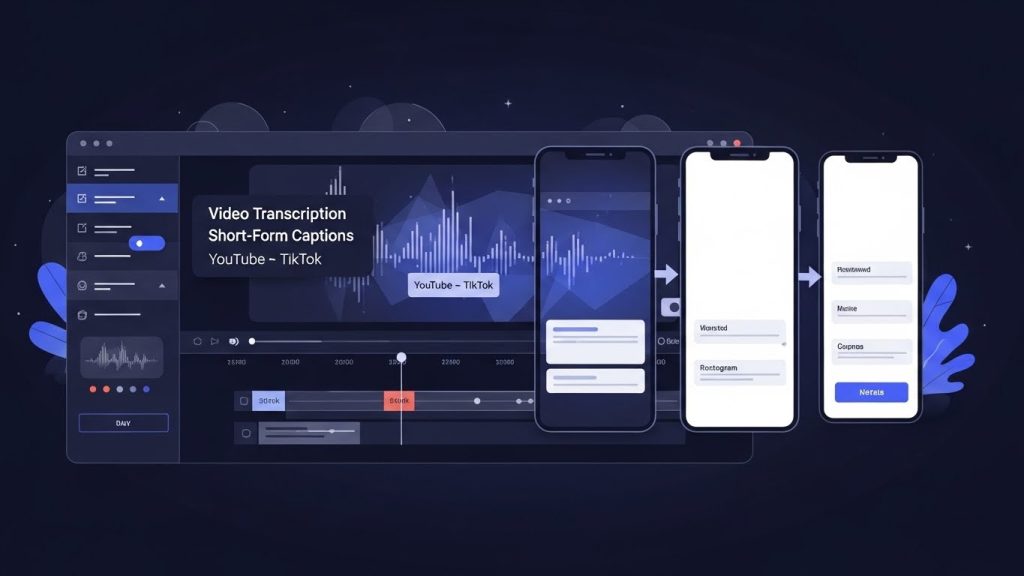
Why Video Transcription Is Essential for Short-Form Video Success Long-form video is no longer the end of the content journey—it’s just the beginning. Today’s most successful creators, media companies, and brands are repurposing YouTube videos into short, high-impact clips for TikTok, Instagram Reels, and YouTube Shorts. At the heart of this transformation lies one critical enabler: video transcription. Whether you’re a content creator, a localization project manager, or a post-production supervisor, transcription is the foundation for effective short-form video captions, accessibility, and global reach. In this guide, we’ll explore how to move seamlessly from YouTube to TikTok using smart transcription workflows, AI-powered subtitling, and platform-specific best practices. Why Video Transcription Is the Backbone of Short-Form Video Short-form video platforms are built for speed, silent viewing, and global audiences. According to multiple industry studies, over 80% of social media videos are watched without sound, and videos with captions consistently outperform those without. This makes video transcription essential—not optional. Key benefits of transcription for short-form video: For industries like media & entertainment, e-learning, broadcasting, and corporate communications, transcription also supports compliance, scalability, and faster turnaround times. From YouTube to TikTok: Why Transcription Comes First Repurposing long-form YouTube videos into short clips isn’t just about trimming footage. TikTok, Reels, and Shorts demand a different storytelling rhythm—faster hooks, tighter captions, and visual-first communication. This is where YouTube to TikTok transcription plays a crucial role. How to transcribe YouTube videos for TikTok captions Instead of manually rewatching hours of footage, professional teams and creators follow this workflow: This approach allows video editors, social media managers, and localization teams to work faster and more accurately—especially when handling large content volumes. Best Transcription Format for Short-Form Social Videos Not all transcripts are created equal. A verbatim transcript that works for YouTube may not work for TikTok. Best transcription format for short-form social videos: For subtitling specialists and dubbing producers, this clean transcript also becomes the base file for: Subtitle Timing Tips for Vertical Short-Form Videos Timing matters more than text volume on short-form platforms. Captions that lag—or overload the screen—can kill engagement. Subtitle timing tips for vertical short-form videos: For video production studios and post-production teams, these subtitling standards ensure platform compliance while maintaining creative integrity. How Captions Improve Engagement on Short Videos Captions don’t just improve accessibility—they drive performance. How captions improve engagement on short videos: For digital marketing and performance marketing agencies, captioned videos often result in: This is why short-form video captions are now a non-negotiable part of social media strategy. AI Transcription for TikTok and Instagram Reels: What to Know AI has transformed transcription speed and scalability. AI transcription for TikTok and Instagram Reels allows teams to process large content libraries quickly—but quality control remains critical. Where AI subtitle generation works best: Where professional review is essential: Localization project managers and media localization managers often combine AI with human review to balance speed, accuracy, and cultural nuance. Multilingual Subtitles for Short-Form Video Content Short-form video is global by default. A TikTok posted today can reach audiences in Europe, Asia, the Middle East, and Latin America within hours. Why multilingual subtitles matter: For video localization services, transcription is the starting point for: This is especially critical in multilingual and localization-heavy regions such as Latin America, Western & Eastern Europe, Africa, and Southeast Asia. Transcription Workflow for Repurposing Long Videos A scalable transcription workflow benefits creators and enterprises alike. A proven transcription workflow for repurposing long videos: This workflow is widely used across: Real-World Scenario: One Video, Multiple Markets Imagine a YouTube interview published by a media brand in the United States. Using transcription: With one source video, the brand reaches audiences in North America, Latin America, Europe, and the Middle East—without re-recording or re-editing from scratch. That’s the power of transcription-led content strategy. Conclusion: Transcription Is the Smartest Way to Win Short-Form Video Short-form video success isn’t just about trends or algorithms—it’s about clarity, accessibility, and speed. Video transcription enables creators, marketers, and media teams to repurpose content efficiently, improve engagement, and scale globally. Whether you’re producing TikToks, managing localization projects, or delivering accessible content, transcription is the foundation that makes everything else possible. Ready to elevate your short-form video strategy? Our team provides professional transcription, subtitling, dubbing, voice-over, video localization, and audio description services tailored for creators, media companies, and global brands. 👉 Contact us today to transform your long-form content into high-performing, globally accessible short-form videos. Frequently Asked Questions (FAQs)

Video Transcription for Accessibility ADA & WCAG Compliance Explained
Video Transcription, Accessibility & Compliance, AI Transcription Tools, Captions & Subtitles, Media Localization

Video Transcription for Accessibility: ADA & WCAG Compliance Explained

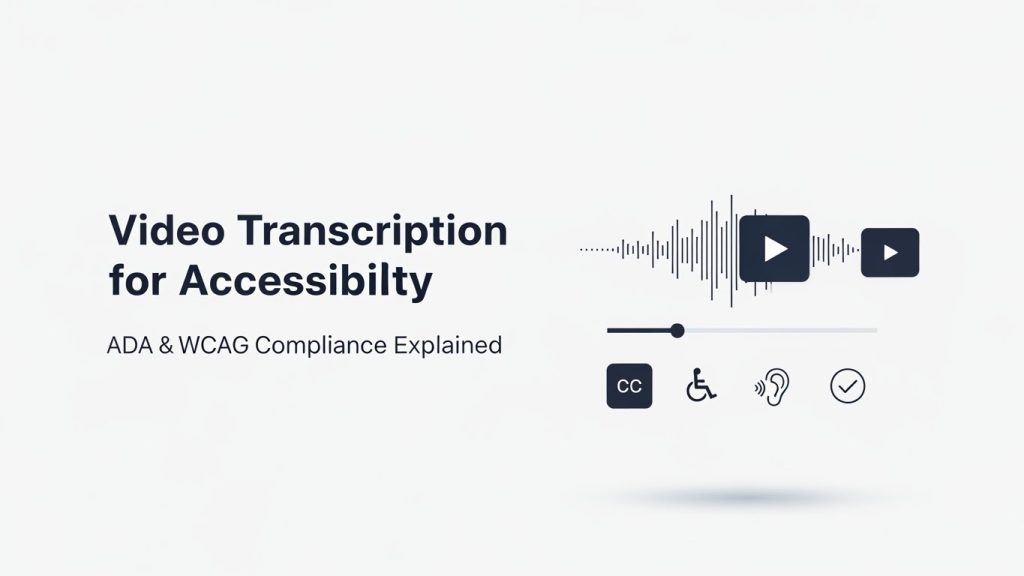
Why Video Accessibility and Transcription Matter Today Video has become the most powerful medium for communication—used across corporate training, e-learning, marketing, OTT platforms, podcasts, and digital publishing. But as video usage grows, so does the responsibility to make content accessible to everyone. This is where video transcription plays a critical role. From meeting ADA compliance in the United States to adhering to WCAG accessibility standards globally, accessible video transcription is no longer optional—it’s essential. In this guide, we’ll break down how video transcription supports accessibility, what ADA and WCAG really require, and how AI-powered platforms like TrulyScribe help organizations meet compliance at scale. Why Accessibility Matters More Than Ever in Video Content Accessibility is no longer just about inclusion—it’s about legal compliance, audience reach, and brand trust. According to the World Health Organization, over 1.5 billion people worldwide live with some form of hearing loss. Add to that non-native speakers, people watching videos without sound, and users relying on assistive technologies—and it’s clear why accessibility is a business priority. Accessibility-driven trends shaping video content: Video transcription ensures that spoken content is available in text form—making videos usable, searchable, and compliant. What Is Video Transcription and Why It’s Essential for Compliance Video transcription is the process of converting spoken dialogue in a video into written text. This text can be used as: From an accessibility standpoint, transcripts are foundational. Captions and subtitles are built from accurate transcripts, making transcription the first step toward compliance. ADA & WCAG: What Do They Actually Require? ADA (Americans with Disabilities Act) The ADA requires that digital content—especially videos—be accessible to people with disabilities. This includes: This is where ADA compliant transcription becomes critical. WCAG (Web Content Accessibility Guidelines) WCAG provides international standards for accessibility. Under WCAG 2.1: Organizations often ask:Does video transcription meet WCAG requirements? The answer is yes—when combined with captions and proper formatting. How Does Video Transcription Help With ADA Compliance? One of the most searched questions is:How does video transcription help with ADA compliance? Here’s how: Using an AI video transcription tool ensures consistency and scalability—especially when dealing with large video libraries. Is AI Transcription Accurate Enough for WCAG Accessibility? A common concern is accuracy. Is AI transcription accurate enough for WCAG accessibility? Modern AI transcription platforms like TrulyScribe use advanced speech recognition models trained on diverse accents, industries, and audio conditions. When paired with human review (if needed), AI transcription achieves accuracy levels suitable for WCAG compliance. Benefits of AI transcription for accessibility: This makes accessible video transcription achievable even for high-volume content creators. Automatic Captioning Software vs Manual Transcription Manual transcription is accurate—but slow and expensive. Automatic captioning software, powered by AI, offers a smarter alternative: Feature Manual AI Transcription Speed Slow Near real-time Cost High Scalable Volume handling Limited High Compliance-ready Yes Yes (with review) Platforms like TrulyScribe bridge this gap by offering AI-driven transcription optimized for accessibility workflows. How to Make Videos Accessible Using AI Transcription If you’re wondering how to make videos accessible using AI transcription, here’s a practical workflow: This approach works across: Best AI Transcription Tool for Accessible Videos Organizations often search for the best AI transcription tool for accessible videos—one that balances speed, accuracy, and compliance. What to look for: TrulyScribe is designed for teams producing video at scale—helping them meet ADA and WCAG requirements efficiently. Real-World Scenario: Accessibility at Scale Imagine an e-learning company with: Manual transcription would take months. With AI transcription, transcripts are generated quickly, captions are created automatically, and accessibility compliance becomes manageable. This is where AI-driven platforms outperform traditional workflows. Make Your Videos Accessible with TrulyScribe Meeting accessibility standards doesn’t have to be complex or expensive. TrulyScribe is an AI-powered transcription platform built to help organizations: Whether you’re a content creator, enterprise team, or media publisher, TrulyScribe helps you make videos accessible—faster. 👉 Start using TrulyScribe to create accessible, compliant video content today. Sing Up here Frequently Asked Questions (FAQ) Final Thoughts Accessibility is not a checkbox—it’s a commitment. With increasing regulatory enforcement and growing audience expectations, video transcription has become the foundation of inclusive digital communication. By leveraging AI-powered tools like TrulyScribe, organizations can meet ADA and WCAG compliance while improving reach, usability, and brand trust. Accessible video isn’t just better—it’s smarter, scalable, and future-ready.

Scroll to Top