Trulyscribe

Uncategorized

Best AI Transcription for Long Podcasts & 2-Hour Recordings
Uncategorized

Best AI Transcription for Long Podcasts & 2-Hour Recordings

Ever uploaded a 2-hour podcast to an AI transcription tool… only for it to crash at 82%? Or worse — it completes the transcript, but speaker labels are a mess and editing takes longer than manual typing. Short clips are easy.Long-form audio is where most AI transcription tools struggle. If you regularly produce: You need a transcription solution built for long audio — not just short snippets. In this guide, we’ll break down: Why 2-Hour Recordings Break Most AI Transcription Tools AI transcription performs well in controlled demos. But long podcasts expose weaknesses. Here’s why: 1️⃣ Memory & File Size Limits Many platforms quietly limit: Long files increase processing strain, especially in browser-based tools. 2️⃣ Speaker Drift Over Time Multi-speaker transcription becomes harder over 90–120 minutes. Common issues: If your podcast includes co-hosts or guests, diarization accuracy becomes critical. 3️⃣ Accumulated Errors Small recognition errors compound over time: Editing a 10-minute transcript is easy.Editing 25 pages of slightly messy text? Not so much. 4️⃣ Export Problems Long transcripts can: For professional workflows, this becomes a serious bottleneck. What to Look for in AI Transcription for Long Podcasts If you regularly transcribe 2-hour recordings, here are the non-negotiables: ✅ Stable Large File Processing No random cutoffs. No crashes. ✅ Multi-Speaker Detection (Diarization) Clear speaker separation throughout the entire file. ✅ Timestamp Control Especially useful for: ✅ Clean Editing Interface You should be able to: ✅ Flexible Export Formats TXT, DOCX, SRT — depending on your workflow. Common Frustrations Creators Face If you’ve searched Reddit for “best AI transcription for long audio,” you’ll notice similar complaints: Long-form content reveals which transcription tools are built for scale — and which aren’t. Best AI Transcription for Long Podcasts (2026) Not every transcription tool is optimized for 2-hour recordings. Here’s how to think about it: 🔹 For 30–60 Minute Audio Many modern AI transcription tools can handle this length without issues. If your content rarely exceeds one hour, you’ll likely be fine with most premium platforms. 🔹 For 60–120 Minute Podcasts & Interviews This is where you need: For creators who frequently publish long-form episodes, TrulyScribe is designed to handle extended recordings efficiently. It supports: Instead of breaking large files into segments or juggling multiple tools, creators can process full-length recordings more reliably in one place. Free vs Paid Transcription for Long Recordings Many creators start with free AI transcription tools. Free plans are useful for: But long podcasts usually expose limits: If long-form content is part of your weekly workflow, paid tools provide consistency and time savings. How to Transcribe a 2-Hour Podcast Efficiently Here’s a simple workflow to reduce editing time: Step 1: Clean Your Audio First Reduce background noise before uploading. Step 2: Enable Speaker Detection Especially important for co-host formats. Step 3: Review the First 10 Minutes Check accuracy early to identify recurring issues. Step 4: Use Search to Batch-Correct Fix recurring name or terminology errors in bulk. Step 5: Export Strategically Use: A structured AI transcription workflow can turn a 2-hour recording into multiple content assets. Why Long-Form Transcription Is a Growth Lever in 2026 Transcribing long podcasts isn’t just about documentation. It enables: 📈 SEO blog posts📧 Email newsletters📱 Social media snippets🎥 Video captions♿ Accessibility compliance A single 2-hour episode can become: And that process starts with reliable AI transcription. Final Verdict When choosing the best AI transcription for long podcasts and 2-hour recordings, prioritize: ✔ Stability✔ Speaker accuracy✔ Long-file support✔ Editing efficiency✔ Export flexibility Not all tools are built for long-form audio. If extended recordings are part of your workflow, choosing a transcription platform that handles them reliably can save hours every week. FAQs – Best AI Transcription for Long Podcasts (2026)
Best AI Transcription Tools in 2026
Uncategorized

Best AI Transcription Tools in 2026: What Actually Works for Meetings, Interviews & Long Audio

If you search Reddit for “best AI transcription tool,” you’ll see the same questions repeated: In 2026, AI transcription has improved dramatically — but not all tools are built for the same use case. In this guide, we break down: What to Look for in the Best AI Transcription Tools Before choosing a transcription tool, focus on these core features: 1. Accuracy (Even in Noisy Audio) Modern AI models can reach high accuracy — but real-world conditions matter: The best tools use advanced speech recognition models trained on diverse datasets. 2. Speaker Identification (Diarization) For: You need multi-speaker transcription with clear speaker labels. Poor diarization = unusable transcript. 3. Long Audio Support Many free tools struggle with: If you regularly transcribe webinars, lectures, or long meetings, this becomes critical. 4. Pricing & Free Tiers Reddit users frequently ask: “Is there a reliable free AI transcription tool?” Most free tools: Free is great for testing — but serious workflows usually require scalable pricing. 5. Editing & Export Options Look for: A good editing interface saves hours. Best AI Transcription Tools by Use Case (2026) Instead of ranking tools blindly, here’s what works best for different needs. 🎤 Best for Interviews Interviews require: For journalists, researchers, and content creators, tools that balance accuracy + usability are ideal. If you’re conducting frequent interviews, a platform like TrulyScribe offers: This makes it suitable for interview-heavy workflows. 🧑‍💼 Best for Meetings & Team Workflows Meeting transcription tools must handle: Many AI tools struggle when conversations overlap. TrulyScribe is particularly useful when: 🎙️ Best for Multi-Speaker Recordings Reddit users consistently ask: “Which AI tool handles long multi-speaker transcription best?” The answer depends on: TrulyScribe supports multi-speaker transcription, making it practical for: 💸 Best Free AI Transcription Tools If you’re testing: Free tools can work for: But expect limitations: For professional or recurring needs, scalable tools like TrulyScribe offer more consistency. 📚 Best for Long Audio Files (Webinars, Lectures, Archives) Archivists and researchers often ask: “What works for long voice recordings?” The key factors: If your workflow includes 60–120 minute recordings, using a tool built for longer content (like TrulyScribe) prevents workflow bottlenecks. How to Choose the Right AI Transcription Tool Use this quick decision guide: If You Need Look For Free short-term testing Basic AI tool with limited minutes Multi-speaker accuracy Strong diarization features Interview transcripts Clean formatting + editing Long recordings Stable large file support SEO-friendly transcripts Exportable, structured text Why AI Transcription Matters More in 2026 AI transcription is no longer just about converting audio to text. It now powers: Creators turn:🎙 Podcast episodes🎥 YouTube videos🎤 Webinars Into:📝 Blogs📱 Social posts📧 Email newsletters And that workflow starts with reliable transcription. Where TrulyScribe Fits In For creators, professionals, and teams who need: TrulyScribe provides a practical solution built for real-world workflows. Instead of patching together multiple tools, it centralizes the transcription process. Final Thoughts The “best AI transcription tool” depends on your use case. But in 2026, the must-haves are clear: ✔ Accuracy✔ Speaker labeling✔ Long file stability✔ Clean exports✔ Reliable pricing If transcription is part of your content, research, or business workflow — choosing the right platform can save hours every week. FAQs – Best AI Transcription Tools in 2026

online-course-transcripts-accessibility-seo
Uncategorized

Why Every Online Course Needs Transcripts for Accessibility and SEO

Online learning has exploded in the past few years. From independent course creators to universities and corporate training teams, digital education is now mainstream. But while most creators focus on video quality, content depth, and platform features, one critical element is often overlooked: Online course transcripts. Transcripts are no longer optional add-ons. They are essential for accessibility, compliance, SEO, and learner success. Whether you’re running a small course on a creator platform or managing large-scale eLearning programs, transcripts play a vital role in long-term growth. Let’s break down why every online course needs transcripts for accessibility and SEO in 2026. What Are Online Course Transcripts? Online course transcripts are text versions of spoken content in course videos, lectures, webinars, or training sessions. Unlike captions that appear on screen, transcripts provide a full written record of the lesson in a structured, readable format. They are commonly created using: When properly formatted, transcripts become powerful learning and search assets. Online Course Accessibility: Why Transcripts Are Essential 1. Supporting Students with Hearing Impairments Accessibility for online courses is not just a best practice—it’s often a legal requirement. Transcripts help: Many creators ask: Do online courses need transcripts for accessibility? If you want your course to be inclusive and compliant, the answer is yes. 2. ADA Compliance for Online Courses In many regions, including the United States, ADA compliance for online courses requires accessible learning materials. While captions are essential, transcripts provide an additional level of accessibility and usability. Institutions and course platforms increasingly require: Failing to provide transcripts can create legal risks and limit audience reach. 3. Supporting Different Learning Styles Not all students learn best through video. Some prefer: Transcripts allow learners to: This improves comprehension and retention significantly. How Transcripts Improve SEO for Online Courses Most course creators don’t realize this: Search engines cannot “watch” your videos. Without transcripts, your course content is largely invisible to Google. 1. Making Course Content Indexable Adding video transcripts for courses allows search engines to: This directly answers a common question: How do transcripts improve SEO for online courses? They turn spoken content into searchable, crawlable text. 2. Ranking for Long-Tail Keywords When you publish transcripts on: You naturally rank for long-tail phrases students are searching for. For example: Transcripts capture organic phrasing you may not intentionally optimize for. 3. Increasing Organic Traffic Transcripts increase organic visibility by: Over time, this can significantly improve SEO for online courses and bring in students outside your learning platform. Transcripts vs Captions for Online Courses Many course creators confuse the two. Captions Transcripts Both are important—but transcripts offer additional benefits beyond on-screen captions. Benefits of Transcripts for eLearning Here are the core advantages of eLearning transcription: Improved Accessibility Making online courses accessible with transcripts ensures equal access for all learners. Better Student Experience Students can: Content Repurposing Transcripts can be turned into: Scalability Using AI transcription for online courses, creators can scale content production without hiring manual transcriptionists. How to Add Transcripts to Online Courses If you’re wondering how to add transcripts to online courses, here’s a simple workflow: Using automated tools dramatically reduces turnaround time compared to manual transcription. Choosing the Best Transcription Service for Course Creators When selecting a transcription solution, look for: The best transcription service for course creators should integrate seamlessly into your workflow without adding friction. Tools like TrulyScribe are built to support educators and course creators with fast, accurate, and scalable transcription solutions. Are Transcripts Required for Online Course Compliance? While legal requirements vary by region, many platforms and institutions strongly recommend transcripts as part of accessibility compliance. Even if not legally mandated in every case, transcripts: From both ethical and business perspectives, transcripts are a smart investment. The Future of Online Course Accessibility and SEO As online learning grows, expectations around accessibility and discoverability will increase. Search engines are becoming smarter, but they still rely on text to understand content. At the same time, accessibility standards are tightening across education and corporate training. Creators who invest in online course transcripts today will: Final Thoughts If you’re creating online courses in 2026, transcripts are not optional—they’re foundational. They support accessibility, improve SEO, enhance learner experience, and unlock content repurposing opportunities. Whether you’re a solo course creator or managing enterprise-level training, investing in course transcription services ensures your content is inclusive, discoverable, and future-ready. And with modern AI-powered tools, adding transcripts to your courses has never been easier. FAQs – Online Course Transcripts

What Is AI Transcription & How It Works: A Beginner’s Guide (2026)
Uncategorized

What Is AI Transcription & How It Works: A Beginner’s Guide (2026)

Audio and video content are everywhere—podcasts, meetings, interviews, webinars, YouTube videos, and online courses. But turning spoken words into written text manually is time-consuming and expensive. That’s where AI transcription comes in. In this beginner’s guide, we’ll explain what AI transcription is, how it works, and why creators and businesses are increasingly relying on it to save time, reduce costs, and scale content effortlessly. What Is AI Transcription? AI transcription is the process of converting spoken language from audio or video files into written text using artificial intelligence instead of human transcribers. Also known as speech-to-text or automatic transcription, AI transcription tools listen to spoken words, recognize speech patterns, and generate text in real time or within minutes. Unlike manual transcription, which can take hours or even days, AI transcription delivers fast, scalable, and cost-effective results. Modern tools like TrulyScribe can transcribe long recordings in just a few minutes, making transcription accessible to everyone—from solo creators to large teams. How Does AI Transcription Work? At first glance, AI transcription may feel almost magical—but behind the scenes, it follows a clear process. Here’s how it works step by step. Step 1: Upload or Record Audio You start by uploading an audio or video file (such as MP3, MP4, WAV, or MOV) or by recording audio directly within the transcription platform. This could be a meeting recording, podcast episode, interview, or lecture. Step 2: Automatic Speech Recognition (ASR) The AI uses Automatic Speech Recognition (ASR) to analyze the audio. It breaks down sound waves, identifies speech patterns, and converts spoken words into text. Step 3: Language Models Improve Accuracy Advanced language models help the AI understand: This is what separates modern AI transcription software from older, error-prone systems. Step 4: Transcript Is Generated Within seconds or minutes, a complete transcript is produced. Most AI transcription tools allow you to: With AI tools like TrulyScribe, the entire process—from upload to editable transcript—happens seamlessly. AI Transcription vs Manual Transcription Many people still wonder whether AI transcription can replace manual transcription. Here’s a simple comparison. Feature AI Transcription Manual Transcription Speed Minutes Hours or days Cost Affordable Expensive Scalability High Limited Accuracy 85–95%+ Up to 99% Turnaround Instant Slow Manual transcription still has a place in highly sensitive or legal-grade scenarios, but for most everyday use cases, AI transcription offers the best balance of speed, accuracy, and cost. What Types of Content Can AI Transcription Handle? AI transcription software is extremely versatile and can be used across many formats, including: If content is spoken, AI transcription can convert it into text. Who Should Use AI Transcription? AI transcription is not limited to one industry. It’s widely used by: If you regularly work with audio or video, AI transcription can save you hours every week. Benefits of Using AI Transcription Software Here’s why AI transcription has become essential in modern workflows: With AI transcription, spoken content becomes a powerful, reusable asset. How Accurate Is AI Transcription? AI transcription accuracy typically ranges from 85% to 95% or higher, depending on factors such as: Clear audio recordings produce the best results. Modern AI transcription tools continuously improve accuracy by learning from vast language datasets and real-world usage. Is AI Transcription Secure? Security is a common concern—especially for businesses. Reputable AI transcription platforms prioritize: When choosing an AI transcription tool, always look for clear security and data-handling practices. How to Get Started With AI Transcription Getting started is simple: You can experience this entire workflow by trying TrulyScribe, which makes AI transcription fast, simple, and beginner-friendly. 👉 Try AI transcription for free with TrulyScribe Final Thoughts AI transcription has transformed how we work with audio and video content. What once took hours now takes minutes, enabling creators and businesses to work faster, smarter, and more efficiently.If you’re new to AI transcription, there’s never been a better time to start. Tools like TrulyScribe make it easy to turn voice into text—and text into value. Frequently Asked Questions About AI Transcription

video-to-blog-ai-transcription-guide
Uncategorized

Step-by-Step Guide to Turning Your Video into a Blog Post (Using AI Transcription)

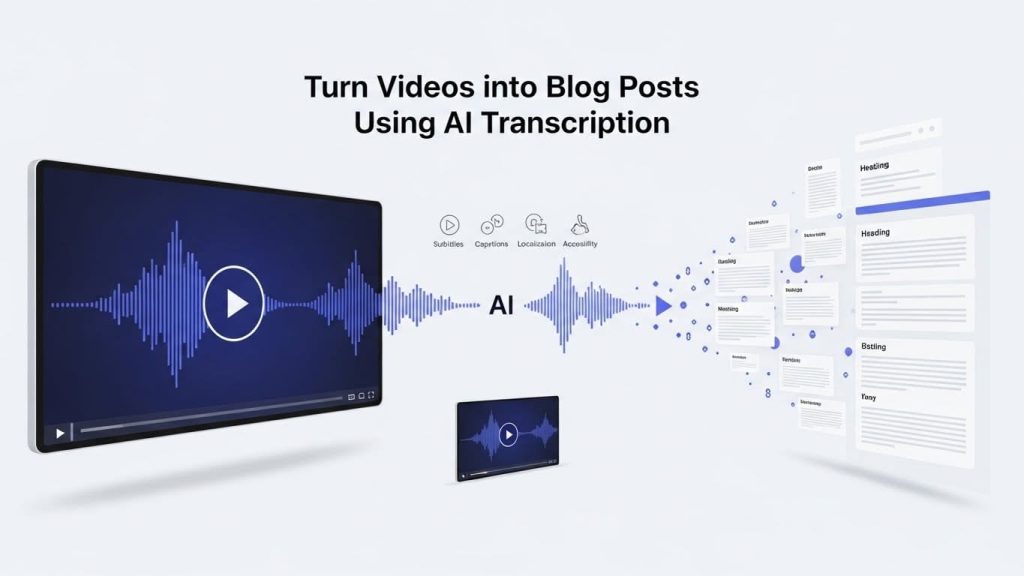
Why Video Transcription Is the Key to Turning Videos into High-Value Blog Content Video has become the most powerful content format across industries—from YouTube and podcasts to e-learning, corporate communications, and OTT platforms. But while video captures attention, text content still drives discoverability, SEO, and long-term value. This is where AI transcription becomes a game-changer. Instead of letting valuable video content live and die on a single platform, creators and organizations are increasingly using video transcription services to turn videos into high-performing blog posts, articles, and localized written assets. This approach saves time, improves accessibility, and unlocks new audiences across regions and languages. In this step-by-step guide, we’ll walk through how to turn a video into a blog post using AI transcription, while aligning the process with professional subtitling, dubbing, voice-over, localization, and audio description workflows. Why Turn Videos into Blog Posts? Before diving into the process, it’s important to understand why this strategy works so well—especially for media, marketing, and localization teams. Key benefits of converting video to blog content: For industries like media & entertainment, e-learning, broadcasting, corporate training, and digital marketing, video-to-text conversion is no longer optional—it’s a strategic advantage. Step 1: Choose the Right Video for Transcription Not every video makes a good blog post. The best candidates are videos that deliver structured, informational, or narrative value. Ideal video types include: Localization project managers and post-production teams often prioritize videos that can later be adapted into subtitles, dubbed versions, or audio descriptions. Step 2: Transcribe the Video Using AI Transcription Once you’ve selected the video, the next step is video transcription—converting spoken audio into written text. Why use AI transcription? AI transcription tools dramatically reduce turnaround time while maintaining high accuracy. They are especially effective for: Modern video transcription services can handle accents, industry terminology, and multiple speakers—making them suitable for professional environments. Best practice: Use AI transcription as the first draft, then review or refine the transcript for clarity, tone, and structure. Step 3: Clean and Structure the Transcript Raw transcripts are rarely blog-ready. Spoken language doesn’t always translate smoothly into written content, especially for SEO and readability. What to clean up: What to preserve: This step is critical for subtitling and captioning specialists, as a clean transcript also becomes the base file for captions, subtitles, and dubbing scripts. Step 4: Create a Blog Structure from the Transcript Now it’s time to turn the transcript into a proper blog post. Step-by-step video to blog content workflow: This process transforms spoken content into a reader-friendly article without losing the original message. For SEO and accessibility, clear structure is essential. Step 5: Optimize the Blog for SEO Using the Transcript One of the biggest advantages of using AI transcription is SEO. Search engines cannot “watch” videos—but they can index text. How transcripts improve SEO: SEO optimization tips: For digital marketing teams, this step directly impacts organic traffic and lead generation. Step 6: Adapt the Content for Localization & Multilingual Use Once the blog is finalized in the source language, it becomes a powerful asset for video localization services. How transcription supports localization: For regions like Europe, Latin America, Southeast Asia, the Middle East, and Africa, this approach supports scalable multilingual publishing. Dubbing and voice-over studios also use transcripts as the foundation for script adaptation and timing alignment. Step 7: Use the Blog for Subtitling, Dubbing & Accessibility A high-quality transcript doesn’t stop at blogs—it feeds multiple downstream workflows. One transcript can power: This is especially important for: By centralizing transcription early, teams reduce duplication and improve consistency. Real-World Scenario: One Video, Multiple Assets Imagine a corporate webinar recorded in English. Using AI transcription: With a single recording, the organization creates multiple content assets across formats and regions—efficiently and cost-effectively. Common Mistakes to Avoid Even with AI transcription, there are pitfalls to watch out for. Avoid these common issues: Professional transcription and subtitling workflows help avoid these problems—especially for high-visibility or regulated content. Who Benefits Most from This Workflow? This approach is especially valuable for: Industries Roles Conclusion: AI Transcription Turns Video into a Scalable Content Engine Turning videos into blog posts isn’t just a productivity trick—it’s a strategic move that amplifies reach, improves accessibility, and supports global content growth. With AI transcription, you can: Ready to transform your video content? We provide professional AI-powered transcription tailored for creators, agencies, and enterprises. 👉 Contact us to turn your videos into powerful, multi-format, globally accessible content. Frequently Asked Questions (FAQ)

Scroll to Top